IPv6 Converter to IPv4
Decode embedded IPv4 addresses from IPv6 formats, or generate IPv6 forms such as IPv4-mapped, 6to4, NAT64, ISATAP, and Teredo-style lab examples.
Conversion Breakdown
| Conversion Format | IPv6 Pattern | Where IPv4 Lives | Calculator Treatment |
|---|---|---|---|
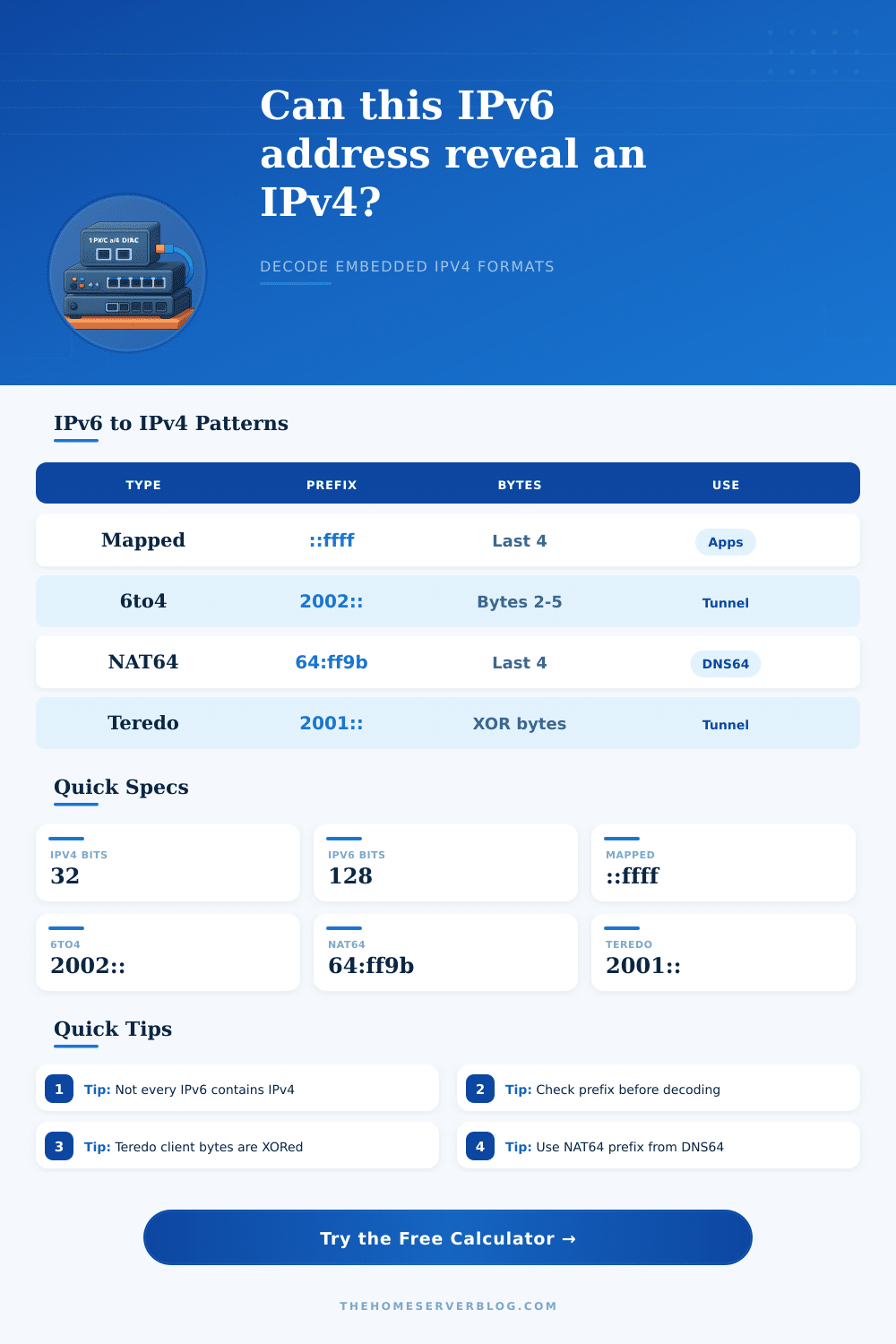
| IPv4-mapped IPv6 | ::ffff:w.x.y.z or ::ffff:WWXX:YYZZ | Final 32 bits | High confidence app compatibility mapping. |
| IPv4-compatible IPv6 | ::w.x.y.z or ::WWXX:YYZZ | Final 32 bits | Recognized as legacy, normally avoid for new designs. |
| 6to4 | 2002:WWXX:YYZZ::/48 | Second and third hextets | Decodes public IPv4 used to build the 6to4 prefix. |
| NAT64 and DNS64 | 64:ff9b::w.x.y.z or custom /96 | Final 32 bits | Extracts translated IPv4 when the prefix is plausible. |
| ISATAP | ...:0000:5efe:w.x.y.z | Interface identifier suffix | Reads embedded host address after 0000:5efe. |
| Teredo | 2001:0000:server:flags:port:client | XORed final 32 bits | Decodes server, flags, port, and obfuscated client IPv4. |
| Address Class | IPv4 Range | Expected Conversion | Home Server Note |
|---|---|---|---|
| Private LAN | 10.0.0.0/8, 172.16/12, 192.168/16 | Often lab-only mapping | Useful for reverse proxies, containers, and local logs. |
| Loopback | 127.0.0.0/8 | ::ffff:127.0.0.1 common | Usually means local application binding or testing. |
| Link-local | 169.254.0.0/16 | Rare in routed IPv6 | Check DHCP, static addressing, or interface fallback. |
| Documentation | 192.0.2/24, 198.51.100/24, 203.0.113/24 | Safe example data | Good for diagrams, tutorials, and runbook examples. |
| Public IPv4 | Other globally routed IPv4 | Used by 6to4, NAT64, and Teredo | Do not assume it identifies the final user without context. |
| Multicast | 224.0.0.0/4 | Not typical for embedded host | Flag for validation before adding firewall rules. |
| Byte Math | Example Input | Hex Bytes | IPv4 Output |
|---|---|---|---|
| Mapped suffix | ::ffff:c0a8:0119 | c0 a8 01 19 | 192.168.1.25 |
| 6to4 prefix | 2002:c633:6401:: | c6 33 64 01 | 198.51.100.1 |
| NAT64 suffix | 64:ff9b::0808:0808 | 08 08 08 08 | 8.8.8.8 |
| ISATAP suffix | fe80::5efe:cb00:7105 | cb 00 71 05 | 203.0.113.5 |
| Teredo client | 2001:0:4136:e378:8000:63bf:3fff:fdd2 | c0 00 02 2d | 192.0.2.45 |
| Compatible suffix | ::c000:0201 | c0 00 02 01 | 192.0.2.1 |
| Home Lab Task | Best Mode | Primary Result | Secondary Check |
|---|---|---|---|
| Read application logs | Auto or mapped | Client IPv4 address | Confirm ::ffff prefix before blocking. |
| Audit DNS64 lab | NAT64 | Translated IPv4 suffix | Confirm the resolver prefix and /96 route. |
| Decode old tunnel route | 6to4 | Public relay source IPv4 | 6to4 is legacy and may be filtered. |
| Review Teredo trace | Teredo | Server, port, and client IPv4 | Client IPv4 is XOR-obfuscated in the address. |
| Build config examples | Encode | IPv6 representation | Use documentation IPv4 for public examples. |
| Firewall cleanup | Auto plus strict | Confidence and scope | Native IPv6 does not map to IPv4 rules. |
When IPv4 addresses was becoming scarce, engineers had to find a way to maintain communication between the older systems that still used IPv4 and the newer systems using IPv6. Engineers used mechanisms to embed IPv4 addresses within IPv6 structures. These embedded addresses has specific patterns to them.
This converter tool is designed to recognize these patterns and convert them to the original IPv4 address when one is present within the IPv6 address. Most IPv6 addresses are “native,” which means that they does not contain an IPv4 component. However, there are address types that contain an embedded IPv4 address.
How the IPv6 to IPv4 Converter Works
For example, mapped addresses use a ::ffff prefix, 6to4 addresses begin with the 2002 prefix with the IPv4 address placed within the next two hextets, NAT64 addresses use the 64:ff9b prefix with the IPv4 address following in the last thirty-two bits of the IPv6 address. Additionally, ISATAP and Teredo also use specific address conventions in which the IPv4 information is stored in specific locations within the IPv6 address or that use specific bitwise manipulation to encode the address. Therefore, recognizing the pattern of an IPv6 address can reveal from which system the address originated, which is helpful information to be aware of when crafting rules for those systems or troubleshooting them.
The toggle button at the top of the tool allows for the user to take the address in two different direction. If the user selects the decode function, the tool will analyze the IPv6 string that is pasted into the string field. If the user selects the encode function, the tool will take the ordinary IPv4 address that is entered into the field and construct the IPv6 address according to the selected format.
The family selector field allows for the user to narrow the range of the type of address that the tool will construct. The notation field determine in what notation the IPv4 address will be displayed and is helpful for comparing results from other tools that may use a different notation for those same addresses. The strictness level for the tool allows for the user to indicate whether the tool should find any type of pattern (even if it may not be a legitimate IPv4 address) or to require that any addresses found are legitimate instances of those types of addresses.
The prefix-length field allows for the user to define which portion of the address is being examined by the tool, though this does not impact the mathematical process that is used to decode the address. The overhead settings control the amount of information that is displayed alongside the converted address, which may be helpful for creating documentation for that system. A common mistake is to assume that every IPv6 address that contains a dotted decimal value within its address contains a usable IPv4 address.
While the converter tool will successfully extract the IPv4 portion of the address, the context behind the address may indicate that these IPv4 addresses are not usable by end users. For instance, private IPv4 address range are common in systems logs for networks that use only private devices, but documentation may use IPv4 address ranges that are not routable on the open internet. Thus, the classification of the address returned from the tool will indicate whether the address is internal or external to the network.
The Teredo address type also contains an inverted value for the client IPv4 address and the UDP port. While the converter tool will recognize and account for this inversion in the address when it is decoding it, the result will still need to be compared to the value of the IPv4 address of the server that is referenced in the address. Additionally, the NAT64 addresses will only decode correctly if the prefix to the address is correct to that defined to the DNS64 resolver.
If the user enters the wrong prefix into the tool, the converter will still correctly produce an IPv4 address, but that address will not contain the real IPv4 address of the intended destination for the data packets. The tables within the reference information for the tool indicate the various bytes within each address type and the treatments of those bytes. These tables are helpful in understanding the different address types and the reasons why certain addresses may appear within the logs of certain systems.
Additionally, the tables include the ranges of IPv4 addresses that are common to each type of address. These tables, therefore, allow the user to determine whether or not an address requires investigation. The examples of the byte notations show the different ways that the same four bytes of an embedded IPv4 address can be displayed.
These different notations are helpful in comparing the same addresses as they will appear in various types of tools. The breakdown field allows for the user and any other individuals to view the individual steps that led to the creation of the converted address. This may be helpful for presenting the information to others.
Additionally, this record allows the individual to confirm which prefix was used in the conversion of the address and whether it was correct. Because the tool can produce the reverse mapping of IPv6 addresses to IPv4 addresses, it allows for the user to create test cases for systems like firewalls. Overall, the embedded IPv4 addresses within IPv6 addresses indicate from which system the addresses were created.
Furthermore, those embedded addresses also indicate from which IPv4 host the addresses were created. Thus, by inputting any IPv6 address that contains an embedded IPv4 address into the converter tool, the user removes the guesswork regarding the prefix and the bit positions of the embedded address. Additionally, by converting the address, the user gains a clearer picture of the original IPv4 address and system from which the IPv6 address originated.