RAID ZFS Calculator
Estimate ZFS pool capacity for mirrors, RAIDZ1, RAIDZ2, RAIDZ3, and dRAID-style home NAS layouts with reserve, slop space, compression, growth, resilver, and performance planning.
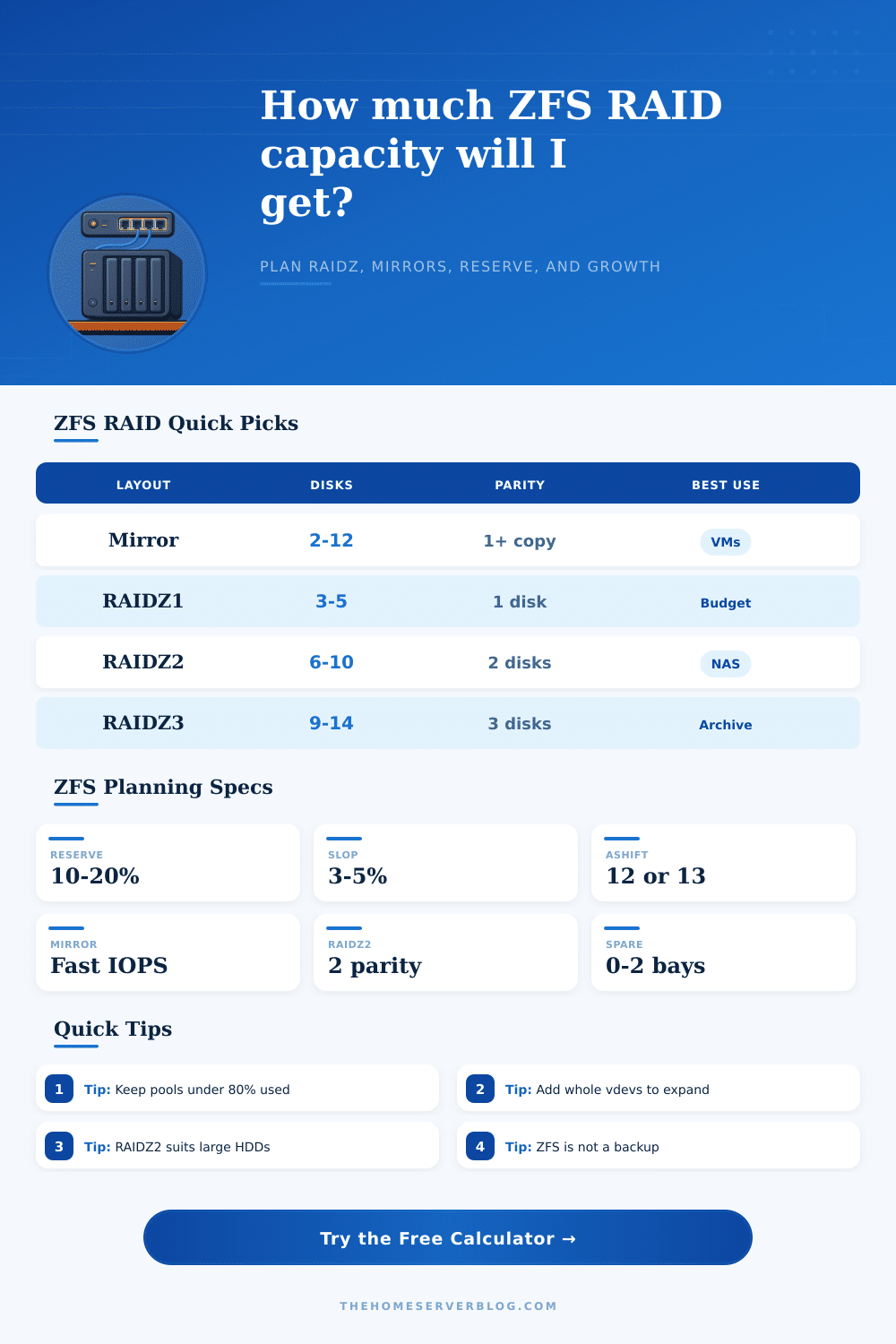
| Layout | Minimum practical width | Fault tolerance | Expansion behavior | Best fit |
|---|---|---|---|---|
| Mirrored vdevs | 2 disks per vdev | One or more copies per mirror set | Add another mirror vdev | VMs, databases, containers, fast random I/O |
| RAIDZ1 | 3 disks per vdev | One disk per vdev | Add another RAIDZ1 vdev | Small SSD pools or low-risk budget storage |
| RAIDZ2 | 5 to 6 disks per vdev | Two disks per vdev | Add another RAIDZ2 vdev | Most large-HDD home NAS builds |
| RAIDZ3 | 8 to 9 disks per vdev | Three disks per vdev | Add another RAIDZ3 vdev | Large archive pools and long resilver windows |
| dRAID2 estimate | 12 or more disks | Distributed two-parity style | Usually planned as a large shelf | Large appliances where rebuild speed matters |
| Drive class | Sequential read | Sequential write | Random IOPS clue | Planning note |
|---|---|---|---|---|
| NAS CMR HDD | 210 MB/s | 190 MB/s | 80 read / 70 write | Good default for RAIDZ2 home pools |
| Enterprise HDD | 250 MB/s | 230 MB/s | 120 read / 100 write | Better under scrub and resilver load |
| Archive CMR HDD | 180 MB/s | 160 MB/s | 65 read / 55 write | Fine for media, slower for VM churn |
| SATA SSD | 520 MB/s | 480 MB/s | 70000 read / 60000 write | Useful for all-flash mirrors or metadata special vdevs |
| NVMe SSD | 3200 MB/s | 2600 MB/s | 250000 read / 200000 write | Network and CPU often limit home servers first |
| Mixed older HDDs | 150 MB/s | 120 MB/s | 55 read / 45 write | Size and speed are governed by the weakest disks |
| Home server scenario | Example layout | Raw disks | Approx. data disks | Why it is chosen |
|---|---|---|---|---|
| Tiny NAS | 1 mirror vdev | 2 x 8 TB | 1 x 8 TB | Simple replacement, simple resilver, low bay count |
| Fast Proxmox datastore | 4 mirrored vdevs | 8 x SSD | 4 x SSD | More vdevs raise random IOPS and reduce latency |
| Family media NAS | 1 x 6-wide RAIDZ2 | 6 x 12 TB | 4 x 12 TB | Good capacity with two-disk protection |
| Expandable rack NAS | 2 x 6-wide RAIDZ2 | 12 x 12 TB | 8 x 12 TB | Second vdev doubles many performance ceilings |
| Cold archive shelf | 1 x 12-wide RAIDZ3 | 12 x 18 TB | 9 x 18 TB | Extra parity helps with long rebuild windows |
| Item | Typical value | Calculator use | Practical caution |
|---|---|---|---|
| Drive label TB | Decimal TB | Capacity math starts in manufacturer TB | Operating systems may display TiB, which looks smaller |
| ashift=12 | 4K sector alignment | Default small-write overhead choice | Do not force 512B sectors on modern drives |
| Free pool target | 10% to 20% | Reserve slider subtracts usable capacity | Busy pools slow down when nearly full |
| RAIDZ expansion | Whole vdevs | Expansion step is a full matching vdev | Plan future bays before buying the chassis |
| Recordsize | 16K to 1M | Used for workload guidance | Databases and VMs may need smaller records |
The calculator uses planning estimates. ZFS behavior varies with controller, HBA, RAM, dataset settings, snapshots, special vdevs, sync writes, checksums, scrubs, workload mix, and drive firmware.
Planning a ZFS storage pool requires mathematic calculations because the usable data capacity isnt the same than the total data capacity of the disks. A user will use the total data capacity of the drives to create a ZFS storage pools. A ZFS storage pool is create by putting virtual devices, or vdevs, together.
Each vdev have specific rules about fault tolerance and performance, and the ZFS storage pool will use these vdevs to create a storage areas. The layout of the vdevs will impact the fault tolerance of the storage pool, as well as the performance of that storage pool. Mirrors are the best if fast random writes is needed.
How to Plan a ZFS Storage Pool
RAIDZ storage areas have more data capacity, but require a trade-off in write speeds. Using a calculator can help a user determine the number of vdevs and the width of each vdev in the storage area. In planning a ZFS storage pool, the size and class of the drives will matter.
The 12 TB drive might have a different performance rating then the 18 TB enterprise drive. Both drives may be selling for decimal terabytes, but their performance during a resilver will likely not be the same. The calculator can select the drive class to change the assumptions about the sequential drive speed and IOPS of those drives.
This information will matter if you are trying to ensure that a RAIDZ2 will resilver before the next drive fails in your storage pool. The calculator shows the time it will take to resilver the drives, which is another helpful time frame for those who will be using many spinning drive in their NAS setup. ZFS requires some space dedicated to its own function.
This space is called overhead. Overhead is used for data about the drives in the storage pool, as well as to ensure the drives can write even when the storage pool is nearly full. The storage pool has settings for both free-space reserve and slop that can be used to model the amount of this overhead.
A fifteen percent reserve is likely sufficient for a file sharing storage pool. However, if virtual machine will be used in the storage pool, a twenty percent reserve will be needed. Another consideration is the compression of the drives.
By setting a compression algorithm in the storage pool, the physical drive sizes can be used to create a logical capacity that is larger than the physical size of the drives. The calculator models both the physical and logical sizes so that the amount of usable data can be determined for the storage pool. Another consideration is how fast the data will accumulate in the storage pool.
Storage pools fill up with data. Although you may start with a large amount of free space, data will eventually fill the storage pool. The calculator will ask for the current data usage and the rate of how fast the data will grows each year.
This information will allow the calculator to project into the future how many month of runway the storage pool will have before it is full. This projection will allow someone to compare two scenarios: one in which the storage pool will last three years, and one that will last only next year. Adding drives to a storage pool requires adding another vdev with the same geometry as the existing drives in the storage pool.
Therefore, prior to purchasing a storage array, one should of consider how many drive bay will be needed in the array. ZFS storage pools are not created equal. The workloads that will be used with the drives will change the performance of the drives.
Media will be streamed with few interruptions. This type of workload is best with RAIDZ drives. However, virtual machines will create many small random write to the drives.
In this scenario, mirror drives is better. Therefore, the user can select the workload that will be used in the calculator. This will impact how the storage pool is to be used, but will not change the raw capacity calculations of the drives.
Many people make the mistake of only considering the number of drives that will be mirrored to create fault tolerance. Using two drives for fault tolerance out of a twelve drive vdev will work, but the storage pool will have a long window of time before the drives can be resilvered. If a second drive should fail during the resilvering process, the storage pool will fail.
The risk of failure during resilver can be seen in the resilver estimate and risk exposure score within the calculator. These figure will not replace any backups made for the drives. However, they will help to make a decision about how many spare drive should be purchased for the storage pool.
The reference tables within the tool will provide information about the minimum width for each type of layout. Each type of layout has its own fault tolerance. Many drives may fail if the setup uses any number of older drive.
In this case, the entire storage pool will slow to the speed of the slowest drive. Finally, ashift settings determine how the drives will pad small writes. This information is helpful in deciding how many drives of each type should be purchased in advance.
The goal is to create a storage pool that is fast enough for the intended use, can survive a drive failure, and has enough data space for the future. Using this calculator will make it possible to achieve all of this before purchasing any drive for a storage pool.