Network Capacity Calculator
Plan throughput, concurrency, reserve, and transfer volume for home servers, Wi-Fi, cameras, backups, and mixed uplinks.
Full Breakdown
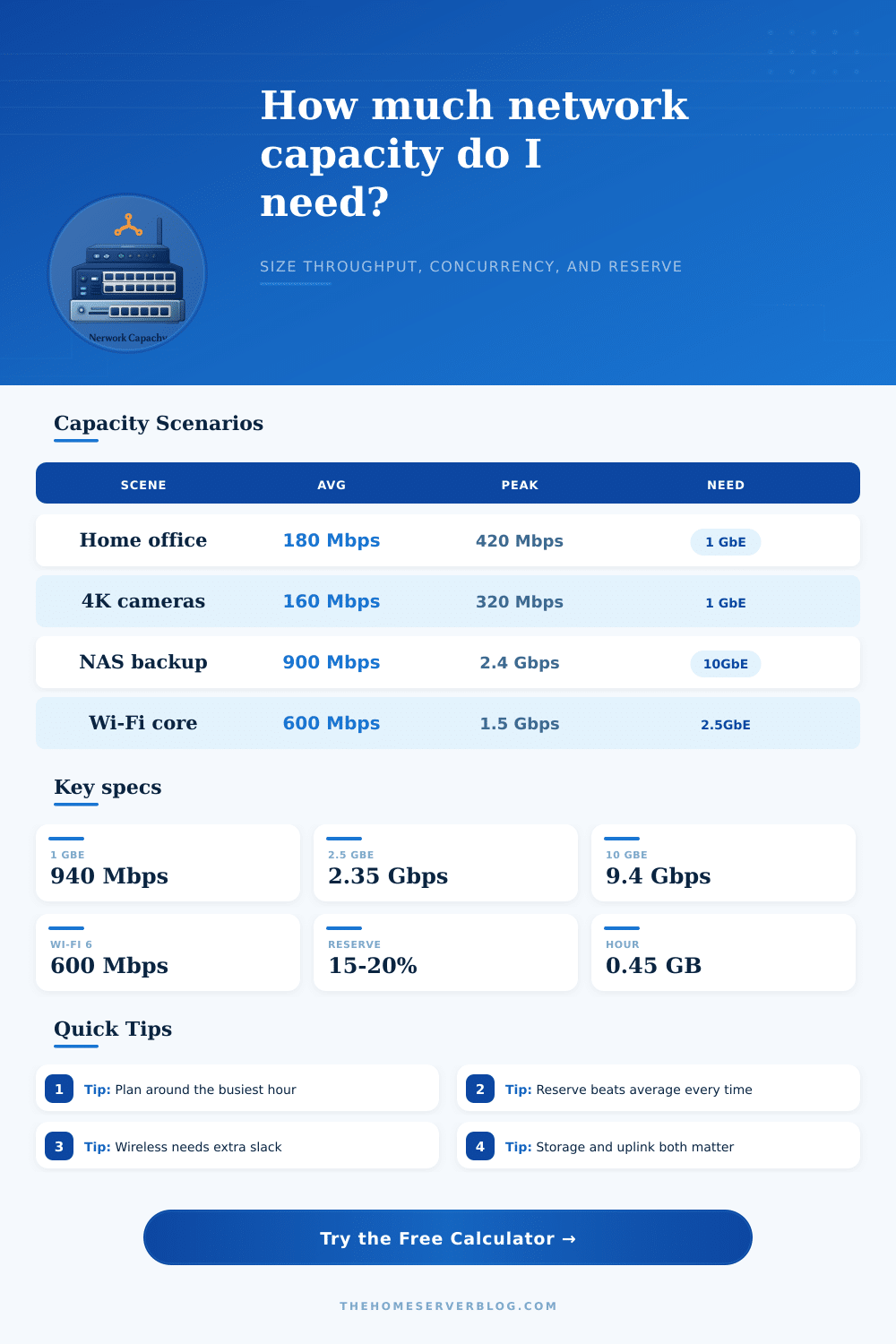
| Standard | Nominal | Practical | Use |
|---|---|---|---|
| 1000BASE-T | 1 Gbps | 940 Mbps | General LAN |
| 2.5GBASE-T | 2.5 Gbps | 2.35 Gbps | AP uplink |
| 10GBASE-T | 10 Gbps | 9.4 Gbps | NAS and core |
| Wi-Fi 6/6E | Shared | 600-1500 Mbps | Air time shared |
| Config | Efficiency | Best Use | Watch |
|---|---|---|---|
| Wired edge | 94% | Switch ports | Queue spikes |
| Wi-Fi backbone | 72% | Client access | Retries |
| Fiber core | 98% | NAS and trunk | Port budget |
| Mesh backhaul | 65% | Relay hops | Airtime loss |
| Project | Devices | Primary Need | Note |
|---|---|---|---|
| Small office | 12 | 180 Mbps | Single uplink |
| 4K camera wall | 8 | 160 Mbps | 24/7 video |
| NAS backup | 1 | 900 Mbps | Short burst |
| VM lab | 2 | 2.4 Gbps | 10GbE helps |
Network capacity planning are the process of determining how much network bandwidth a person need to support all of the devices that is connected to the network. Network capacity planning is important because networks often slow down when too many device are using the network at the same time. Rather than planning for the average amount of data that devices on a network will use, the network should be planned with the amount of data that will be use at peak times of the networks operation.
Peak times of operation are periods when the network is performing at the highest level of demand, and during these period, the network will experience the highest data rate. One of the major factor in data rates for a network is the concept of concurrency. Not all devices on the network will be using the network at the same time, but many devices will be active use the network during certain periods of the day or certain event.
How to Plan Network Capacity
By assuming that fifty-five percent of the devices on the network will be active at the same time, a person can create a more accurately design for the network. Wireless networks are less efficient than wired networks. Wireless networks may provide seventy-two percent of the efficiency of a wired network, with wired networks provide approximately ninety-four percent of the efficiency.
The wireless device must share the airtime on the wireless network with other wireless device. Another factor that may reduce the data rate of a network is network overhead. The protocols and data framing that occur when data travels across a network create network overhead.
The protocols that create network overhead may reduce the data rates by as much as eight percent. Additionally, twenty percent of the data bandwidth should be reserved for network overhead and for providing for potential future growth in the number of device on the network. Should a reserve not be provided for network overhead, the network may become more overcrowded and experience buffer overflow of data.
An uplink is used to allow data to be sent from a network to the internet and for data to be recieve by the network from the internet. For example, if the network include devices that can output large amount of data, such as a NAS device, an uplink of ten gigabit may be required for those devices to function proper. Another mistake that many networks make is in planning their network for average data rates.
This is incorrect because networks is not always at peak data rates. A person can create network usage profile for various devices on the network. For example, a virtual machine host may require more bandwidth than an office device.
Additionally, a 4K camera may require more bandwidth than an Internet of Things (IoT) device. If the data rates for a network exceed eighty-five percent of the available bandwidth, the network is becoming crowded. Additionally, if the data rates exceed one hundred percent of the available bandwidth, the network are oversubscribed; oversubscribed networks create latency in the data transfers between network device.
Another factor that may influence the rate at which data travel on a network is the length of the physical cable. Data rates may subtly decrease over physical distance. Additionally, Quality of Service (QoS) setting may be used to manage data burst on the network, but the Quality of Service settings cannot create more available bandwidth on the network.
The network should of be test to ensure it can handle data burst that may happen at peak times. By planning for the peak data rates and providing for network overhead, the network will remain stable on the network.