L2TP Overhead Calculator
Estimate L2TP, PPP, UDP, IPsec ESP, NAT-T, MTU, MSS, and per-session tunnel efficiency before fragmented packets make your VPN feel haunted by math.
Detailed Encapsulation Breakdown
| Header case | Bytes | What it includes | When to use it |
|---|---|---|---|
| Compact L2TP data | 6 | Flags plus tunnel and session IDs without length or sequencing. | Lean data packets where both endpoints do not require sequencing. |
| Length field included | 8 | Base data header plus two-byte length field. | Useful when equipment reports data header length explicitly. |
| Sequencing included | 10 | Base data header plus Ns and Nr sequence fields. | Compatibility mode for tunnels that sequence data packets. |
| Length and sequencing | 12 | Length field plus Ns and Nr sequence fields. | Conservative estimate for older concentrators or lab traces. |
| PPP item | Typical bytes | Effect on MTU | Practical note |
|---|---|---|---|
| PPP protocol field | 2 | Always reduces available inner payload unless compressed. | Most L2TP PPP payload examples assume this field is present. |
| Protocol compression | 1 | Saves one byte when negotiated and supported. | Do not assume compression if endpoints are unknown. |
| MPPE or multilink tags | 4-12 | Consumes extra bytes before the user payload. | Add the observed option size into PPP options and padding. |
| TCP MSS clamp | 40 or 60 | IPv4 TCP subtracts 40 bytes; IPv6 TCP subtracts 60 bytes. | Clamp MSS below tunnel MTU to avoid black-hole fragmentation. |
| Security wrapper | Planning bytes | Components | Use case |
|---|---|---|---|
| No IPsec | 0 | Plain L2TP over IP and UDP only. | Lab compatibility, isolated test networks, or non-secure legacy checks. |
| ESP AES-GCM estimate | 32 | SPI, sequence, nonce or IV, trailer, and authentication tag estimate. | Modern IPsec profiles with authenticated encryption. |
| ESP AES-CBC/SHA1 estimate | 52 | ESP header, IV, trailer, padding allowance, and integrity check value. | Common older L2TP/IPsec client and appliance profiles. |
| NAT-T wrapper | 8 | Additional UDP/4500 header around ESP. | Clients behind home routers, carrier NAT, hotels, and LTE hotspots. |
| VPN type | Typical overhead | MTU behavior | Notes for home labs |
|---|---|---|---|
| L2TP without IPsec | 36-42 bytes | Usually manageable on 1500 MTU paths. | Useful for protocol testing but not a secure remote-access design by itself. |
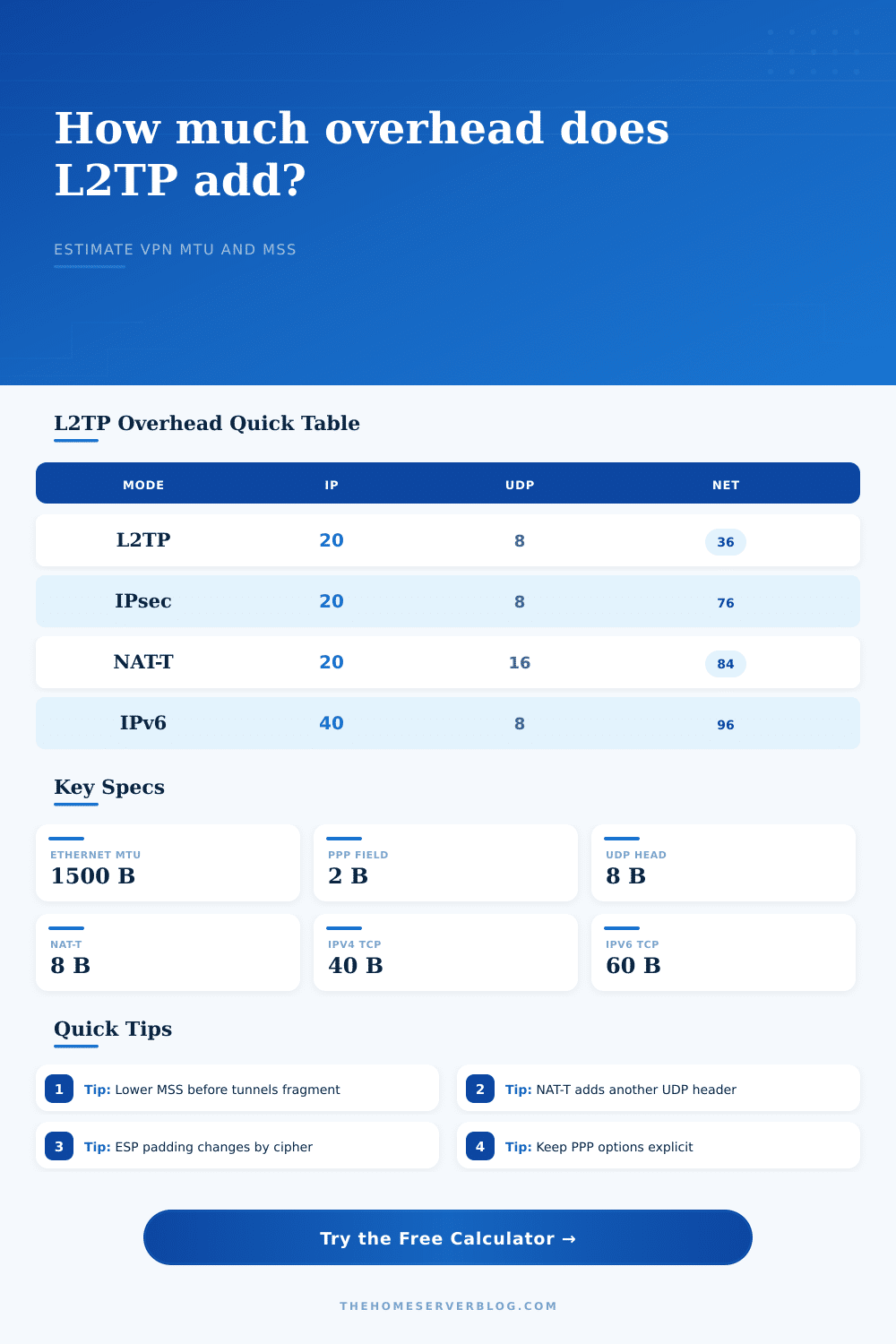
| L2TP over IPsec | 76-110 bytes | Often needs MSS clamping near 1360-1400 on Ethernet. | Still common for built-in operating system VPN clients. |
| L2TP/IPsec with NAT-T | 84-118 bytes | Extra UDP/4500 header increases the chance of fragmentation. | Plan this for phones, laptops, and branch users behind routers. |
| WireGuard style UDP VPN | 60-80 bytes | Generally predictable, but still needs MTU tuning on PPPoE or tunnels. | Good comparison point when replacing legacy L2TP/IPsec. |
| OpenVPN over UDP | 70-120 bytes | Depends on cipher, compression setting, and TLS control channel behavior. | Packet captures are often the easiest way to confirm actual overhead. |
| GRE over IPsec | 70-110 bytes | Can carry routing cleanly but has similar MTU pressure. | Often seen in branch tunnel designs instead of remote-access VPN. |
A virtual private network sounds simple enough (set up the credentials), check the tunnel configuration, hit go. Except now your web pages is loading in pieces, your video calls pixelate and your bandwidth has slowed to a crawl. Encryption isn’t usually the problem. The problem is overhead.
Protocols like L2TP wraps your traffic in a series of headers; each header consume some of the maximum transmission unit, leaving less for your actual data. Toss in PPP options, NAT traversal, and IPsec on top of that stack, and your packet bloat might becomes significant. Fail to include that bloat in your equation, and your packets exceeds the maximum allowed by path through your network, get dropped, and stall out your connection.
Why Your VPN Is Slow
Plugging your scenario into the calculator above does all of the math for you so you don’t have to guess about the conversions and coefficients. That’s because a regular Ethernet frame carries only 1500 bytes of data. That data include both the protocol wrappers and your actual data. L2TP adds its own header (six to twelve bytes depending on whether it includes sequence numbers and length). Next up: the Point-to-Point Protocol. It add another two bytes or so to the packet. And if you’re using IPsec, as most people who use secure remote access do, then at this point you’ll tack on an ESP header, an authentication tag, an initialization vector, and some padding. All of that by itself can gobble up fifty bytes or more. Oh, and if you’re behind a NAT router on the client side, then there’s also good chance your tunnel will be encapsulated using NAT-T, adding yet another UDP header around the entire mess. So yeah, when your web request finally gets to the wire, there’s not much left besides.
This is why tunnel efficiency matter. The point is you must know how much room is left for your TCP payload. Any more then that, and the router will drop the packet. And if fragmentation isn’t enabled, as is commonly the case in a secure network, it will just toss the whole thing. The fix: Clamp the TCP Maximum Segment Size to tell the endpoints to send smaller segments that will fit within the shrunk-down window. It’s all explained nicely in the reference table on the page.
This also shows why IPv6 is so heavy; it adds two dozen extra bytes per IP packet, leaving even fewer bits available for your streaming or file data. Administrators who simply glance at the data headers without examining the control traffic are making a big mistake. Control frames and keepalives is vital to maintaining an L2TP connection. If network congestion occurs or if your link has a high latency, control traffic will consumes a significant percentage of your available bandwidth. The tool lets you account for control-to-data ratio, allowing you to get a more realistic view of link use.
It also considers safety margins. Real world networks are never perfect so it’s good practice to add some headroom (think 16 or 32 bytes). Unexpected overhead such as carrier-grade NAT, VLAN tags, or even jumbo frames can appears. There’s also the variable of which cipher suite you choose. For example, newer AEAD ciphers such as AES-GCM are more efficient than older CBC modes but they has a slightly different footprint. Integrity tag length and block size affect the overhead. A few bytes here or there, but that can be the difference between a choppy vs. Smooth video call. That’s where the calculator presets comes into play. Without having to create a model from scratch, they help demonstrate the differences.
The same principle applies to mobile client connections and a tunnel for your branch office. More overhead = less good. You want your VPN to be fast. That means as few bytes on the wire as possible. You want it to be secure. That takes up more space. You want it to work everywhere. That might force you to use an older and bulkier protocol. You want to have your cake and eat it too. The only way to do that is to know where the compromises are.
You can calculate exactly how big each header is. Then you can set your MSS small enough so nothing gets fragmented. And you could of figured out how many sessions your link can sustain before header bandwidth becomes a bottleneck. It’s a tangible engineering issue, not some vague feeling of lag, and it has an equation to solve. Reduce the MSS and account for the padding, and typically the ghosts goes away. Ask your tunnel to carry whatever you need it to. No more, no less. Let the math work for you.