DNS over HTTPS Overhead Calculator
Estimate DoH bytes per lookup, TLS handshake amortization, cache savings, resolver bandwidth, and overhead versus UDP, TCP, and DoT.
Detailed Calculation Breakdown
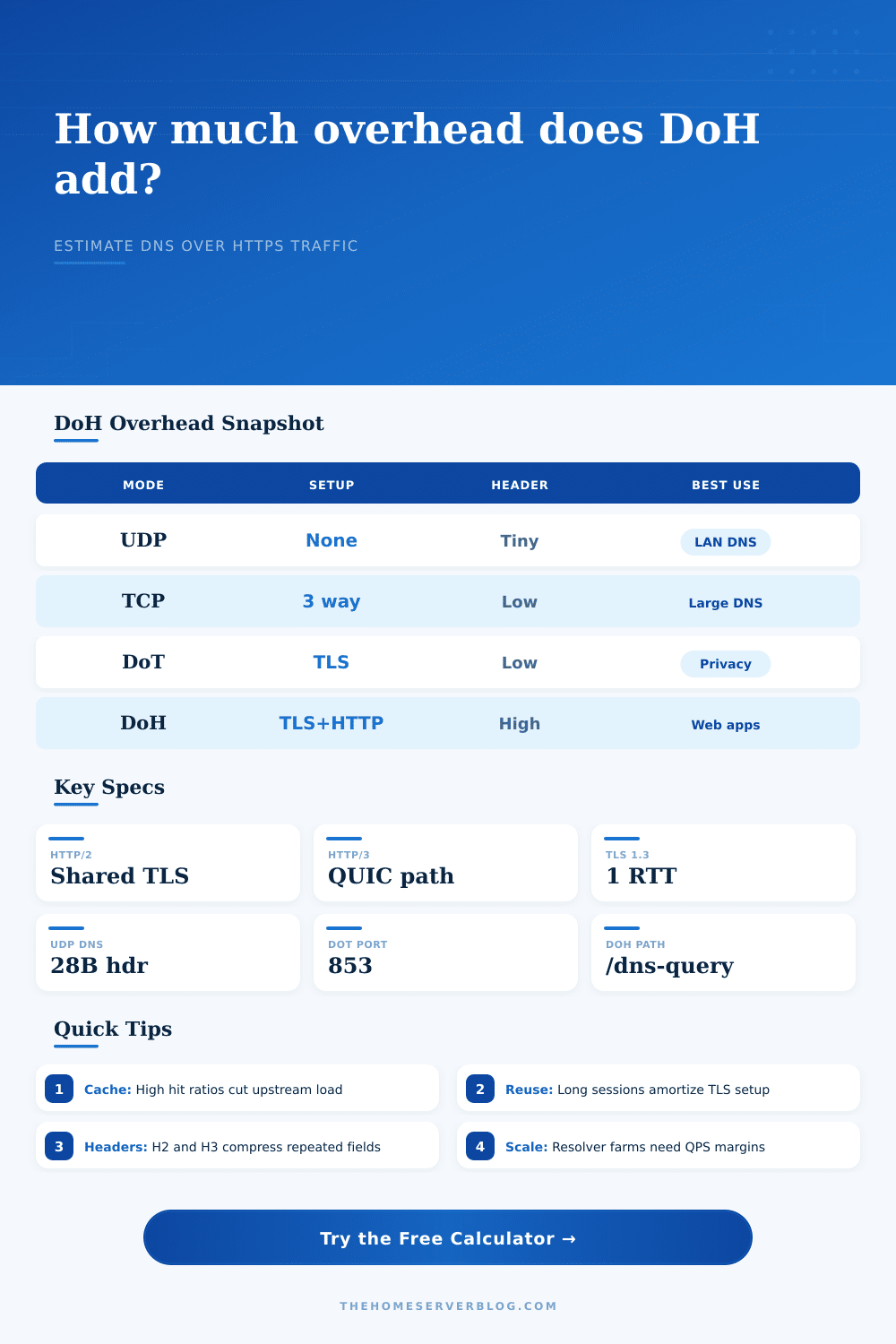
| Transport | Common Port | Setup | Per Exchange Overhead | Practical Note |
|---|---|---|---|---|
| Classic UDP DNS | 53/UDP | No connection | IPv4 + UDP headers, about 28 bytes each way | Lowest byte overhead, easiest to inspect on a LAN |
| DNS over TCP | 53/TCP | TCP handshake | TCP/IP headers plus 2 byte DNS length prefix | Used for large replies, zone transfers, or fallback |
| DNS over TLS | 853/TCP | TCP plus TLS | TLS records without HTTP header fields | Simple encrypted DNS path with a dedicated port |
| DNS over HTTPS | 443/TCP or 443/UDP | TLS plus HTTP | DNS payload, HTTP fields, TLS records, framing | Blends into web traffic and supports web platform APIs |
| HTTP Mode | Header Handling | Connection Behavior | When It Helps |
|---|---|---|---|
| HTTP/1.1 keep-alive | No HPACK or QPACK compression | Sequential unless more connections are opened | Compatibility tests and older resolver stacks |
| HTTP/2 | HPACK compresses repeated fields | Multiplexed streams over one TLS connection | Most browser and home resolver DoH deployments |
| HTTP/3 | QPACK over QUIC streams | Runs over UDP with QUIC recovery | Mobile networks and lossy paths where head-of-line blocking hurts |
| GET DoH | DNS payload is base64url encoded | Cacheable by HTTP infrastructure | Public recursive APIs and repeated web lookups |
| POST DoH | DNS payload stays as application/dns-message | Simple payload sizing | Stub resolver forwarding and privacy-focused clients |
| TLS Path | Typical Setup Bytes | Record Overhead | Reuse Impact | Best Case |
|---|---|---|---|---|
| TLS 1.3 resumed | Small ticket-based setup | About 22 bytes per protected record | Very low when sessions stay warm | Browser to known resolver |
| TLS 1.3 full | Certificate chain plus key exchange | About 22 bytes per protected record | Needs reuse to stay efficient | Home gateway with stable upstream |
| TLS 1.2 full | More handshake flights than TLS 1.3 | About 27 bytes per protected record | More sensitive to churn | Legacy appliances or proxies |
| QUIC TLS 1.3 | Handshake inside QUIC packets | QUIC packet protection plus stream frames | Connection migration can preserve sessions | Mobile clients changing networks |
| Deployment | Typical Clients | QPS Pattern | Cache Expectation | Planning Focus |
|---|---|---|---|---|
| Single browser | 1 device | Bursty tab loads | Medium browser cache | Handshake reuse and HTTP version |
| Pi-hole forwarder | 10 to 80 devices | Steady with spikes | High local cache | Upstream bandwidth after suppression |
| Unbound forward zone | Home lab services | Repeat lookups from automation | High if TTLs are respected | DNSSEC response size and padding |
| Resolver farm edge | Hundreds of workers | High sustained QPS | Depends on shared cache | Per-node bandwidth and connection pools |
Browser Stub
Best modeled with one client, high connection reuse, HTTP/2 or HTTP/3, and moderate cache hit ratio.
Pi-hole
Use many clients, strong cache suppression, POST-heavy DoH, and a stable upstream session pool.
Unbound Forwarder
Increase response payload bytes for DNSSEC and larger records, then compare DoH against DoT.
Resolver Farm
Raise client count and QPS, keep reuse realistic, and size links with buffer for traffic spikes.
DNS over HTTPS is commonly thought of as a straightforward privacy boost: turn it on, your requests gets encrypted, all’s well with the world. But it isn’t so easy.
Turning on encryption mean adding weight to each packet that passes through your network. To see why that matters, let’s take a look at how it works. That all boils down to the fact that HTTP is a heavyweight protocol. And UDP-based standard DNS is tiny, it only leaves the question and the answer on the wire. DoH puts the question inside a TLS record, then inside an HTTP header, and then potentially inside a TCP frame or QUIC frame. All of those layers adds bytes to each interaction.
Why DNS over HTTPS Uses More Data
In a small home network, these are no big deal. But if you’re operating a busy Pi-hole instance serving hundreds of clients or a resolver farm, this add up to meaningful bandwidth usage.
This matters because it ensures we know exactly what we mean when we talk about this overhead. Cache hit ratio is by far the biggest input to the tool. This is the meat of where the savings occur. A cache hit means that a local resolver answered a query directly out of memory with no traffic hitting the upstream link. There is no DNS payload transmission, no HTTP headers, and no TLS handshake. The more effective your cache ratio is, the less you are using the expensive transport layers, which removes the overhead issue.
People gets this one wrong a lot. They fixate on size of their TLS certificate while they should of being focusing on how frequently they don’t have to send the request at all.
The other lever you have is reusing the connection. Reopening a TLS session for each DNS query are wasting resources. The handshake and certificate chain bytes is a fixed cost. Spread it over one query, and the overhead-per-lookup is enormous. Spread it over five hundred queries on the same persistent HTTP/2 connection, and the per-query cost are reduced to nearly nothing. That’s why the calculator lets you specify how many queries occur per reused connection, which makes a huge difference. Keep those connections warm.
If you implement it right, it doesn’t matter whether you use HTTP/2 or HTTP/3. HTTP/2 compresses header fields using HPACK, reducing the redundant metadata sent in DoH exchange. HTTP/3 uses QUIC, which runs on top of UDP with no head-of-line blocking. On a stable network, this makes little difference to the number of bytes transferred. On a lossy mobile network, it makes a big difference to latency. You can flip between them here to see the marginal gain.
HTTP/2 works fine for most static setups. If your device hops between cellular and Wi-Fi networks, then the slightly more complex but tough nature of QUIC pays off.
The baseline for efficiency is still UDP DNS. There’s almost zero overhead. And it’s totally invisible to everyone else on your local network. This is a blessing if you’re an admin who wants insight into what’s going on, but it is a curse if you’re someone who want privacy. DoH gives you privacy at the expense of that visibility. This costs you extra effort when troubleshooting and extra bandwidth.
The reference table on the page compares the transport layers, side-by-side. The tradeoffs are obvious there. It is a choice between high privacy and low overhead. In the real world, you seldom get both in one packet.
So if you are going to deploy something, don’t begin by looking at the bandwidth figures. Begin by looking at the cache policy. Set your negative cache durations, set your TTLs, and let the hit ratio rise. Then when the cache is working, the traffic volume downstream falls off, and the question of overhead ceases to matter. All that’s left is the traffic you realy care about, the traffic that has to be fetched from the internet. The rest is log noise.
Oh, and one more thing. Overhead scales with size. A data center edge node processes millions of queries every day, so it will care about those extra kilobytes. Your laptop doesn’t even notice them when it looks up a website name.
The calculator helps fill in this gap by making the inputs scale to your environment. It converts abstract specifications of protocols to concrete bandwidth estimates. All you have to do is provide it with truth about how well your caches perform. Guess at the inputs and you’ll get misleading results out. Measure what your actual cache hit rates are. Input that real information into the model. The resulting estimate will tell you whether you’re going to be OK over the link or whether you ought to get your own house in order before turning encryption on.
Small, yes. It is important.