RAID 6 Capacity Calculator
Estimate usable NAS capacity after dual parity, hot spares, filesystem reserve, snapshots, and rebuild planning headroom.
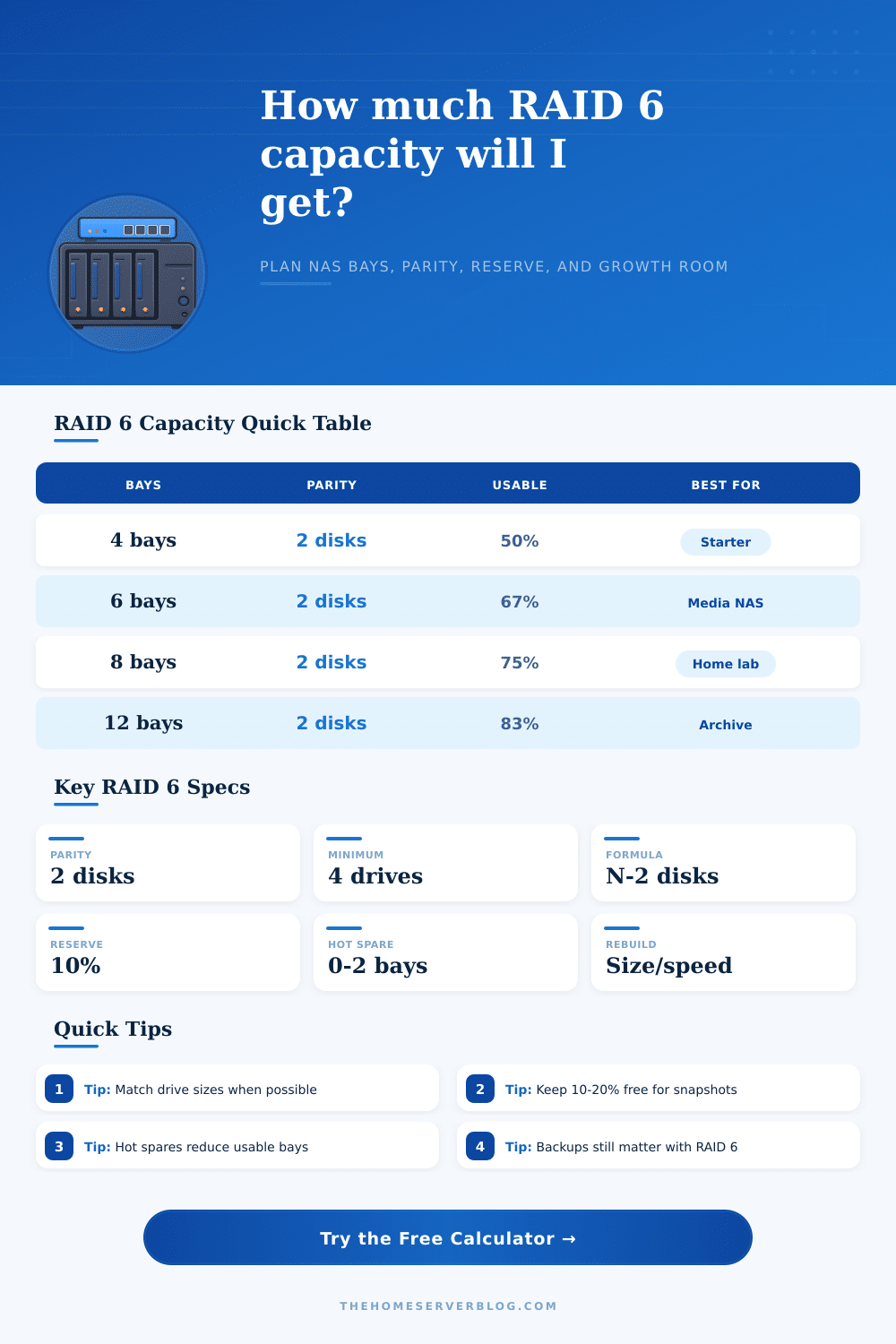
| Installed Bays | Parity Drives | Data Drives | Raw Efficiency | Typical Home Server Use |
|---|---|---|---|---|
| 4 drives | 2 | 2 | 50% | Small NAS where dual parity matters more than efficiency |
| 6 drives | 2 | 4 | 66.7% | Media storage, photo archive, shared backup target |
| 8 drives | 2 | 6 | 75% | Balanced home lab array with room for snapshots |
| 10 drives | 2 | 8 | 80% | VM datastore plus media and backup separation |
| 12 drives | 2 | 10 | 83.3% | Large RAIDZ2 or hardware RAID 6 chassis |
| 24 drives | 2 per set | Varies | Often split | Usually split into smaller vdevs or arrays for rebuild control |
| Profile | Nominal Size | Usable TiB | Typical Rebuild Rate | Best Fit |
|---|---|---|---|---|
| 4 TB CMR SATA NAS | 4 TB | 3.64 TiB | 80 MB/s | Compact mirrored backup or starter RAID 6 |
| 8 TB CMR SATA NAS | 8 TB | 7.28 TiB | 110 MB/s | Quiet 6-bay to 8-bay home NAS builds |
| 12 TB CMR SATA NAS | 12 TB | 10.91 TiB | 120 MB/s | Balanced capacity and rebuild duration |
| 18 TB Nearline HDD | 18 TB | 16.37 TiB | 180 MB/s | High-density archive shelves with airflow |
| 22 TB Nearline HDD | 22 TB | 20.01 TiB | 190 MB/s | Maximum bays saved, longer resilver windows |
| 3.84 TB SATA SSD | 3.84 TB | 3.49 TiB | 350 MB/s | Low-latency VM storage and databases |
| 7.68 TB NVMe U.2 | 7.68 TB | 6.99 TiB | 900 MB/s | Fast homelab datastore with high write load |
| Term | Formula or Value | Calculator Use | Practical Limit |
|---|---|---|---|
| RAID 6 raw usable | (N - 2) x smallest drive | Base usable capacity before reserve | Needs at least 4 active drives |
| Decimal TB | 1,000,000,000,000 bytes | Drive maker label capacity | Appears larger than TiB |
| Binary TiB | 1,099,511,627,776 bytes | Most OS storage reporting | 1 TB is about 0.91 TiB |
| Hot spare | Installed but not active | Subtracts from active array bays | Useful for unattended NAS builds |
| Snapshot reserve | Commonly 10% to 20% | Protects copy-on-write pools | More reserve for heavy churn |
| Rebuild estimate | Drive bytes / MB per second | Approximates replaced drive time | Real time rises under load |
| Project | Drive Set | Raw RAID 6 Capacity | After 10% Reserve | Planning Note |
|---|---|---|---|---|
| Starter NAS | 4 x 8 TB | 16 TB | 14.4 TB | Dual parity is strong, efficiency is low |
| Media Library | 6 x 12 TB | 48 TB | 43.2 TB | Good balance for Plex and backups |
| VM Lab Pool | 8 x 3.84 TB SSD | 23.04 TB | 20.74 TB | Check write endurance and backup target |
| Archive Shelf | 12 x 18 TB | 180 TB | 162 TB | Consider split vdevs for rebuild scope |
| Dense Chassis | 24 x 22 TB | 484 TB | 435.6 TB | Often divided into multiple RAID 6 groups |
When planning storage for a home NAS, one must determine how much usable space will be available. RAID 6 allow for data protection in the array, and RAID 6 will protect against two drive failures simultaneous. RAID 6 is useful in that the array can remain in operation for many years without the close supervision of the array.
Due to the fact, however, that RAID 6 requires two drives to be utilized for parity rather than data storage, the usable capacity will not be the same as all of the drives raw storage space. The calculator allow for one to enter the number of drives and the size of each drive, as well as the percentage of the array that one would like to keep as a reserve. The percentage of the array that is reserved is necessary for the operation of the NAS.
How to Calculate Usable Space on a Home NAS
Many filesystem that support snapshots will require some extra space within the NAS to write to new data blocks before the old data blocks are released. If the NAS reach ninety-five percent of its storage space, copy operations will begin to slow the NAS, and it may reach warning statuses at this level of storage. Many NAS manufacturers or array planners will recommend a percentage reserve of ten or fifteen percent of the total drive space.
This percentage will be subtracted from the total raw data capacity of the drives to determine the usable data capacity of the NAS. Hot spare drives are additional drives that provide an additional layer of protection to the NAS. Each hot spare drive is an individual drive that remains powered on and outside of the array, but is ready to replace a failed drive within the NAS.
The use of hot spare drives prevents the need to wait for a replacement drive to be delivered. The downside to implementing a hot spare drive is that the drive will no longer contribute to the usable drive capacity of the NAS. Many NAS array planners will use hot spare drives if the NAS is located in a remote location and cannot be monitored as closely.
The number of hot spare drives can be entered into the calculator to determine how many usable drives will be available after implementing these spare drives. Rebuild time is a factor that many people do not consider when building their NAS. Although using larger drives will increase the total amount of data storage available from the NAS, it will also increase the rebuild time for any failed drives.
If the NAS contains twelve-terabyte drive, for instance, at a rebuild speed of one hundred twenty megabytes per second, the rebuild process will take more than one day to complete. During the rebuild process, another drive failure is more likely to occur, which is why some NAS array planners will create smaller RAID 6 groups within the NAS array. One can estimate the rebuild time for the NAS by entering the size of the drives and the selected rebuild speed.
In most cases, the drives within an array are not of the same size. For drives of different sizes, the smallest drive within the NAS array will determine the amount of data that each drive can store. The size of the smallest drive will be requested should the NAS array include different size drives.
This size will be used to calculate the usable capacity of the NAS to prevent array planners from selecting too large of a drive capacity with an older drive in the array relative to the newer drives. The filesystem that is used to manage the data within the NAS array will impact the usable data capacity of that NAS. Both RAID 6 and ZFS RAIDZ2 will lose two drives to the RAID array for parity calculations.
In addition to losing two drives to parity, however, ZFS will use some of the drives to store metadata about the data on the NAS array. This percentage can be entered in the configuration selector within the calculator to ensure that the capacity calculation matches the method that will be used to manage the NAS. Power draw and heat are two factors in the planning of a NAS that people often do not consider.
Each additional drive to the array will increase the amount of electricity that the NAS will use to operate its drives. Similarly, the additional drive will impact the cooling requirements for the NAS. Nearline drives will draw more electricity than desktop drives because they are created for operation in twenty-four hour operation.
Additionally, dense drive shelves will require air movement through the shelves to provide adequate cooling to the drives during the long rebuild processes for a failed drive. While this factor is not modeled in the calculator, the options for the rebuild speed will impact the drive class of the drives, which will impact the amount of heat created by the drives. The final factor to consider before determining the usable data capacity for the NAS is the time factor.
Adding five or ten percent of headroom to the data array now will provide the ability to delay the purchase of an additional NAS for a year or more. If the individual purchases all of the available drive bays for the NAS now, there will be no place for the next generation of drives. This factor can be entered into the calculator to determine how much usable data will remain after both the current and future data needs for the NAS are accounted for.
Many people will make a mistake in that they believe the raw total amount of data for the drives to be the usable data that will be available. After the data is used for parity, reserve, overhead and hot spare drives, however, the usable data can be up to thirty percent less than the raw total. By calculating the usable data before purchasing drives, a person can avoid the situation in which they realize that their four-bay NAS will provide very little usable data.
Additionally, using this calculator will allow an individual to decide whether a six-bay or an eight-bay array will provide the best value for there money. The purpose of this calculator is to allow individuals to consider all of the factors before spending money on a NAS array. The calculator will not select the best drive workload or ensure that the users data is safe with such an array.
However, it will calculate the amount of usable data that will remain in the array after each of these factors are applied.