Data Usage Calculator
Estimate monthly WAN traffic for backups, remote media, cameras, VPN work, downloads, updates, and home lab synchronization.
Usage Breakdown
| Workload | Formula Used | Typical Range | Planning Note |
|---|---|---|---|
| Remote media stream | Mbps × hours × 3600 / 8 | 3 to 65 Mbps | Transcoding can lower WAN use. |
| Cloud camera upload | Mbps × 24 hr × days | 0.5 to 8 Mbps each | Continuous upload can dominate caps. |
| NAS cloud backup | Daily changed GB × days | 1 to 200 GB/day | First seeding run is usually larger. |
| Remote VPN users | Users × daily GB × days | 1 to 15 GB/day | Video meetings increase both directions. |
| Lab sync and images | Weekly GB × days / 7 | 10 to 500 GB/week | Container registries and ISOs add spikes. |
| System updates | Weekly update GB × days / 7 | 5 to 80 GB/week | Cache packages locally when possible. |
| Connection Profile | Download / Upload | Common Cap | Home Lab Fit |
|---|---|---|---|
| Gigabit fiber symmetrical | 1000 / 1000 Mbps | Often uncapped | Remote media, backups, and lab sync. |
| Cable broadband | 500 / 20 Mbps | 1.2 TB typical | Downloads are easy, uploads need care. |
| Fiber 300 symmetrical | 300 / 300 Mbps | Often uncapped | Balanced for NAS backup and VPN. |
| DSL or copper | 50 / 10 Mbps | Varies | Limit camera cloud upload and remux streams. |
| Fixed wireless | 100 / 20 Mbps | 500 GB to 1 TB | Good for light labs with scheduled jobs. |
| LTE failover | 50 / 10 Mbps | 100 to 300 GB | Use for outages, not continuous camera upload. |
| Bitrate | One Hour | 30-Day Continuous | Practical Use |
|---|---|---|---|
| 0.5 Mbps | 0.22 GB | 162 GB | Low event camera or telemetry. |
| 1 Mbps | 0.44 GB | 324 GB | Efficient 1080p camera. |
| 2 Mbps | 0.88 GB | 648 GB | Continuous 1080p camera. |
| 6 Mbps | 2.64 GB | 1.9 TB | 1080p media stream if always on. |
| 16 Mbps | 7.03 GB | 5.1 TB | Compressed 4K stream. |
| 35 Mbps | 15.38 GB | 10.8 TB | High-bitrate 4K remote playback. |
| Project Size | Equipment Pattern | Monthly WAN | Secondary Check |
|---|---|---|---|
| Light home office | Router, laptop, small NAS | 120 to 250 GB | Low cap plans can work. |
| Remote Plex share | NAS, GPU transcode, 2 viewers | 400 GB to 1.5 TB | Upload speed matters more than download. |
| Cloud camera home | 4 continuous 1080p cameras | 2.4 to 2.8 TB | Usually exceeds 1.2 TB caps. |
| Proxmox lab | Cluster, registries, snapshots | 500 GB to 2 TB | Cache images and schedule replication. |
| NAS backup family | Photos, documents, device backup | 300 GB to 900 GB | Dedupe changes the monthly total. |
| LTE failover only | Router failover and critical VPN | 20 to 150 GB | Disable bulk sync during failover. |
Home servers often use a great deal of data due to the many different services that can be installed on those servers. Many of the services that are installed on home servers, such as security camera systems, remote access systems, and nightly backup jobs, create amounts of WAN traffic. If the home server create too much WAN traffic for the subscription plan that the consumer has with the internet service provider, the consumer can recieve an overage notice from the internet service provider or may experience a throttled data connection.
In either of these cases, it is up to the person to determine the source of the traffic that the home server is creating in order to appropriately manage the data that is being used by that server. The inputs that are required for the calculator to appropriately determine the data that will be used by the home server are the actual sources of the WAN traffic from that server. Sources of data traffic can include background device chatter from devices in the home, remote streaming hours and data rates from streaming content from outside of the home, the number of security cameras that are installed at the home and the data rate of each of those cameras, the volume of data that is backed up to the cloud each day, the data rates of the virtual network connections that may be used by remote users of the home network, the amount of data that must be synchronized between a home lab computer and the remainder of the home computers each week, and the amount of data that is downloaded each week from the lab computer.
How Much Data Will Your Home Server Use
The calculator will output two measure of the data that will be used by the home network each month: the total amount of data that will be used each month, and the average amount of data that the network will use each day. Both of these data figures will include the overhead buffer for the network that the administrator of the home server can select. Such an overhead buffer can account for additional data traffic from devices beyond those that are accounted for in the calculations, as well as data traffic created by protocols beyond those that are accounted for in the calculations.
The result of the calculation will display how close to the data cap that the administrator has entered the home network’s data usage will come. If the data estimate is near or above the data cap that the administrator enters, the calculation will display which of the network’s workloads are responsible for the high amount of data that is being used. Based on this result, an administrator can make a decision as to, for example, whether to move camera recording to local storage, whether to reduce the remote bitrate, or whether to change the type of connection that is used by the network.
The type of network connection can impact the amount that the data consumption impacts the consumer. For instance, the consumer may have a symmetrical fiber optic connection that allows for high upload speeds, but may have a capped data plan with an internet service provider with a less symmetrical connection, such as a cable internet connection with a 1.2 TB data cap. Additionally, the consumer may use an LTE failover connection for the home network during periods when the cable connection is unavailable.
Thus, the calculator allows the consumer to view the estimate of the data that will be used by the home network under each of these different connection profiles. Furthermore, the calculator can estimate the amount of data that will be used by the network at peak loads of the network, such as when multiple remote users are streaming content from outside of the home or when the cameras are recording outside of the home. Because camera systems continuously record data of the location where the server is installed, it is possible that those that install these systems underestimate the data from these cameras.
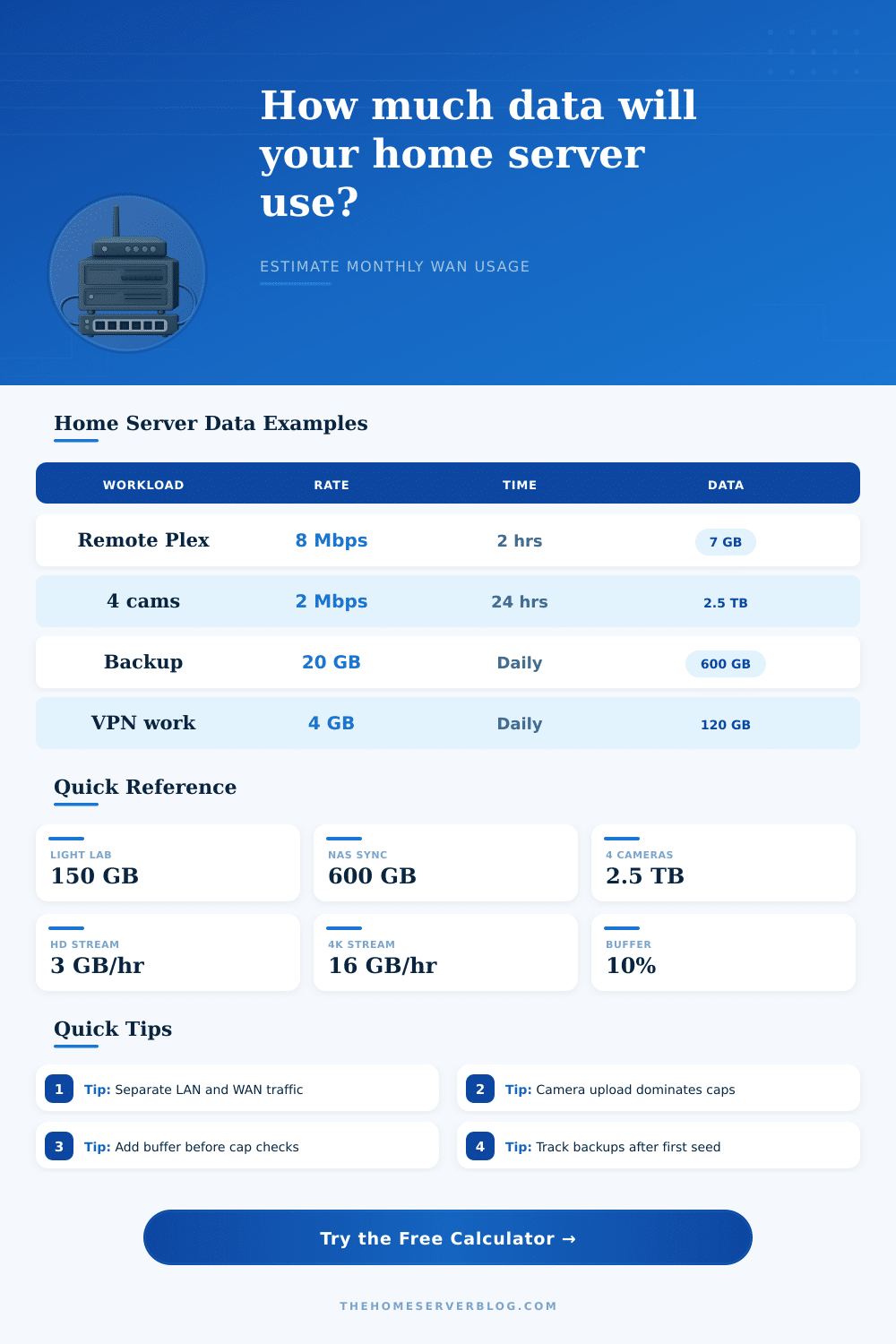
Four cameras that stream at a rate of 1080p and 2 megabits each will use an amount of data each month that is similar to the amount of data that is used by a household that uses remote streaming software like Plex for heavy hours outside of the home, or those that perform nightly data backups. Thus, the administrator may recognize from this calculation that local storage devices for those cameras or an internet service provider plan with higher upload data limits are required for that home. Similar to the cameras, data backups to the cloud can use either seeding data to an existing cloud backup destination, or it can be used to back up changes to data in the cloud to an existing backup destination.
When seeding data to an existing backup destination, the initial data transfer of all of the data in the home network can be larger than the amount of data that changes each day. Thus, the references tables indicate that initial seeding data transfers are typically larger than data backed up each day after deduplication. However, the data backup software can be configured to only transfer data that changes each day, and does not back up data that has already been transferred to the cloud.
As such, the data backup amount that is entered into the calculator is that of the amount of data that is backed up daily after deduplication, and only accurate if that amount of data is accurate. The reference tables on the calculator help the administrator to make decisions about the home network and its data consumption. The reference tables indicate the amount of data that is consumed by each bitrate, as well as the amount of data that may be consumed by each type of connection profile.
Additionally, the reference tables also show the amount of data that may be used by various types of home server installations. Such information helps the administrator to determine, for example, whether the bitrate of the cameras should be lowered, whether remote streaming software should be eliminated, or if an increased data plan is the easiest solution. The daily average data that will be used by the network each day can help the administrator to determine whether the workloads are distributed even across each day, or if most of the data is used during the first week of each month.
If the administrator determines that most of the data is used during the first week, for instance, the nature of those workloads can be examined for adjustment. Adjustments can be made to the “days” in which the calculations will occur (each with their own data amounts), as well as the “weekly download amount” to evaluate how the distribution of the data can impact the amount of data that is used by the network. In addition to the parameters that are entered into the calculation, it is also important to plan for the growth of the network.
For instance, if one adds one or more devices to the network, the amount of data that is used by the network will increase. Thus, each of the devices that will join the network can be entered into the calculation to determine if the data that is used by the network will approach the data cap. The percentage field for the “overhead” data ensures that room can be provided for any additional devices to the network or for any software updates to the devices.
For instance, providing a 10% or 15% buffer for new devices to the network will ensure that the estimate for data consumption will not be reached in conjunction with the addition of a device to the network. This calculator can provide an estimate of the data that will be used by a home network, and what aspects of the data consumption are the costs of that network. Thus, this tool can provide an estimate of the data consumption of different variables within the network.
Based on these estimates, an administrator can decide which aspects of the network’s workload are essential, and which aspects can be changed or eliminated. Thus, the calculator provides a picture of the data consumption of the network that is more precise than the alternative of guessing at slow connection speeds.