Reserved Instance Savings Calculator
Estimate committed compute savings from on-demand hourly rate, reserved effective rate, utilization, coverage, instances, term length, upfront amortization, and unused commitment risk.
| Utilization | Used RI Hours | Unused Hours | Monthly Net | Decision Signal |
|---|---|---|---|---|
| 60% | 1,226 | 818 | $26 | Thin margin |
| 70% | 1,431 | 613 | $54 | Watch risk |
| 80% | 1,635 | 409 | $82 | Good baseline |
| 90% | 1,840 | 204 | $110 | Strong fit |
| Commitment Type | Typical Discount | Flexibility | Best Fit | Risk Note |
|---|---|---|---|---|
| Standard 1-Year RI | Moderate | Low | Stable instance family | Size drift matters |
| Standard 3-Year RI | High | Low | Very steady production | Long migration risk |
| Convertible RI | Medium | Medium | Changing families | Lower discount |
| Compute Savings Plan | Medium | High | Mixed compute usage | Hourly spend locked |
| No Upfront | Lower | Medium | Cash-sensitive teams | Higher monthly cost |
| Partial Upfront | Medium | Medium | Balanced finance plan | Forecast upfront |
| All Upfront | Highest | Low | Proven steady baseline | Hardest to unwind |
We treat compute costs like a utility expense, similar to office lighting, but they’re actualy more of a complex retail market. You flip the switch and pay what they charge. On-demand is not a utility in the cloud. It’s a complicated market. Prices change based on how much time you use, offer discounts for high volume, and involve various tradeoffs.
On-demand pricing is easy, which is why most teams buy it. Easy comes at a price and it adds up fast. We do the math for you. Compare on-demand prices to committed hourly rates. No need for spreadsheet.
How to Save Money on Cloud Costs
Cloud economics creates tension between cost and flexibility. Total flexibility are available with on-demand instances; spin ’em up when needed, tear ’em down otherwise. There’s no risk: the provider takes on the uncertainty of your future usage.
Reserved instances shift the model. You commit to using capacity for one or three years. In exchange, you get a discount based off your promise of predictability. It’s a shared risk: if your workload remain consistent, you’ll save money. If it shifts shape or dissapears, then you’re paying for unused space. Before you commit any money, you has to make this trade-off.
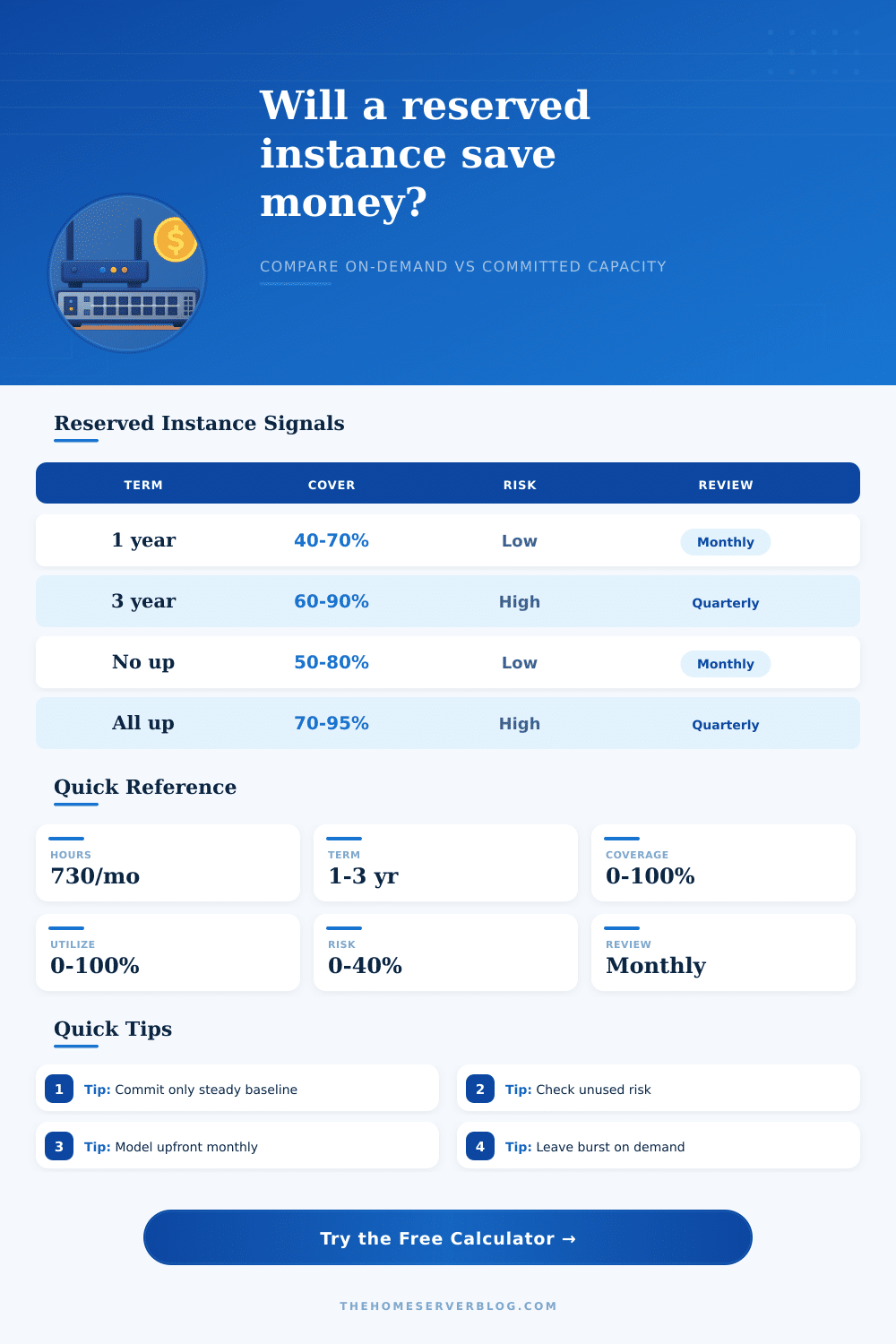
Utilization and coverage are often confused. In theory they’re synonymous, but in practice they aren’t. Coverage refers to the percentage of time that you will get billed at the reserved rate. Say you have a server running 24/7 and you buy a reservation for twelve hours… Then your coverage is 50%. Usage captures how many of the hours you purchased you end up using. It’s possible to have high coverage but low utilization if your workload moves out of this region or instance type.
By tweaking both fields individually with calculator, you see whether your savings are real; or merely an accounting trick. Another important variable is whether payment made upfront. Deep discounts is available for all-upfront plans since they lock-in cash flow immediately for the provider. No-upfront looks safer since you aren’t taking a hit on your balance sheet up-front, but the effective rate are higher each month.
To give you a true comparison to pay-as-you-go alternatives, the tool spreads these upfront amounts across the length of the term. If you just compare month-to-month, the all-upfront plan look high since most of the money was paid upfront. You can easily overlook this if you’re just looking at the invoice line item instead of the total cost over the life of the contract.
There is a history of commitment. Reservations are long-term commitments, so use historical data to time your reservations. Reserving a three-year instance without validating the apps stability through beta is a waste of money. Use the reference table for guidance on how term matches risk tolerance. Shorter terms offer escape hatches at modest savings; longer terms requires accurate forecasting.
Most teams applies a set-and-forget approach to their reserved instances. They purchase capacity and then forget about it while their architecture change. Workloads shift. Instance families retire. Region prices fluctuate. If you don’t track how your reservation aligns with today’s workload, what was once a good deal on day one might of been a liability by month eighteen.
It’s reserved capacity, it’s a way to fund the base, not the peak. That means applications that runs 24/7 (e.g., web servers, databases) are ideal for commitment discounts. Applications with spikes (nightly batch jobs, holiday rushes) should goes on spot or demand markets. The key is knowing where in your infrastructure is truly constant.
The calculator quantifies that by displaying an estimate of how much money you can save per year under various real-world utilization scenarios, as well as their corresponding breakeven points. It makes you face up to the gap between what you hope to use and what you will actualy run. Discounts are meant to be a tool for optimization, not an excuse for over-committing in the name of savings at any cost. It’s more valuable to have a perfectly suited workload with a lower discount than having to waste capacity just so you get a huge discount.
Scenario modeling help turn guesses into plans. It moves you away from seeing cloud spend as a monthly surprise bill and toward seeing it as a managed asset that advances your business goals instead of working against them. This change in mentality transforms a confusing bill into a predictable line item.