HomeServerBlog torrent and mirror planner
Seeding Time Calculator
Estimate how long a home server, NAS, seedbox, or low-power torrent client needs to seed legal files to a target ratio after upload caps, daily uptime, swarm demand, overhead, and hardware limits.
Full seeding breakdown
Gigabit fiber server
105 MB/sWired 1G Ethernet often tops out near 940 Mbps before protocol overhead. Best for always-on Linux servers, mini PCs, and NAS boxes.
Cable uplink NAS
1 to 5 MB/sAsymmetric cable plans may download fast but seed slowly. Client caps help keep video calls and remote access responsive.
Wi-Fi 6 client
20 MB/sWi-Fi can burst well, but airtime, roaming, interference, and retransmits make sustained seeding less predictable than wired Ethernet.
Raspberry Pi USB HDD
10 MB/sA Pi seeder is efficient for long-running torrents, but USB storage, VPN encryption, and many peers can become the limiting factor.
Mirrored NAS disks
80 MB/sGood for many torrents at once. Random reads across many small pieces may still be slower than a single sequential transfer.
VPS or VPN seedbox
60 MB/sEncryption, provider throttles, virtual disk I/O, and shared host load can matter more than the advertised port speed.
10G rack server
900 MB/sUseful for hot legal releases and mirrors, but disk, tracker demand, and per-peer limits usually cap real throughput first.
Rural DSL link
0.5 MB/sLong seeding windows and low caps matter. Overnight schedules can keep the line usable during work or school hours.
| Ratio goal | Meaning | Upload needed for 10 GB | Upload needed for 100 GB | Common use |
|---|---|---|---|---|
| 0.50 | Half share | 5 GB | 50 GB | Temporary low-bandwidth seeding target |
| 1.00 | Parity | 10 GB | 100 GB | Give back the same payload downloaded |
| 1.50 | Healthy share | 15 GB | 150 GB | Reasonable always-on home server target |
| 2.00 | Strong share | 20 GB | 200 GB | Common private tracker or mirror courtesy goal |
| 3.00 | Long seed | 30 GB | 300 GB | Useful for rare legal files with few seeders |
| 5.00 | Archive support | 50 GB | 500 GB | Long-term availability for open data or ISO mirrors |
| Advertised upload | Raw MB/s | Goodput at 75% demand and 12% overhead | Daily upload at 24 hours | Planning note |
|---|---|---|---|---|
| 10 Mbps | 1.25 MB/s | 0.83 MB/s | 71 GB/day | Works for small torrents and overnight schedules |
| 20 Mbps | 2.50 MB/s | 1.65 MB/s | 143 GB/day | Typical lower cable or DSL uplink |
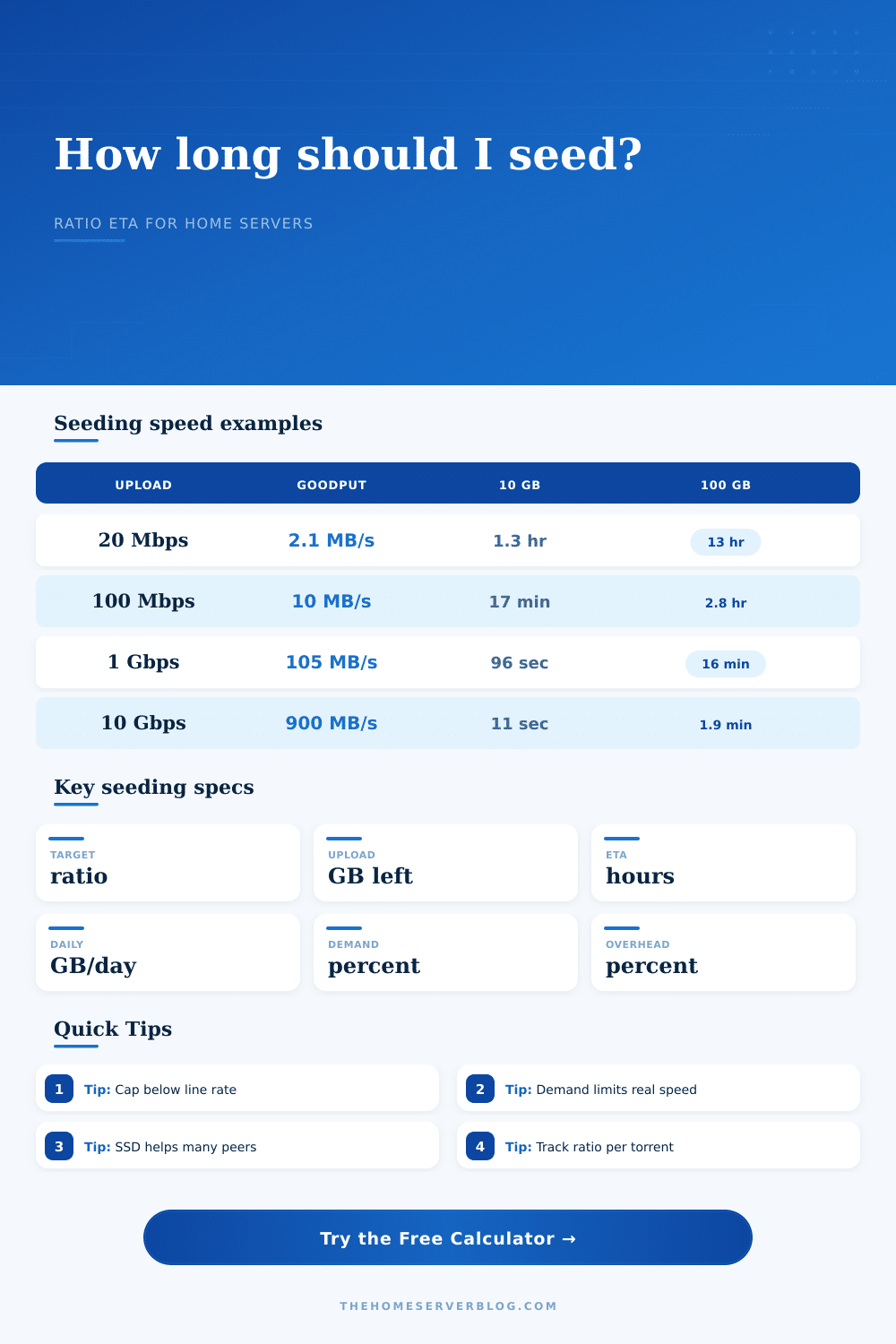
| 100 Mbps | 12.50 MB/s | 8.25 MB/s | 713 GB/day | Good home fiber or business uplink target |
| 500 Mbps | 62.50 MB/s | 41.25 MB/s | 3564 GB/day | Disk and peer demand start to matter more |
| 1 Gbps | 125.00 MB/s | 82.50 MB/s | 7128 GB/day | Near the limit of a single 1G Ethernet port |
| 10 Gbps | 1250 MB/s | 825 MB/s | 71280 GB/day | Only realistic when storage and swarm demand keep up |
| Swarm state | Utilization | Typical peers | Why upload slows | Calculator setting |
|---|---|---|---|---|
| Quiet archive | 10% | Few leechers, many idle periods | No peer is requesting pieces most of the time | 10% quiet torrent |
| Low demand | 25% | Occasional peers | Tracker interest exists but is bursty | 25% low demand |
| Moderate swarm | 50% | Mixed seeders and leechers | Per-peer caps and piece availability spread load | 50% moderate peers |
| Active swarm | 75% | Enough leechers to use most of the cap | Overhead and peer limits prevent perfect line rate | 75% active swarm |
| Hot release | 95% | Many interested peers | Client, disk, VPN, or uplink is likely the bottleneck | 95% hot release |
| Preset scenario | Payload size | Target ratio | Upload shape | Best matching hardware |
|---|---|---|---|---|
| Ubuntu ISO Fiber | 5.8 GB | 2.0 | Always-on wired home server | Gigabit fiber mini PC |
| Debian DVD Set | 24 GB | 1.5 | Moderate long-term legal ISO sharing | NAS or low-power server |
| Proxmox Mirror | 1.3 GB | 3.0 | Small file, high courtesy ratio | Any stable wired client |
| Creative Commons Video Pack | 86 GB | 1.0 | Large media payload, moderate swarm | NAS with mirrored disks |
| OpenStreetMap Extract | 72 GB | 2.0 | Large open-data share | Seedbox, VPS, or home fiber |
| 10G Seedbox Burst | 250 GB | 1.0 | Short hot-release window for legal mirrors | 10G rack server or datacenter seedbox |
Use this calculator only for content you have the right to distribute, such as open-source ISOs, Creative Commons media, public datasets, internal lab images, and authorized mirrors.
So you click seed on some new ISO of Ubuntu, and upload bar starts crawling. The server seems to be working hard, yet ratio doesn’t change much. You look at swarm and note there are lots of peer. Why isn’t my gigabit connection delivering as fast than expected?
Often it’s not about bandwidth at all. It is about the invisible friction off disk I/O limits and protocol overhead. It is also about the fact that no one want data when you want to give it to them at just the right moment.
Why Your Upload Speed Is Slow
People often gets this wrong. They imagine seeding like a firehose, when in truth it’s a series of tiny negotiated handshakes.
So now that you have an idea of how big your file is, what ratio you’re going to seed at, and roughly how many hours per day it’s going to be up, all you do is plug those values into the calculator and let it crunch the numbers. You don’t have to guess if it will take a month. Will it take a week?
It also makes you think about how much download bandwidth your torrent client is actualy getting you compared to how fast your ISP say they are (it’s not). Most people confuse megabits with megabytes. Your ISP advertises 20 megabits/second, but your torrent client reports two and a half megabytes/second. These different unit are confusing. That mistake in units overestimates your time estimates by a factor of eight.
The tool removes that confusion by asking for your cap in the units that matter to you.
Your hardware is typically the floor, though. Storage hardware has a cap, which is why you’ll hit it before you run out of network. When you’re using a USB hard drive in a Raspberry Pi, you won’t be able to do anything useful past BitTorrent’s random read pattern. USB 3.0 can help a little, but managing peers and encrypting the traffic adds so much overhead that it can throttles the connection. You can model this with the equipment profile selector in the calculator.
Torrents don’t care how fast you burst. They care how consistent you are. Three megabits for two hours straight is more useful than fifty megabits for ten seconds followed by a trickle. Consistency wins over bursts.
And then there’s the swarm itself. A torrent with a thousand seeders and one leecher is a ghost town. Even if you have a petabyte of storage and a ten gigabit port, if nobody want the file, your upload meter won’t budge. This is where the tool’s demand use setting come into play. It recognizes that in the real world, much of your seeding isn’t bounded by how loudly you shout, but rather who might be listening.
At top are hot releases; they bustle like dance floor. In the quiet zone is old ISOs and niche datasets. Most legal mirrors land somewhere in between, which is why the tool uses a modest use as its default. That’s a more honest starting point than maxing it out all the time.
And then there are the ratios. How do I know if my upload to download ratio is right? What ratio should I shoot for? Parity is 1.0, meaning you give back what you took. Good citizenship is 2.0, which ensures the file stays alive for those who can’t afford a high upload cap. The page has a handy table in the reference material laying all this out, with a chart of how much more upload you’ll need based off payload size.
It is a small thing, but it matters. It may take a month or more to try to reach a 5.0 ratio on a fifty gigabyte file. It may take just a week or so chasing a 1.5 ratio. The calculator will help you figure out whether it’s worth the disk wear and electricity. You should of checked the math first.
Seeding isn’t as much about raw power as it is patience. You’re going to have more time waiting for your server than transmitting data. That’s how it works, and tool lets you see that timeline: Plan accordingly.
If you’re seeding something like Creative commons video or mirroring an open source piece of software, knowing your effective goodput helps you set expectations. Don’t worry about why the numbers aren’t high, but understand what they do mean. Waiting for the handshake, math works out. You might recieve a slow speed if the network is busy.