Split Tunnel Bandwidth Calculator
Estimate VPN concentrator load, local breakout savings, and headroom for remote users, branch tunnels, and home lab access.
Bandwidth Plan
Detailed Breakdown
| Traffic Class | Typical Route | Sizing Impact | Check Before Bypass |
|---|---|---|---|
| Private RFC1918 apps, SSH, RDP, SMB admin | VPN tunnel | Medium, bursty, latency sensitive | ACLs, identity, route summaries |
| Trusted SaaS collaboration and cloud email | Local internet breakout | Large reduction in gateway load | CASB/SWG coverage and tenant controls |
| Video meetings and webinars | Bypass or media optimized path | High peak savings per active user | UDP reachability, QoS, app signatures |
| Backup, cloud drive, package mirrors | Exclude or schedule off peak | Very high sustained savings | DLP scope and endpoint policy |
| Policy Model | Use When | Multiplier | Operational Watchpoint |
|---|---|---|---|
| Private subnet only | Most apps are SaaS, few private routes | 0.82x | Route leaks and DNS split horizon |
| Balanced split tunnel | Mixed SaaS, admin, and internal apps | 1.00x | Policy drift between endpoint groups |
| Security inspection heavy | Traffic must traverse central tools | 1.18x | Firewall, proxy, and log pipeline load |
| Full tunnel comparison | Baseline or regulated fallback design | 1.45x | Gateway cap and internet egress bottleneck |
| Workload | Per-User Planning Range | Latency Sensitivity | Routing Note |
|---|---|---|---|
| Admin shell, web console, API calls | 0.2 to 1.5 Mbps | Medium | Usually tunnel for private control planes |
| VoIP with signaling and media | 0.1 to 0.3 Mbps | High | Tunnel only if QoS and jitter are controlled |
| RDP, VDI, browser apps | 1 to 4 Mbps | High | Measure display-heavy peaks separately |
| Video meetings | 1.5 to 4 Mbps | High | Often bypassed to local ISP path |
| Reference Check | Suggested Target | Why It Matters | Calculator Input |
|---|---|---|---|
| Peak concurrency | 35% to 75% | Transforms licensed users into real bandwidth demand | Total users and peak concurrency |
| Control overhead | 3% to 8% | Accounts for VPN encapsulation and tunnel housekeeping | DNS and control overhead |
| Headroom reserve | 20% to 35% | Keeps bursts below the gateway ceiling | Capacity headroom |
| Gateway utilization | Under 70% | Leaves room for failover, updates, and bad ISP days | Usable VPN gateway cap |
| Policy | Bandwidth Result | Security Tradeoff | Best Fit |
|---|---|---|---|
| Full tunnel | Highest gateway demand | Central inspection is easiest | Strict environments and temporary incident mode |
| Private subnet split | Lowest VPN demand | Endpoint and SaaS controls must be mature | Cloud-first teams and home lab admin access |
| App-based split | Predictable savings if app IDs are stable | Requires signature and destination maintenance | SaaS breakout with selected protected apps |
| Branch hub split | Depends on inter-site private traffic | Routing loops and asymmetric return paths need care | Small branches with a central service hub |
Someone decides that all traffic from employees should go over the corporate VPN gateway. So now your all-hands meeting in the morning becomes a digital traffic jam. Audio crack, video freezes. Network engineers say it’s the application. The IT team says it’s the ISP.
Here is the truth. Most likely it’s just some simple math done to the wrong pipe. You’re trying to force a firehose of cloud storage sync and video streaming down a straw built for internal file access and email. This is where split tunneling comes into play. If you do the sizing right before you flip the switch, it will make a huge difference.
How to Fix Slow VPN Networks
Typically most planners assume an average amount of bandwidth per user and then multiply by their total number of users. This works if every user was using everything simultaneously which isn’t realistic. And it’s also being optimistic. Use the calculator above to enter your traffic split between things that need encryption and your actual concurrency rate. The system will then do the math for you.
So the first thing to understand is not all traffic is equal. There are some types of traffic that must pass through the tunnel, either for access or for security purposes. Other types of traffic just need to get on the internet quickly. Understanding this difference between these two different flows is half the battle. Getting the percentages correct, that’s the difficult aspect.
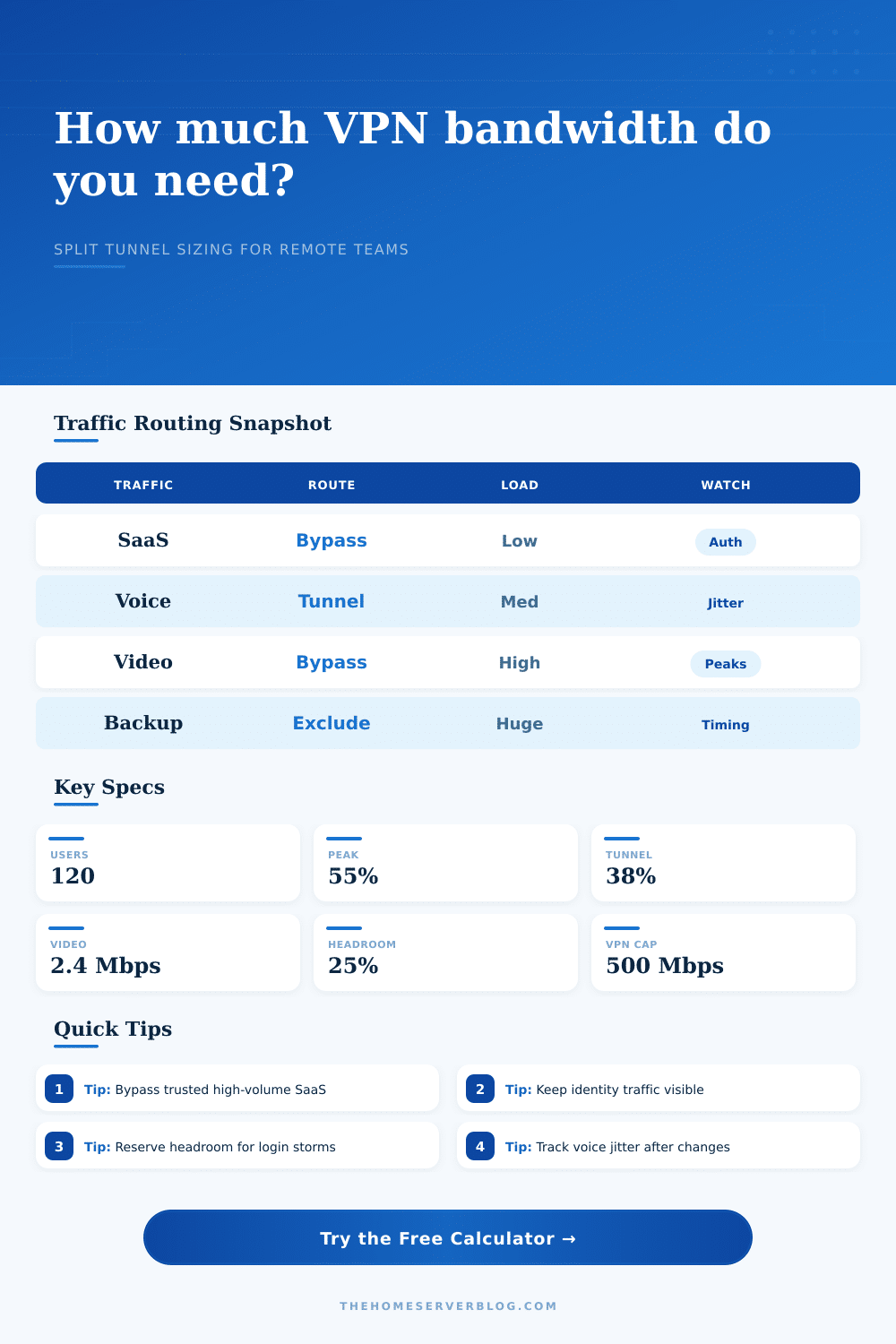
Now imagine that your bypass applies to trusted SaaS applications such as Salesforce or Microsoft 365. Those apps has their own identity control, so you’re not really giving up any security, but you are taking huge amounts of bandwidth off the VPN concentrator. But if you do it too much, you stop seeing what’s going on. The page has a reference table that spells it all out: Which kinds of traffic should get local breakout, and which need the tunnel protection? How do you find the right balance between reducing the load versus needing to inspect and log centrally? It’s the old performance vs. It is an oversight tradeoff.
Video conferencing is the biggest wildcard in the room. One HD video call will use far more bandwidth than an entire department did a decade ago. When you add encryption and the delay from routing traffic over a VPN, it ruins the user experience.
Most moddern architectures recognize the application’s signature. They then either direct the media traffic to the local internet or through a secure web gateway, allowing traffic to flow smoothly without compromising security on the control plane. Most modern architectures route media traffic directly to the local internet or through a secure web gateway that recognizes the application signature to keep voice and video smooth while securing the control plane. This maintains smooth voice and video while keeping the control plane secured. Our calculator lets you specify what percentage of video traffic per user should be bypassed to account for this. It’s a small tweak in the inputs, but it translates to a huge difference in gateway use.
Folks also skimp on headroom. Sure, you did some math and figured out that your highest workload just barely fits under your gateway’s limit. Then it’s Monday morning patch time. Someone suddenly wants to collaborate a lot. You need to send a big file somewhere. If you have no room for breathing, then boom: the roof hits and everything crawls. Twenty-five percent or so headroom isn’t because you’re afraid; it’s because you want to be strong, to let the network absorbs the shock instead of folding like a cheap suit whenever something unexpected occurs.
Compression is great… don’t overestimate it. Compression does help but most moddern encoding schemes are pretty good at what they do. There’s no point in wasting your CPU cycles compressing something that’s already been compressed, such as an image or video. Web browsing and SSH use text-based protocols which are relatively lightweight anyway so there’s a small amount of compression factored into the calculator to account for real world results. It is a nice bonus, but it is definitely not a silver bullet.
You want a network that feels reliable and fast from the end user’s perspective. With an exact idea of where all your traffic are going, you’ll be able to right-size your hardware, never spend too much on unused capacity, and avoid those pesky performance issues in the middle of an important meeting. Split tunneling is a powerful tool, though it does take precision. Plan out your split, check the numbers, and always leave yourself a little wiggle room for the unknown. That last bit of safety margin you choose to add could of make or break your network, turning a smooth operation into a networking nightmare.