Streaming Video Data Usage Calculator
Estimate monthly video data, peak bandwidth, ISP cap headroom, and local cache needs for phones, TVs, security views, Plex, Jellyfin, and home theater streaming.
Streaming data estimate
| Video profile | Typical video Mbps | Decimal GB per hour | Best use case |
|---|---|---|---|
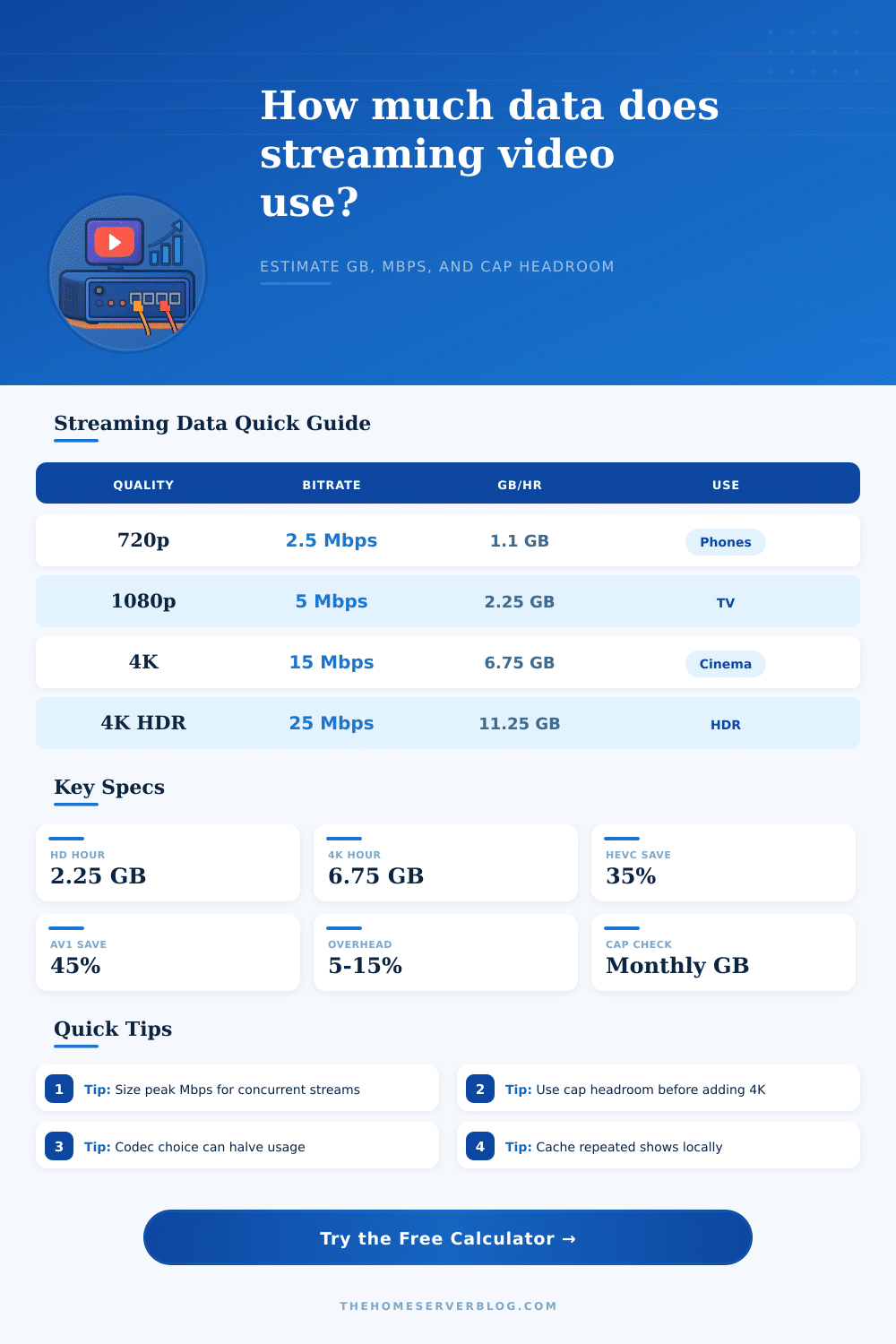
| 480p SD | 1.0 Mbps | 0.45 GB/hr before overhead | Phones, tablets, data-saving mode |
| 720p HD | 2.5 Mbps | 1.13 GB/hr before overhead | Small TVs, laptops, hotel Wi-Fi |
| 1080p HD | 5.0 Mbps | 2.25 GB/hr before overhead | Living room TV and general streaming |
| 1440p QHD | 8.0 Mbps | 3.60 GB/hr before overhead | Desktop monitors and creator review |
| 4K UHD | 15.0 Mbps | 6.75 GB/hr before overhead | Large TV direct play |
| 4K HDR | 25.0 Mbps | 11.25 GB/hr before overhead | Premium movies, high-detail scenes |
| Codec profile | Calculator factor | Practical meaning | Home server note |
|---|---|---|---|
| H.264 / AVC | 1.00x | Baseline for broad device support | Easiest direct play, larger files |
| H.265 / HEVC | 0.65x | About 35% less than H.264 at similar quality | Great for 4K libraries and Apple TV clients |
| AV1 | 0.55x | About 45% less than H.264 at similar quality | Efficient, but client support matters |
| VP9 | 0.70x | Common browser-efficient web streaming | Useful for YouTube-style playback estimates |
| MPEG-2 | 1.80x | Legacy capture can be much larger | Expect high LAN and storage demand |
| Direct play | 1.00x | Use the bitrate you entered or selected | No codec savings applied by calculator |
| Network option | Nominal speed | Safe streaming budget | Useful comparison |
|---|---|---|---|
| Fast Ethernet | 100 Mbps | 70 to 85 Mbps usable | Several HD streams, limited 4K headroom |
| Gigabit Ethernet | 1000 Mbps | 850 to 940 Mbps usable | Dozens of 4K streams on LAN |
| Wi-Fi 5 client | 433 to 866 Mbps link | 120 to 350 Mbps practical | Good for TVs near the access point |
| Wi-Fi 6 client | 600 to 1200 Mbps link | 200 to 700 Mbps practical | Better concurrency and lower airtime pressure |
| LTE home router | 25 to 150 Mbps | Cap often matters more than speed | Use 720p or HEVC for predictable usage |
| Remote Plex upload | ISP upload limited | Plan around upstream Mbps | Peak bandwidth card is the key number |
| Project size | Inputs to model | Primary result to watch | Secondary result to watch |
|---|---|---|---|
| Single TV apartment | 1 stream, 1080p, 3 hr/day | Monthly GB | Cap headroom |
| Family streaming night | 3 to 5 streams, mixed HD | Peak Mbps | Wi-Fi practical budget |
| Plex remote sharing | Upload speed, codec, transcode bitrate | Peak upload Mbps | Codec savings |
| LTE or satellite cabin | Data cap, SD/720p, overhead | Monthly GB | Days until cap pressure |
| 4K home theater | 4K HDR, surround audio, replay cache | GB per movie night | Local cache size |
Formula basis: Mbps to GB uses Mbps × seconds ÷ 8 bits per byte ÷ 1000 for decimal GB. Protocol overhead is applied after video, audio, stream count, and motion factors.
Streaming video use a significant amount of data from the home internet connection. Many people are unaware of the amount of internet data that is consume by video streaming. The quality of the video stream, the codec that is used in the video stream, and the viewing habit of the individuals streaming the video content can affect the amount of data consumed by video streaming.
High-quality video content, such as 4K HDR video content, consumes a greater amount of data than standard video content. As a result of consuming such a high amount of data, 4K HDR video content can reach the data cap for the internet connection much more faster than standard video content. The factor that contribute the most to the amount of data that is consumed by video streaming is the bitrate.
How streaming video uses your internet data
The video stream processes the amount of information that is in the bitrate each second. The higher the bitrate, the more data that the streaming video will consume. Video content with a lower resolution require a lower bitrate to stream the video content.
4K video content has a higher bitrate than videos with lower resolutions because the higher resolution of the video content contain more details of the video. The codec that is used for the video stream can impact the bitrate of the streamed video content. For instance, moddern codecs, such as HEVC and AV1, is considered to be efficient codecs.
Efficient codecs can maintain high visual quality for the streamed video content while using fewer bits to do so. Because the efficient codec require fewer bits for streaming video content, it will reduce the amount of data that is consumed by the video stream. Another factor that can contribute to the amount of data consumed while streaming video content is the audio track that is used for the video.
Simple stereo audio tracks use less data than surround sound audio track. When a significant amount of individuals are streaming audio and video content simultaneously, the data that is consumed is significant. In addition to the data consumed by video and audio content, another amount of data is added to the total amount of data that is used while streaming video content.
This amount of data is known as protocol overhead. Protocol overhead is the amount of additional data that is used for adaptive streaming and Wi-Fi protocols to function. This data accounts for approximately 10 percent of the total amount of data that is consumed while streaming video content.
The total amount of data that is consumed by video streaming is the amount of data used for the video content, the audio content, and the protocol overhead data. Knowing the total amount of data that is consumed by streaming videos each month can help individuals to understand if they will reach their data cap with their internet service provider. Each internet service provider place a limit on the amount of data that an individual can use each month for the internet service plan.
This limit is referred to as the data cap. Going over the data cap for the month can lead to the internet service provider placing a fee on the data that was use over the data cap. The data calculator will help individuals to understand how much data that they will use each month based on the number of hours that they stream video content each day, the number of days each month that they stream video content, and the number of concurrent video stream that they run.
In addition to these factor, the calculator also considers the level of motion within the video content. Videos with more motion require more data to stream than videos with less motion within the video content. Using this calculator will allow the individual to determine if their video streaming habit will lead to exceeding their data cap.
In addition to determining the amount of data that will be consumed by video streaming, the calculator can also determine the size of the local cache for the video content. The local cache is the amount of storage that is required for the video files that is downloaded for viewing without using the internet. If an individual choose to download video files to watch without using the internet, the video files will take up space on a storage device.
The data calculator will estimate the amount of storage space that the downloaded video files will use to help the individual to decide how much larger their solid state drive or home server needs to be. Caching video content locally means that the video content is downloaded locally for viewing without using the internet. Using this method of caching video content reduces the amount of data that is used by the individual for video streaming.
When choosing the quality of the video content that is streamed and the codecs for that content, there are tradeoffs that the individual will have to make. High resolution video content provides the viewer with a much sharper image of the video. However, high resolution video content consumes a greater amount of data.
Content using an efficient codec consumes less data than video content that uses inefficient codecs. However, efficient codecs require video players that are compatible with the software of the codec to play the video content. The reference tables that is provided with the data calculator can help the individual to determine the bitrate of the different profiles of video content.
These tables allow the individual to decide on the settings of their video streaming that will work best with their internet connection. The data calculator allows the individual to understand the relationship between the quality of the video that is streamed and the amount of data that is used. However, the conditions of the local internet connection also affect the data that is consumed while streaming.
For example, the strength of the Wi-Fi signal and the number of devices that is connected to the same network as the individual can impact the video streaming experience and contribute to buffering videos. If the individual wants to share their media library with others who are located remotely from the home with the media library, then the upload speed for the individual’s internet connection will be an important factor in streaming media libraries to others. The individual can compare the measured speed of the individual’s internet connection to the peak bandwidth data that the data calculator calculates for the individual to understand if their internet connection are sufficient for their streaming needs.
The data calculator allows the individual to model their current video streaming habit. Additionally, the video streaming habits can be tested for adjustments in the parameters of the streaming data to determine how that will impact the data usage. For example, the individual can adjust the quality of the video content that is streamed, or the codec for the video can be changed to an efficient codec.
If an individual reduces the number of concurrent video stream that are being played at the same time, the projection of the amount of data that will be used during that month for video content will decrease. By testing various settings for streaming video content, the individual can find that setting that provides the best balance between video quality and the amount of data that is consumed by that video quality. Additionally, over time, the individual will gain an understanding of their video streaming patterns.
Understanding their video streaming patterns will allow them to have more control over their internet data and manage it more effective.