TCP Window Size Calculator
Match receive windows to BDP, RTT, and loss so your home server copies, backups, and replication jobs fill the pipe cleanly.
1 GbE Desktop NIC
2.5 GbE NIC
10 GbE NIC
Wi-Fi 6 AP
Wi-Fi 6E AP
VPN Router
SSD NAS
HDD NAS
| Scale | Max window | Approx MiB | Fit |
|---|---|---|---|
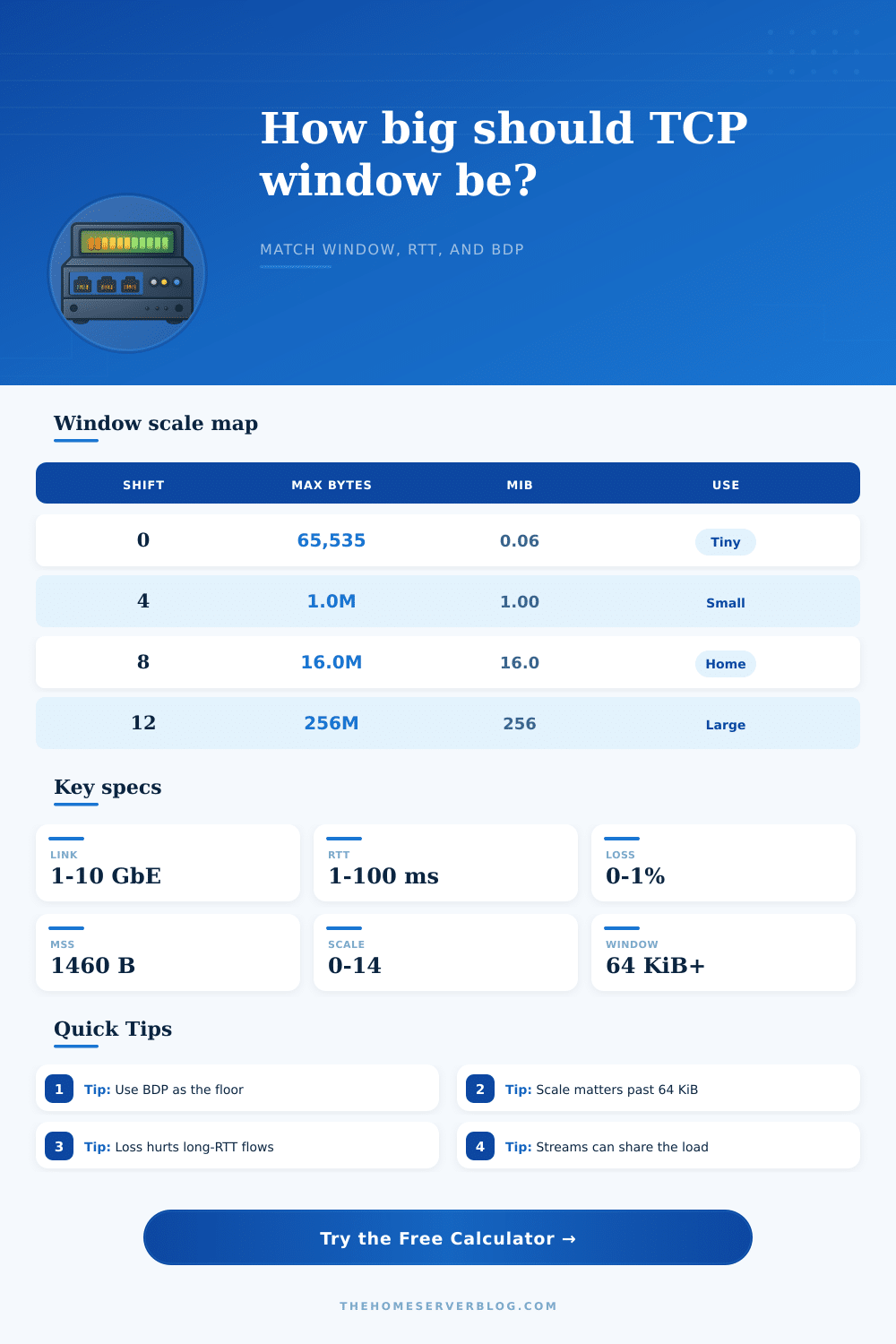
| 0 | 65,535 B | 0.06 | Tiny |
| 4 | 1,048,560 B | 1.00 | Small LAN |
| 8 | 16,776,960 B | 16.00 | Home lab |
| 12 | 268,431,360 B | 256.00 | Long RTT |
| 14 | 1,073,709,056 B | 1024.00 | Very large |
| MTU | TCP hdr | MSS | Notes |
|---|---|---|---|
| 1500 | 40 B | 1460 B | Standard LAN |
| 9000 | 40 B | 8960 B | Jumbo storage |
| 1400 | 60 B | 1340 B | VPN tunnel |
| 1460 | 60 B | 1400 B | WAN path |
| 1280 | 60 B | 1220 B | IPv6 safe |
| Link | RTT | BDP | Window hint |
|---|---|---|---|
| 1 GbE | 2 ms | 0.24 MiB | 1 MiB |
| 2.5 GbE | 5 ms | 1.49 MiB | 2 MiB |
| 10 GbE | 10 ms | 11.92 MiB | 16 MiB |
| WAN | 35 ms | 41.68 MiB | 64 MiB |
| VPN | 60 ms | 71.53 MiB | 128 MiB |
| Scenario | RTT | Window | Main limit |
|---|---|---|---|
| 1 GbE backup | 2 ms | 1 MiB | Link cap |
| NAS sync | 5 ms | 2 MiB | BDP |
| VM move | 1 ms | 8 MiB | Equipment |
| VPN backup | 35 ms | 64 MiB | Loss |
| Offsite copy | 60 ms | 128 MiB | RTT |
Tip: Size the receive window from BDP first, then add buffer margin for queue spikes.
Tip: If 64 KiB is the wall, increase the scale shift before chasing other fixes.
A network transfer can occur at a speed that is much slower than the maximum speed of the network link. For instance, an person may attempt to perform a copy of a 500 GB backup from a NAS device to a VM over a 2.5 GbE link, but the actual data transfer may occur at a rate of only 200 Mbps. Such slow data transfer rates is often the result of the size of the receive window for the Transmission Control Protocol (TCP).
If the receive window are too small, the link will not be fully utilized. If the receive window is too large, it can lead to memory and queue overallocation error on the receiving system. The relationship between the link speed and the round trip time for a network connection is referred to as the Bandwidth Delay Product (BDP).
Why Data Transfers Are Slow and How to Fix Them
You can calculate the BDP by multiply the link speed of the network by the round trip time. For instance, a 10 GbE link with a round trip time of 10 ms will require a buffer size of 12 MiB to fully saturate the link. In many home networks, the round trip time can be increased due to the length of the cables or the use of Wi-Fi connections.
Round trip time and BDP are both factor that relate to data transfer rate and the requirements of efficient data movement. Window scaling is used to increase the size of the receive window for TCP. Without window scaling, TCP link receive windows are limited to 64 KiB of data.
This amount of data is often too small for many moddern networks with high transfer speeds. Most modern operating systems uses window scaling to allow the receive window to be multiplied by powers of two. This allow for receive windows of several gigabytes.
If the shift factor used for scaling the receive window is incorrect, the data will idle on the network. Additionally, if there is any loss of packet, the throughput will also decrease. Even a 0.1% loss of packets will reduce the throughput on any data path with high round trip times.
A number of different factor can impact the efficiency of data movement over a network. For example, jumbo frame can increase the efficiency of data movement within a storage network by allowing more data to be transferred in each network frame. However, every device on the network must support jumbo frames.
Additionally, the utilization of VPN tunnel will impact data efficiency because the VPN tunnels will add extra data to each packet, increasing the round trip time for data movement. The use of Wi-Fi connections can also impact the efficiency of data movement. Data movement over Wi-Fi connections require retries if the packets are lost in transmission.
Such retries can make the link limited to the size of the TCP receive window. Lastly, the use of different data stream may help to increase the throughput over the network, especially if only a single connection exists to the link. In order to efficient tune a network, a person can use a variety of different tools.
For instance, a person can measure the round trip time for data movement using a ping command. The maximum data unit size for the network (MTU) can be noted using the ifconfig command. Additionally, the current size of the network buffers can be tested using the ss -m command.
For maximum efficiency, the buffer size should of be set to approximately the same as the BDP with an additional 10% to account for jitter in the network. If the network is not reaching its maximum link utilization, the window scaling should be increased. However, if the data packets are being lost over the link, the number of data streams should be increased.
This tool will calculate a networks BDP and automatically recommend network tuning settings. Furthermore, it will determine whether the TCP receive window, packet loss, or another factor (hardware limitation) is creating the bottleneck. This information will inform the network administrator of whether adjustments to the window scaling or the number of data stream should be made.
A common mistake is to not account for the propagation delay of long patch cables connecting two network devices. If the TCP receive window is correctly configured, the NAS device will reach maximum wire speeds.