TLS Record Overhead Calculator
Estimate TLS record framing, cipher overhead, packet headers, MTU fragmentation, handshake amortization, and real goodput for home server traffic.
Full Breakdown
| TLS Record Profile | Bytes Added Per Record | What Is Counted | Home Server Fit |
|---|---|---|---|
| TLS 1.3 AES-128-GCM | 22 bytes | 5-byte record header, encrypted content-type byte, 16-byte AEAD tag | Best default for modern Nginx, Caddy, Traefik, and browsers. |
| TLS 1.3 AES-256-GCM | 22 bytes | Same record overhead as AES-128-GCM with larger key strength | Useful when policy requires AES-256; bandwidth math is unchanged. |
| TLS 1.3 ChaCha20-Poly1305 | 22 bytes | 5-byte record header, inner type byte, 16-byte Poly1305 tag | Strong choice for mobile clients or servers without AES acceleration. |
| TLS 1.2 AES-GCM | 29 bytes | 5-byte record header, 8-byte explicit nonce, 16-byte AEAD tag | Common on older clients and appliances that still negotiate TLS 1.2. |
| TLS 1.2 ChaCha20-Poly1305 | 21 bytes | 5-byte record header and 16-byte Poly1305 authentication tag | Efficient TLS 1.2 AEAD profile when both peers support it. |
| TLS 1.2 AES-CCM-8 | 21 bytes | 5-byte record header, 8-byte explicit nonce, 8-byte CCM tag | Seen in constrained stacks; shorter tag trades margin for size. |
| TLS 1.2 AES-CBC-SHA256 | 54+ bytes | 5-byte record header, 16-byte explicit IV, 32-byte MAC, padding byte minimum | Legacy compatibility only; padding makes tiny writes noticeably worse. |
| TLS 1.2 AES-CBC-SHA1 | 42+ bytes | 5-byte record header, 16-byte explicit IV, 20-byte MAC, padding byte minimum | Old stacks may expose it, but AEAD suites are cleaner and safer. |
| Framing Choice | Header Bytes | 1500 MTU TCP Space | When To Select It |
|---|---|---|---|
| TLS bytes only | 0 bytes | Not applicable | Use for protocol-level comparison or app library logging. |
| TCP over IPv4 | 40 bytes | 1460 bytes before TCP options | Layer 3 accounting from a router or firewall view. |
| TCP over IPv6 | 60 bytes | 1440 bytes before TCP options | IPv6 services, reverse proxy listeners, and dual-stack testing. |
| Ethernet plus TCP/IPv4 | 54 bytes | 1460 bytes before TCP options | Typical LAN capture math without preamble or inter-frame gap. |
| VLAN plus TCP/IPv4 | 58 bytes | 1460 bytes before TCP options | Tagged homelab trunks, router-on-stick links, or lab switches. |
| PPPoE plus TCP/IPv4 | 62 bytes | 1452 bytes before TCP options | Broadband links where PPPoE reduces useful packet space. |
| Traffic Profile | Typical Payload | Record Strategy | Why Overhead Changes |
|---|---|---|---|
| Reverse proxy JSON API | 800 to 2,000 bytes | Often one record per response | TLS and TCP headers are visible but not usually dominant. |
| MQTT sensor burst over TLS | 60 to 250 bytes | Many tiny records unless writes are batched | Small payloads can spend more on framing than data. |
| DNS-over-TLS resolver | 80 to 600 bytes | Small request and response records | Connection reuse matters more than raw cipher overhead. |
| Home Assistant WebSocket | 200 to 1,200 bytes | Mixed small events and larger state payloads | Frequent event messages magnify per-record fixed bytes. |
| Media HTTPS stream | 16 KB to 256 KB chunks | Multiple full records | Large chunks amortize TLS overhead very well. |
| IMAPS mailbox sync | 1 KB to 64 KB chunks | Bursty transfers after login | Handshake and certificate bytes matter for short sessions. |
| Plaintext Record Limit | Best For | Tradeoff | Practical Note |
|---|---|---|---|
| 256 bytes | Interactive control messages | Very high fixed overhead | Use only when latency and small flushes matter more than efficiency. |
| 1,200 bytes | Internet paths and QUIC-like packet sizing ideas | Good MTU safety with moderate overhead | Useful for conservative reverse proxy and tunnel testing. |
| 1,400 bytes | Ethernet paths with TCP options | Usually avoids fragmentation on 1500 MTU links | A good default for lab estimates when packet captures are unavailable. |
| 4,096 bytes | File sync and API batch payloads | May span several TCP segments | Overhead is lower, but retransmission can cover more data. |
| 16,384 bytes | Bulk HTTPS transfers | Maximum TLS plaintext record size | Efficient for streaming and backup chunks on stable LAN paths. |
When you set up a home server, you probably think that 100 megabits should be plenty. But then backups start timing out and the media player stutters. Of course you always blame router or internet. What’s really going on: it’s TLS overhead. That’s the price we pay for security. For something with lots of traffic, such as Git or Jellyfin over HTTPS, this add up fast.
The calculator above does the maths for you. Just enter payload size and number of connections and save yourself some guesswork based off conversions and factors.
Why Your Home Server Feels Slow
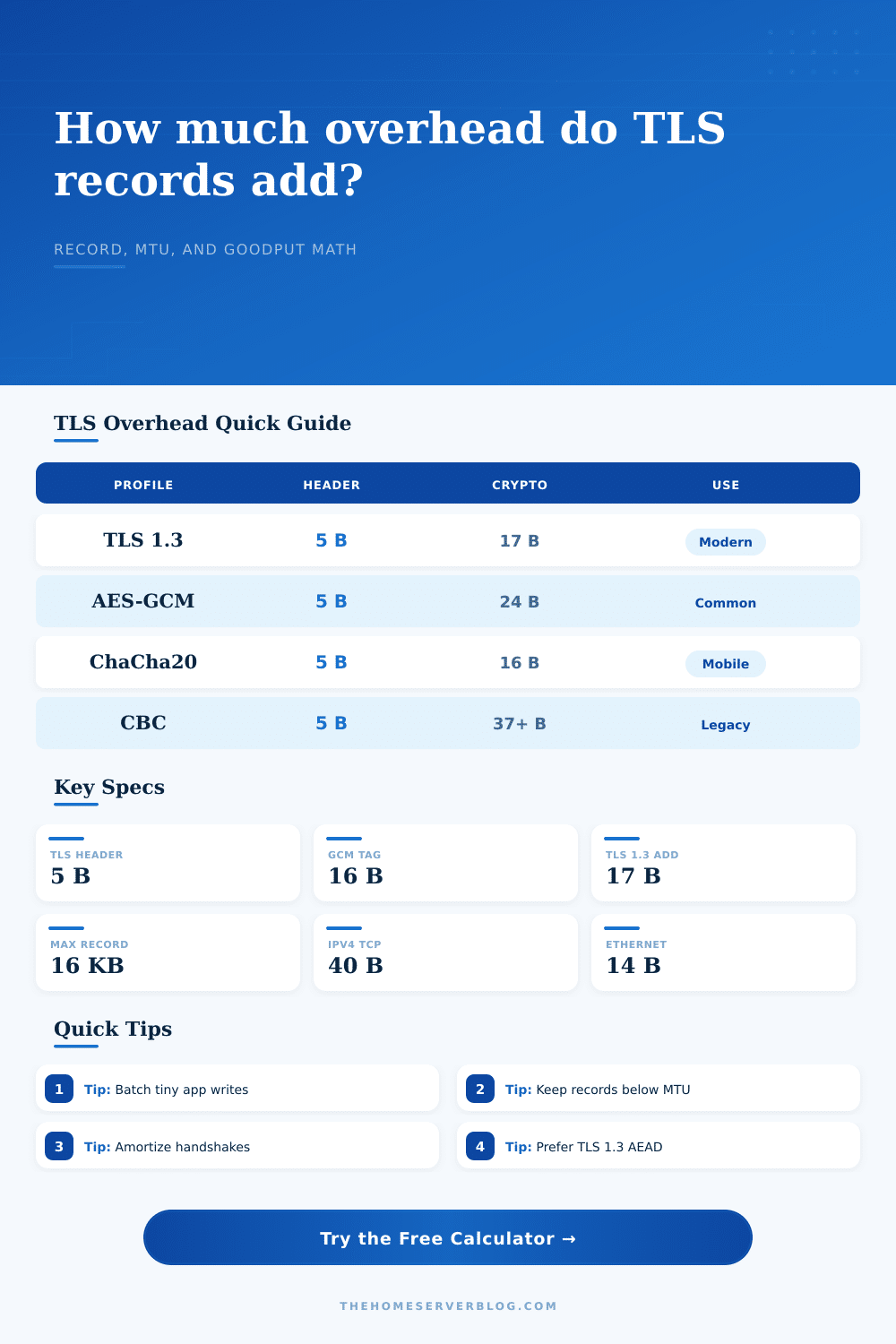
When most folks see how big an app’s data is, they think “that’s what gets sent over the wire”. Nope. Each message gets wrapped in layers. It is typically a five byte TLS record header. Add some cipher suite overhead. Use AES-GCM? Another sixteen bytes for authentication tag. Older TLS 1.2 CBC suites? Maybe another thirty to forty bytes for padding and MACs.
That is the part most people miss. All those other bytes doesn’t contain information. They contain proof that your information hasn’t been changed. Proof costs bandwidth.
It’s all relative to what you’re transmitting. Twenty-two extra bytes per record won’t make a dent with a one-gigabyte movie file. It’s tiny overhead there. But consider that you have a smart home dashboard that polls its sensors several times a second; it sends dozens of little message each containing a few dozen bytes. Each message incurs the entire cost of the fixed part, tags and headers. With a payload of just fifty bytes, your overhead could dwarf your actual message. Small writes is very inefficient. You’re paying more for the envelope than the letter.
The network layer matters too. The tool factors in Ethernet framing, TCP options, and IP headers. A standard MTU is fifteen hundred bytes for the whole packet. That’s space eaten up by TCP timestamps, VLAN tags, and such. When your packet is larger then the path MTU, it gets fragmented. Fragments are inefficient; they get dropped. The calculator lets you visualize if your records is getting chopped into bits by the network stack.
You can visualize the useful data rate. That’s actual useful data being delivered to its destination. It is not the total bandwidth consumed.
And then there’s handshakes. Those also matter, particulary when dealing with lots of brief client-to-server connection followed by nothing. In a full TLS handshake, thousands of bytes worth of traffic pass back and forth. When you’re talking about lots of short-lived connections, all that control traffic can swamp whatever payload data you’re sending or receiving. Here, it helps to reuse connections. By keeping connections open for a while, you spread the handshake cost across time. You can play with average length of a connection in the calculator; it’ll tell you how much of your bandwidth is being wasted on handshakes vs. This refers to actual payloads.
Looking at the results, concentrate on the efficiency percentage. Less than eighty? You’re paying too much for framing. Consider batching up your writes (if that’s an option in your app). Always send a large record; never send ten small records. You’ve paid the fixed header cost just once. Small change? It matters. With those tuning parameters turned, you have a smooth pipeline instead of a choked link. You stop fighting the protocol, you use it. You should of tuned these settings earlier to avoid being uncomfortably slow. The actualy results could be better with more modern setup.