⬆️ Upload Speed Calculator
Calculate upload transfer time, throughput, and bandwidth requirements for any file size and connection type
| Connection Type | Typical Upload | 1 GB Transfer Time | 10 GB Transfer Time | Best Use Case |
|---|---|---|---|---|
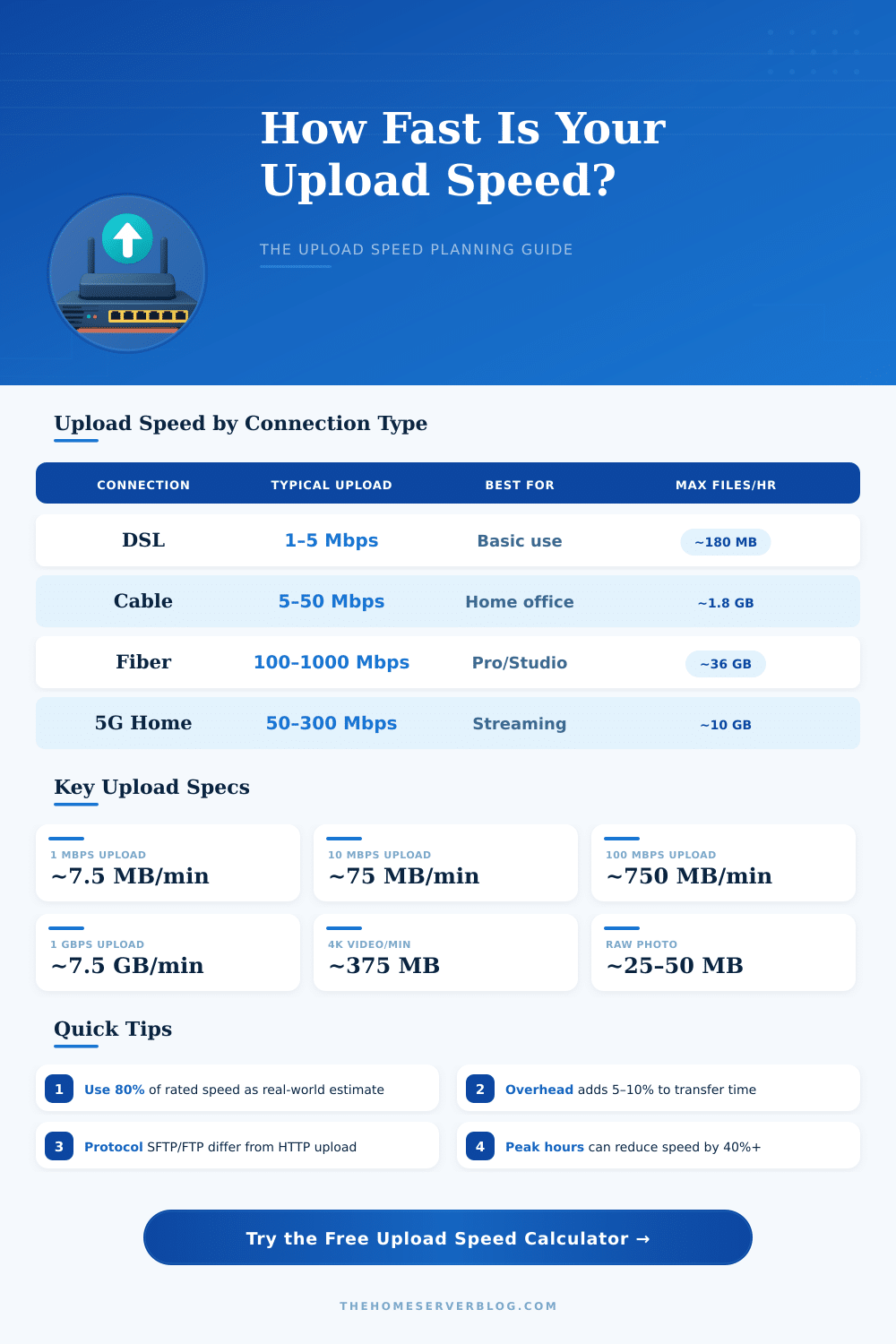
| DSL | 1–5 Mbps | 26 min – 2 hr 11 min | 4.4 – 22 hrs | Email, small files |
| Cable | 5–50 Mbps | 2.6 min – 27 min | 26 min – 4.4 hrs | Photo/video upload |
| Fiber (Symmetric) | 100–1000 Mbps | 8 sec – 1.4 min | 1.4 min – 13.6 min | Backups, streaming |
| 5G Home | 50–300 Mbps | 27 sec – 2.6 min | 4.4 min – 26 min | Video calls, uploads |
| 4G LTE | 5–50 Mbps | 2.6 min – 27 min | 26 min – 4.4 hrs | Mobile uploads |
| Wi-Fi 6 | Up to 600 Mbps | ~13 sec | ~2.3 min | Local NAS, fast uploads |
| T1 Leased Line | 1.544 Mbps | ~1 hr 9 min | ~11.5 hrs | Business continuity |
| Gigabit Fiber | 1000 Mbps | ~8 sec | ~1.4 min | Data centers, offsite backup |
| File Size | 5 Mbps | 25 Mbps | 100 Mbps | 500 Mbps | 1 Gbps |
|---|---|---|---|---|---|
| 1 MB | 1.6 sec | 0.32 sec | 0.08 sec | 0.016 sec | 0.008 sec |
| 100 MB | 2 min 40 sec | 32 sec | 8 sec | 1.6 sec | 0.8 sec |
| 1 GB | 26 min 40 sec | 5 min 21 sec | 1 min 20 sec | 16 sec | 8 sec |
| 10 GB | 4 hr 26 min | 53 min 20 sec | 13 min 20 sec | 2 min 40 sec | 1 min 20 sec |
| 50 GB | 22 hr 13 min | 4 hr 26 min | 1 hr 6 min | 13 min 20 sec | 6 min 40 sec |
| 1 TB | 18.5 days | 3.7 days | 22.2 hrs | 4.4 hrs | 2.2 hrs |
| Protocol | Typical Overhead | Effective Speed at 100 Mbps | Notes |
|---|---|---|---|
| HTTP (unencrypted) | 2–5% | 95–98 Mbps | TCP + HTTP headers |
| HTTPS (TLS) | 5–10% | 90–95 Mbps | TLS handshake + headers |
| FTP | 3–7% | 93–97 Mbps | Control + data channel |
| SFTP / SCP | 10–20% | 80–90 Mbps | SSH encryption overhead |
| rsync | 5–15% | 85–95 Mbps | Delta transfer saves time |
| SMB / CIFS | 10–20% | 80–90 Mbps | Windows network share |
| S3 / Object Storage | 5–12% | 88–95 Mbps | Multipart upload available |
| WebDAV | 8–15% | 85–92 Mbps | HTTP-based, XML overhead |
| Scenario | Typical File Size | Min. Speed Needed | Transfer Time at 25 Mbps |
|---|---|---|---|
| Single RAW Photo | 25–50 MB | 1 Mbps | 8–16 sec |
| Wedding Photo Album (500 photos) | 12–25 GB | 5 Mbps | 1 hr 4 min – 2 hr 8 min |
| 1080p Video (1 hr) | 4–8 GB | 5 Mbps | 21–43 min |
| 4K Video (1 hr) | 25–50 GB | 10 Mbps | 2 hr 13 min – 4 hr 26 min |
| VM Snapshot / OVA | 10–40 GB | 10 Mbps | 53 min – 3 hr 33 min |
| OS ISO Image | 1–8 GB | 5 Mbps | 5–43 min |
| Live Stream (1080p 30fps) | 6 Mbps continuous | 6 Mbps | Continuous real-time |
| Full Server Backup | 500 GB – 10 TB | 50 Mbps | 2.2 hrs – 1.85 days |
Your ISP’s rated upload speed is the theoretical maximum. Real-world upload speeds are typically 70–85% of the rated speed due to network congestion, protocol overhead, and equipment limitations. Always use a 10–15% overhead buffer when planning critical uploads. Run a speed test at fast.com or speedtest.net to measure your actual upload speed before estimating transfer times.
Internet speeds are measured in Megabits per second (Mbps), but file sizes are in Megabytes (MB). There are 8 bits in 1 byte. So a 25 Mbps upload speed transfers only 3.125 MB per second. A 1 GB file = 8,000 Megabits. Always divide your file size in megabits by your speed in Mbps to get seconds. This calculator handles the conversion automatically.
Upload Speed deals about the speed with that data moves from your device to the net. Imagine the internet as a two-way highway: one way brings information down to the device, while the second way sends them up from the device to the internet. That is exactly what Upload Speed is.
It plays a role in many everyday tasks. For instance, when one shares photos or uploads videos to social websites, prepares presentations for work or does live video, everything depends on good Upload Speed. Even video calls and gaming require proper upload to work easily.
What Is Upload Speed and Why It Is Important
For a typical family, at least 10 Mbps Upload Speed is enough for basic tasks like video calls, playing online and uploading of files. If many folks in the home use the internet at the same time and work from home it is good to have something between 50 and 200 Mbps. Content creators or small businesses, that upload big files and do live broadcasting, maybe need 500 to 1 000 Mbps, or even equal speeds, where upload matches download.
Most internet plans offer more download speed than Upload Speed. The usual ratio is four to one, download to upload. Internet providers do that partly because average users download much more than they upload.
Cable connections especially limit the upload. For instance, some plans give 200 Mbps download, but only 5 or 20 Mbps upload. Even so, fiber nets work differently.
The capacity of fiber is almost endless, depending on the load of the net, so many fiber plans have equal speeds.
Also, internet providers keep the Upload Speed low on cheap plans for a particular reason. They want to stop folks from using home internet too run servers on the net or directories. Because of that, consumer plans almost always have lower upload than download.
Every device at home uses a share of the internet link and loads the speed. The Upload Speed of the provider arrives to the house, but then the router shares it between all connected devices. So, the more devices online at the same time, the less upload each of them gets.
The speed can change depending on how far the data must travel. It depends on the number of net spots that the data passes through and how busy they are. For instance, folk in Europe uploading to a server in the United States can experience slower speed, because the traffic must cross many tunnels and maybe busy netson the way.
Testing Upload Speed is fairly easy. Some programs make random data in the browser, upload them to a server and then measure the speed. After a certain level even so, the stability of the connection matters more than the pure speed for general browsing and posting.
If no one in the home uploads big files often, medium Upload Speed is enough for everything.