1000VA UPS Runtime Calculator
Estimate backup minutes for routers, NAS boxes, mini PCs, PoE switches, and small home server stacks using 1000VA-class battery assumptions.
⚡1000VA Home Lab Scenarios
🔧UPS Runtime Inputs
Estimated 1000VA UPS Result
📊1000VA Class Assumptions
🔋1000VA Runtime Reference
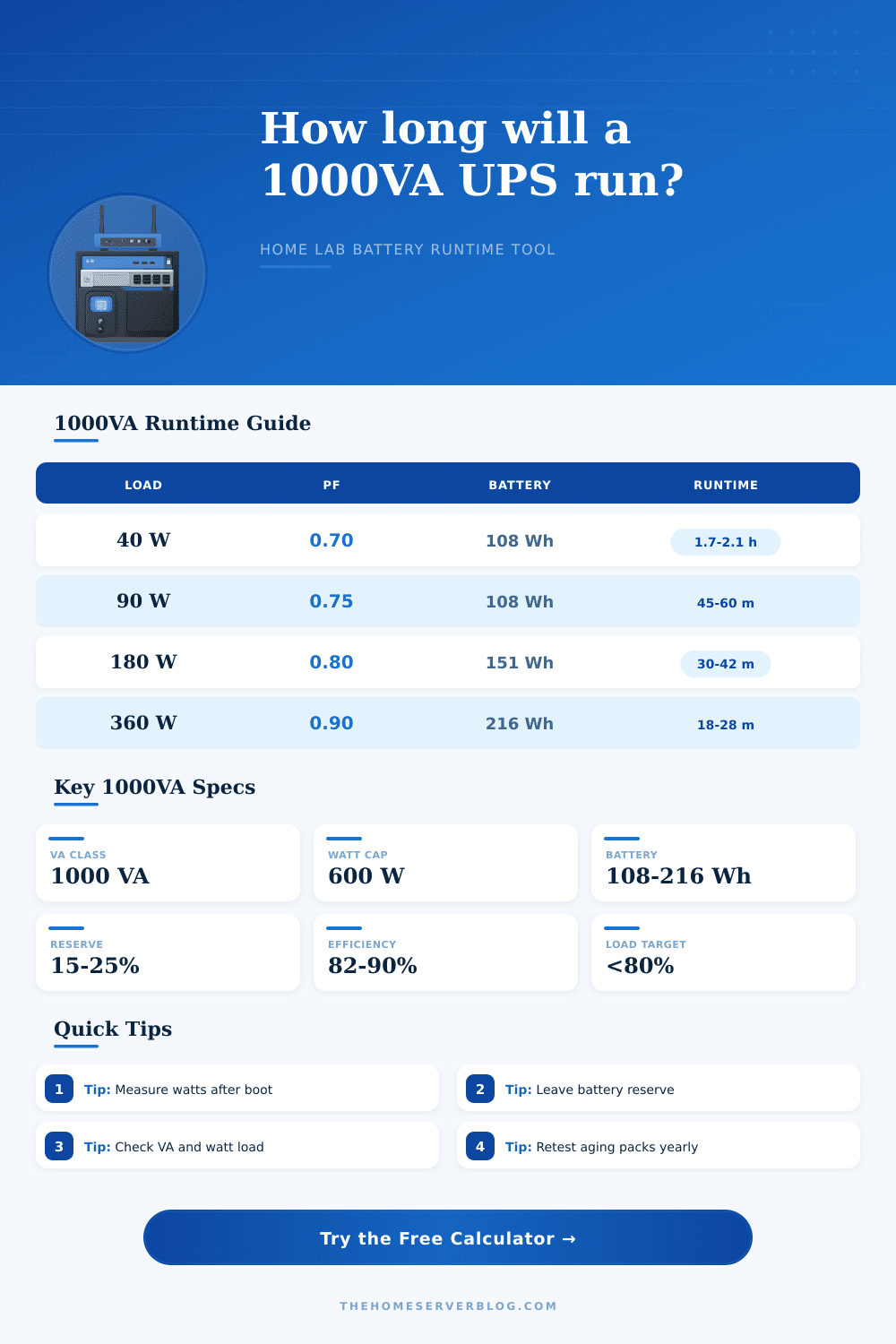
| Measured Load | Typical Devices | 108 Wh Pack | 151 Wh Pack | 216 Wh Pack |
|---|---|---|---|---|
| 35 W | ONT, router, small switch | 115-140 min | 160-195 min | 230-280 min |
| 75 W | Router, AP, modem, mini switch | 50-65 min | 72-90 min | 105-130 min |
| 150 W | Mini PC, NAS, network stack | 24-32 min | 35-45 min | 52-65 min |
| 300 W | Desk lab, PoE, storage load | 11-16 min | 17-23 min | 25-34 min |
| 500 W | Heavy 1000VA home lab load | 5-8 min | 9-12 min | 13-18 min |
⚙UPS Class Comparison Grid
| UPS Class | Common Watt Cap | Best Home Lab Fit | Planning Caution |
|---|---|---|---|
| 650VA | 360-390 W | Router, ONT, one AP | Limited NAS shutdown time |
| 850VA | 480-510 W | Network gear plus mini PC | Battery Wh varies widely |
| 1000VA | 550-800 W | Small NAS, mini server, PoE edge | Check both VA and watt load |
| 1500VA | 900-1000 W | Denser server and storage stack | May require larger circuit space |
🖥Load Mix Power Factor Guide
| Load Mix | Typical PF | 100 W Becomes | Notes For 1000VA Sizing |
|---|---|---|---|
| Network adapters and ONT | 0.65-0.75 | 133-154 VA | Often low watts but inefficient PF |
| NAS plus switch | 0.72-0.82 | 122-139 VA | Allow spin-up and scrub activity |
| Mini PC server | 0.78-0.88 | 114-128 VA | Idle draw can be much lower than peak |
| PoE camera edge | 0.80-0.90 | 111-125 VA | PoE budget raises heat and runtime draw |
| 1U rack server | 0.88-0.95 | 105-114 VA | Watt limit is usually the constraint |
🧮Battery Pack Assumption Table
| Pack Label | Nominal Build | Nominal Wh | Usable At 86%, 15% Reserve |
|---|---|---|---|
| Small 1000VA | 24 V x 4.5 Ah | 108 Wh | 79 Wh |
| Common 1000VA | 24 V x 7 Ah | 168 Wh | 123 Wh |
| Compact rack UPS | 36 V x 5 Ah | 180 Wh | 132 Wh |
| Longer runtime model | 24 V x 9 Ah | 216 Wh | 158 Wh |
💡Runtime Planning Tips
A 1000VA UPS is a device that provides backup power to the connected device. Additionally, 1000VA UPS is often used to provide backup power to small servers and networking gear. Many individuals is unaware of the various factors that impact the runtime of a 1000VA UPS.
A 1000VA UPS has several factor that impact its runtime, including the load of the devices that the 1000VA UPS will power, the capacity of the battery that is contained within the 1000VA UPS, the efficiency of the 1000VA UPS, and the reserve percentage of the battery of the 1000VA UPS. Each of these factor can be entered into the calculator so as to determine the runtime of the 1000VA UPS for those specific values of each of these variable. There are two limits for a 1000VA UPS: the watt limit and the VA limit.
What Affects How Long a 1000VA UPS Runs
The watt limit is the power that drain the battery of the 1000VA UPS. The VA limit is important for device with a low power factor, such as PoE switches. Should the load of the devices that are to be powered by the 1000VA UPS reach either the watt limit or the VA limit of the 1000VA UPS, the 1000VA UPS may either overheat or provide insufficient power to the devices prior to the battery of the 1000VA UPS being fully depleted.
Thus, both of these limits must be considered prior to purchase a 1000VA UPS for the intended devices. Different types of hardware has different factors for their power draw. For instance, the network adapter may have a power factor of 0.70 while the rack server may have a power factor of 0.90.
The calculator considers these factor when converting a watt reading to a VA reading. Failure to consider the factor of power can lead to an initial safe load for the 1000VA UPS, yet cause the 1000VA UPS to overheat or shut off before the devices are depleted of its battery. Additionally, the efficiency of the 1000VA UPS should be considered in that the 1000VA UPS loses some of it power when handling both very light and very heavy loads.
In addition to the factor related to the 1000VA UPS, there are also factors related to the environment in which the 1000VA UPS operate. Two such factors are the changes in the temperature at which the 1000VA UPS operates, as well as the aging of the battery cells of the 1000VA UPS. As the battery cells age, they no longer hold as much of the watt hours that they were able to hold when the 1000VA UPS was new.
The battery health selector allows the user to consider this factor in the runtime of the 1000VA UPS. Additionally, the user can enter the percentage of the battery that is to be maintained in reserve into the calculator. The battery is often required to contain at least some of the battery maintained in reserve in order to allow the devices to properly shutdown.
Within the 1000VA UPS, there is a time period known as the shutdown window. The shutdown window must be long enough to allow for the hypervisor to power off the virtual machine, the NAS to flush its write cache, and for the operating system to power off. The user can enter the shutdown window into the calculator so that any potential issues of the system crashing prior to the shutdown can be considered.
Thus, the user can determine if the 1000VA UPS will provide enough runtime after accounting for the shutdown time. Should the runtime of the 1000VA UPS be found to be too short in relation to the shutdown window, additional measure must be taken to either reduce the load of the devices to those that are still within the 1000VA UPS, or to purchase additional 1000VA UPS unit to ensure that there is enough runtime to power off the devices. Many individuals focus upon providing additional runtime for the devices that are to be powered by the 1000VA UPS.
An important limit to consider is the watt limit and the VA limit of the 1000VA UPS. The 1000VA UPS has the ability to accept load above its watt limit for short periods of time. However, if the 1000VA UPS is required to provide power to devices that have loads above the watt limit of the 1000VA UPS, the 1000VA UPS will overheat due to the high rate of draw of power from the 1000VA UPS battery.
Additionally, reference table can be used to determine the relation of the load that is placed upon the 1000VA UPS to the runtime of the 1000VA UPS. These table depict the decrease in the runtime of the 1000VA UPS as the load upon the 1000VA UPS increases. The goal of the implementation of the 1000VA UPS can help to determine if a single 1000VA UPS is sufficient to power the devices.
For example, if the goal is for the 1000VA UPS to support the devices for the short five-minute flicker of the power, a single 1000VA UPS may be sufficient. However, if the goal is to back up the data from the network or to migrate the workloads of the network, a single 1000VA UPS may not be sufficient of powering those devices, even with the addition of external battery pack. Additionally, the user can enter the number of external battery pack into the calculator to determine the increase in the runtime of the 1000VA UPS.
In order to accurately calculate the runtime of the 1000VA UPS, the watt draw of the devices must be measured while they are all booted into operation. This watt draw reading is more accurate than the rating that may appear on the devices to be powered by the 1000VA UPS. Once the watt draw is measured, that value can be entered into the calculator to provide a realistic runtime estimate for the 1000VA UPS.
Although the calculator may not perfectly calculate the runtime of the 1000VA UPS, the calculator will reduce the error that could happen if only the VA ratings of the 1000VA UPS were to be considered.