🗄 VLAN Calculator
Calculate VLAN subnets, host ranges, trunk bandwidth, and inter-VLAN routing requirements
| VLAN ID | Suggested Name | Network | Gateway | Host Range | Hosts |
|---|---|---|---|---|---|
| Calculate to generate VLAN assignments | |||||
| Design | VLANs | Prefix | Use Case | Notes |
|---|---|---|---|---|
| Home Lab Basic | 3–4 | /24 | Home network | Mgmt, LAN, IoT, Guest |
| SMB Network | 6–8 | /24 | Small office | Servers, PCs, VoIP, WiFi, Mgmt |
| Enterprise Campus | 16–32 | /24 | Corporate | Per-department VLANs |
| Data Center | 50–100 | /22–/23 | Server racks | Per-rack or per-tier VLANs |
| MSP / ISP | 100+ | /27–/28 | Multi-tenant | Per-customer VLANs |
| Micro-segmentation | Per device | /30–/31 | Zero trust | One VLAN per host |
Planning VLANs for network infrastructure can quickly become messy and that is why VLAN calculators exist. They take on the trouble: do subnet calculations and generate switch configurations for mainstream producers. They are useful because of accuracy based on standard IP math.
They work equally well for big enterprise nets and for little setups
How VLAN Calculators Help with Network Planning
Some VLAN calculators help find the right 802.1q VLAN ID for your net. The process is simple: enter CIDR-noted IP address, for instance 128.111.12.0/24, and if it sits on /26 limit, the utility uses special formula with the subnet number to give your ID.
Most of subnet calculators address IPv4 and IPv6, delivering many useful info. IP address, network address, subnet mask, IP ranges and more. You simply enclose subnet ranges in CIDR form, and the utility shows everything about it.
Many have option for mask choice, which is very helpful in service provider surroundings. Many have a litle option for mask choice.
Some utilities allow you to pick the network for dividing and then show everything in clear columns: subnet address, netmask, address range, used IPs, host count and buttons for share or combine. You can count neighboring subnets, use subnet sheets for control IP ranges and detail divisions. The same method operates to estimate how many subnets store bigger net.
Visual Subnet Calc seems good opportunity for fast net planning, and it also helps to share diagrams with partners. I recall that colleague wanted subnet calculator that describes results as chart or grid, colored blocks for IPs or subnets that you can click and rearrange. People helped to add cloud features, which helped the calculation of used IPs.
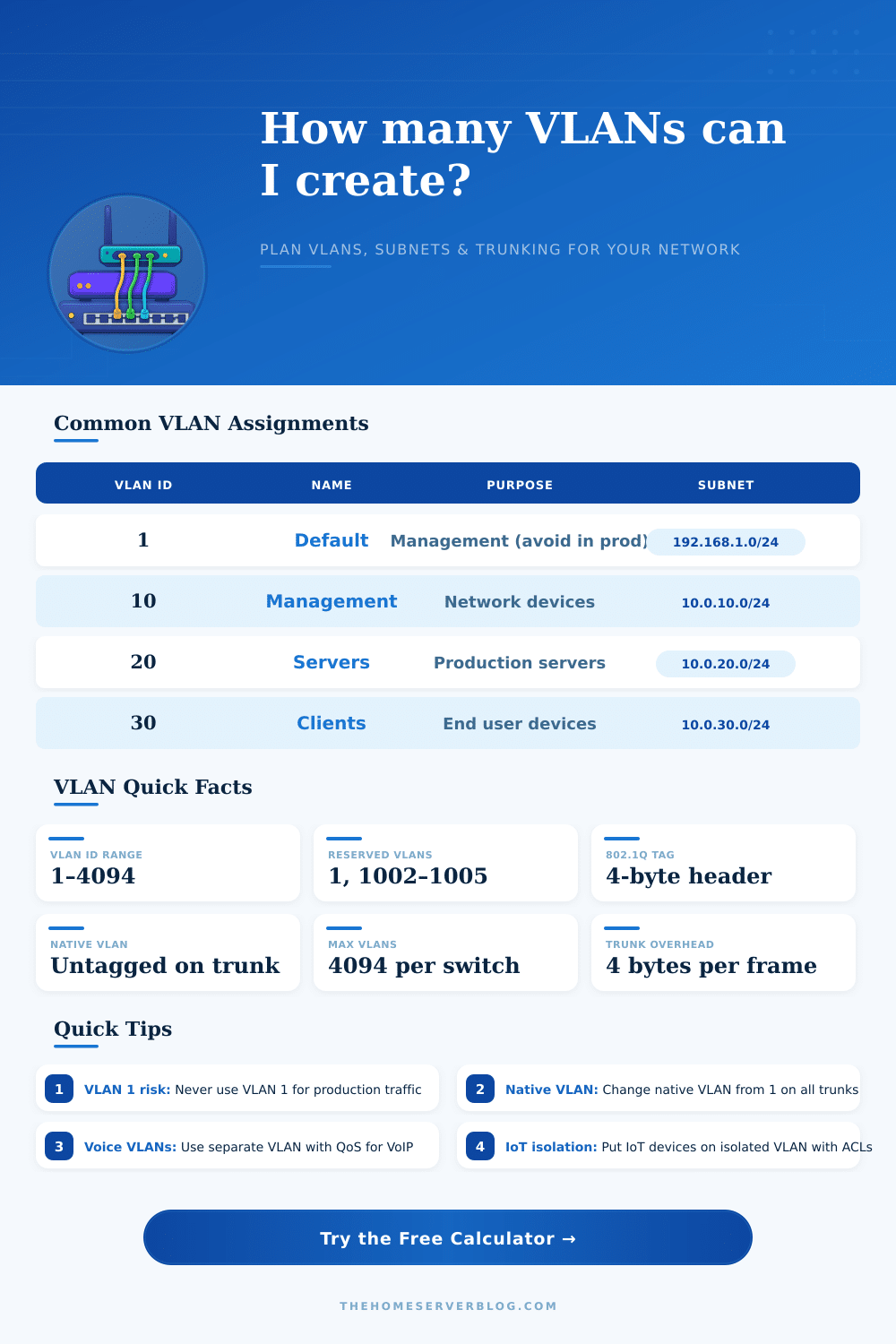
Every VLAN receives assigned number, usually called tag. You can map security zones to VLANs, for example VLAN 1 in MGMT zone, while VLAN 2 and 10 in internal zone. Later you can launch all IP nets in one subnet bound to that security zone.
Dividing of net in little parts does not only look well on diagrams. It logically separates the network, strengthen security by means of traffic separation between zones, reduce broadcast noise and limit address count. Take /23, it is twice bigger than /24, giving around 508 used addresses.
For instance, VLAN 100 as 172.20.22.0/24, VLAN 110 as 172.20.23.0/26 and VLAN 120 as 172.20.23.64/29.
The real advantage comes when the utility scans your interfaces and ways, showing /30 and /31 nets in all VRFs, point-to-point links and VLANs. That visibility is inherent for control big nets. You can download results or photograph screen for yourfiles.