ACL Entry Count Calculator
Estimate expanded ACE rows, TCAM occupancy, spare capacity, and policy growth from object groups, services, directions, attachments, logging, and platform compression.
⚙Real Policy Presets
📋Policy Inputs
ACL Entry and TCAM Plan
💡Quick Planning Metrics
🗂ACL Feature Overhead Reference
| Feature | Typical Entry Impact | Where It Appears | Planning Note |
|---|---|---|---|
| Object group flattening | Sources x destinations x services | Firewalls, routers, switch ACL compilers | Largest source of surprise growth in allowlist policies. |
| IPv6 wide keys | About 2 rows per logical ACE | ASIC TCAM and some route processors | Dual stack policies should be sized as separate IPv4 and IPv6 rule sets. |
| Logging and counters | 5% to 25% extra entries | Visibility rules, denies, sampled traffic | Log only high-signal rules when table space is tight. |
| Hitless policy replace | 1.25x to 2x transient usage | Stacked switches, HA firewalls, SDN agents | Leave temporary room for commit and rollback operations. |
📊TCAM Capacity Bands
| Platform Class | Common ACL Entry Range | Best Fit | Warning Point |
|---|---|---|---|
| Home lab router or small L3 switch | 512 to 4,096 | VLAN isolation and simple edge filters | Above 70% usable table use |
| Prosumer firewall appliance | 2,000 to 20,000 | Zone policies, NAT helpers, VPN rules | Large object groups and broad logging |
| Enterprise access or aggregation switch | 8,000 to 64,000 | Campus ACLs with QoS and route sharing | QoS, PBR, IPv6, and ACL sharing the same slices |
| Data center leaf or fabric node | 32,000 to 256,000+ | Tenant filters and distributed policy | Per-tenant duplication and hitless replace headroom |
🔧Common ACL Project Sizes
| Project | Written Rules | Expansion Pattern | Typical Result |
|---|---|---|---|
| Home VLAN segmentation | 15 to 45 | Few networks, mixed denies, shared services | 200 to 1,500 programmed entries |
| Camera and NVR network | 20 to 70 | Many devices, few destinations, strict egress | 400 to 3,000 programmed entries |
| Proxmox or Kubernetes lab | 40 to 160 | Many east-west services and management rules | 2,000 to 25,000 programmed entries |
| Hybrid cloud allowlist | 80 to 300 | Many CIDRs, service groups, mirrored tunnels | 10,000 to 100,000+ programmed entries |
📝Object and Service Expansion Table
| Policy Style | Source Objects | Destination Objects | Service Entries |
|---|---|---|---|
| Single host exception | 1 host | 1 host or CIDR | 1 to 2 ports |
| Department to service | 3 to 12 subnets | 2 to 8 servers | 2 to 6 ports |
| Zero trust microsegment | 8 to 50 workloads | 8 to 50 workloads | 3 to 15 ports |
| Internet edge allowlist | Many inside zones | Many public CIDRs | DNS, NTP, HTTP, VPN, mail |
🧭Firewall and Switch ACL Comparison
Stateful Firewall
Counts security policy rules, object expansion, NAT/security helpers, logging, and return-flow handling. Capacity may be limited by policy compiler, memory, or session scale rather than only TCAM.
L3 Switch TCAM
Counts hardware ACE rows per VLAN, SVI, direction, VRF, and feature slice. IPv6, QoS, PBR, and route lookups can consume shared TCAM space alongside ACLs.
Router Interface ACL
Counts entries per applied interface and direction. Smaller routers may shift complex matches into CPU paths, so very broad object expansion can hurt forwarding performance.
Cloud or SDN Policy
Counts distributed copies across hosts, tenants, security groups, or virtual NICs. The visible policy can look compact while the programmed dataplane is much larger.
⚠Planner Notes
It is an elegant piece of code written in your text editor. The forty lines of an access control list are logically sound. Pushed to switch, it fail to configure. The error is that the TCAM capacity were exceeded. The rules didn’t fit into hardware’s memory. That’s the gap between human intent and machine reality.
When policy is sent, the access control policies don’t remains compact. They expand, they duplicate. They consume resource in ways we can’t see until we’re staring at a locked-out management interface or a denied packet.
Why Simple Rules Take Up Too Much Space
Entries vs. Rules: Network engineers is trained to think in terms of rules rather than entries. You write a policy that allows the finance VLAN to talk to the SQL database. To you, that’s one rule. In reality, it’s thirty entries for chip within the switch. Why? Because hardware can’t do groups; it has to flaten them.
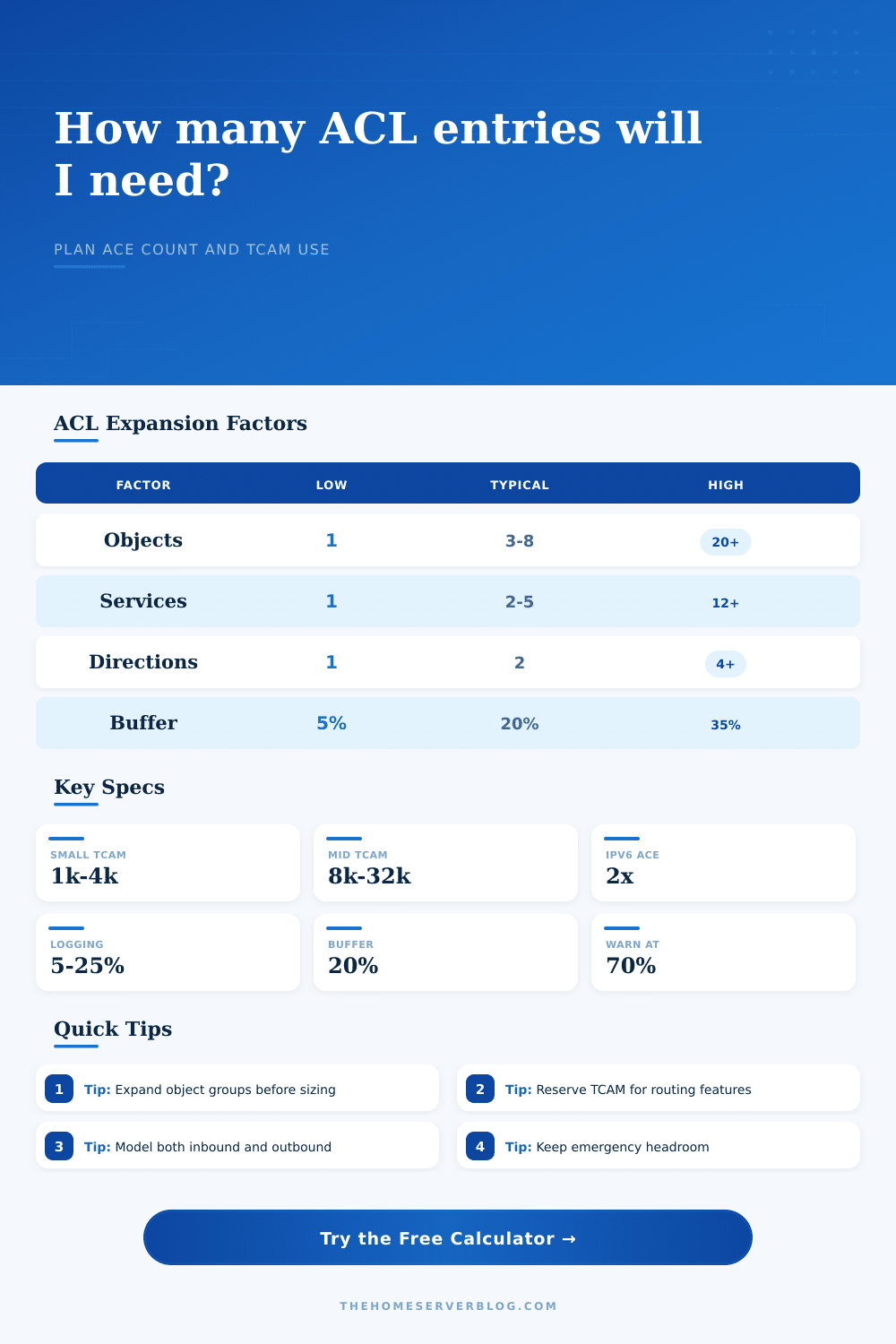
Let’s say you have a source group with five subnets, a destination group with four server and an allowed range of three different TCP ports. The switch need to create a unique row for each combination. Five times four times three equals sixty. Your single line of code just became sixty rows of hardware entries, and you didn’t even notice. That’s what the explosion factor does.
So this tool fills in that gap before deployment. It makes you think about all those things driving this growth. What is base policy? How many object do you have on average per policy? Where will this apply?
Most devices enforce ACLs by interface and direction. That means if you apply that policy across six VLANs (enforce in-bound/outbound), then you’re not looking at sixty anymore. You’re looking at 720, and that’s where the math becomes heavy, fast. This tool multiplies for you so you can see what real footprint is.
The other thing you should of think about: What else do you want running on this same chip? This is why TCAM is a shared resource. Yes, it has your access lists. It also handles your quality of service markings, routing tables, policy-based routing rules, and even IPv6 forwarding information. If you reserve twenty-five percent of your table for these other features, a conservative estimate for most enterprise platforms, an eight-thousand-entry switch will have only six thousand entries left to house your security policies.
Five thousand of those for your extended rules means you’re at eighty-three percent use and out of space for emergency denies, IPv6 enablement and the next tweak to your policy next week.
And there’s logging. Putting a log statement in a rule seem innocuous enough. It is good for forensics. On most platforms though, logged rules eats up more TCAM keys or need extra helper entries. You have fifteen percent of all your rules logged. That’s made worse by the expanded objects. You may not realize how much you’re draining until you hit a hard limit during a security audit or experience a slow commit process as you troubleshoot. Small thing, but when you’re running tight it matters.
Because space is limited, dual-stack environments realy eat up space. The keys are larger, taking up more space, as well as the fact that IPv6 addresses are wider. This means a single IPv4 consuming rule may now be two entries on the IPv6 side or need its own parallel table altogether. Double-upping your address related expansion if you’re using both protocols. The calculator recognizes this and lets you choose your address family and adjusts number of entries accordingly. So you don’t get surprised when your IPv6 traffic starts falling off a cliff because the table has filled up while your IPv4 traffic look just peachy.
This brings us to the last layer: the buffer. Never design for full capacity. Always leave yourself some room for change. At any given time, when running the numbers, if you’re only using seventy percent of your resource, that’s in safe zone. It means you could add a new department, upgrade a service, install some new security mandate, without having to rewrite your whole policy structure from scratch.
To plan for expansion is professional. To know precisely how much space your intention requires before requesting that the hardware hold it on your behalf is name of the game. Then your switch stays online and your policies stay elegant.