Firewall Session Table Calculator
Estimate state table capacity, connection rate pressure, memory use, and platform headroom for home server, VPN, VLAN, and lab firewall traffic.
| Platform Profile | Typical Session Limit | Typical New CPS | Best Fit |
|---|---|---|---|
| Mini router appliance | 60k to 150k states | 1k to 3k CPS | Simple NAT, DNS, small family network |
| ARM SBC firewall | 100k to 250k states | 2k to 5k CPS | Light VLAN routing and basic VPN |
| Intel N100/N305 appliance | 250k to 1M states | 8k to 25k CPS | Most 1G to 2.5G home labs |
| Repurposed desktop firewall | 1M to 4M states | 20k to 80k CPS | IDS testing, many VLANs, lab bursts |
| Virtual firewall VM | 500k to 2M states | 10k to 50k CPS | Hypervisor edge with fast storage and vNICs |
| Used enterprise edge | 2M to 8M states | 50k to 200k CPS | Heavy NAT, multi-WAN, many rules |
| Flow Type | Common Timeout | Table Impact | Home Lab Note |
|---|---|---|---|
| TCP established | 30 to 1440 minutes | High when long-lived | SSH, SMB, database, and streaming can hold states for hours |
| TCP closing | 10 to 120 seconds | Moderate during bursts | Web browsing and package updates create many short flows |
| UDP DNS | 10 to 60 seconds | Low per query | Resolvers and ad blockers can still create high churn |
| UDP QUIC | 60 to 180 seconds | Moderate to high | Video apps and browsers may prefer QUIC over TCP |
| ICMP and other | 10 to 30 seconds | Low | Usually small unless monitoring is extremely chatty |
| Scenario | Sessions per Endpoint | Burst Multiplier | What Drives the Table |
|---|---|---|---|
| Small home lab | 40 to 90 | 1.5x to 2.5x | Browsers, DNS, updates, NAS, media apps |
| IoT VLAN | 20 to 70 | 1.2x to 2.0x | Polling, cloud telemetry, MQTT, NTP, DNS |
| Proxmox or Kubernetes lab | 120 to 400 | 2.0x to 4.0x | Service discovery, registries, package mirrors, east-west flows |
| Remote work VPN | 100 to 300 | 1.5x to 3.0x | Split tunneling, SaaS apps, conferencing, DNS |
| Gaming or LAN event | 80 to 220 | 2.5x to 5.0x | Launchers, updates, voice chat, matchmaking, NAT churn |
| Project | Endpoint Count | Planning Table | Secondary Check |
|---|---|---|---|
| 5 VLAN home office | 25 to 45 | 75k to 180k states | CPS usually under 5k |
| Camera and IoT split | 35 to 90 | 100k to 300k states | UDP timeout matters most |
| Small Proxmox cluster | 30 to 80 | 200k to 750k states | East-west rules add overhead |
| Multi-WAN family network | 45 to 120 | 250k to 1M states | Failover state sync needs spare room |
| Busy home office lab | 80 to 180 | 500k to 2M states | Inspect CPS and memory together |
| Calculated Signal | Comfortable Range | Warning Range | Action |
|---|---|---|---|
| Required sessions vs platform | Under 60% | Over 75% | Reduce timeouts, split inspection, or choose a larger state table |
| New CPS load | Under 40% | Over 70% | Watch update windows, browser storms, and failed retry loops |
| State memory | Under 15% RAM | Over 30% RAM | Leave RAM for packet buffers, IDS, logs, and routing daemons |
| HA state reserve | 10% to 20% | Over 35% | Confirm sync interface speed and peer capacity |
Think of the firewall like the clerk who completes paperwork for each packet. The paperwork are the session table. When it’s full, the network shut down.
The calculator make your sense of “slowness” concrete with hard numbers. When people build their own labs at home, they tend to go big on speed. They uses powerful processors and super-fast network cards. And then when the house get busy in the evening or they’re installing updates, the internet stop working.
Why Your Firewall Gets Full
The problem isn’t how wide your pipes is. It’s that each connection require some kind of memory to record it. Each DNS request, each open browser tab… All add up to a line in the record, one for every device.
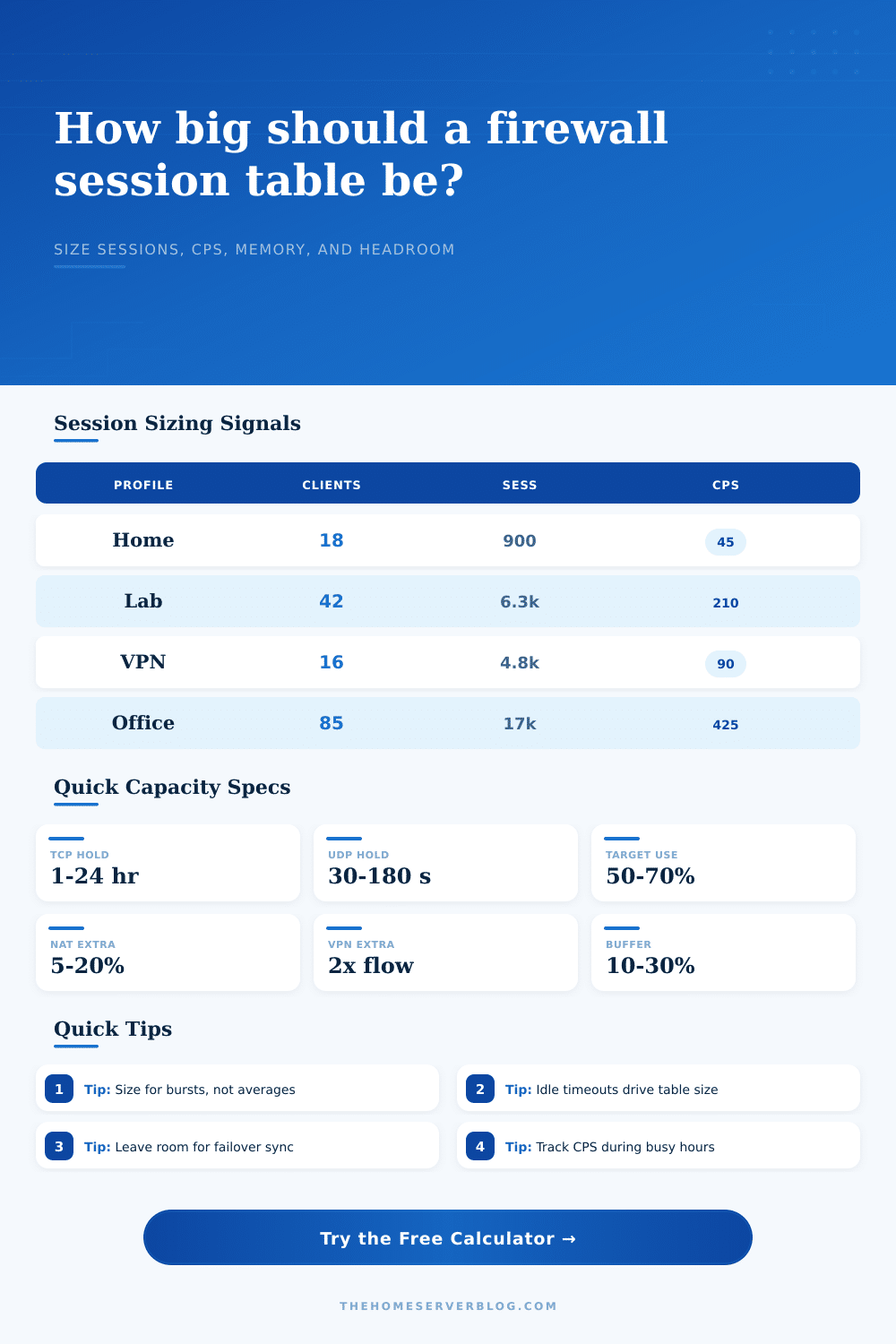
Size for bursts, not averages. Typicaly you have twenty devices, but updates can triple it. Adjust the burst multiplier in tool. It avoids a common mistake: people size their hardware for quiet times and are caught off guard by busy nights.
Resource usage can depends on your timeout settings as well. The session will remains in the table for length of time specified by the timeout. Leaving TCP timeouts at their maximum default mean the table will fill with stale entries. Reducing those timeouts will free up some space; just take care that you don’t kick off any legitimate long-lived connection. It’s a balancing act between keeping the table clean while making sure apps is happy.
Virtual Private Networks add complication because you have more things to track in state. When you pick a VPN profile, the calculator add some memory overhead. It uses up CPU cycles for encryption. It eats up RAM with state data. And if you have a high availability pair, it has to sync that table over to the standby unit. That sync traffic eat up bandwidth… Requiring that you leave a buffer in there for stability.
The other thing I forgot was memory overhead. Every session entry take up some amount of RAM, typicaly about five-hundred bytes per entry. Multiply that by one hundred thousand sessions. That’s fifty megs to store the tracker alone!
It take up half your memory on a low-end router. It is small compared to all the rest on a beefy server. It is good to know as you consider tweaking config or upgrading hardware.
But what about a reality check? There are reference tables available that indicate normal session counts for different types of hardware platforms. What if your need is higher then the maximum that this platform supports? Guess what; you’re out of luck. Wishing won’t make it so. Time to either upgrade to a platform that has a bigger table or spread out your traffic.
The point is to give a healthy firewall some breathing room. You should of strive to maintain less than sixty percent session table use. This gives you that extra space to absorb unexpected spikes in traffic, preventing any packet drops from happening. It is the difference between a seamless experience and a frustrated family.
Know your gatekeeper is stable. Find your baseline with the tool. Leave it some slack for real life.