Argon2 Memory Cost Calculator
Plan Argon2id memory, iterations, lanes, server RAM, login bursts, and attacker GPU pressure before changing password hash settings.
The calculator treats Argon2 memory cost as total memory per verification. Lanes divide that memory into segments for parallel work.
Argon2 Parameter Meaning
| Parameter | What It Controls | Calculator Use | Planning Note |
|---|---|---|---|
| Memory cost | Total memory used by one hash verification | Primary RAM size input | Higher values reduce attacker batch size. |
| Iterations | Number of memory passes | Memory traffic multiplier | Raise after memory is near practical maximum. |
| Lanes | Internal parallel lanes | Memory per lane display | Does not multiply total memory cost. |
| Parallel checks | Simultaneous server verifications | Hash worker pool sizing | Limit workers when login bursts are high. |
Common Argon2id Starting Profiles
| Profile | Memory | Iterations | Where It Fits |
|---|---|---|---|
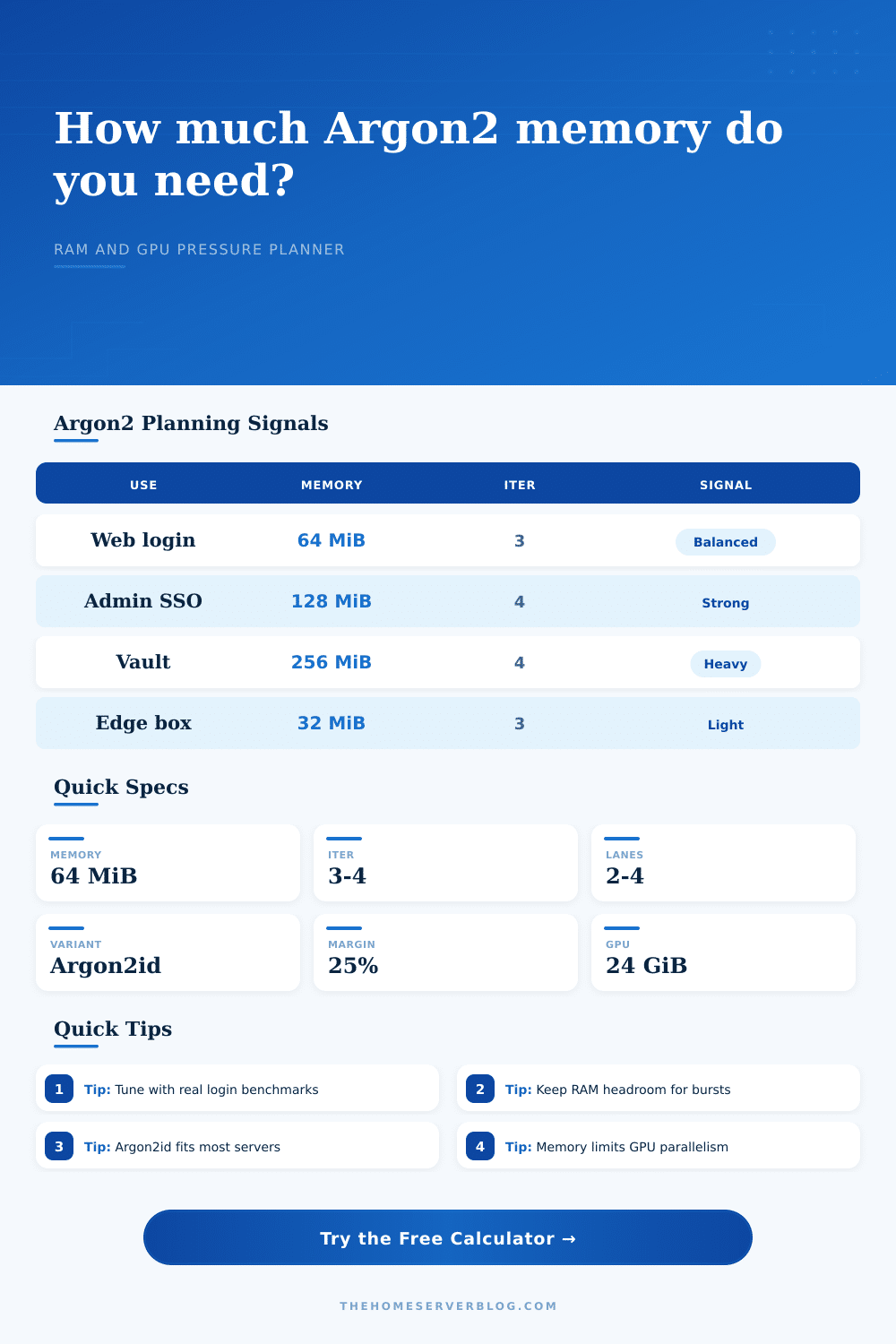
| Interactive web login | 32 to 64 MiB | 3 to 4 | Small services, family apps, dashboards. |
| Admin account | 128 MiB | 3 to 4 | Low frequency privileged login checks. |
| Vault style unlock | 256 MiB | 4 to 5 | User tolerated delay with stronger memory pressure. |
| High memory RFC style | 2048 MiB | 1 | Special cases with generous RAM and careful testing. |
Defender Capacity by Server Size
| Server RAM | Hash RAM Share | 64 MiB Hashes | 128 MiB Hashes |
|---|---|---|---|
| 4 GiB | 25% | 16 concurrent | 8 concurrent |
| 8 GiB | 30% | 38 concurrent | 19 concurrent |
| 16 GiB | 35% | 89 concurrent | 44 concurrent |
| 32 GiB | 35% | 179 concurrent | 89 concurrent |
Latency and Memory Traffic Checks
| Setting | Traffic Per Check | 250 ms Need | Practical Signal |
|---|---|---|---|
| 32 MiB, t=3 | 0.09 GiB | 0.38 GiB/s | Light for most servers. |
| 64 MiB, t=3 | 0.19 GiB | 0.75 GiB/s | Balanced login target. |
| 128 MiB, t=4 | 0.50 GiB | 2.00 GiB/s | Benchmark under burst load. |
| 256 MiB, t=4 | 1.00 GiB | 4.00 GiB/s | Better for rare unlocks. |
| KDF | Memory Hard | Tunable Knobs | Home Server Use |
|---|---|---|---|
| Argon2id | Yes, modern design | Memory, iterations, lanes | Best default for new password hashing. |
| scrypt | Yes | N, r, p | Good legacy memory-hard option. |
| bcrypt | Limited fixed memory | Cost factor | Still common, but not strongly memory-hard. |
| PBKDF2 | No | Iteration count | Widely supported, weaker against parallel hardware. |
To make sure only authorized people can get into your home server, you configure password hashing. For that job, you would generaly pick Argon2, which makes an attacker spend as much time using memory than processing power. That’s important when setting up authentication service. You don’t care if someone can type in their password easily; you do care about preventing brute force attempts.
Based off your server specs, the calculator takes care of the math. Just tell it what kind of hardware you’re working with and how much RAM you want to devote to security. Now, it’s tempting to max out that number, but that’s rarely the right answer. You don’t want the hashing process consuming so much system memory that it cause the rest of your system to slow down or begin swapping. That makes security an issue of stability. The tool will help you strike a balance between making things difficult for attackers while still being able to log in quick each day.
Setting Up Secure Passwords for Your Server
Generally speaking, you should of use Argon2id (the mixed mode variant). That defends against both parallel hardware cracking as well as side-channel attacks. The parameter values is lanes, iterations, and memory cost. This is the most important one. By forcing the hash to grab a big chunk of memory, it’s hard for someone to run thousands of guesses at once on their graphics card. The other two. Iterations and lanes, dictate how often the algorithm has to scan this memory. More iterations = more CPU overhead, no extra memory usage. Lanes controls the level of internal parallelism, but it split up existing memory instead of creating more.
But the tuning needs to be just right depending on load on your server. A public-facing forum or a high-traffic API have different constraints than a small NAS used by a family of four. Go higher on the memory cost and you might run out at exactly the wrong moment when there’s a surge in login attempts. To help you avoid this in production, table below shows how many concurrent verifications your server size can handle. You’ll know upfront whether the tuning will hold up to load or not.
But there’s another side to this coin: that of the attacker. Even moddern graphics cards has limitations when it comes to video memory. By tuning the memory cost to something like sixty-four or one-hundred-twenty-eight megabytes per verification, you’re reducing how many passwords per second the attacker can guess. It isn’t about making it impossible to crack the hash. It’s about making it too expensive. If it takes years instead of seconds to brute-force the password then that’s what you want.
Another thing to consider is latency. Adding CPU cost (by increasing the number of iterations) will eventually have a noticeable delay. Half a second for a login check is sluggish, three seconds is broken. People might try again or give up generating additional load and traffic. To help you see this trade-off, the tool estimates how much bandwidth and memory traffic is required to achieve your desired latencies. You must test in the real world because no calculator can know exactly how your combination of hardware, OS and running services will affect performance. Adjust those settings and perform some test logins. Use that same moment to monitor your RAM usage while under a simulated burst. Is it thrashing your server? Do database connections time out? You may need to lower that memory use.
Security shouldn’t come at the expense of availability. Argon2 manages risk rather than eliminating it; it is not a silver bullet. Use it with other protections like account lockout, rate limiting, multi-factor authentication, etc. The memory cost is only part of the equation. Get your settings right, and you’re creating a hostile-environment for attackers while keeping things frictionless for users. It is a little thing but it is important. You don’t want to make life hell for everyone except the right people.