HomeServerBlog Wi-Fi timing tool
Wi-Fi Guard Interval Calculator
Compare guard interval choices by PHY rate delta, practical goodput, retry exposure, and OFDM symbol cadence for indoor, outdoor, mesh, and crowded WLAN designs.
1Real guard interval presets
2Guard interval inputs
Calculation breakdown
GI fit indicator
3Alternate GI comparison
4Timing reference cards
Used by Wi-Fi 4 and Wi-Fi 5 OFDM calculations before guard interval is added.
Used by Wi-Fi 6, Wi-Fi 6E, and Wi-Fi 7 OFDMA timing before guard interval.
Approximate rate lift versus 800 ns on a 3.2 us legacy symbol.
Approximate rate drop versus 800 ns on a 12.8 us HE or EHT symbol.
5Wi-Fi generation GI grid
| Generation | Base symbol | Common GI choices | MCS ceiling used | Calculator note |
|---|---|---|---|---|
| Wi-Fi 4 HT | 3.2 us | 800 ns, optional 400 ns short GI | MCS 0-7 per stream | 40 MHz doubles tones but short GI needs a clean link. |
| Wi-Fi 5 VHT | 3.2 us | 800 ns, optional 400 ns short GI | MCS 0-9 | 80 and 160 MHz benefit from short GI only when SNR remains high. |
| Wi-Fi 6 HE | 12.8 us | 800 ns, 1600 ns, 3200 ns | MCS 0-11 | Longer symbols make 1.6 us usable with a smaller PHY tradeoff. |
| Wi-Fi 7 EHT | 12.8 us | 800 ns, 1600 ns, 3200 ns | MCS 0-13 | 320 MHz and 4096-QAM need careful margin checks. |
6Guard interval timing table
| GI setting | Total legacy symbol | Total HE/EHT symbol | Throughput effect | When it fits |
|---|---|---|---|---|
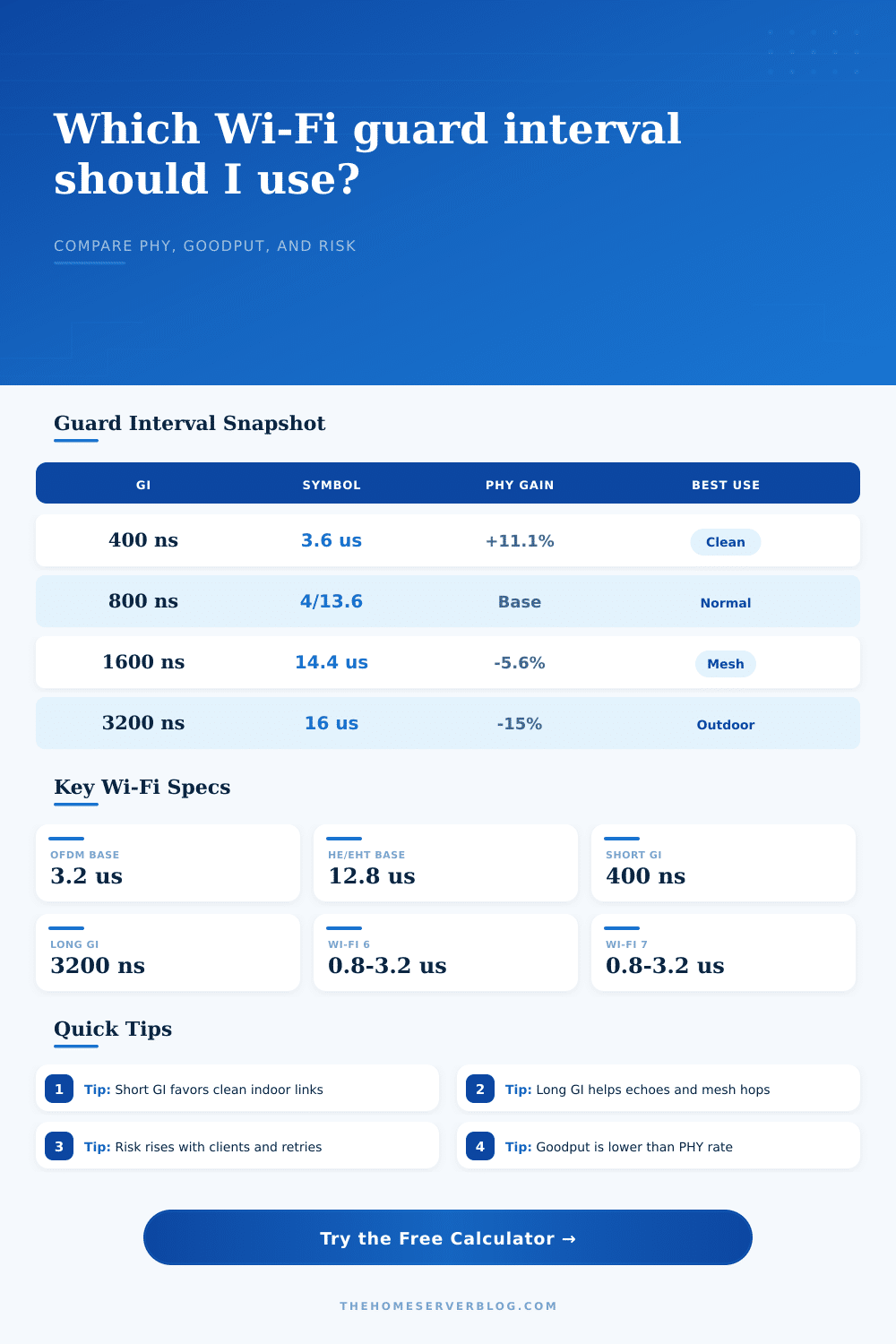
| 400 ns | 3.6 us | Not typical for HE/EHT | Fastest legacy OFDM timing | Same room, high SNR, little reflection. |
| 800 ns | 4.0 us | 13.6 us | Normal baseline | Most home and office AP planning. |
| 1600 ns | Rare or unsupported | 14.4 us | About 5.6% below 800 ns | Mesh backhaul, reflective rooms, moderate range. |
| 3200 ns | Rare or unsupported | 16.0 us | About 15% below 800 ns | Outdoor bridge, large hall, severe multipath. |
7Data tone reference
| Channel width | HT/VHT data tones | HE/EHT data tones | Typical place | GI sensitivity |
|---|---|---|---|---|
| 20 MHz | 52 | 234 | 2.4 GHz, IoT, dense WLAN | Lower PHY, better reuse. |
| 40 MHz | 108 | 468 | 5 GHz edge, outdoor bridge | Moderate echo and channel pressure. |
| 80 MHz | 234 | 980 | Main 5 GHz or 6 GHz home WLAN | Clean-room short GI can help. |
| 160 MHz | 468 | 1960 | 6 GHz client or backhaul | More likely to need GI margin. |
| 320 MHz | Not VHT | 3920 | Wi-Fi 7 EHT in 6 GHz | High SNR and clean spectrum required. |
8Scenario reference table
| Scenario | Likely GI | Reason | Risk driver | Planning action |
|---|---|---|---|---|
| Same-room laptop on Wi-Fi 6 | 800 ns | HE has no 400 ns GI, and the link is clean. | Low multipath | Use higher MCS before chasing longer GI. |
| Legacy 802.11ac phone near AP | 400 ns | Short GI can add rate when echoes are small. | SNR drop | Watch retries after enabling short GI. |
| Mesh backhaul through walls | 1600 ns | Extra cyclic prefix can absorb delayed reflections. | Second-hop airtime | Prefer wired backhaul if goodput falls too far. |
| Outdoor point-to-point bridge | 3200 ns | Long paths and reflections need wider timing margin. | Path delay spread | Reduce width before forcing highest MCS. |
| Apartment with many neighboring APs | 800 or 1600 ns | Contention often matters more than peak PHY. | Retries and collisions | Use 20 or 40 MHz when risk is high. |
| High-ceiling warehouse | 1600 ns | Metal racks and ceilings create reflected copies. | Multipath severity | Lower MCS target and validate with survey data. |
9Practical Wi-Fi notes
This is the kind of thing you do: You configure a wireless network that’s perfect on paper. When somebody tries to watch a movie? Crickets. The router’s got plenty of power; the signal’s strong enough. But something’s out of whack with the timing.
That’s known as the guard interval, the amount of time needed to prevent echo. Using an incorrect setting result in wasted airtime because packets has to be sent again. Because most folks configure their access points and walk away, this gap between theory and reality persist.
Why Wi-Fi Timing Matters for Speed
The guard interval works just like space between words when speaking. Listen closely if someone speaks too fast: It’s hard to tell what they’re saying, even more difficult in a crowded setting.
For Wi-Fi, radio waves reflect off nearby objects (like furnitures and walls). Those delayed reflections hits the receiver after the original signal. When timing between symbols is insufficient, the delay catches up to present symbol, colliding with that information and creating an error. The receiver then ask for the symbol again, and each attempt diminish bandwidth.
By entering some information about your environment, the calculator do this math for you; you don’t need to guess which echoes impact performance.
There’s a trade-off here: Longer guard intervals makes systems more resilient, while shorter ones (like the 400 nanoseconds you find in older Wi-Fi standards) allow for packing more data within the same amount of time. If your channel isn’t pristine, though, that additional speed is theoretical: While you get about 11 percent more raw speed, the added error rate make the system have to work harder. That’s why when people push for more speed, it usually backfires: The environment can’t support it, so the error rate go up. They miss that part, because they’re chasing the maximum link speed, without verifying whether their environment actualy supports it.
The longer base symbols of newer standards such as Wi-Fi 6 and 7 alter this calculation. A baseline interval of 800 nanoseconds give a fair compromise for indoor environments. But when using an outdoor bridge or mesh network, the wider gaps of 1600 or 3200 nanoseconds is helpful to soak up any delayed reflection that might corrupt the packet. They achieves fewer raw bits per second, but more goodput overall since packets makes it on the first try. The reference table show how the timing margin varies among various settings, letting you see why a slower symbol rate could of lead to a quicker experience.
Where it really matters is how bad the multipath is. If the connection crosses a football field outside or if it’s across the room in a warehouse full of metal rack, then the radio environment is a chaotic mess. The signals take microseconds bouncing around until they reach receiving device. For that, a long guard interval is not optional but required. You sacrifice maximum speed for reliability.
On the other hand, if your laptop is right next to the router in an open office plan, the straight-line signal is strongest and there aren’t many echoes. In this case, you need to consider actual path instead of simply based off the protocol. The PHY rate in the status bar isn’t what you want. You want goodput: how much useful data makes it through after accounting for retries and overhead. Use a comparison to help you see that difference. It’s a way to visualize how a stuttering fast link might perform worse than a reliable link at a little lower speed.
Tuning your network? Begin with the environment itself. Crowded? Echoey? Use those factors to decide your timing. Fast is easy. Reliable is better. Get the timing correct and the rest of the network stabilize: stutters becomes smooth connections.