HomeServerBlog backup capacity planner
Backup Full Incremental Size Calculator
Estimate full backup size, incremental chain size, retention footprint, and storage target after daily changes, full frequency, compression, deduplication, metadata overhead, growth, and safety margin.
1Backup presets
2Full and incremental inputs
Calculation breakdown
Capacity pressure
3Live backup sizing cards
Raw change captured before reduction.
Compression multiplied by dedup ratio.
Full frequency and stored retention sets.
Temporary room for synthetic or reverse operations.
4Backup method grid
Full Only
Every restore point is a complete copy. Storage grows quickly, but restores are simple and independent.
0 TiBFull Plus Incremental
One full followed by changed-block backups. It is space efficient but restore chains need each point.
0 TiBFull Plus Differential
Each differential grows from the last full. It uses more space than incrementals but shortens restore dependency.
0 TiBSynthetic Full
The repository merges incrementals into a new full. Size is similar, but extra workspace helps during transforms.
0 TiB5Backup reference tables
Common home lab backup presets
| Scenario | Data | Change | Starting policy |
|---|---|---|---|
| Family NAS | 4-12 TiB | 1-4% daily | Weekly full, 4 sets |
| Proxmox VM lab | 2-20 TiB | 4-12% daily | Weekly full, 4-8 sets |
| Media server | 10-80 TiB | 0.2-2% daily | Monthly full, 2-3 sets |
| Workstation backups | 1-8 TiB | 3-10% daily | Weekly full, 4 sets |
| Database VM | 0.5-10 TiB | 10-30% daily | Frequent fulls or log-aware jobs |
Full frequency and chain planning
| Frequency | Typical incrementals | Storage behavior | Restore note |
|---|---|---|---|
| Daily full | 0 | Highest footprint | Fastest point selection |
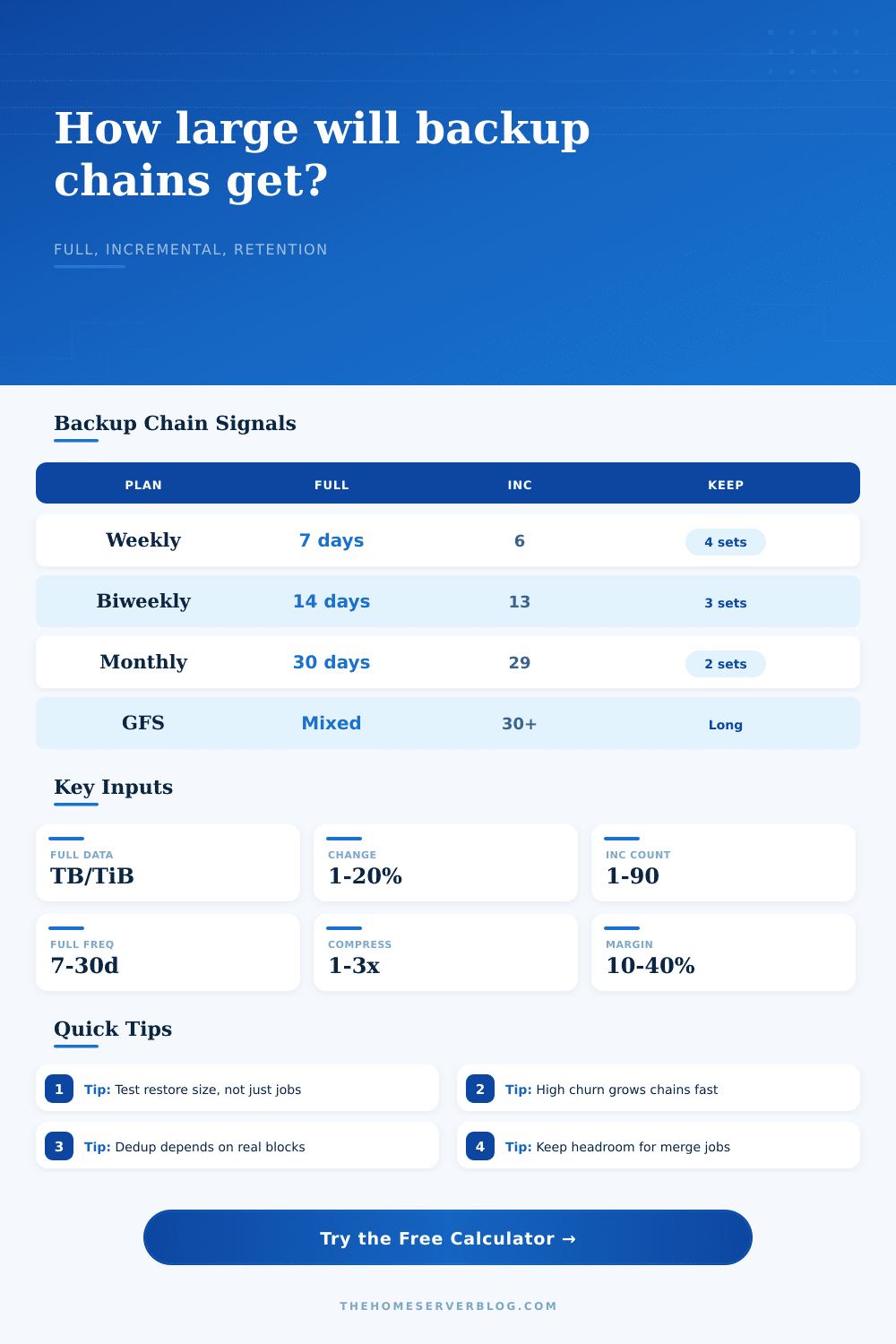
| Weekly full | 6 | Balanced for home labs | Short restore chain |
| Biweekly full | 13 | Lower full overhead | More chain dependency |
| Monthly full | 29 | Good for low churn | Long chain validation matters |
| Incremental forever | 30 or more | Needs merge room | Requires healthy repository metadata |
Reduction assumptions
| Data type | Compression | Dedup | Planning caution |
|---|---|---|---|
| Photos and video | 1.0-1.15x | 1.0-1.1x | Already compressed media |
| Documents and logs | 1.6-3.0x | 1.1-1.5x | Small files add metadata |
| VM boot disks | 1.2-2.0x | 1.3-4.0x | Clones can dedup well |
| Encrypted backups | 1.0x | 1.0x | Reduce before encryption if supported |
| Endpoint backups | 1.2-1.8x | 1.5-8.0x | Depends on block-level dedup |
Retention set effects
| Retention sets | Weekly span | Space pattern | Use case |
|---|---|---|---|
| 1 set | 7 days | Smallest target | Test labs and scratch data |
| 2 sets | 14 days | One prior full chain | Basic rollback safety |
| 4 sets | 28 days | Common monthly window | Family NAS and VMs |
| 8 sets | 56 days | Higher repository demand | Production-like home lab |
| 12+ sets | 84+ days | Archive tier recommended | GFS or compliance-style retention |
6Backup sizing tips
A home server organize your digital life, except it’s hard on the storage drive. You’ve got terabytes of data, but never realy know how much space the backup process take up. That determines whether you can actualy get your data back (a disk full error versus successful recovery). With the calculator above, the math gets done for you.
Your vague anxiety over capacity becomes a concrete target size. And we see that backup storage isn’t just a static copy, it is a system that grows with your habits and shrinks with your compression ratios. That’s what it comes down to: the daily change rate.
How to Calculate Your Backup Storage Space
What portion of your data change every day? Maybe not much if you are editing raw photos. (Those don’t change very often!) But if you’re running a database, maybe a lot. (Logging happens all the time.)
The higher the daily churn, the more data accumulate. And the calculator multiplies it by length of your chain: how many incrementals do you have? You might have six per week, with a full one every Sunday. Twenty-nine per month (a full once a month)? The longer the chain, the worse these little changes adds up.
Compression and deduplication keep the total manageable. But they are not as high than you think. Maybe you’ve heard software claim 3x compression rate. That’s true, for uncompressed text files. For everything else: video, encrypted backups? You’re down to 1.0ish. The calculator wants to know those rates, and yes, enter them honest.
When you encrypt something before backing it up, you make the thing unique on a per-block basis making deduplication impossible. In exchange for security, you sacrifice storage efficiency. And that is what everyone gets wrong with their drive sizes.
Then there’s retention. Why do you have a single backup set? Because you might accidental delete something from that set. And then what? Then you want to keep multiple sets so you don’t lose anything.
Suppose you want to retain four weeks of data in each set. That means four full backups plus all their incrementals. That requires four sets (because each set gets its own backup) times the space of each individual set.
There is also the hidden overhead of metadata like block maps, indexes, and catalogs. These takes some space too, a few percent of your overall size per set, adding up when multiplied by multiple terabytes. Safety margin and growth are the last two buffers.
Next year, your data will grows. Your backup job might fail and require a retry consuming temporary space. Add a percentage for those unknowns to your calculator. Better off with empty space than a backup that fails.
Use the reference tables on the page to benchmark what you should of expect. This is a sanity check on what you enter. Predicting the future is always hard. This task in sizing your backup repository is no different. You’re making an estimate about the behavior of your data over time, months.
Fortunately, this math is done for you by the tool but it’s up to you to supply the context. Try restoring from points. Monitor disk use after several weeks time. Play with the dedup and compression ratios in the calculator until they reflects what actualy happens.
Your end result should be a plan that accommodates all of your history on a single drive. Start with a fear of running out of room, finish with a fit.