Bluetooth LE Range Calculator
Estimate Bluetooth Low Energy range, received signal, link margin, transmit power in mW, advertising airtime, and beacon battery life from PHY, power, antenna, sensitivity, frequency, walls, fade margin, interval, data rate, and environment.
Bluetooth LE range estimate
| BLE PHY | Nominal symbol rate | Typical sensitivity | Range planning note |
|---|---|---|---|
| LE 1M | 1 Mbps | -94 to -97 dBm | Balanced default for beacons, sensors, phones, and general BLE links. |
| LE 2M | 2 Mbps | -90 to -94 dBm | Shorter airtime, higher throughput, usually less range than LE 1M. |
| LE Coded S=2 | 500 kbps | -99 to -101 dBm | Useful range gain without the full airtime penalty of S=8. |
| LE Coded S=8 | 125 kbps | -102 to -105 dBm | Maximum BLE range planning mode when both devices support Coded PHY. |
| Obstacle or enclosure | Typical loss | BLE symptom | Planning action |
|---|---|---|---|
| Drywall interior wall | 2 to 5 dB | RSSI shifts when doors or people move. | Add it directly to wall and body loss. |
| Brick, concrete, or floor | 6 to 18 dB | Shorter discovery range and higher missed advertisements. | Raise gateway placement or use Coded PHY. |
| Metal rack or appliance | 10 to 35 dB | Deep nulls and unstable RSSI near servers or shelving. | Move antennas outside cabinets or use multiple gateways. |
| Human body or pocket | 8 to 25 dB | Wearables and tags appear to fade while carried. | Model body loss separately from free-space range. |
| Advertising interval | Discovery behavior | Battery effect | Common use |
|---|---|---|---|
| 20 to 100 ms | Very fast discovery | High average current | Pairing windows, remote buttons, active tracking. |
| 250 to 1000 ms | Normal discovery | Moderate current | Room sensors, presence tags, home automation beacons. |
| 2 to 10 seconds | Slower discovery | Low current | Asset tags, periodic telemetry, battery beacons. |
| 30 seconds or more | Delayed discovery | Very low current | Rare status broadcasts where latency is unimportant. |
| Link margin | Interpretation | Likely result | Useful adjustment |
|---|---|---|---|
| 20 dB+ | Strong reserve | Stable discovery even with movement and orientation changes. | Consider lowering TX power or increasing interval for battery. |
| 10 to 20 dB | Good working margin | Reliable home lab and room-scale BLE links. | Keep antenna placement consistent and verify real RSSI. |
| 3 to 10 dB | Narrow margin | Missed advertisements are likely during fades. | Use Coded PHY, add gateways, or reduce obstructions. |
| Under 3 dB | Fragile link | Unstable discovery or dropouts at the target distance. | Improve path budget before relying on the link. |
On paper, Bluetooth Low Energy looks easy: Buy a sensor tag, stick it somewhere and have it communicate with your gateway. Stand there. Move a stand or metal cabinet between them? It no longer talk. What happened?
In most cases, it wasn’t the radio’s fault. It was the world changing the game. It wasn’t about range measured in feet. It depend instead on how much power the transmitter sends, how sensitive the receiving device is, and what is between them.
Why Bluetooth Range Fails and How to Fix It
This negotiation are estimated in the link budget calculation (above). That’s the key thing I want you to understand.
Imagine it like a radio signal version of a financial ledger. Your initial input is the power sent; then you add any antenna gain. Next, you deduct all the factors which diminish your signal. Those include things like distance, walls, human bodies and natural weakening that happens as signals spread out through space.
When there’s enough left over to exceed the receiver’s sensitivity threshold plus a safety margin, your packet survives. Anything less and your data dies.
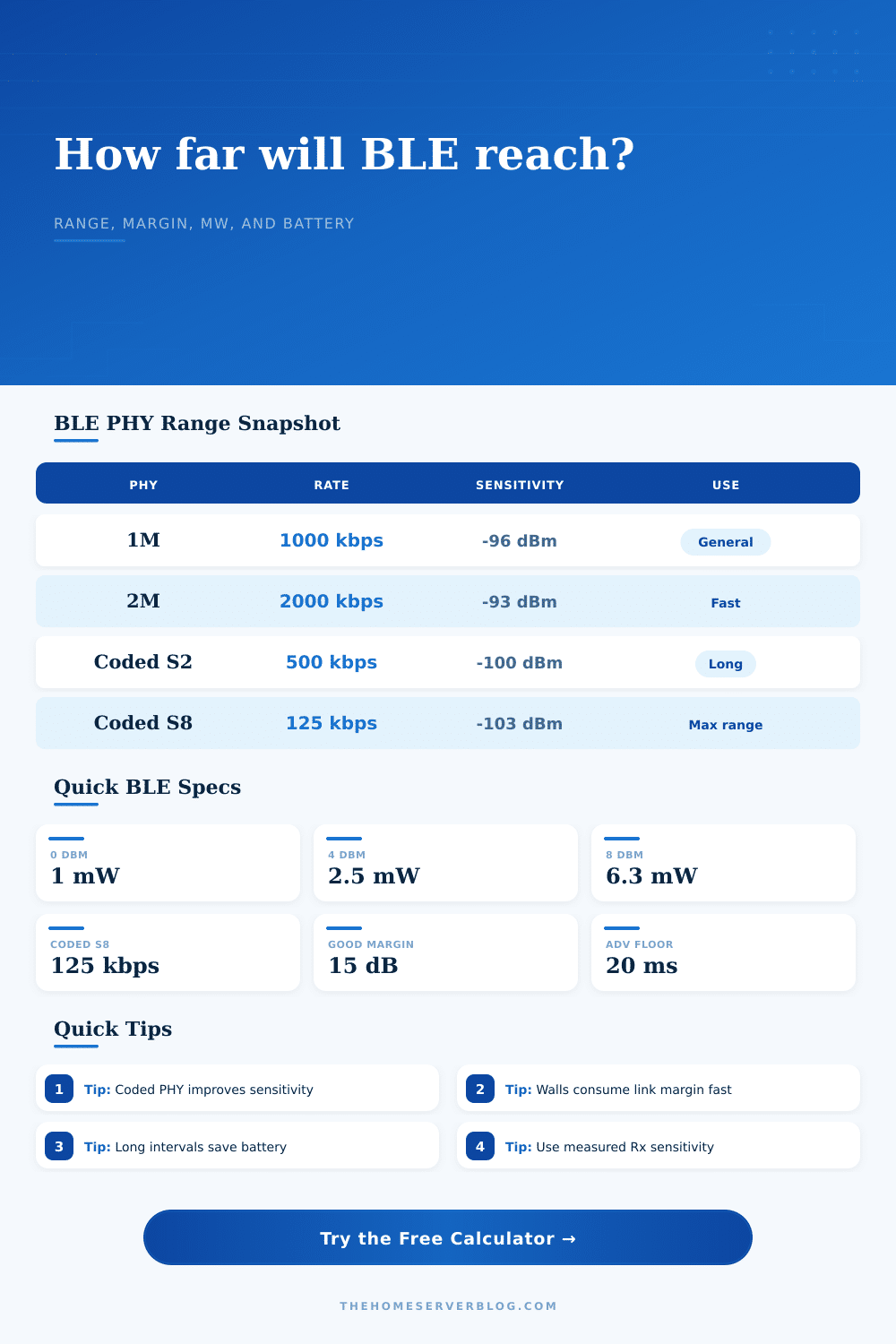
Your first big lever is what physical layer mode you choose. The workhorse are the standard 1M PHY. It provides a good combination of range and speed. Upgrading to the 2M PHY gets you double the speed, but it cuts the range. Why? Because the signal travels faster and thinner, so it cut back on range. That’s a throughput vs. Coverage tradeoff.
At the opposite extreme are coded PHY modes, notably S=8, which give up some speed for increased robustness. These modes apply error correction coding so receiver can decode a packet even if it’s buried in noise. Think of this as the “whisper, I’ll hear you” mode, but it will take you longer to say the same thing.
On the page is a handy table that explains impact of these modes on sensitivity. If you set your receiver for coded S=8, for example, you’ll be able to pick up signals as low as, 103 dBm. That’s much lower than the limit for 1M mode which can only go to, 96 dBm.
The practical effect of this is extra range (in free air), regardless of how much distance that actualy means. It may also be the difference between getting a solid signal or dropping when someone walks past in an office environment.
Bluetooth range suffers greatly behind walls. A couple decibels of signal strength may be all it costs in drywall. Metal, concrete, or brick shelves? You may lose 10-20dBs or more. This can be entered into the calculator as signal loss.
People tend to lowball that number. They think “free-space” propagation, and then they get baffled as to why the tag doesn’t work anywhere near the server rack. Physics, my friends. Not magic. Radio waves reflect off metal. They absorbs into concrete. When you neglect the building material, your link budget vanishes.
The other side of the coin is battery life. Sending signals at a higher power increases how far they go. Sending packets more frequently reduces discovery latency. But those both kill the cell.
The tool lets you figure out how to balance these variables. Based off your payload size and advertising interval, it computes your average current consumption. You can’t blast a bunch of data every hundred milliseconds if you want the beacon to last for two years on a coin cell. Maybe you’ll have to stretch that interval out to several seconds. Wake, send a packet, go back to sleep. That is most of what it does.
Another surprise: Human bodies block 2.4 GHz signals pretty well. Holding your phone in your hand attenuates it quite a bit. That’s what causes many wearable device to have spotty connections. There’s a field on the calculator for this very reason, the body loss.
You need to account for attenuation from having your device inside your pocket, say, or on your wrist. Many times this gets left out of initial plans.
In conclusion: This isn’t a “scream louder” problem. It’s an “overcome more noise” problem. If you want a better solution, fine tune your PHY mode, tweak your advertising interval and understand what’s blocking your way.
Once you realize range is elastic, it makes sense; range flexes to whatever obstacle you encounter (how far? How many walls? What frequency do you want to change to? Worst-case scenario (plan for it); best-case scenario, it takes care of itself.