Call Center Staffing Calculator
Estimate required online agents, scheduled headcount, occupancy, service level, and shrinkage coverage from interval demand using Erlang C queueing logic.
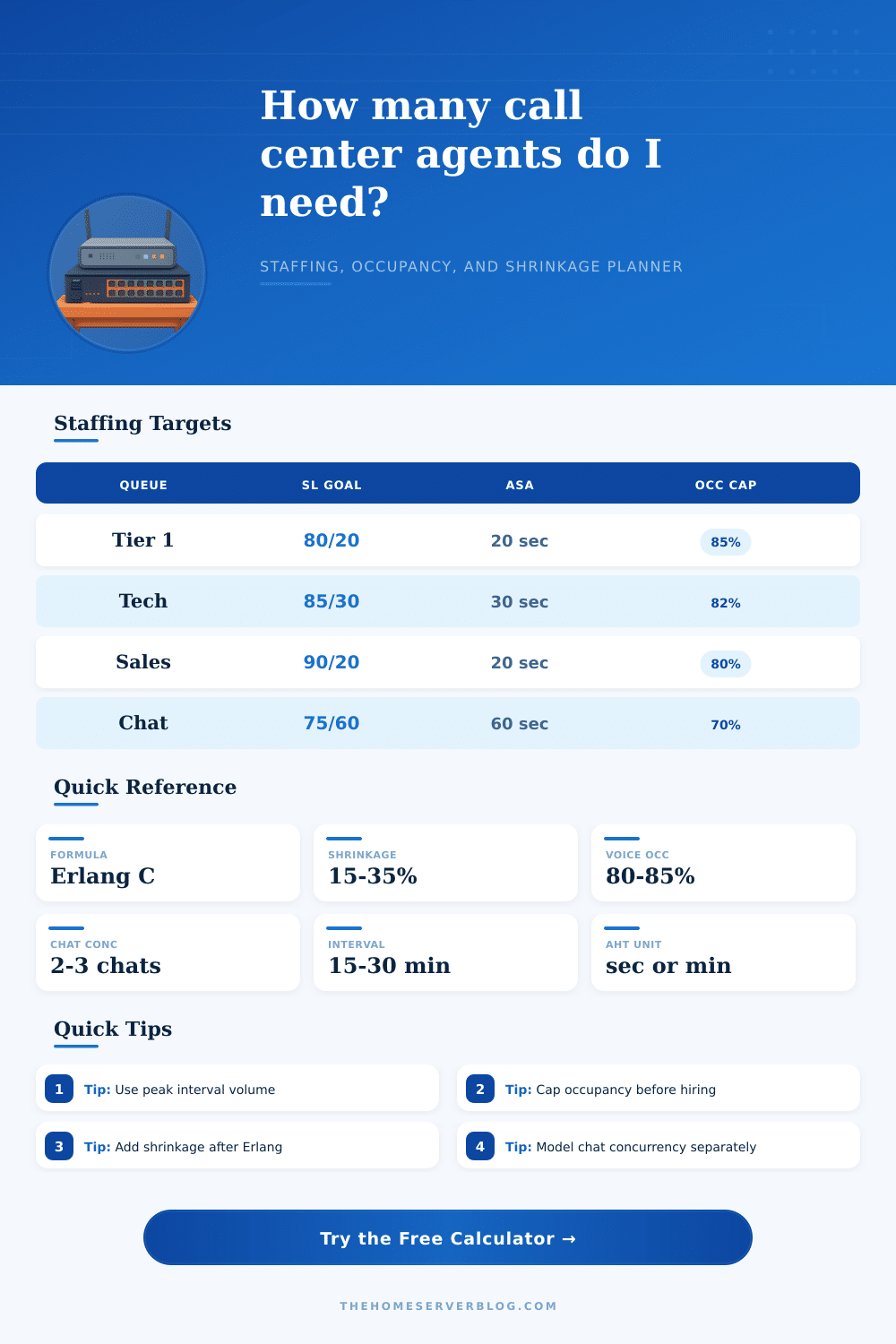
| Queue Type | Common Target | Occupancy Range | Planning Note |
|---|---|---|---|
| General inbound support | 80% answered within 20 seconds | 78% to 85% | Classic service desk target; occupancy above the mid-80s can create fatigue and long recovery queues. |
| Technical escalation | 85% answered within 30 seconds | 75% to 82% | Longer handle times and research pauses need a lower occupancy ceiling than simple transactional calls. |
| Sales assistance | 90% answered within 20 seconds | 72% to 80% | Fast answers protect conversion; overstaffing risk is usually balanced against lost-contact risk. |
| Live chat support | 75% answered within 60 seconds | 60% to 75% | Concurrency raises capacity, but quality drops quickly if agents handle too many simultaneous chats. |
| NOC incident hotline | 90% answered within 15 seconds | 65% to 78% | Incident queues prioritize resilience and rapid acknowledgement over maximum utilization. |
| Profile | Typical Handle Pattern | Default Wrap | Variability Factor |
|---|---|---|---|
| Tier 1 product support | Password resets, basic troubleshooting, known-issue intake | 45 seconds | 1.00 baseline |
| Billing and account service | Verification, account review, adjustment notes | 55 seconds | 1.04 moderate variance |
| Inbound sales assistance | Discovery questions, quote routing, checkout support | 35 seconds | 1.02 conversion-sensitive |
| Dispatch and triage desk | Short emergency intake, routing, status confirmation | 30 seconds | 1.08 arrival spikes |
| Technical escalation queue | Deep diagnosis, logs, reproduction notes, escalation summary | 90 seconds | 1.12 high variance |
| Network operations center | Alert validation, incident bridge setup, ticket correlation | 75 seconds | 1.15 burst-sensitive |
| Live chat support pod | Multi-session responses, knowledge-base links, ticket conversion | 40 seconds | 1.06 concurrency drag |
| Retention save desk | Account review, negotiation, save offer documentation | 80 seconds | 1.10 long-tail calls |
| Metric | Formula or Rule | Practical Limit | How to Use It |
|---|---|---|---|
| Offered load | Contacts per hour × effective AHT / 3600 | Measured in Erlangs | Represents the amount of simultaneous work arriving at the queue before staffing. |
| Erlang C service | Uses load, agents, AHT, and answer target | Assumes no abandonment | Best for inbound service planning when callers wait in a queue for the next agent. |
| Occupancy | Offered load / online agents | Often capped at 80% to 85% | Caps protect recovery time, coaching, after-call accuracy, and schedule adherence. |
| Shrinkage | Online agents / (1 – shrinkage) | 15% to 35% common | Apply after queue staffing; it converts required online seats into scheduled people. |
| Chat concurrency | Effective AHT / simultaneous chats | 2 to 3 is common | Higher concurrency improves capacity but should be limited by quality and complexity. |
| Scenario | Contacts Per Hour | Handle Profile | Typical Staffing Focus |
|---|---|---|---|
| Small IT help desk | 25 to 60 | 4 to 6 minute AHT | Minimum coverage and lunch overlap often matter more than pure queue math. |
| Ecommerce peak hour | 150 to 400 | 3 to 5 minute AHT | Buffer forecast spikes and protect service during promotions or shipping cutoffs. |
| SaaS support desk | 80 to 240 | 5 to 8 minute AHT | Balance ticket quality with customer wait-time targets and escalation routing. |
| NOC incident hotline | 15 to 120 | 4 to 10 minute AHT | Keep low occupancy so agents can absorb alert bursts and coordinate incidents. |
| Live chat pod | 120 to 600 | 6 to 12 minute session time | Model concurrency carefully; one more simultaneous chat is not free capacity. |
Call center staffings must find a balance between the number of agents and the number of incoming calls. If there are too few agents to answer the incoming calls, then callers must wait for long periods before a representative of the company answers them. Callers may become annoyed by the long waiting periods and begin to place there orders with another company.
Too many agent, on the other hand, will cost the company too much money in salary payments. Profit margins will decrease as a result of having too many agents. Finding the correct number of call center seats, agents, and hours that each agent will work each week will create the proper balance between the number of agents and the volume of incoming calls.
How to Staff a Call Center
The call center staffing software will use a number of different inputs to determine the proper staffing level for the call center. One of these inputs will be the reality of the call center. It is better to use inputs that reflect the reality of the call center rather then relying on averages to determine staffing requirements.
For example, the average handle time of calls will be one of the inputs for staffing software. However, this number must include the time agents spend on calls after the caller hangs up. Not all calls will take the same length of time to complete.
For example, it will take longer to handle a billing inquiry then a password reset. Therefore, more agents will be required to handle incoming billing inquiries than password reset requests. The service level will be another of the inputs for staffing software.
This will determine the target for how long a caller will wait before they begin to lose patience with the companys call center. The occupancy limit will also be an input for staffing software. Agents cannot be required to take back-to-back calls for long periods without losing accuracy in the informations that they provide to the callers.
Shrinkage will also be an input for staffing software. Shrinkage will account for the number of hours that a call center agent loses each week to meetings, training, breaks, and other absences. If this is not accounted for, the staffing calculations for the number of agents will be incorrect.
A forecast for the number of calls that the call center will receive will be required prior to use a call center staffing calculator. The forecast will be based upon the busiest planning interval for the call center. For instance, using the daily average for all call centers will not provide the best forecast for every day of the week.
There will be a lunch rush daily that will cause a spike in the number of incoming calls. A buffer will be created within the forecast so that the calls will account for the differences in the number of calls each week. For chat queues, the software will calculate the number of agents based upon the number of concurrent chats.
One agent can handle many chats at once. However, if the number of chats increase to the point where one agent is required to handle all the chats, the quality of the chats will drop. The different types of calls will require different targets in terms of the length that a caller will have to wait for the agent to answer their questions and for the agent to complete their work for them.
For instance, sales calls will require that the length of time that a caller has to wait for the sales representative to answer their questions is less than calls for technical support for products. This is because sales representatives need to have a higher rate of contact with customers then the technical representatives. A number of different service levels and occupancy targets can be found in the reference material for each type of call queue that will be established at the call center.
Using the same target for every channel for service will create problems for the call center in relation to the occupancy and the cost of staffing the call center. Shrinkage will translate the number of online agents into the total number of agents that will be scheduled for the call center. The scheduled agents will always be a higher number than the number of online agents.
This is because the online agents will account for the number of hours that the agents will be lost to other tasks each week. Shrinkage must be accounted for in the call center from the start. If it isnt accounted for when creating the schedule, the call center will be forced to use overtime or borrow agents from other teams within the company.
The number of agents that will be scheduled for the call center each week will be translated into the number of hours that each agent will work each week. This total labor capacity will allow the call center managers to compare staffing models and determine if temporary employees will be required to provide service to a new product that the company is being launch. The total labor capacity will account for the tradeoff between occupancy and resilience.
High occupancy will require fewer agents to staff the call center. However, there will be a drop in the resilience of the staff to handle spikes in the number of incoming calls. Low occupancy will cost the call center more money.
However, there will be a higher level of resilience of the agents to handle increases in the number of calls that the call center receives each day. Small changes in the assumptions of the call center will have a major effect upon the staffing calculations. For instance, changing the average handle time by only thirty seconds will change the number of agents that will be required for the call center by several seat.
If the occupancy of the call center agents is increased, there may be an increase in the number of calls that is answered incorrectly. Errors in answering calls will result in the callers placing additional calls to the company to obtain the information that they required from the initial call. Additional calls will increase the volume of calls for the company.
The staffing software will use a mathematical model to calculate staffing requirements. However, there are elements of the call center that the model can not account for. Skill routing, the ability to transfer calls between agents, and abandonment of calls can not be accounted for in the staffing model.
Additionally, local labor rules that may impact the number of shifts that each agent can work will have an impact upon the staffing schedule. These elements should be moved into the scheduling system for the agents and the management of the call center. The goal of the staffing schedule is to create a defensible starting point for the staffing schedule given the work that will be received by the call center.
Using busy periods, realistic service targets, and realistic shrinkage will provide the staffing schedule with the number of agents that it will require to function proper.