HomeServerBlog failover capacity planner
Cluster N Plus One Capacity Calculator
Model how many workloads a home lab, Proxmox pool, Kubernetes stack, NAS cluster, or small private cloud can safely carry after one host is unavailable.
▣N+1 cluster presets
⚙Cluster capacity inputs
Capacity breakdown
Resource pressure
🖥Equipment and capacity comparison grid
▦Calculated planning snapshots
Surviving hosts x cores x oversubscription x CPU target.
Surviving RAM after host reserve and workload profile multiplier.
Surviving storage after data efficiency and free-space reserve.
Surviving host links at the selected practical utilization target.
📊N+1 reference tables
Capacity by cluster size
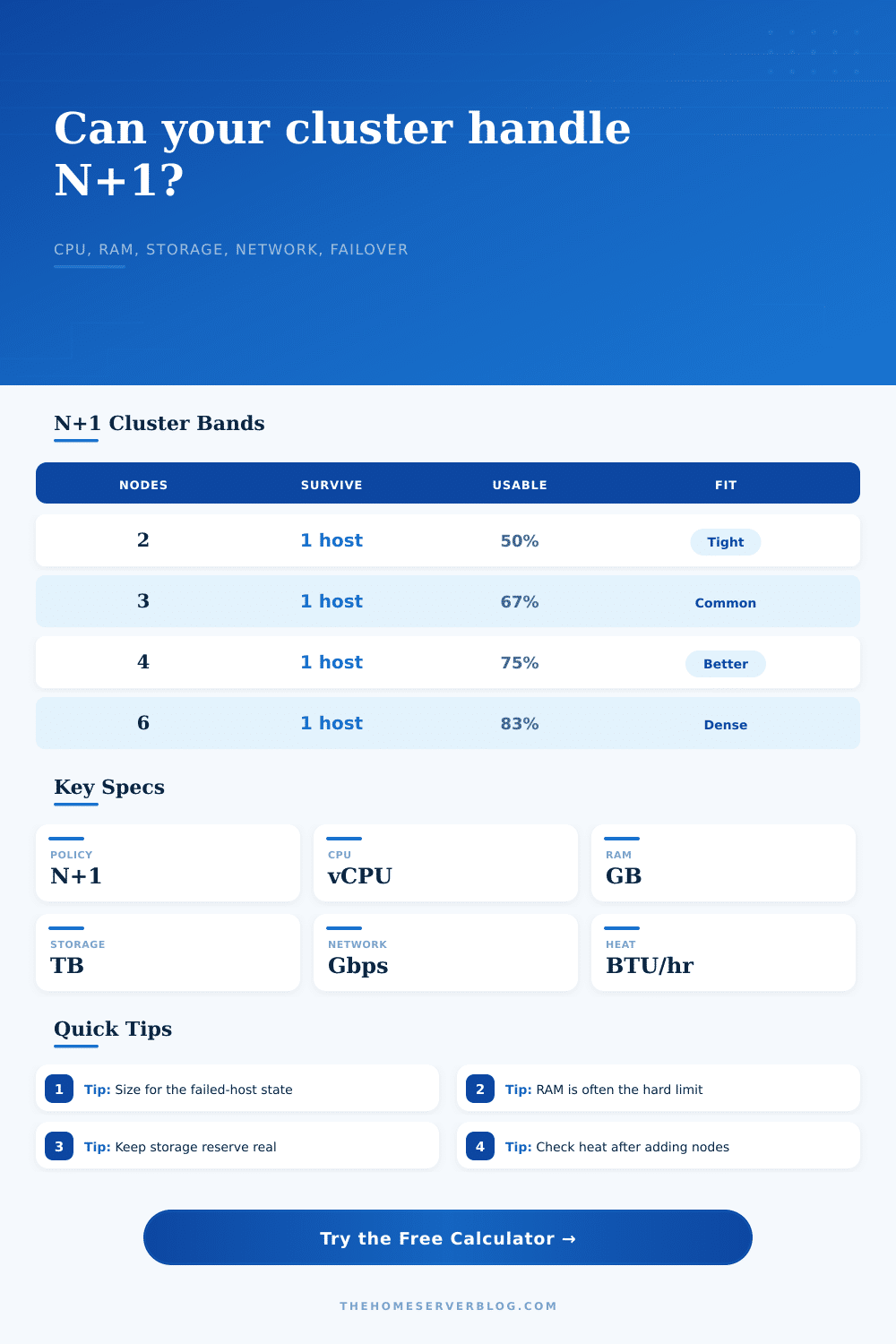
| Cluster nodes | N+1 surviving nodes | Usable node fraction | Planning note |
|---|---|---|---|
| 2 nodes | 1 node | 50% | Very tight A witness may help quorum, but capacity is still one host. |
| 3 nodes | 2 nodes | 67% | Common Good minimum for many home HA clusters. |
| 4 nodes | 3 nodes | 75% | Comfortable Easier maintenance and better failure absorption. |
| 6 nodes | 5 nodes | 83% | Dense N+1 overhead is smaller, but network and storage rebalance matter. |
| 8 nodes | 7 nodes | 88% | Large lab Failure-domain grouping becomes more important than raw count. |
Node profile reference
| Node class | CPU / RAM | Storage / network | Typical use |
|---|---|---|---|
| Mini PC | 12 cores / 64 GB | 2 TB / 2.5 GbE | Quiet Proxmox, Home Assistant, DNS, small NAS helper VMs. |
| SFF lab | 16 cores / 128 GB | 4 TB / 10 GbE | Balanced VM density, lab Kubernetes, backup repositories. |
| 1U rack | 32 cores / 256 GB | 7.7 TB / 10 GbE | Rack-based HA with storage and service consolidation. |
| Dense EPYC | 64 cores / 512 GB | 15 TB / 25 GbE | High-density virtualization, test clouds, nested labs. |
| Storage node | 24 cores / 256 GB | 48 TB / 10 GbE | Ceph, ZFS replication, backup, media, and object stores. |
Capacity formula references
| Resource | Failover capacity formula | Good target | Practical limit |
|---|---|---|---|
| CPU | Survivors x cores x overcommit x target | 60% to 75% | Latency-sensitive VMs need lower ratios. |
| RAM | Survivors x RAM x host reserve | 70% to 85% | RAM exhaustion is usually a hard fail, not slow grace. |
| Storage | Survivors x raw x data efficiency x free reserve | 60% to 80% | Rebuilds and snapshots need free space. |
| Network | Survivors x link rate x target | 40% to 70% | Backups and migrations create synchronized bursts. |
| Heat | Total watts x 3.412 BTU/hr | Measured load | Cooling must handle the whole rack, not just servers. |
Common project sizes
| Project | Cluster shape | Main limiter | N+1 planning cue |
|---|---|---|---|
| Home HA services | 3 mini nodes, 10 to 25 workloads | RAM | Keep one node's worth of RAM truly free across the pool. |
| Ceph-backed VMs | 3 to 5 storage-rich nodes | Storage | Count replica overhead and rebuild free space before VM disks. |
| Container lab | 4 to 6 small nodes | CPU bursts | Use requests, limits, and pod anti-affinity to avoid hot nodes. |
| Media and backup stack | 4 to 6 mixed nodes | Network | Separate backup windows from migration and transcode peaks. |
| GPU development | 3 to 4 power-dense nodes | Power and heat | N+1 compute may pass while cooling becomes the real constraint. |
ℹPlanning notes
This calculator is a planning model for home labs and small infrastructure clusters. Validate the result with real telemetry, anti-affinity rules, quorum behavior, storage health, UPS limits, and a controlled node-drain test before relying on it for production failover.
When a home lab starts to feel like an actual infrastucture project, it’s typically right around the time that a server has stop responding. You’ve got the cluster up. You’ve got the settings dialed in. Your dashboard look nice. And then something stops working, like a power supply on one of your nodes. Did redundancy save your bacon? Or did it sink your ship? Either way, planning out N plus one capacity force you to think beyond specs. What happens if a single host go down? Run the math before a failure happen, which the calculator helps with.
Most people will count up resources to build a cluster. You’ve got three nodes with thirty-two cores? Cool, that’s ninety-six cores! True, when all those systems is alive and happy. Not true when you’re rebooting one of them, but trying to keep your database online. How many containers/virtual machines can survive on the few hosts left? Can they each starve for RAM and CPU time? The tool do the math. It divides and subtracts out the failed host and reveals the usable headroom.
Plan for Failures
The problem is usualy memory. Memory doesn’t compress well. It’s the most difficult resource to virtualize. It never waits its turn. When the hypervisor run out of RAM on surviving nodes, it begins paging to disk. At this point performance crawls to a stop and … crash! Setting a host RAM reserve can help because it leaves room for both file system cache and kernel use. Filling the memory with guest workloads makes the host unstable during failover.
The other trap is to store more than you need. In the world of replication, raw disk space isn’t as valuable. You’ll be running mirrors or maybe even using erasure coding which means there’s a tax on your redundant storage. The calculator allow you to account for your usable storage efficiency. This includes the disk overhead from metadata and the free reserve. This is the empty storage reserved for rebuilds and snapshots. Without this free reserve, a single disk failure can trigger a cascade of errors because the system cannot write the new data fast enough. It can’t keep up with writing new stuff quickly enough.
Another area that is frequentely overlooked is network bandwidth. The same physical cables carry live migration, storage traffic and backup streams. Choke those during regular operations and you’ll choke the network when something go wrong. Setting a target utilization can help you determine whether your switches has enough capacity to handle the traffic shift.
Heat is another constraint. More nodes mean more power consumed and more BTUs generated. Without adequate cooling within the room, hardware will throttle back. And that has nothing to do with how much CPU headroom the software layer think is left.
The cluster shape have some handy sanity checks in the reference tables that come with it. For example: A home lab’s typical starting point is a three node cluster. That gives you a quorum and the ability to survive one failure. Four nodes make maintenance simpler and still give you breathing room. With eight nodes, you enter an area where having several different points of failure matter more than just the basic math. The calculator has presets to cover common use cases such as larger storage arrays or mini PC clusters so you don’t have to guess about the baseline specs of your own hardware.
Density is important, but so is planning. You are dealing with risk management here. What happens if something breaks? Do you still have a system online? Obviously, you do. Why overprovision then? Because downtime costs much more different than having extra resources. Run it through the tool. See where it balances your cost needs vs. Your desire for uptime. Then run it against the workload you actualy plan on putting on it. Is the safe workload number tight? Dial it back up by adding some more nodes or dial back down by reducing the oversubscription ratio. Better to learn those limits now then in the middle of an outage.
Peace of mind is what this is all about. And peace of mind comes from knowing that your cluster will accommodate surprises.