Hypervisor Reserve Calculator
Estimate the CPU, memory, datastore, network, and failover reserve a home lab hypervisor cluster should keep unused.
⚙Common Home Lab Presets
💻Host And VM Inputs
Calculation Breakdown
🔧Selected Equipment And Spec Comparison
📊Hypervisor Reserve Reference Tables
| Hypervisor | Base CPU Reserve | Base RAM Reserve | Notes For Home Labs |
|---|---|---|---|
| Proxmox VE | 8% plus corosync margin | 4 GiB per host plus 6% | Leave extra RAM for ZFS ARC when storage runs on the same node. |
| VMware ESXi | 10% scheduler reserve | 5 GiB per host plus 7% | Admission control often needs a cleaner failover reserve than a single-host lab. |
| Microsoft Hyper-V | 9% parent partition reserve | 6 GiB per host plus 8% | Dynamic memory helps bursty VMs but does not remove host OS reserve needs. |
| Linux KVM | 7% scheduler reserve | 3 GiB per host plus 5% | Minimal hosts can run lean, but leave page cache for disk-heavy guests. |
| XCP-ng | 9% control domain reserve | 4 GiB per host plus 7% | Keep pool master and storage control traffic away from saturation. |
| TrueNAS SCALE | 10% appliance reserve | 8 GiB per host plus 12% | ZFS, apps, and VMs share the same memory pressure, so reserves should be larger. |
| Workload Profile | CPU Pressure Add-On | RAM Pressure Add-On | Best Reserve Signal |
|---|---|---|---|
| Light services and containers | 3% | 2% | Most guests idle; watch boot storms and update windows. |
| Mixed VMs and containers | 8% | 6% | Good default for DNS, media, monitoring, and small app stacks. |
| Storage-heavy NAS virtualization | 6% | 12% | Keep memory available for ZFS ARC, file cache, and backup jobs. |
| Latency-sensitive firewall or PBX | 14% | 5% | Use lower overcommit and avoid noisy neighbor CPU spikes. |
| Database and indexing VMs | 12% | 14% | Reserve RAM for write bursts, query cache, and compaction jobs. |
| VDI or desktop VMs | 15% | 10% | Interactive desktops expose CPU ready time quickly. |
| Burst-heavy test lab | 18% | 8% | CI builds and nested labs need burst capacity more than steady-state capacity. |
| HA-critical services | 14% | 12% | Size for a failed host plus maintenance and restart storms. |
| Capacity Layer | Formula Used | Practical Limit | Action When Exceeded |
|---|---|---|---|
| CPU scheduling | Total threads - VM vCPU demand - reserve | Keep average vCPU ratio near 3:1 to 6:1 for mixed home labs. | Lower VM vCPU counts, pin latency VMs, or add a host. |
| Memory allocation | Total GiB - VM RAM demand - host/system reserve | Avoid assigning more RAM than the cluster can survive after failover. | Reduce fixed VM RAM, enable ballooning carefully, or add DIMMs. |
| Datastore free space | Usable TiB - provisioned VM disks - free space reserve | Keep SSD and ZFS pools below roughly 80% used when possible. | Move ISOs/backups, trim snapshots, or expand the pool. |
| Network uplink | Aggregate Gbps - peak VM traffic - network reserve | Leave room for backup, migration, storage, and management bursts. | Separate VLANs, add NICs, or upgrade to faster switching. |
| Common Project Size | Typical Nodes | Reserve Pattern | Secondary Check |
|---|---|---|---|
| Single mini PC lab | 1 node, 8 to 16 threads | 15% CPU, 8 to 16 GiB RAM held back | Keep storage snapshots short-lived. |
| Two-node NAS plus compute | 2 nodes, 64 to 128 GiB RAM | Manual failover reserve, larger datastore slack | Backups matter more than automatic HA. |
| Three-node HA cluster | 3 nodes, shared or replicated storage | N+1 host reserve for CPU and RAM | Network reserve must include replication. |
| Dense micro cluster | 4 to 6 low-power nodes | More management overhead, less per-node burst | Watch quorum and power events. |
| Rack lab with mixed services | 3 to 5 servers, 10 GbE or faster | N+1 or 30% spare, depending on service criticality | Separate backup windows from migrations. |
💡Reserve Planning Tips
Home lab builders are guilty of purchasing hardware by adding together the specs for their virtual machines. They assume that math holds up in production, and then they scratch their heads as to why it grinds to a halt during middle of the backup window.
No, this has nothing to do with raw capacity. It’s got to do with reserve. It is empty space where you can move things around.
Why You Need Spare Space in Your Home Lab
A hypervisor is similar to a crowded kitchen. Your CPU cores are counters and your virtual machines are chefs. When you fill all available counter space with dishes, there’s no place for the chefs to set down a pot while waiting for it to be finished in oven. As a result, nothing cooks as the chefs stands around holding stuff.
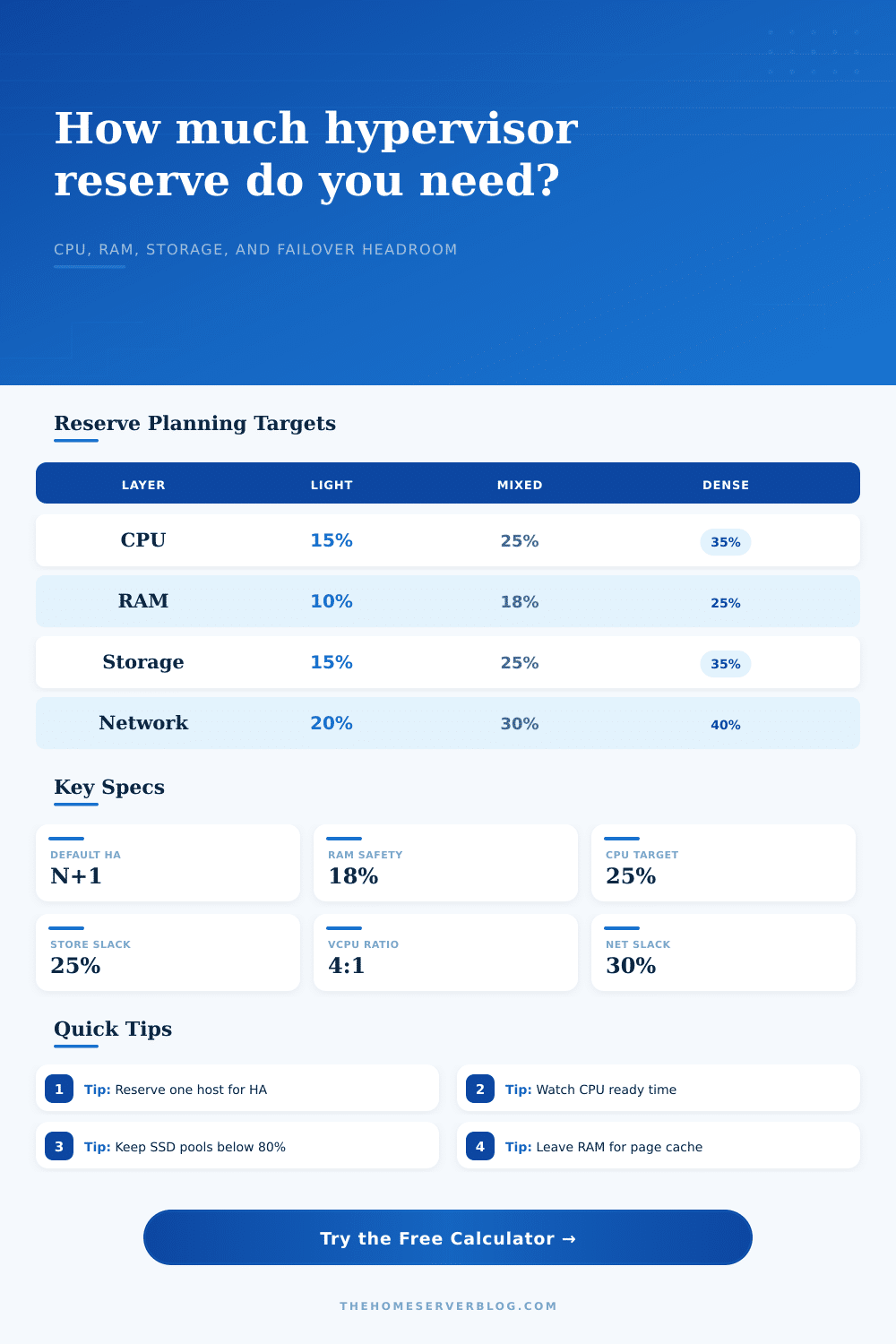
This waiting period where the virtual CPU wants something but must wait because physical host is completely subscribed is called CPU ready time. That idle standing time is what engineers call CPU ready time. It kills performance. You don’t want to guess how many virtual CPUs can safely be scheduled without introducing latency spikes; that’s where this calculator comes in. Plug in your thread ratio and core counts and let the calculator do work for you.
And then there’s memory. It’s far too easy to give all available gigabytes to your guests. If you have a host with sixty-four gigs of memory but only use thirty-two, it’s tempting to give rest to your guests. But remember, that hypervisor has to have some breathing room. It must manage storage pools; it must cache pages; it must handle management traffic. When you strip bare the host, you lose ability to buffer disk I/O. Suddenly, what was a random read is now a blocking operation because the RAM cache isnt there to serve it. That’s the thing most folks fail to realize. They plan for VM allocation and forget about host overhead.
The same goes for storage reserves. Don’t fill a datastore to capacity. As SSDs fill up, they gets dramatically slower. Moddern filesystems like ZFS require some free space to perform their copy-on-write functions, as well as to hold snapshots. Backup/replication processes create temporary files; without free space on disk, the backup will fail. Without a backup, your safety net is gone.
In many cases, network headroom is an afterthought. Everyone provisions ten gigabit links thinking that’s plenty of speed. Then one day they do a big backup job, or maybe live migrate some VMs, and suddenly all of their bandwidth are gone. Now any other traffic, like your main app traffic; is starving on the same link. The tool on the page shows how much slack you need in your network based off your expected peak traffic. It also reminds you that just because aggregate bandwidth exists doesn’t mean there is available bandwidth with multiple heavy processes running at once.
The real test is how you handle failover reserve. To make sure that a high-availability cluster doesn’t fall over when a node fails, you have to size your hardware to handle it. You want enough RAM and CPU sitting around unused to accommodate the failed server’s workload across other hosts. That’s commonly referred to as an N+1 strategy. Without that buffer, a hardware failure knocks out your whole stack. How much do you need to keep dark to make sure that everyone else stays lit? The calculator will tell you.
The specs list just a number. It’s difficult to imagine what the system looks like when it’s stressed. Reserve planning goes against our intuition. You’re paying for something you aren’t using. But you’re not paying for something you aren’t using. You’re paying to be stable. You’re buying yourself some room in case of a sudden spike in traffic, a migration, or any kind of crash.
Each workload has its own set of pressure points. You want a database cluster to have high I/O performance (RAM/storage reserve), but a lightweight container host might need lower latency (CPU reserve). The tool’s presets covers a range of use cases, everything from simple containers to dense database clusters. However, knowing the numbers isnt as valuable than understanding those tradeoffs. It’s not just about the numbers; it’s about knowing where something will break.
It’s fun to build a lab. It’s educational when it breaks. It’s tedious when you fix it. Plan on it breaking so you don’t have to fix it. Don’t use all your RAM. Leave some room. Don’t tie up every thread. If the storm arrives, you’ll be thankful you did.
That is the difference between a running system and a surviving one.