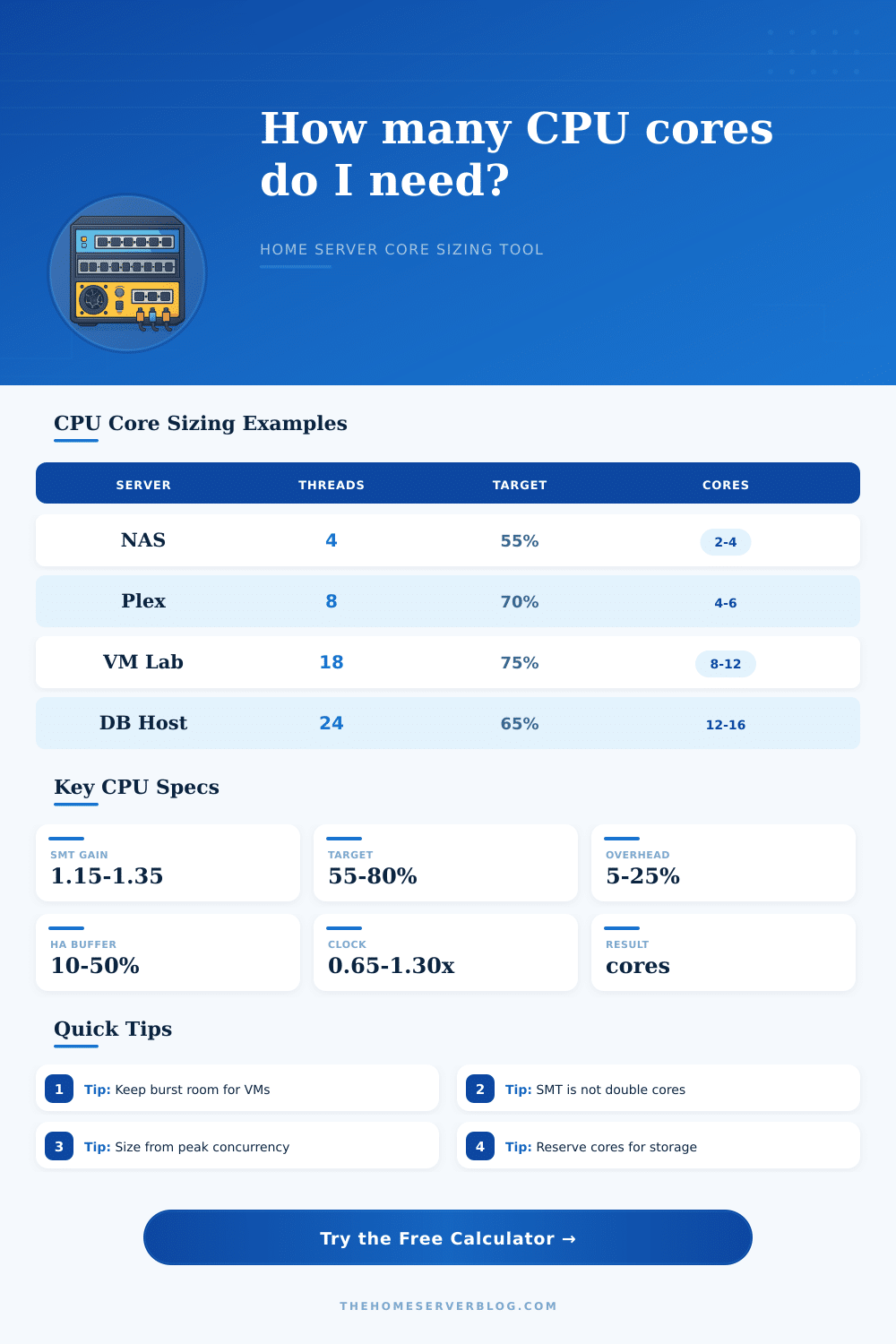
CPU Core Calculator
Estimate physical cores and logical threads for a home server from workload threads, concurrency, CPU class, utilization target, background overhead, and redundancy headroom.
| Workload | Typical Threads | CPU Behavior | Core Planning Note |
|---|---|---|---|
| NAS, SMB, ZFS services | 2 to 6 runnable | Short bursts, checksums, compression | Use lower utilization targets when snapshots, scrubs, or encryption overlap. |
| Plex, Jellyfin, transcoding | 4 to 12 runnable | Steady high CPU when software transcode is active | Hardware encoding can reduce CPU pressure, but audio and subtitles still consume cores. |
| Proxmox or VMware VM lab | 8 to 32 runnable | Mixed idle and bursty guest scheduling | Overcommit vCPUs carefully and reserve cores for storage and host tasks. |
| Postgres, MySQL, search index | 6 to 24 runnable | Parallel queries, compaction, and cache misses | Use conservative targets if low latency matters more than throughput. |
| Frigate, Blue Iris, camera AI | 6 to 20 runnable | Decode, object detection, and recording spikes | Accelerators reduce inference load, but video decode still needs CPU budget. |
| CPU Class | Clock Factor | Best Fit | Watch For |
|---|---|---|---|
| Low-power Atom / N100 class | 0.65x | NAS, light containers, Home Assistant | Limited burst room with many simultaneous services. |
| Laptop U-series low wattage | 0.82x | Quiet mini PC labs and light media stacks | Sustained clock may drop under heat or small power bricks. |
| Mainstream desktop or server | 1.00x | General baseline for most home servers | Balance core count, memory channels, and idle power. |
| Modern Xeon, EPYC, Ryzen Pro | 1.15x | VM hosts, databases, mixed production labs | Older high-core chips may lose to newer lower-core CPUs. |
| High-clock performance CPU | 1.30x | Game servers, realtime apps, single-thread bursts | Cooling and power limits matter during sustained tasks. |
| Target | Use Case | Headroom | Practical Meaning |
|---|---|---|---|
| 50% to 60% | Storage, HA, low-latency apps | High | Enough spare CPU for scrubs, snapshots, failover, and admin tasks. |
| 60% to 70% | Mixed home lab services | Balanced | Good default when workloads are bursty and not all active together. |
| 70% to 80% | Media encoding or batch jobs | Moderate | Efficient use of cores, with some delay possible during spikes. |
| 80% to 90% | Noninteractive batch processing | Low | Works for queues, but can feel slow for dashboards, shells, and VMs. |
| Project | Equipment / Apps | Core Range | Secondary Planning Metric |
|---|---|---|---|
| Small NAS and backups | SMB, ZFS, sync, 2 to 4 containers | 2 to 4 cores | Keep 10% to 20% CPU for scrubs and compression. |
| Media and automation server | Plex, Home Assistant, MQTT, download tools | 4 to 8 cores | Plan more cores if software transcoding is frequent. |
| Proxmox learning lab | 5 to 10 VMs, containers, storage services | 8 to 12 cores | Memory often becomes the next bottleneck after CPU. |
| Production-style home lab | DB, monitoring, CI, reverse proxy, backups | 12 to 16 cores | Use redundancy headroom when another node may fail over. |
| Camera and AI recording host | NVR, object detection, 6 to 12 cameras | 8 to 16 cores | Video acceleration changes the math more than clock speed. |
This calculator is a planning estimate. Real results depend on CPU generation, cooling, memory speed, storage latency, kernel scheduler behavior, and whether workloads peak at the same time.
When deciding on the number of CPU cores that a home server need, there are a few thing that a person should consider. For instance, a person may experience sluggishness in their home server when it is backing up their system, or when multiple user are streaming media from that server at the same time. The number of CPU cores that a person needs is dependent upon the workload that their system will perform, and the amount of headroom that they would like to provide for those workloads.
Many people may look at the number of program that they intend to install on there server, but the number of programs that a person plans to install does not necessarily indicate the number of thread that those programs will keep busy. For instance, some programs, like a database, may be designed to handle several query at once, while others, such as a file server, may sit idle until a sync job is started. Furthermore, a person must also understand how the scheduler will distribute work to each of the CPU cores in order to ensure that no long wait times are experienced in performing any specific job.
How Many CPU Cores Does a Home Server Need
In order to help a person with these calculations, the calculator help to determine the number of CPU cores that the person needs by asking a few key questions of the user. For instance, the calculator will ask for the type of workloads that the server will perform, the number of threads that each job will have, the number of jobs that will run together, the intended utilization target for the CPU cores, and whether or not hyperthreading will be enabled on each of the CPU cores. Each answer to these questions will help the calculator to arrive at the number of CPU cores that a server will need in order to adequately handle the workloads that it perform.
The intended utilization target will help to provide headroom for unexpected tasks. For instance, a low utilization target will provide more headroom for tasks like a scrub or a transcode, but will indicate that the CPU cores will be used less efficient. On the other hand, a high utilization target will indicate that more work will be squeezed onto the same silicon, but that the home server may become less responsive to certain tasks because there will be no cycle for the home server to “borrow” from to accomplish those tasks.
Hyperthreading can help the CPU cores to manage two instruction stream simultaneously. However, the benefits of hyperthreading are not provided for every workload. For instance, workloads that are very light may see little benefit from enabling hyperthreading, but workloads involving media data may see a noticeable increase in the performance with the use of hyperthreading.
Each option for the multiplier will allow a person to select whether the CPU will be used in a modest, typical or optimistic fashion. Additionally, clock speed is another determining factor in the performance of the CPU; CPUs with lower clock speeds will require more CPU cores to perform the same amount of work as CPUs with higher clock speeds. A person must also account for background overhead.
Background overhead include processes like antivirus scans, SMART polling, container health checks, and ZFS checksums. If a percentage is not included for background overhead, the CPU cores may be under-specified for the server. Additionally, a person may also need to provide headroom in case some other workloads are to be moved to the CPU, or if the home server is to become part of a cluster.
It is unlikely that any server will reach its maximum theoretical capacity. For instance, while the Plex instance may be the busiest at the same time each evening, it may be idle while the database is performing its backup job at 3 a.m. The calculator intends to prepare for the worst of these scenario, since a person will begin to notice performance issues in those instances when the workloads are overlapping. Furthermore, the calculator can distinguish between the number of runnable threads that the CPU is to be kept busy with, as opposed to the total number of processes that will run on the server.
The CPU for a server can include a few different aspect beyond just the number of CPU cores. For instance, other features may include the number of memory channels, the drive controller overhead, and even the thermal limits of the CPU. Furthermore, newer CPU platforms may offer better single-thread performance with fewer CPU cores than compared to older platforms.
The calculator will indicate the number of physical CPU cores that is required, the number of logical threads that should remain busy, and the margin that the installed CPUs will have for the specific load that is to be placed upon them. If the margin is positive, then there is headroom for additional services. However, if the margin is negative, the machine will be performing more work than the target utilization target.
Some people may desire to purchase the CPU that has the highest core count. However, this purchasing decision may lead to problems with the home server with regards to power draw, heat output, and resulting system noise. Furthermore, a person can examine the behavior of each of the workloads; some may produce more CPU-intensive work than others.
For example, tasks that involve camera recording with object detection may be much more CPU intensive than a database of information. However, the goal of a person is to not necessarily use every CPU core that is installed, but to ensure that the home server completes the tasks that are performed.