HomeServerBlog cooling planner
CRAC Unit Sizing Calculator
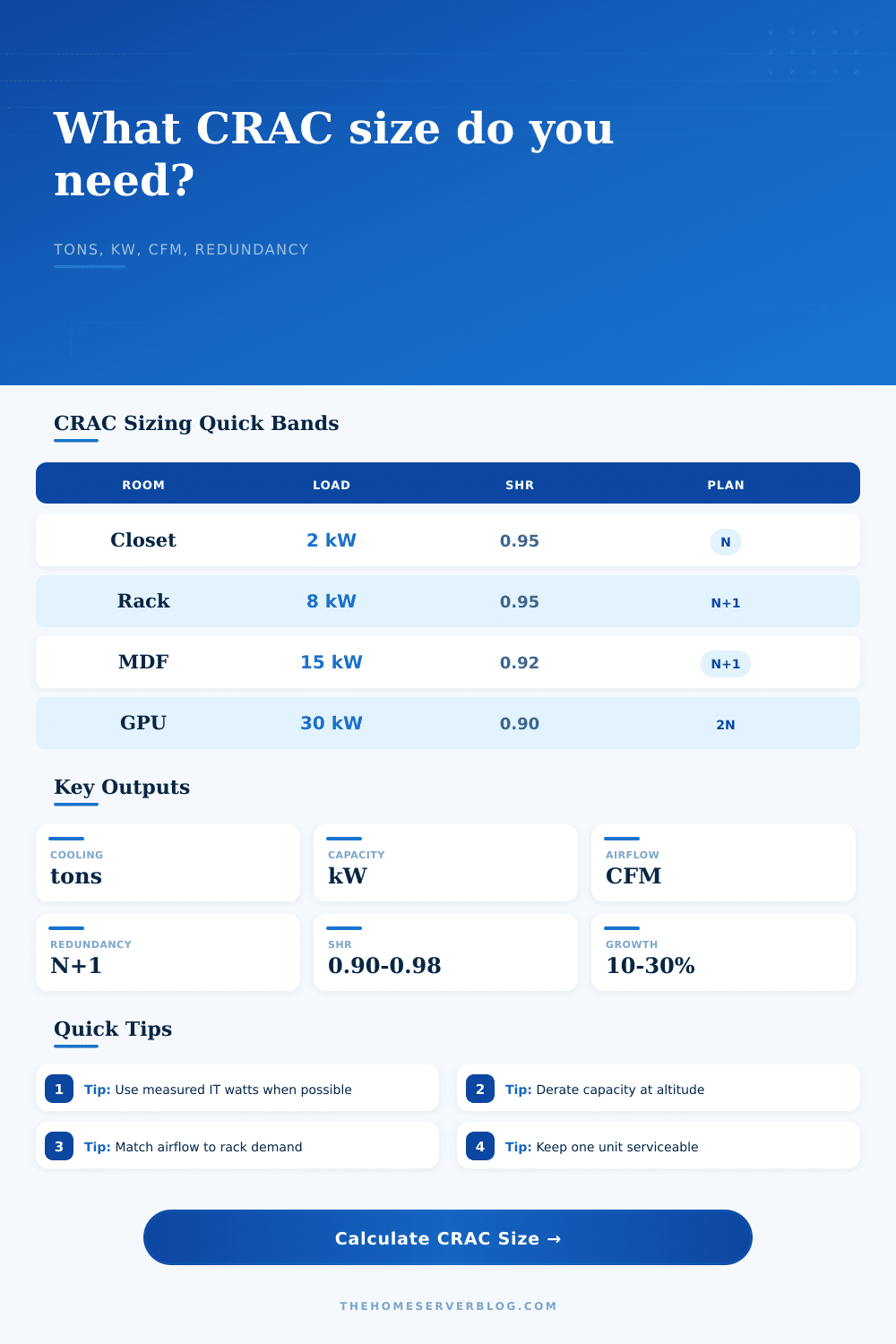
Estimate computer room air conditioner capacity from IT load, room heat, people, lighting, sensible heat ratio, altitude derate, diversity, growth, airflow, and redundancy.
Load breakdown
Capacity status
Heat load after diversity and growth.
Sensible capacity after SHR and altitude.
Return minus supply temperature.
Capacity left after the active design load.
| Nominal CRAC | Total kW | Typical CFM | Good fit |
|---|---|---|---|
| 2 tons | 7.0 kW | 700 to 1,000 CFM | Closet lab, single rack with light IT load |
| 5 tons | 17.6 kW | 1,800 to 2,500 CFM | Single dense rack or small equipment room |
| 10 tons | 35.2 kW | 3,500 to 5,000 CFM | Two to four racks with managed aisles |
| 20 tons | 70.3 kW | 7,000 to 10,000 CFM | Micro data room with multiple rows |
| Redundancy | Installed units | Failure tolerance | When to use |
|---|---|---|---|
| N | Active count only | No spare cooling unit | Noncritical labs with manual shutdown plans |
| N+1 | Active plus one | One unit can fail or be serviced | Most small server rooms and MDF spaces |
| N+2 | Active plus two | Service plus one failure margin | Higher-risk rooms with slower maintenance response |
| 2N | Two full sets | One side can support the room | Critical systems with dual power and controls |
| Airflow target | Approx delta-T | Room behavior | Watch item |
|---|---|---|---|
| 250 CFM/kW | About 12 F | High airflow, low temperature rise | Fan energy and bypass air |
| 350 CFM/kW | About 17 F | Common mixed server-room target | Tile balance and rack intake spread |
| 450 CFM/kW | About 22 F | Lower airflow tolerance with warmer return | Hot spots near dense cabinets |
| 550 CFM/kW | About 27 F | Conservative airflow reserve | Short-cycling oversized units |
| Adjustment | Typical range | Calculator input | Planning meaning |
|---|---|---|---|
| Sensible heat ratio | 0.90 to 0.98 | SHR | Lower SHR means more total tonnage for the same IT heat. |
| Altitude derate | 0% to 20% | Derate percent | Higher elevation reduces delivered capacity and air density. |
| Diversity | 70% to 100% | Diversity percent | Models how much connected load runs at the same time. |
| Growth margin | 10% to 30% | Growth percent | Preserves room for future racks and seasonal peaks. |
And that’s when it hits you: Server cooling isn’t just about moving air. It’s about thermodynamics and redundancy. You’ve got some things that don’t show up on a floor plan because they’re invisible, like source of heat. Alarms start blaring. And then you understand why your system won’t fail. Because you know the inputs into the CRAC unit sizing calculator.
But most folks begin with an estimate of their IT load. What are all their servers’ nameplate power draws? Add them up. That’s fine, but that doesn’t tell the full story. You need to consider the room. Heat comes from lighting, walls, and people walking in to maintain it. People walking in add approximately two hundred and fifty watts of heat each. Small, right? But it can be enough to push a borderline system over. This tool allows you to consider this type of load. If you ignore the lightbulb you don’t end up undersized.
How to Size Your Server Cooling System
Almost everybody gets tripped up on the sensible heat ratio (SHR). A server generate sensible heat, causing an increase in temperature. Latent heat is introduced from people and outside air, increasing humidity. Low SHR means you’ll require more tonnage for a given temperature drop. This is a tradeoff between efficiency and comfort. The majority of casual builders don’t even get this one at all.
You should also consider altitude. For example, if you have a server room at high-altitude (i.e., the mountains), the air will be thinner. Because it’s thin there isn’t as much mass flowing through your unit. And since there isn’t as much mass, there’s not as much heat transfer. The calculator accounts for this by applying an altitude derate. You can’t ignore physics just because your server rack looks good. Respect the environment in which the air lives.
The room is all about redundancy. An N configuration means one failure leads to downtime, while N plus one provides a spare unit to keep things running. That way, if one fails, the rest keep going. Maybe two units mean N plus one to you. Or maybe mirror everything, so it’s called 2N. All those systems is shown in the reference tables. Those will let you see how much you need to install, based off how much risk you are comfortabley with. Chances are if something goes down, you’ll pay far more then the cost of another compressor.
Finally there’s airflow. You can get all the cool you want, but if the air doesn’t flow through the rack, the heat will be contained in that area. And the tool factors in how much CFM you need to cool your racks down. You can calculate this based on how many kW you think you’ll use (your target) and the difference between the temperature of your return versus your supply air. Small delta-T = your air is grabbing a bunch of heat off the servers. That’s efficient, but it means you need to pay attention where your hot and cold aisle are positioned.
A cooling system needs to be sized: It’s an ecosystem of dynamics. You’re balancing how much heat it will generate versus how much it can remove. You factor in humidity, air density, and growth. That’s where the calculator helps you. It provides a starting point. Then judgment fills in the blanks.
Respect the variables; get the math right. Your servers remains cool. And they stay on. They do not smell like burning plastic.