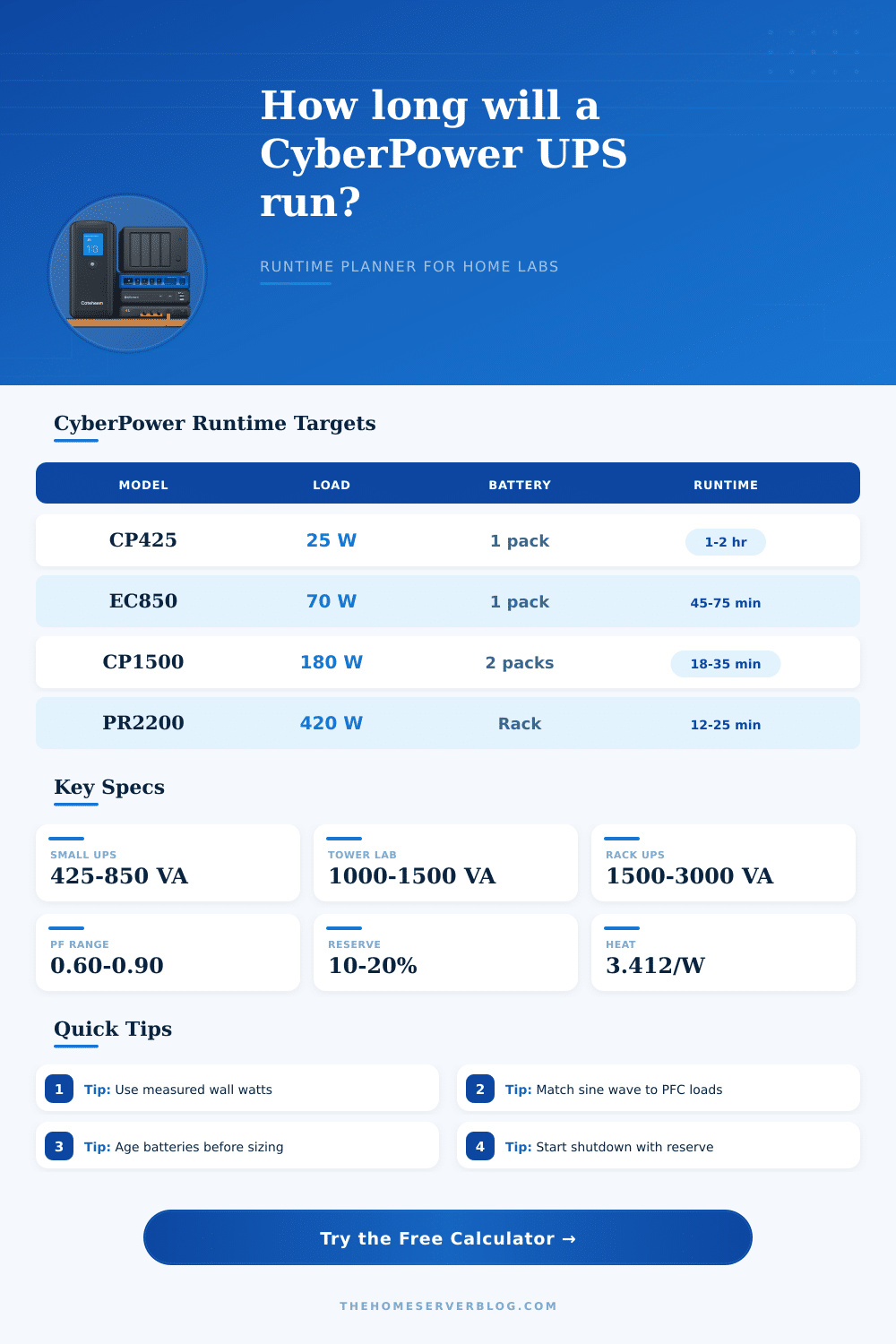
CyberPower UPS Runtime Calculator
Estimate backup time for CyberPower tower, compact, PFC sinewave, Smart App rackmount, and online UPS models using the load you actually plan to keep alive.
Model curve uses known VA, watt, half-load, and full-load anchors. Custom battery uses voltage, amp-hours, and strings.
Use UPS LCD telemetry, PowerPanel, PDU data, or a wall meter after the rack has settled.
If the spec sheet gives half and full load, those two points shape the curve.
| CyberPower family | Typical form | Runtime anchor used | Best home lab use |
|---|---|---|---|
| CP425 / compact standby | Small desktop UPS | Low-watt curve from 12 V battery | Router, ONT, modem, and one small switch |
| ST625U / standby tower | USB charging tower | Short full-load runtime, long light-load runtime | Fiber edge, firewall, and Wi-Fi controller |
| EC850LCD / ECO tower | Energy-saving line-interactive | 850 VA class, simulated sine output | Network closet and compact NAS shelf |
| CP1500AVR / CP1500PFC | 1500 VA mini tower | Half-load and full-load spec points | NAS, media server, and mini lab workloads |
| OR / PR rackmount | 2U rack or tower convertible | Sinewave rack curve with higher watt rating | Server shelf, PoE switch, and 10G core rack |
| OL online series | Double-conversion rackmount | Online efficiency and external pack option | Voltage-sensitive rack core and staged shutdown |
| Load scenario | Typical watts | Good CyberPower class | Runtime detail to watch |
|---|---|---|---|
| Router, firewall, ONT, and AP controller | 18 to 45 W | 425 to 850 VA compact UPS | Light loads may run for hours but still need battery testing |
| NAS with two to six disks and a small switch | 70 to 150 W | 1000 to 1500 VA tower UPS | Clean shutdown must cover cache flush and disk spin-down |
| Mini PC cluster with 2.5G switching | 130 to 260 W | 1500 VA PFC or rackmount UPS | Use sine wave output for active PFC power supplies |
| PoE camera and access point switch | 180 to 420 W | 2200 to 3000 VA Smart App rack UPS | Disable noncritical PoE ports to stretch runtime |
| Core rack with servers, NAS, and 10G switch | 450 to 900 W | PR3000 or OL3000 with external pack | Runtime is usually a shutdown window, not long uptime |
| Runtime factor | Calculator treatment | Why it matters | Warning sign |
|---|---|---|---|
| Watt load ratio | Adjusted load divided by UPS watt rating | Runtime drops sharply above half load | Load level above 80% before shutdown starts |
| Power factor | VA draw equals watts divided by PF | A UPS can be within watts but near VA limit | Overload alarm or transfer failure on startup |
| Battery health | Multiplies runtime or custom watt-hours | Old sealed lead-acid packs can look fine at idle | Fast low-battery warning during a real test |
| Temperature | Derates warm closets and hot cabinets | Heat ages batteries and reduces available capacity | UPS shares a closed shelf with servers |
| Reserve | Subtracts a final battery margin from runtime | Shutdown should finish before the battery is flat | Automation starts only at low battery alarm |
| Preset name | Modeled load | Battery model | Why this preset is useful |
|---|---|---|---|
| CP425 Router Holdover | Low steady network load | Compact 12 V battery curve | Shows why watts matter more than VA for modem uptime |
| CP1500PFC NAS Shelf | NAS, switch, and one mini server | 1500 VA sinewave tower curve | Balances active PFC compatibility with shutdown time |
| PR2200 PoE Stack | PoE switch plus cameras and APs | Smart App rackmount curve | Highlights load shedding on managed PoE outlets |
| OL3000 Online Core | Core rack and 10G switching | Online UPS with external runtime option | Models higher efficiency loss but stronger power conditioning |
A CyberPower UPS can last for a specific amount of time during a power outage. However, the amount of time that a CyberPower UPS will provide for an outage isnt a fixed number. The amount of time that a CyberPower UPS can provide for an outage depend on several different variable.
These variables include the wattage of the devices that are being protected, the health of the batteries of the UPS, and the temperature of the room in which the UPS is located. Because these variables impact the amount of time that a CyberPower UPS can provide for an outage, a calculator is needed to determine the amount of time that the UPS can run during an outage. The calculator allows users to input several different data point.
How Long Will a CyberPower UPS Last?
These data points include the wattage that was measured at the power outlet at which the UPS is located, the VA and wattage ratings of the specific CyberPower UPS device that the user owns, and the percentage of the load that the user wants to remain active during an outage. In addition to these inputs, the calculator also require the user to input the health of the batteries of the CyberPower UPS. Based off these different variables, the calculator can also account for efficiency loss of the devices and for the ambient temperature of the area where the devices are being used.
According to the calculator, if the specifications of the devices and the power outage scenarios match the specifications of the UPS devices, then the devices will have enough time to shut down proper when the power is restored. The amount of time that a CyberPower UPS can last during a power outage is often different then the amount of time that it is published to last. For example, if the manufacturer published a CyberPower UPS that was stated to last for ten minutes of runtime at a certain wattage, it is possible that the same CyberPower UPS will last for thirty-five minutes of runtime at a lower wattage.
This difference between the published and actual run times is visible on the calculator, which was designed with this potential issue. Thus, this calculator will allow the users to decide when to perform a graceful shutdown of their device, as they will know whether their devices will have enough time to complete their task before the UPS dies. Another way to increase the amount of time that a CyberPower UPS can last during a power outage is through the process of load shedding.
If all of the outlets of the UPS are left to remain active during a power outage, then the UPS will have to provide power to the devices and account for the power surges of the devices when they are started up during the power outage. However, by reducing the number of devices that are active with the UPS, the brand is able to provide more time for those devices during a power outage. This can be accounted for in the calculator by adjusting the percentage of the load that will remain active.
In addition to the factor described above, another variable that can impact the length of time of a power outage with a CyberPower UPS is the power factor of the devices. The power factor of moddern devices is typically around 0.98, whereas older devices may have a power factor of 0.70. If the power factor of the devices being used is too low, the total apparent power of the devices can reach the VA of the UPS, which may result in the UPS becoming alarmed at the situation or refusing to switch to battery power.
The CyberPower UPS calculator accounts for the power factor of the devices being used to ensure that it will not alarm or refuse to allow the devices to switch to battery power. The variables that will reduce the total amount of time that a CyberPower UPS can provide power during a power outage are related to the temperature of the room in which the devices are located and the age of the batteries of the UPS. If the temperature of the room is too hot for the UPS, the batteries will have less available capacity.
Similarly, if the batteries of the UPS are old, their capacity to provide power to the devices will also reduce the amount of time that they can provide power during a power outage. These variables can be accounted for in the calculator, allowing users to ensure that the amount of time that it will last reflects the condition in which the UPS is actualy located. Another important calculation performed by the CyberPower UPS calculator is the calculation of the amount of time that it will take for the devices to perform a clean shutdown.
This amount of time is subtracted from the total amount of time that the UPS will provide during the power outage. Additionally, the calculator also subtracts the amount of time that the UPS will take to initiate the battery power mode (the trigger delay) from the total amount of time that the UPS will run. If the calculation performs by the calculator indicates that the time required to perform a clean shutdown is greater than the amount of time that the UPS will last during the power outage, then it will be necessary to either start the shutdown script prior to the power outage or reduce the load on the UPS.
The amount of time that a CyberPower UPS can last during a power outage is not a fixed property of the brand of UPS. The amount of time that a CyberPower UPS can last during a power outage is a function of the amount of load that is placed upon the UPS, the health of the batteries of the UPS, and the temperature at which the UPS is being used. By understanding the effect that these variables have upon the amount of time that a CyberPower UPS can last, users can better understand how to use the calculator to determine the amount of time that the UPS will have to provide power to those devices during a power outage.
The calculator is a helpful tool in providing power to the users device and allowing users to understand how long that power will last.