Delta T Airflow Calculator
Compare measured inlet-to-outlet delta-T with required rack airflow, BTU/hr heat load, altitude density derate, bypass air, containment leakage, and fan redundancy reserve.
Airflow result
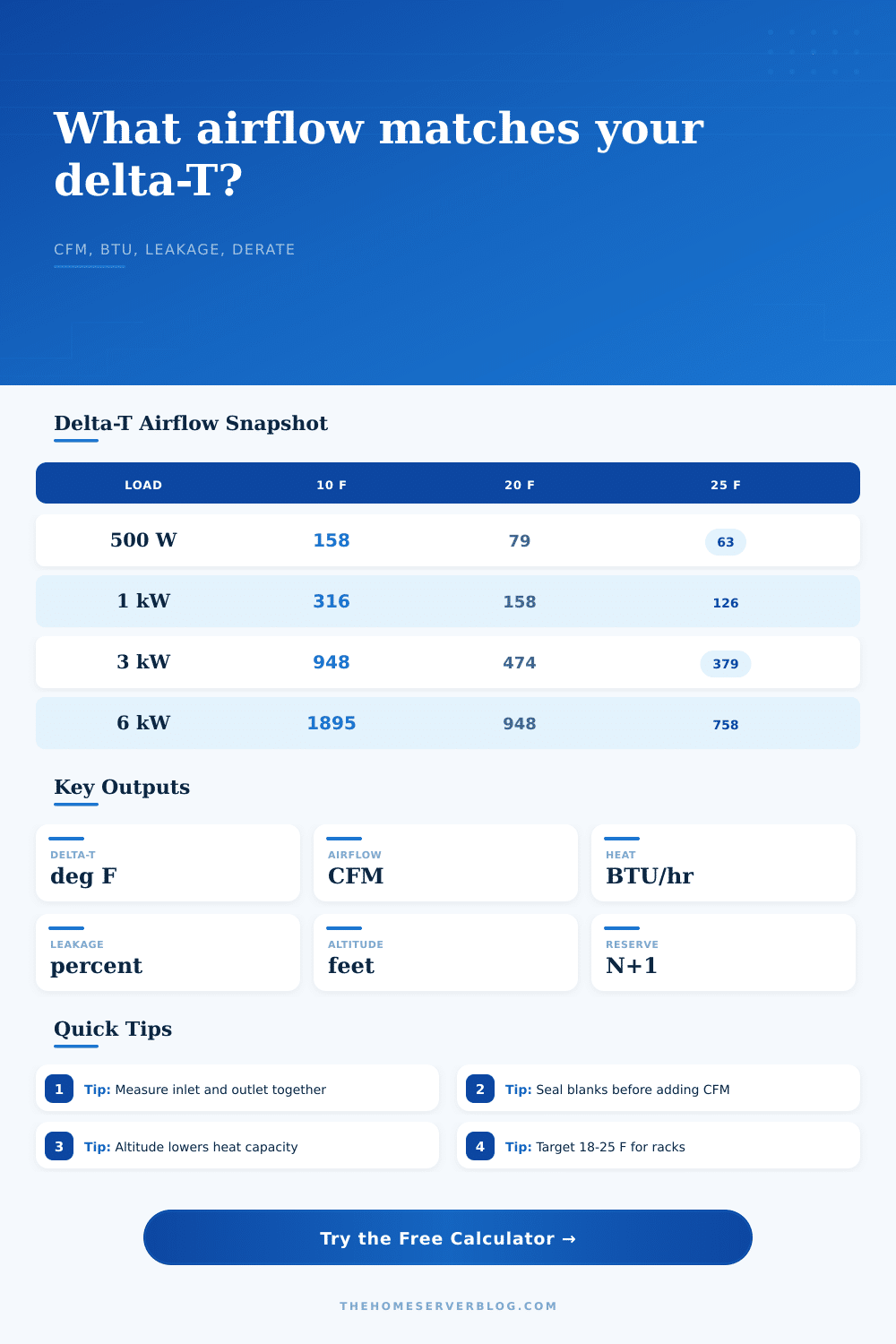
| Heat load | 10 deg F delta-T | 15 deg F delta-T | 20 deg F delta-T | 25 deg F delta-T |
|---|---|---|---|---|
| 500 W | 158 CFM | 105 CFM | 79 CFM | 63 CFM |
| 1,000 W | 316 CFM | 211 CFM | 158 CFM | 126 CFM |
| 2,000 W | 632 CFM | 421 CFM | 316 CFM | 253 CFM |
| 4,000 W | 1,264 CFM | 843 CFM | 632 CFM | 506 CFM |
| 8,000 W | 2,527 CFM | 1,685 CFM | 1,264 CFM | 1,011 CFM |
| Measured delta-T | Typical meaning | Airflow cue | Home lab check |
|---|---|---|---|
| Under 10 deg F | High airflow or low load | May be over-ventilated | Check fan noise and short cycling |
| 12 to 18 deg F | Conservative cooling | Usually comfortable | Confirm top-U intake temps |
| 18 to 25 deg F | Efficient rack target | Balanced heat pickup | Good default for stable loads |
| 26 to 32 deg F | Airflow getting tight | Raise CFM or seal leaks | Measure during CPU and disk load |
| Over 32 deg F | High exhaust rise | Likely under-delivered CFM | Look for recirculation paths |
| Altitude | Approx density factor | CFM multiplier | Planning note |
|---|---|---|---|
| Sea level | 1.00 | 1.00x | Use the normal 1.08 sensible heat factor |
| 2,500 ft | 0.92 | 1.09x | Small but visible airflow increase |
| 5,000 ft | 0.86 | 1.16x | Useful for mountain and dry-climate labs |
| 7,500 ft | 0.79 | 1.27x | Leave extra reserve for dense racks |
| 10,000 ft | 0.74 | 1.35x | Verify equipment fan derating too |
| Leakage path | Common range | Delta-T effect | Best correction |
|---|---|---|---|
| Missing blank panels | 5% to 20% | Lowers useful delta-T | Fill unused rack spaces |
| Side gaps | 5% to 15% | Hot air wraps to intakes | Add side panels or foam strips |
| Cable openings | 3% to 12% | Bypasses server face | Brush seals and grommets |
| Open ceiling return | 10% to 30% | Mixes hot and cold air | Duct or separate return air |
| Loose cabinet doors | 4% to 10% | Uneven vertical temperature | Align doors and clean filters |
But that hum is misleading; it covers the heat that kills hardware.
The heat generated by each disk and processor are converted to thermal energy, and the thermal energy must exit room. If not, components will overheat and either fail or throttle back.
Why Airflow Is Important for Cooling
To control the airflow you use some basic physics: the amount of heat removed is proportional to how much air passes through a space, as well as how much hotter that air get. That’s the “delta-T”, the single most valuable measure for determining whether your cooling system is keeping pace with your load.
Airflow is a fluid dynamics problem; it’s not a binary on/off switch. Volume, density, and temperature change are all factor.
The calculator above do the math for you by converting watts into BTU/hr. It calculates cubic feet per minute of air needed to remove that heat while ensuring that temperatures don’t exceed safe levels. Plug in your measured inlet/outlet temperatures, and your heat load. The tool will tell you whether you’re close to a thermal event, or even whether you are over-ventilating.
It also accounts for real-world inefficiencies such as altitude and containment leakage, which make your cooling system less efficient then it would be in theory.
Delta-T: “A lot of people think a bigger number is bad; they get delta-T wrong. The right amount for a well-sealed rack is an eighteen-to-twenty-five degree-Fahrenheit delta-T. That’s what tells you that the air are absorbing the heat efficienty before going elsewhere, so it’s doing work. A delta-T of five or ten means your fans is probably just spinning their wheels. They’re moving huge volumes of air but not really touching the heat source. This wastes energy, makes them noisy, and doesn’t cool anything. A delta-T above thirty means the air has given up all its ability to hold heat. You can’t put any more heat in it so you’ve got hot air being recirculated back into the intake.”
Altitude also complicates things, as does thinner air. The higher up you go, the thinner the air is and each cubic foot of air contain fewer molecules to carry away the heat. Unless you compensate for that lost density, a cooling solution that’s adequate at sea level wouldn’t of fare well at five thousand feet. This reduction accounts for this and makes sure that the CFMs you calculate stay accurate no matter what the altitude. Thermal spikes at peak loads at high-altitude data centers has been known to occur because people forget about this variable.
Leakage is another thing that can hurt cooling efficiency. To solve for leakage, simply use blanking panels which ensure that none of your cool air can bypass your server. Otherwise, the cool air coming off the floor go straight up into any open space in your racks and escapes out the top. That’s bypass air that hurts how well your cooling system work.
The calculator will show you how much airflow your CRAC unit are actualy delivering, so you have a realistic idea of the difference between what you see on your meter and what reaches your silicon.
You can fix airflow problem. First, fix leaks (this is better than adding more fan). So make sure your containment paths are tight; seal cable cutouts and blank off any empty U-spaces.
After sealing up the system, you’ll want to check your temperature difference against the load using the reference tables. Your cooling is efficient if the numbers matches. Otherwise, you’ve got a clear path for improvement.
Always aim for a stable environment, one in which heat flows linear from source to sink. A steady temperature difference tell you the air’s doing its thing.