HomeServerBlog DNS mail routing tool
MX Record Priority Planner
Plan MX preference numbers, backup mail exchangers, TTL buffers, and failover queue coverage before you move a domain, add a secondary relay, or split inbound mail.
Google Workspace documents smtp.google.com as the current single inbound MX value; legacy aspmx values can still exist on older domains.
Exchange Online Protection uses a tenant-specific target ending in mail.protection.outlook.com and should outrank old mail hosts.
Proton, Zoho, Fastmail, and similar providers commonly publish redundant MX targets with stepped preference numbers.
A Postfix backup MX should accept only valid recipient domains, queue mail, and deliver back to the primary when it recovers.
Single SaaS MX
Best when the provider hides its own redundancy behind one published target and explicitly asks you to remove older MX records.
Cleanest DNS Works well for Google Workspace current setup and small domains.Primary / Backup
Use one preferred receiver and one lower-priority receiver that can store mail during short outages.
Classic failover Verify backup anti-spam and recipient validation before publishing.Equal Priority Pair
Give two synchronized gateways the same preference to distribute senders across both entries.
Active-active Both hosts need matching policy, TLS, aliases, and spam handling.Migration Safety Net
Keep the previous mail host at a worse preference only while mailboxes, aliases, and DNS caches settle.
Temporary only Remove stale MX records after the cutover is verified.| Provider or pattern | Typical MX shape | Priority style | Planner note |
|---|---|---|---|
| Google Workspace current | smtp.google.com as a single published MX | One preferred value, often priority 1 | Google says old or incorrect MX records should be removed when using Gmail routing. |
| Google Workspace legacy | Five aspmx / alt targets | Common ladder 1, 5, 5, 10, 10 | Still encountered on domains that adopted Workspace before the current single-MX guidance. |
| Microsoft 365 EOP | tenant.mail.protection.outlook.com | Lower preference than old mail hosts | Microsoft notes previous provider MX records should be removed or demoted after cutover. |
| Proton Mail | Two Proton MX records | Primary and secondary preference numbers | Create matching addresses first so the new provider can receive every migrated mailbox. |
| Zoho Mail | Multiple regional Zoho MX records | Lowest number first, higher values for backup | Zoho describes extra MX records as backup paths used when the primary is unavailable. |
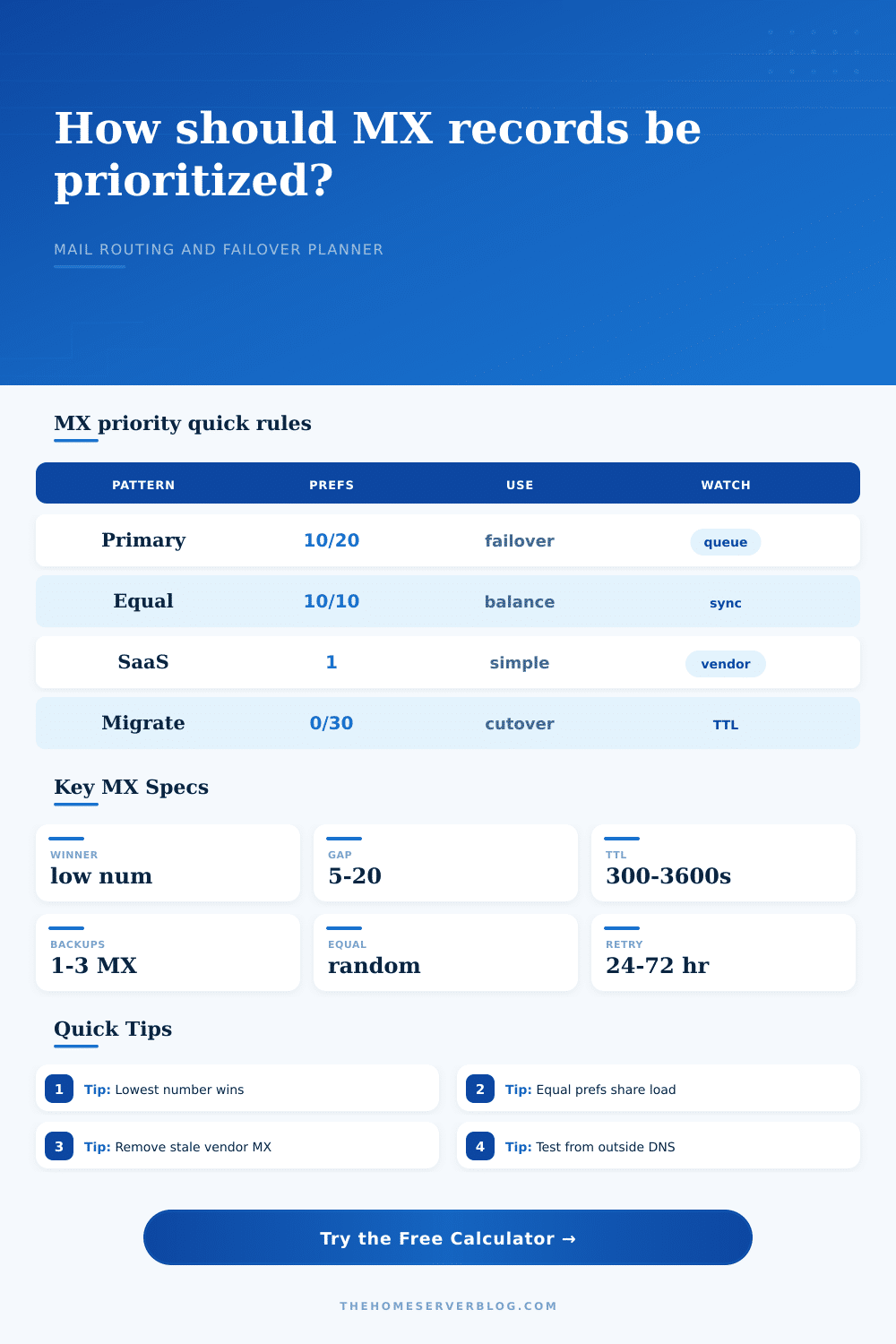
| Self-hosted Postfix backup | mail.example.com plus mx2.example.net | Primary 10, backup 20 or 30 | Do not run an open relay; backup hosts must validate domains and queue deliberately. |
| Priority plan | Example preferences | Expected sender behavior | Best fit |
|---|---|---|---|
| Single target | 1 | All senders resolve one advertised mail exchanger. | SaaS providers with internal redundancy. |
| Stepped backup | 10, 20 | Try the primary first, then the backup if connection or acceptance fails. | Home lab primary with secondary queue relay. |
| Multiple backups | 10, 20, 30 | Try progressively worse priorities after higher-priority hosts fail. | Hosted providers with redundant inbound clusters. |
| Equal active | 10, 10 | Randomize across equal preference MX records when no host is preferred. | Two synchronized gateways behind identical policy. |
| Migration fallback | 0, 30 | New provider wins; old provider catches stragglers only during transition. | Short cutover windows with a rollback path. |
| DNS / SMTP factor | Value to plan | Why it matters | Practical check |
|---|---|---|---|
| MX preference | 0 to 65535 | SMTP sorts MX records by preference, with lower numbers preferred. | Confirm the DNS panel did not invert high and low priority wording. |
| Equal preference | Same number | Senders can spread attempts across same-priority destinations. | Use only when both paths can fully accept the same recipients. |
| MX TTL | 300 to 3600 seconds | Resolvers can keep the old answer until TTL expiry. | Lower TTL before migrations; restore later if desired. |
| SMTP retry horizon | 24 to 72 hours | Remote senders normally retry temporary delivery failures for a period. | Use backup MX for planned outages that exceed normal retries. |
| Recipient validation | Required | Backup relays that accept every address can become backscatter sources. | Mirror aliases, groups, and disabled mailbox rules on every inbound path. |
| Project size | Inbound rate | Suggested topology | Queue target |
|---|---|---|---|
| Personal domain | 10 to 40 mail/hour | Single SaaS MX or dual hosted MX | 500 messages covers most short outages. |
| Family / small office | 50 to 250 mail/hour | Provider MX set with SPF, DKIM, and DMARC aligned | 2,000 to 10,000 messages. |
| Home lab alerts | 100 to 800 mail/hour | Primary relay plus low-priority backup queue | One to two days of peak alert bursts. |
| Migration weekend | 250 to 2,000 mail/hour | New MX lowest, old host temporarily lower priority | Enough room for DNS TTL plus rollback testing. |
| Community service | 1,000+ mail/hour | Equal active gateways or managed inbound filtering | Capacity based on provider acceptance and retry logs. |
It starts with a simple question that trips up almost everyone managing their own domain. When it comes time to move your email to a different provider, you can certainly move your email over. But then what? You don’t want to get rid of those MX records too soon in case someone sends you something and it doesn’t make it through. So you leave them there, cross your fingers, hope for the best and wait until you’ve checked everything’s working. It makes sense, but it also leaves you with a mess that stays around longer then necessary.
You don’t really know how those numbers is read by mail servers. This is where a well-structured planner shines more than a spreadsheet. The number system for MX priority are oddly low-is-good: 10 wins over 20, not vice versa. This aspect gets most admins right; however, it’s where they fail with the gaps between each number. You could establish one at 10 and another at 11 thinking that if your main box goes down, email would flow to the backup box, but in reality the space is too small for a meaningful failover in many SMTP implementations. Plugging into the calculator above lets you specify both your backup count and the preferred gap from the primary server. It does the math for you so you don’t have to worry about coefficients and conversions. This forces you to consider what the ladder structure look like prior to committing to any changes.
How to Plan Your Email Move
Where’s the danger? Well, in those backup hosts. A lower priority MX record isn’t some kind of magical catch-all. It needs to know which addresses is legit for your domain. Suppose the primary server get an email from somebody and rejects it because the recipient doesn’t exist. The sending server could then attempt delivery through the backup. And suppose that backup accept the email even though nobody exists with that address. You’ve just made yourself a backscatter problem. The junk mail won’t reach its destination, but it’ll get stuck somewhere in a queue on your backup server, waiting to bounce. It bounces back to the sender who may never have even sent it in the first place.
And this is where people fall down. People think about MX records only in terms of how they direct traffic, forgetting that there has to be policy enforcement along every leg of the trip. The other silent killer with mail migrations are timing. Your DNS change won’t immediately propagate. Your MX records are cached by every resolver in the world. They will hold onto those records until your Time To Live (TTL) expire. By default, that’s eight hours which means you might have to wait two days for the whole internet to know about your new primary server. A common trick to get around that is reduce that TTL a few days ahead of time, but that adds another layer of difficulty to transition window. The reference table on the page makes that clear: it shows you how long you should of wait for different topologies with different safety buffers. Don’t assume the fastest resolver; assume the slowest one.
On the subject of redundancy, it can be tempting to use equal priority setups, but remember: those need to be perfectly synchronized. That means that both servers should have exactly the same user accounts, spam filters, and alias configurations. Otherwise, senders will randomly start distributing traffic across both servers, meaning one might think a user has been deleted while the other think they’re still active. You’ll end up with intermittent delivery failures that is almost impossible to debug. Primary/backup is simpler to manage (and less prone to configuration drift) in most small office/home lab environments, which is why it’s what I’d recommend.
That way you can plan an easy out of your existing setup. After the flush of the DNS cache and when new primary is accepting all mail, your low-priority fallback records turn from assets into liabilities: they’re just hanging around, ready to attract traffic that might get sent their way but then get misdirected, or worse yet rejected. Getting rid of them will help clean up your DNS zone and prevent any potential confusion for anyone who comes behind you.
The planner lets you see what to expect. It shows exactly what your coverage is at every step of the transition, how many backup you’ll need, and provides a timeline for when everything will happen so you can see that final state. No more guesswork. Just engineering a hand-off.