HomeServerBlog DNS operations tool
DNS Record TTL Expiry Calculator
Estimate when an old DNS answer should age out of resolver, local, and stale caches after you change A, CNAME, MX, TXT, NS, DS, or negative DNS responses.
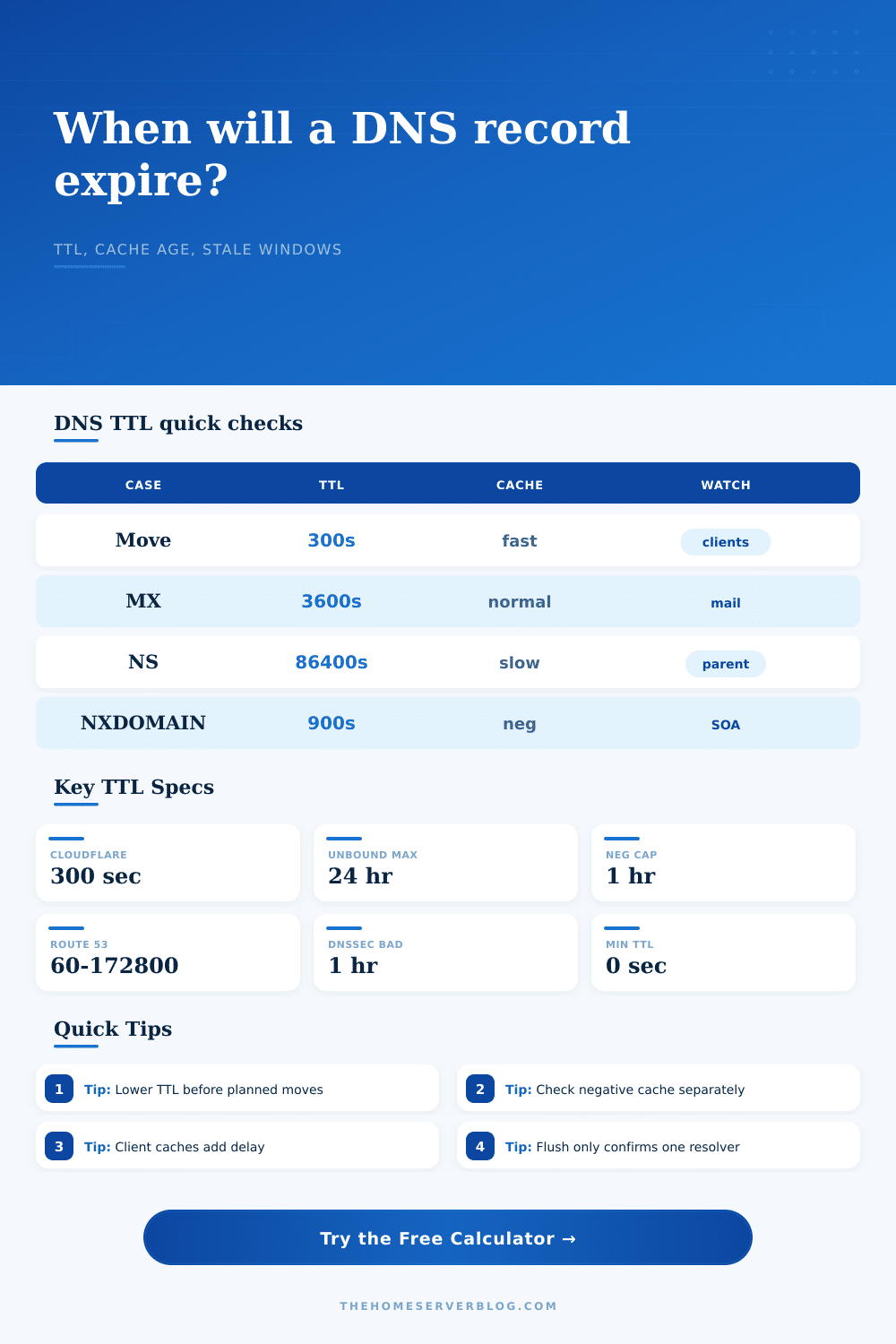
Common fast-change TTL for proxied or cloud-managed address records.
Typical one-day cap used by Unbound and PowerDNS defaults.
Common cap for NXDOMAIN or NODATA in Unbound and PowerDNS.
Useful estimate for browser or stub caches during spot checks.
ISP router DNS cache
Simple firmware cache with limited visibility. Best tested from a client and a public resolver.
Low controlPi-hole plus Unbound
Good for home labs because max, min, negative, prefetch, and stale behavior can be tuned.
High controlWindows DNS Server
Useful for AD labs and split DNS. Clear server cache when testing internal cutovers.
AD readyPowerDNS Recursor
Strong for lab networks that need Lua policy, packet cache, and explicit negative TTL caps.
Policy rich| Preset | TTL / Cache Value | Use Case | Expiry Meaning |
|---|---|---|---|
| Cloudflare proxied Auto | 300 seconds | Anycast-backed A, AAAA, or CNAME | Recursive resolvers should refresh within about five minutes. |
| Route 53 fast change | 60 seconds | Blue-green or failover record | Short cache window with higher recursive query volume. |
| Google Cloud DNS example | 300 seconds | Cloud-hosted lab zone | Five-minute positive-answer expiry target. |
| MX mailbox move | 3600 seconds | Mail provider migration | Expect one hour plus sending-server retries and queues. |
| TXT SPF/DMARC update | 3600 seconds | Email authentication change | Policy evaluators can hold the old text until TTL expiry. |
| Unbound default cache cap | 86400 seconds | Local recursive resolver | Long published TTLs are capped to one day by default. |
| dnsmasq min-cache-ttl | Up to 3600 seconds | Small router or lab cache | A configured floor can make short TTLs last longer. |
| PowerDNS negative cache | 3600 seconds | NXDOMAIN or NODATA | Negative answers are capped to one hour by default. |
| Windows DNS Server cache | 86400 seconds max | Active Directory or lab resolver | Positive cache is commonly planned around a one-day ceiling. |
| DNSSEC DS rollover | 86400 seconds | Parent-zone chain update | Parent, child, and validating resolver caches all matter. |
| Resolver / Layer | Positive TTL Behavior | Negative TTL Behavior | Planning Note |
|---|---|---|---|
| Standards-honoring recursive cache | Uses authoritative TTL | Uses SOA-derived TTL | Best mental model when you do not know a resolver-specific clamp. |
| Unbound defaults | Maximum 86400 seconds, minimum 0 | Maximum 3600 seconds, minimum 0 | Good home lab baseline when running Pi-hole plus Unbound. |
| dnsmasq configured floor | Can extend short answers | Can extend short negative answers | Use carefully because floors ignore the zone operator's intended freshness. |
| PowerDNS Recursor defaults | Maximum 86400 seconds | Maximum 3600 seconds | Packet cache can add another short-lived layer in front of record cache. |
| Browser or app cache | Often separate from DNS TTL | Application-specific | Retest with a fresh process when application behavior matters. |
| Record Type | Common TTL Range | Fast Change Risk | What To Verify |
|---|---|---|---|
| A / AAAA | 60 to 3600 seconds | Old IP can persist in recursive and client caches. | Check public resolvers, home resolver, and a real client. |
| CNAME | 300 to 3600 seconds | Alias and target record can have separate cache windows. | Trace both the CNAME and final A or AAAA answer. |
| MX | 1800 to 14400 seconds | Mail servers may retry, queue, or cache old routing data. | Verify MX, SPF, DKIM, and actual mail flow. |
| TXT | 300 to 3600 seconds | Email policy or ownership checks may cache old strings. | Query the exact selector or host label. |
| NS | 3600 to 86400 seconds | Parent and child delegation can disagree during migration. | Check parent-side NS, glue, and child-zone NS. |
| DS / DNSSEC | 3600 to 86400 seconds | Validators can fail closed when DS and DNSKEY timing is wrong. | Verify DS, DNSKEY, RRSIG validity, and chain status. |
| NXDOMAIN / NODATA | SOA-derived | A missing record can stay missing after you create it. | Query resolvers that looked up the name before creation. |
| Project Scenario | Suggested Pre-Change TTL | Wait Before Change | Post-Change Check |
|---|---|---|---|
| Home server IP change | 300 seconds | Previous TTL plus buffer | Compare WAN, phone hotspot, and local resolver answers. |
| Reverse proxy migration | 300 seconds | One normal TTL cycle | Confirm CNAME target and address answers separately. |
| Mail provider cutover | 3600 seconds | One to four hours | Check MX, SPF, DKIM, DMARC, and live delivery. |
| New hostname after NXDOMAIN | 900 seconds | Negative SOA TTL | Flush one resolver only for testing, then wait for others. |
| Nameserver migration | 86400 seconds | One to two days | Check registry parent, glue, and old child authoritative data. |
| DNSSEC rollover | 86400 seconds | Parent and child TTLs | Validate with DNSSEC-aware resolvers after each phase. |
When you click save after changing a DNS record, the clock begins to tick. But you probably don’t get to see it. So when you go reload site after updating A record to point to new server IP, you still see old address. The internet seems broken.
The issue is naturaly more about caching and patience than anything else. Those hard limits called time to live (TTL) aren’t a suggestion; they’re the value that origin server sets telling resolvers just how long they can hoard that answer without checking back with the original source. Use our calculator above and it’ll do the math for you, converting these abstract seconds into something concrete that you can plan around.
How DNS Propagation Works
To understand why your change isn’t spreading, realize that there’s a layer of caching between you and recursive resolver provided by your ISP. This layer may impose a maximum on all TTLs (twenty four hours is common) or respect them strictly. Then there’s whatever minimum your local network hardware applies to cached entries, usually stretching a brief TTL into more lengthy one. Next, there are small but often overlooked caches in your operating system or browser that come from recent lookups. Sum the time left in each bucket and you have overall delay. And that’s how a five-minute TTL feels like a five-hour wait when you haven’t considered local floor values.
Most folks is unaware that they get burned by negative caching. When you attempt to resolve a non-existent domain, the resolver doesn’t simply forget and ask again; it will cache the negative response. This is good because it stops your PC from asking over and over for missing record. However, even after you create that record, it will still return cached negative result buried in negative cache. Unlike the normal TTL you assign to a positive reply, the expiry of this are typically calculated from the minimum field of the SOA record. It’s one of those small details that has system admins scratching their heads for hours thinking their newly created site was live but their users could never find it.
When you’re planning a migration, think backwards from old TTL (not the new one). What’s the most common error people make? They drop the TTL down to sixty seconds as soon as they change the IP address. That doesn’t do anything useful for the users who has cached your old IP with a two hour timer on their computers. Once those timers have started ticking, they don’t stop; they just keep ticking away. Instead, what you should of do is lower the TTL way back before migration, give it some time to propagate, and then make the change. By the time you flip the switch, the cached data is already about to expire. It’s a small thing, but man it makes such a diffrence in uptime.
Changing a CNAME involves two lookups. In this case, the TTL of the alias and the TTL of the final address may not match. Changing an MX will affect mail flow because queues and retries will keep old routing information longer than the TTL suggests. This table details those differences by record type. It also shows how managed edge services does fast updates using short TTLs, compared to what you may see from home labs which may impose longer floors. The key is that you match your plan to most restrictive cache along the path. “If there’s a layer that ignores your low TTL and caches things for an hour, then your five minute plan is now an hour long plan.
Then there’s the verification buffer. Once you reach the theoretical expiry time, I suggest waiting another little while before assuming the change has took effect. That covers publish lag, where your DNS provider take several seconds to spread the change to all their nodes around the world. It also covers the possibility of network blips causing some resolvers to continue serving old data. Ten percent added to your calculation as a buffer is not unreasonable. What might have been a risky cutover becomes a managed transition.
In conclusion, DNS propagation is a game between memory and time. And these numbers on the chart aren’t just data, but instead a timeline of how long the internet will recall what was once configured. Use this as a countdown clock instead of thinking of it as a fixed number, plan your changes accordingly knowing when the clock expires. From a home lab to tweaking your mail server hostname, be aware of age of the caches and you’ll both be viewing the same world. When the clock runs out, check back. It always wins.