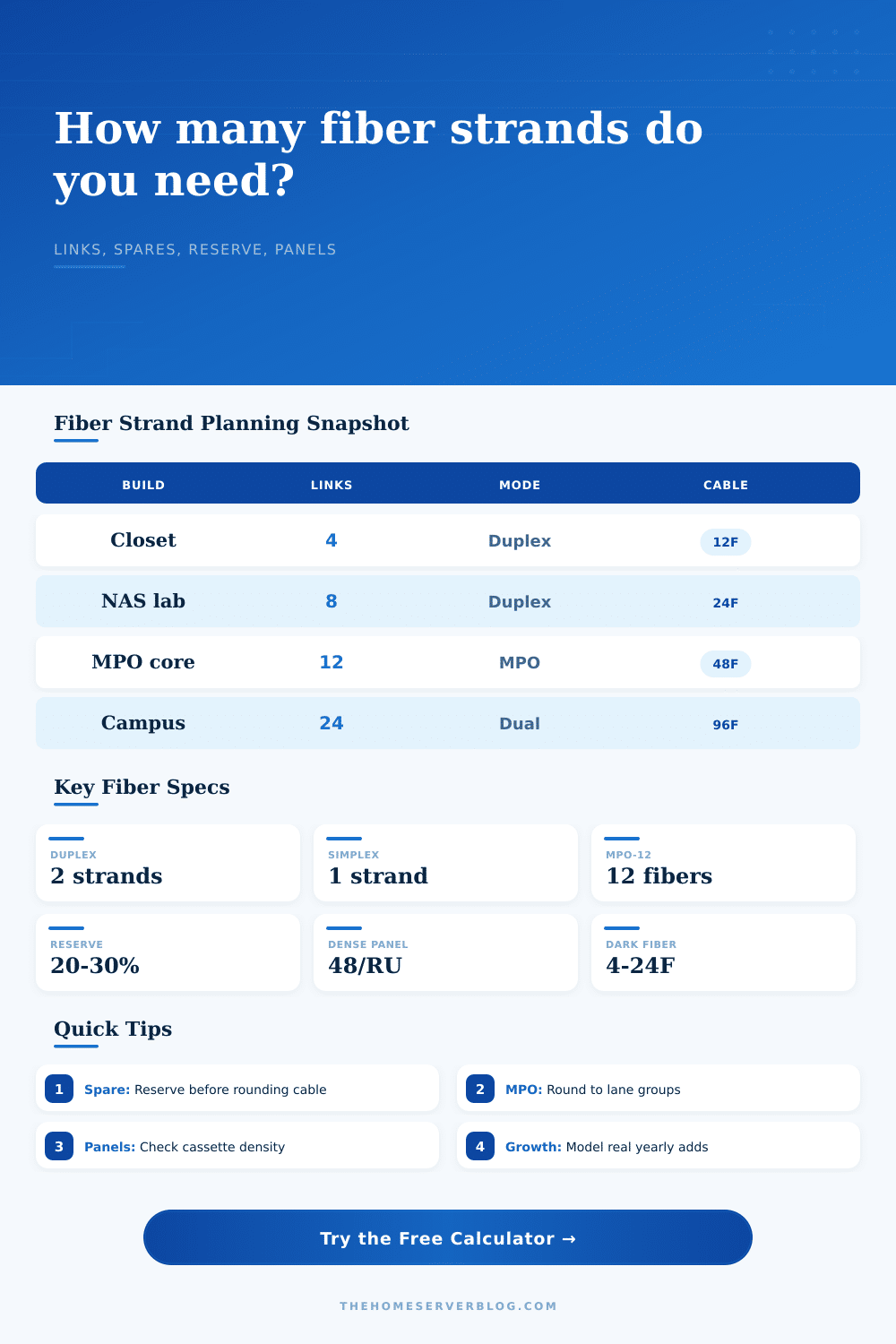
HomeServerBlog fiber cabling worksheet
Fiber Strand Count Planner
Plan backbone, rack, campus, and home lab fiber by turning links, strand mode, active pairs, dark reserve, redundant paths, MPO breakout rounding, growth years, spare percentage, and panel density into a practical cable count.
1Fiber deployment presets
2Link, reserve, MPO, and panel inputs
Strand count breakdown
Plan health
3Strand, pair, spare, and panel cards
Services and assigned pairs before reserve policy.
Pair view for LC duplex patching and labeling.
Open strands left after active, growth, dark, and redundancy demand.
Termination density used for rack space sizing.
4Fiber connector and cable comparison grid
5Fiber planning tables
Calculated strand allocation
| Allocation bucket | Strands | Share | Planning note |
|---|---|---|---|
| Active links | 12 | 50% | Services created from link count and mode. |
| Redundancy | 12 | 50% | A/B route or diverse path allowance. |
| Growth and spares | 8 | 33% | Future adds plus spare policy. |
| Dark reserve | 6 | 25% | Unlit strands deliberately held back. |
Common fiber cable strand counts
| Cable count | Pair view | Common home lab fit | Watchpoint |
|---|---|---|---|
| 6F | 3 duplex pairs | Small point-to-point run with one or two spares. | Limited room after a second service. |
| 12F | 6 duplex pairs | Closet, garage, office, or starter rack backbone. | Often the smallest flexible choice. |
| 24F | 12 duplex pairs | NAS shelf, Proxmox cluster, or mixed AP and camera aggregation. | Labeling discipline starts to matter. |
| 48F | 24 duplex pairs | Dense home lab, MPO cassette shelf, or building distribution. | Plan panel density and service loops. |
| 96F | 48 duplex pairs | Campus ring, lab spine, or long-lived conduit run. | Connector map and color code must be maintained. |
| 144F+ | 72 pairs plus | Large multi-building or lab validation trunk. | Usually needs formal pathway and splice planning. |
Patch panel density and cassette planning
| Density | Typical hardware | Best use | Service note |
|---|---|---|---|
| 12 strands / RU | Low-density adapter panel | Simple home rack with generous finger room. | Easy labels and patching. |
| 24 strands / RU | Common LC shelf or tray | Most home server and small business racks. | Good balance of density and access. |
| 48 strands / RU | Dense LC or MPO cassette shelf | Lab cores and many duplex links. | Needs careful cable management. |
| 72 to 96 strands / RU | High-density modular panel | Compact rack space with many strands. | Labeling and inspection are harder. |
Ten deployment preset reference
| Preset | Starting cable | Fiber mode | Practical purpose |
|---|---|---|---|
| Closet Uplink Pair | 12F OS2 | LC duplex | Router, switch, NAS, and one spare service path. |
| NAS 10G Shelf | 24F OS2 | LC duplex | Storage, backup, and management fibers in a small rack. |
| Garage Fiber Run | 12F armored | LC duplex | Workshop, detached office, or garage access switch. |
| Proxmox Cluster | 24F OS2 | LC duplex | Cluster, storage, migration, and out-of-band pairs. |
| Camera Aggregation | 24F OS2 | BiDi option | Remote PoE switch uplinks and recorder backhaul. |
| Wi-Fi 7 Backbone | 24F OS2 | LC duplex | AP aggregation closets with growth for higher speed uplinks. |
| MPO NAS Core | 48F trunk | MPO-12 | Breakout cassette plan for dense rack-to-rack links. |
| Half Rack Colo | 48F OS2 | LC duplex | Diverse handoffs, management, replication, and dark reserve. |
| Home Campus Ring | 96F OS2 | Dual path | House, shop, studio, gate, and distributed equipment rooms. |
| Dense Lab Spine | 96F trunk | MPO-8/12 | Leaf-spine testing and high-count patch panel work. |
6Fiber strand planning tips
This planner estimates strands and panel space. Confirm bend radius, fire rating, pathway fill, pulling tension, polarity, and local low-voltage requirements before installing cable.
If you’ve ever purchased a cable that’s a hair too short and panicked over it, well…that happens to everyone the first few times they run fiber out. Measuring it, throwing in an extra foot or so and hoping there’s enough to get by, it’s something we all do. Capacity management is part of fiber planning just as much as actual distances is. You’re not only purchasing wire but rather a timeline of choices yet to be made. If you don’t want to estimate, our calculator above will do the math for you. Knowing how the numbers work makes sure you won’t make some expensive mistakes down the line.
List all of the active services running on your network. Services include access points, cameras, switches, routers, NAS, etc. Each of these require a connection today. Don’t stop here. Most folks overlook the fact that each link typically takes two strands. Why? Because light is directional: it flows in only one direction. Because bidirectional transceivers are rare, every service link need a duplex pair. That’s where your multiplier comes into play. At ten devices, you’ll want twenty strands to enable them. Many new installs makes this mistake. The calc does this math for you (i.e., converts it into strands) and spares you any coefficient guesses.
How to Plan Your Fiber Capacity
The next topic is redundancy. Redundancy is what make this a serious setup, and not just your home network. If that’s your one and only way to get to storage, you’re hosed, unless you repair the broken path. With a dual path setup, you have double amount of active demand. Does this sound like overkill? It might be. But it protects you from failure. You’re paying now for peace of mind, rather than paying later when you can’t get at anything.
Then consider growth. Do you have any idea how many more servers you’ll need next year? If so, then include those strands into your counting; don’t assume you’ll remember your own needs for the future. Count it now. Write it down.
A good run also includes reserved strands. These are the strands inside the cable jacket that have never been lit. These are not spares for tomorrow. These are spares for the day you break one and decide to fix it, or worse yet, route a run poorly. A healthy percentage is a goal here. Wanting forty strands? Add ten or fifteen for reserve. That’s inexpensive versus having to dig up the floor.
For this reason, we also include dark fiber which is like reserve but specific. These are strands you purposely don’t touch because they are for future tenants or even different services within same tenant. Why keep them in mind as being distinct from other spares? Because if you’re looking to patch something quickly you don’t want to grab the wrong spare and think you’ve got the right dark reserve.
The last one is just rounding but seems so arbitrary until you need to terminate the cable. Panels and cassettes only comes in set multiples: 12, 24, 48, etc. So what if I want 7? Then I need to round it up to the next multiple of hardware. This means you might end up with more strands than you expect. That’s not waste. That’s for compatibility. When you get into MPO breakout, it gets more rigid still, as it requires certain sets of lanes. If you’re working with high density trunks then you has to match your count to whatever that hardware requirement is. Here is the reference table from the page which demonstrates how many you might think it should of be vs. This shows what you actualy buy.
Don’t overlook panel density either. Putting too many strands in one panel creates a maintenance hell, you can’t get to the connectors. Cable management is out of control. There’s no airflow. The dense panel will save you rack space, but it’ll cost you elbow room. Go for whatever density you’re comfortabley with. Do you hate dealing with unruly cabling? Get the lower density panels. Running short on vertical space? Deal with the higher density. It’s a give-and-take of convenience versus space.
Fiber is permanent. Don’t move it once you’ve pulled it into conduit or buried it in walls. Buy once and get it right. Buy what you need for today, tomorrow, and the day you will eventually want to add another service. You don’t want to minimize the number of strands of cable. You want to maximize your options. When you’re pulling that cable, you want to know you have room to grow. It’s worth the extra strands to make sure you feel secure knowing this.