Firewall Throughput Calculator
Estimate real usable firewall capacity after NAT, rules, packet size, IDS or IPS inspection, VPN encryption, logging, QoS, and CPU headroom.
Throughput Breakdown
| Profile | Good fit | Baseline NAT | Packet-rate class |
|---|---|---|---|
| Intel N100 mini PC | 1G to 2.5G home labs, OPNsense, pfSense | About 4 Gbps | 650 kpps class |
| Core i5 mini PC | 10G lab routing, IDS testing, fast VPN | About 12 Gbps | 1.8 Mpps class |
| Older Core i3 appliance | Gigabit NAT, light IDS, small branch lab | About 2 Gbps | 300 kpps class |
| pfSense or OPNsense VM | Virtual lab edge with dedicated vNICs | About 3 Gbps | 450 kpps class |
| RB5009 class router | Fast routed VLANs with lighter inspection | About 7 Gbps | 1.0 Mpps class |
| UDM Pro class gateway | UniFi home office with IDS or IPS toggles | About 8 Gbps | 850 kpps class |
| Netgate 6100 class | Multi-gig pfSense appliance with VPN | About 9 Gbps | 1.2 Mpps class |
| FortiGate 60F class | Branch UTM features and hardware assist | About 10 Gbps | 1.5 Mpps class |
Profiles are planning classes for comparison. Vendor data sheets often publish multiple numbers for firewall, IPS, threat protection, VPN, and IMIX traffic.
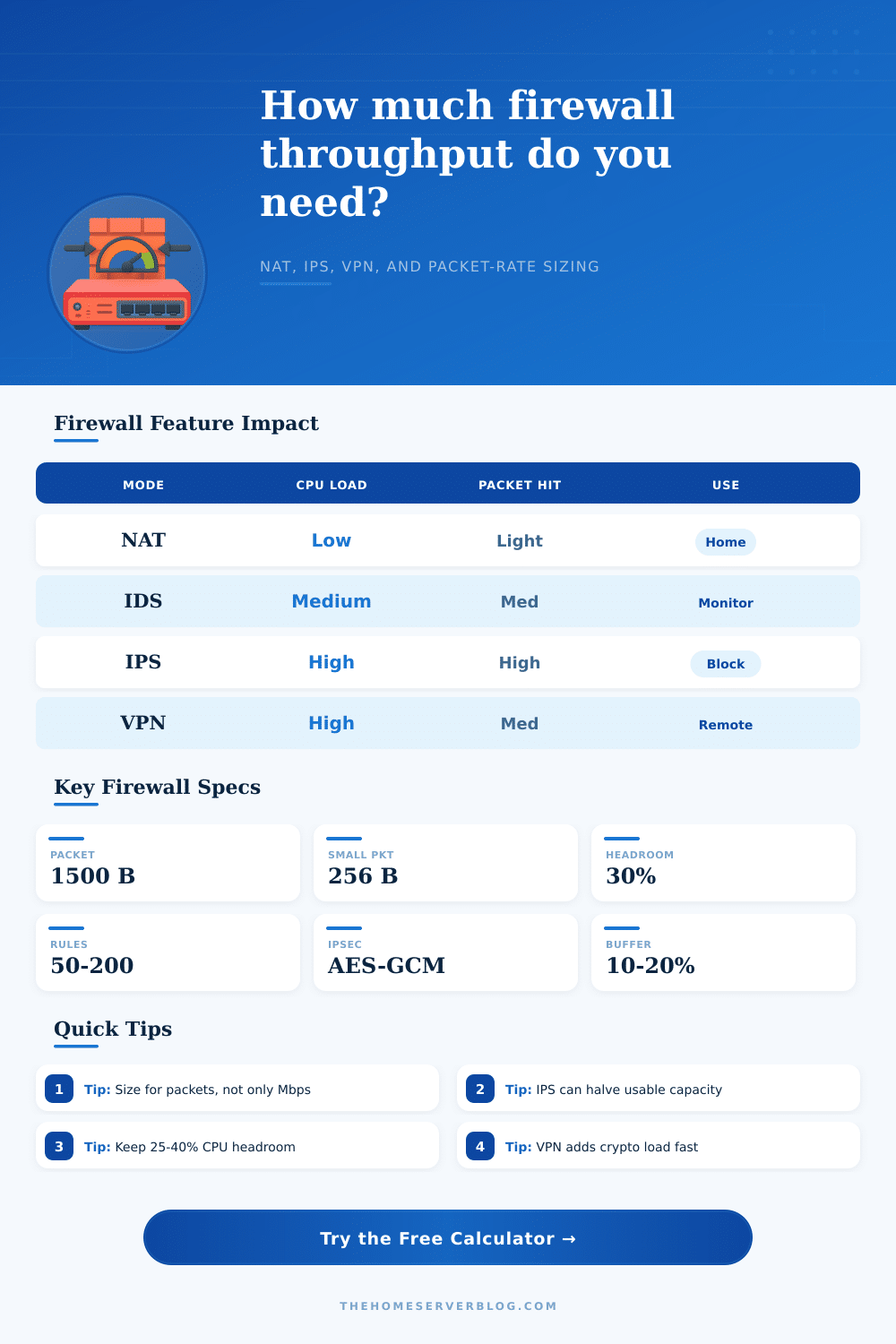
| Mode | Typical home-lab use | Capacity factor | What to watch |
|---|---|---|---|
| Stateful NAT | WAN edge, port forwards, basic policy | 0.90 to 1.00 | Packet size and state table growth |
| IDS monitor | Suricata mirror or alert-only WAN inspection | 0.55 to 0.75 | Rule set size, CPU cache, packet capture drops |
| Inline IPS | Blocking rules for WAN or VLAN choke points | 0.35 to 0.60 | Latency, false positives, single-thread ceilings |
| VPN-heavy edge | WireGuard, IPsec, road warrior users | 0.45 to 0.75 | AES acceleration, tunnel count, MTU overhead |
| TLS proxy stack | Lab proxy, filtering gateway, reverse proxy | 0.25 to 0.45 | Certificate handling and per-flow CPU load |
| Traffic mix | Avg packet | Why it matters | Planning note |
|---|---|---|---|
| Bulk downloads | 1200-1500 B | Mbps usually limits first | Good for speed tests and backup traffic |
| Mixed home use | 700-1000 B | Balanced Mbps and PPS load | Reasonable default for home firewalls |
| Gaming and VoIP | 200-500 B | PPS can limit before Mbps | Watch latency under shaping or IPS |
| VPN with overhead | 500-1200 B | Encryption and encapsulation add CPU | Test with real tunnel MTU and cipher |
| Telemetry heavy lab | 128-400 B | Many small flows stress interrupts | Use NIC offload carefully with IDS |
| Scenario | Feature stack | Suggested target | Extra margin |
|---|---|---|---|
| 1 Gbps fiber home | NAT, 40-80 rules, light VLANs | 1.3-1.8 Gbps usable | Enough for speed tests plus bursts |
| IDS learning lab | Suricata alert-only, 100k states | 2x WAN capacity | Rule updates can change CPU fast |
| Multi-gig VLAN router | Inter-VLAN routing, ACLs, no IPS | 3-8 Gbps usable | Check switch uplinks and LACP flow limits |
| Remote work VPN | WireGuard or IPsec plus QoS | 1.5x encrypted load | Leave CPU for DNS, logs, and updates |
| Inline IPS office | IPS, verbose logs, smart queues | 2.5x WAN capacity | Prefer tested threat-protection numbers |
Firewall throughput is a measurement of how much data an firewall can process. The throughput of a firewall can change significant when you enable specific features on that firewall. Many people believes that the throughput of a firewall is correlated to the throughput of the internet connection a user have.
The throughput of a firewall, however, is influenced by many different factor. Some of these factors are the number of packets per second that the firewall must evaluate, the number of connection state that the firewall must keep track of, and the amount of encryption that the firewall must process. Firewall throughput is also affected by the number of feature a firewall has.
Things That Affect Firewall Speed
Every rule that you add to your firewall requires that the firewall to perform a lookup. Every VLAN that you add to your firewall will require that the firewall also perform additional lookups. Additionally, if you enable logging or Quality of Service setting on your firewall, it will also require that the firewall examines the packet in additional ways.
These settings will also reduce the total throughput of the firewall. Deep packet inspection will also reduce the throughput of a firewall since the firewall must also examine the content of the packets. Deep packet inspection will reduce the throughput of a firewall more greater than stateful NAT will.
Additionally, if your firewall is configured to have virtual private network (VPN) connection, it will also affect the throughput of your firewall. This is because all VPN traffic will require encrypting to protect the traffic. The CPU will have to perform mathematical calculation to encrypt the traffic, which will reduce the throughput of the firewall.
The more VPN tunnels your firewall has, the more greater of an impact encryption will have on your firewall throughput. This factor is separate from the routed traffic because VPN traffic use the CPU of the firewall in a different way than routed traffic does. Your firewall will need to be size based off more than just the throughput of your internet connection.
In addition to internet traffic, firewalls will also handle traffic between VLAN, as well as local service and VPN connections. The total amount of traffic that a firewall must handle may be much more than the throughput of the internet connection. The total demand on a firewall may even be more than the capacity of that firewall.
The calculator also consider both WAN targets and internal target for firewalls to determine the total amount of traffic a firewall must handle. When selecting a firewall, you should also provide some headroom for the firewall. If you run your firewall at a very high level of CPU utilization, you will have very little headroom for other process, such as updating the firewall signature database.
Many firewall administrator find a CPU utilization of 90% to be sufficient, but leave 25 to 40% of the firewalls capacity available for the firewall to have headroom for unexpected traffic volume. Additionally, if you use the buffer setting for your firewall, this will provide headroom for your firewall in the future. You may want to add new service or users at a later date to the network, and having headroom for this will save your organization the effort of having to immediately purchase new hardware.
The calculator also provide a verdict based on the answer you enter into the calculator. A comfortable verdict means that the firewall you have selected can handle the traffic. A tight or upgrade verdict means that the firewall may have issue handling the traffic that is specified in your inputs.
A tight or upgrade verdict on the calculator suggests that you may need to reduce the number of inspection rules on your firewall, or that you should change to a faster firewall platform. While this calculator is not a replacement for actual testing of the firewall you are creating, it will give you a better understanding of some of the factor that will influence the firewall throughput.