HomeServerBlog flywheel UPS planner
Flywheel UPS Runtime Calculator
Estimate usable flywheel energy, ride-through seconds, supported load, generator start gap, N+1 reserve, temperature derating, RPM reserve, and margin for home labs, MDF rooms, and small data rooms.
Runtime breakdown
Reserve and recommendation
Installed modules minus redundant reserve modules.
Recommended active modules for the target and margin.
Critical load converted into bridge energy demand.
Modeled runtime minus generator start seconds.
| Delivered energy | 100 kW load | 250 kW load | 500 kW load |
|---|---|---|---|
| 0.5 kWh | 18 s | 7 s | 4 s |
| 1.0 kWh | 36 s | 14 s | 7 s |
| 2.0 kWh | 72 s | 29 s | 14 s |
| 4.0 kWh | 144 s | 58 s | 29 s |
| Allowance | Typical range | What it protects | Runtime effect |
|---|---|---|---|
| RPM reserve | 10% to 25% | Minimum rotor speed and control margin | Reduces usable energy directly |
| Discharge efficiency | 90% to 97% | Power conversion and bearing losses | Reduces delivered kWh |
| Temperature derate | 0% to 20% | Hot inlet or room conditions | Conservative capacity trim |
| Design margin | 10% to 30% | Load drift and start-time variance | Raises required energy |
| Scenario | Load range | Target bridge | Design note |
|---|---|---|---|
| Network closet | 5 to 25 kW | 15 to 60 s | Generator start or short utility blips |
| Home lab rack | 10 to 80 kW | 10 to 30 s | Protects storage and network core |
| MDF room | 80 to 300 kW | 10 to 20 s | Usually needs N+1 module planning |
| Small data room | 300 kW+ | 8 to 20 s | Coordinate generator acceptance time |
| Checkpoint | Good target | Tight target | Action |
|---|---|---|---|
| Generator crank | 3 to 6 s | 8 s+ | Test cold-start behavior |
| Voltage stable | 2 to 5 s | 8 s+ | Confirm transfer acceptance |
| Transfer complete | 1 to 3 s | 5 s+ | Measure actual ATS sequence |
| Runtime surplus | 5 s+ | 0 to 5 s | Add modules or reduce target load |
It doesn’t fail dramatically. The power grid fails quiet; it’s a moment of low voltage that causes a database crash.
For this we has flywheel UPS systems. They don’t maintain a house for days. They maintains a server rack for fifteen or twenty seconds. This is enough time for the generator to wake up, spin into action, and come to speed. Getting that just so takes some planning.
Why Flywheels Keep Servers Running
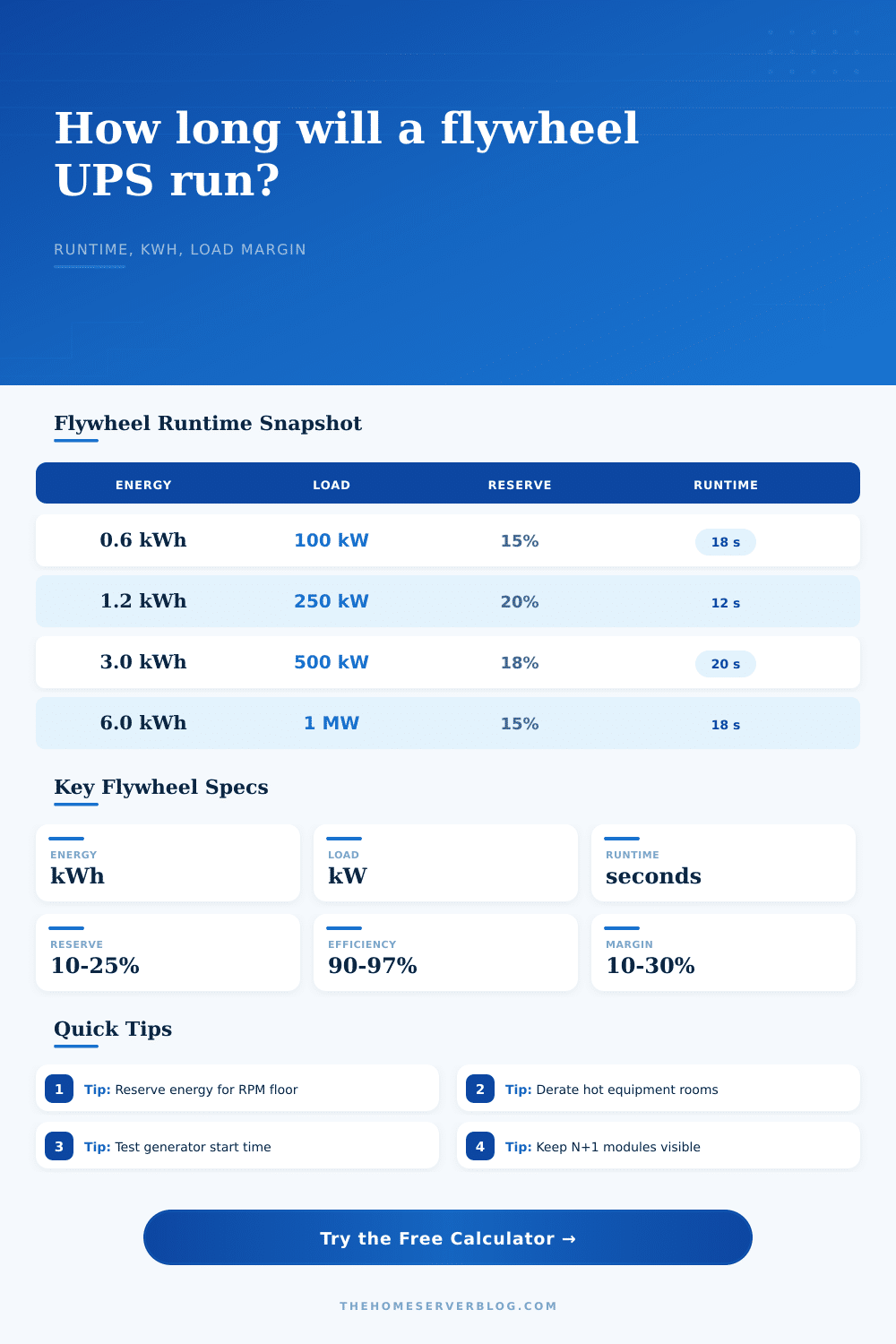
We need a tool to help us plan how long is “just so”. The basic calculation is simple but it gets messier in real life. There is a rotor spinning because you put kinetic energy into it. Power are being pulled out of that reserve by your load. Plug those variables into the calculator and rest of the math gets done for you. No need to guess at the impact of temperature and other efficiency losses. Those quietly shrinks available time. Knowing the inputs distinguishes between a plan and a guess.
Think of the rotor as a slowing top. It is not a limitless battery. Yes, the more quickly it spin the greater its energy content. But there’s no such thing as spinning it infinitely fast. Nor can you allows it to slow all the way down to zero. The second limit is very important, the minimum speed. And most folks don’t know about that either.
At some point, a flywheel will need to have a certain amount of speed. Otherwise, the inverter turns off and magnetic bearings shuts down too. Why? Because it’s protecting itself from failure. It doesn’t matter how much kinetic energy still exists. You are not going to get any power at all.
That’s why the RPM reserve input is such an important parameter. It sets aside a buffer zone in your energy bank. So long as the system stays above its RPM reserve, it is online. On paper, it looks like wasted capacity. But it realy is the difference between a smooth transfer and a hard reset.
Network closets and small data rooms gets hot, and that’s bad. Inverters and air bearings don’t enjoy heat. If it get hot, manufacturers scale back their usable capacity. An 85 degree room may not be a problem to you. To that equipment, it’s a danger zone. By allowing you to lower capacity expectations, the calculator covers for this factor. You plan for the worst day of the year. And that’s annoying…until you actualy need that margin. That margin keeps the lights on.
The same goes for redundancy. In a serious setup, you’ll never run all your modules to their limits. One stays offline. An N+1 spare. If one fails or requires maintenance, it steps up and replaces it. This trade-off is visualized by the tool. It allow you to reserve modules ahead of time. It shows what you’re losing in terms of runtime for safety. Most people think the few seconds lost are worth it. They get peace of mind from knowing they’ve got a system that can withstand a single point of failure.
How does it compare to a battery? “A lot of people ask that. With batteries, your problem is that they only work for minutes to hours in case of an extended outage. Every charge/discharge reduces there effectiveness. They’re finicky about temperatures. Flywheels couldn’t care less how often you use them. Drain them and recharge them every day for as many days as you like. That’s why flywheels are ideal for short-duration but frequent events. Some examples is routine testing of generators or urban brownouts. If you need something for surviving a week-long storm, this isn’t for you. For surviving the 10 seconds from when the grid flickers until your generator comes online, go flywheel.
It’s invisible. That’s the point. No one notices. The server keeps running. The network switch keeps working. The lights don’t blink. If the size is right, the flywheel fades into the background.
Extra capacity, heat, and backup are all taken into account. It spins there in the corner quietley. Waiting for that moment when things get crazy for just long enough. Then it fills the gap until the generator can kick on. And you won’t have any worry.