GPU Memory Bandwidth Calculator
Estimate theoretical and effective VRAM throughput from memory type, bus width, signaling rate, stacks, compression, utilization, and required workload demand.
Bandwidth Results
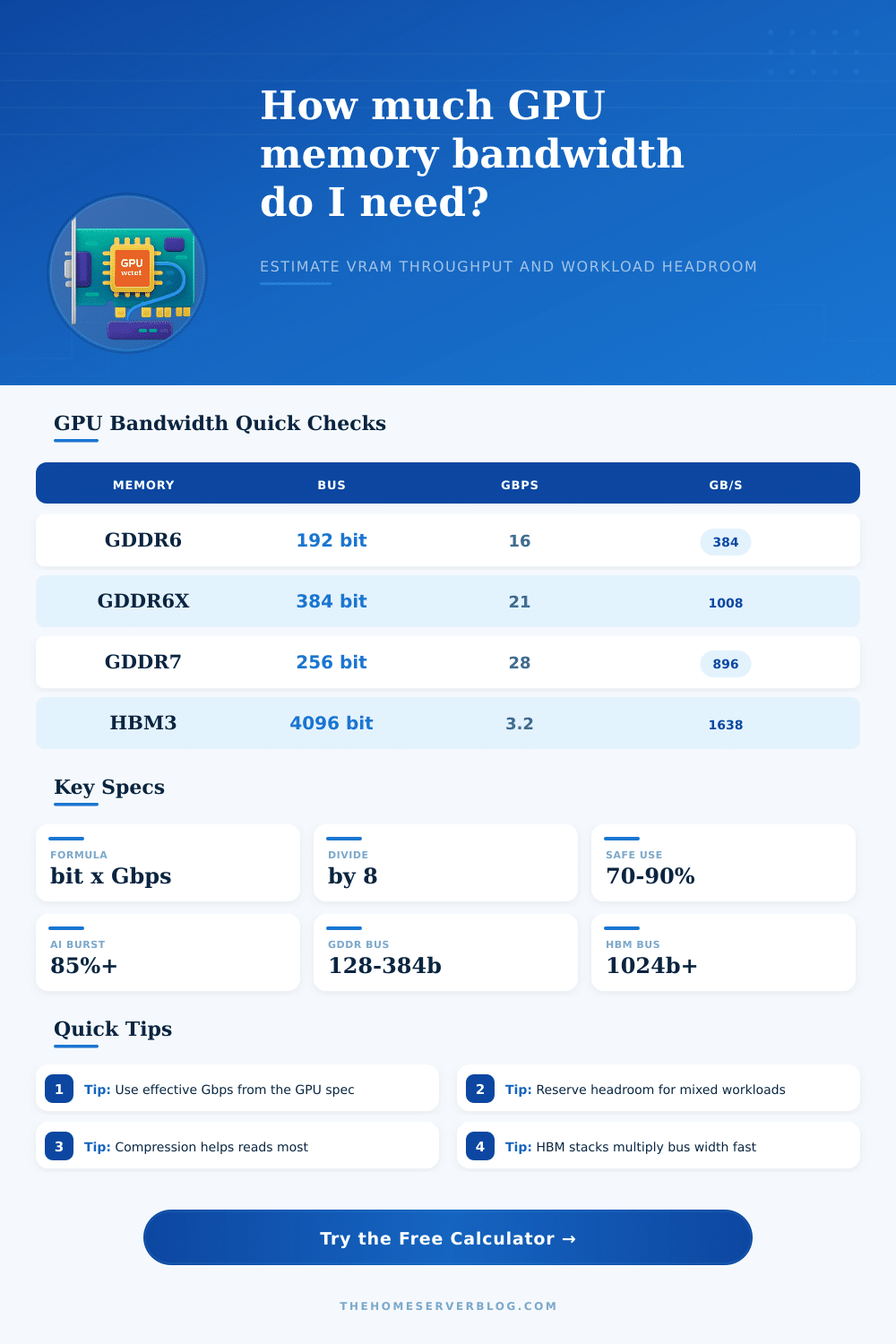
| Memory Type | Typical Effective Rate | Common Bus Layout | Practical Note |
|---|---|---|---|
| GDDR5 | 7–9 Gbps | 128–384 bit | Older gaming and workstation GPUs |
| GDDR6 | 14–20 Gbps | 128–384 bit | Common in efficient home lab GPUs |
| GDDR6X | 19–23 Gbps | 320–384 bit | High throughput with more heat |
| GDDR7 | 28–36 Gbps | 128–512 bit | Higher rate can offset narrower buses |
| HBM2E | 2.4–3.2 Gbps | 1024 bit per stack | Large aggregate bus width |
| HBM3 / HBM3E | 3.2–5.0 Gbps | 1024 bit per stack | Excellent for memory-bound compute |
| LPDDR5X Unified | 7.5–8.5 Gbps | 128–512 bit | Shared memory designs vary widely |
| Preset | Memory | Bus / Stacks | Theoretical Bandwidth |
|---|---|---|---|
| RTX 4060 8GB | GDDR6 17 Gbps | 128 bit x 1 | 272 GB/s |
| RTX 4070 Super | GDDR6X 21 Gbps | 192 bit x 1 | 504 GB/s |
| RTX 4090 | GDDR6X 21 Gbps | 384 bit x 1 | 1008 GB/s |
| RX 7600 | GDDR6 18 Gbps | 128 bit x 1 | 288 GB/s |
| RX 7900 XTX | GDDR6 20 Gbps | 384 bit x 1 | 960 GB/s |
| Arc A770 | GDDR6 17.5 Gbps | 256 bit x 1 | 560 GB/s |
| H100 SXM HBM3 | HBM3 3.35 Gbps | 1024 bit x 6 | 2573 GB/s |
| MI300X HBM3 | HBM3 5.2 Gbps | 1024 bit x 8 | 5325 GB/s |
| Workload | Typical Utilization | Compression Benefit | Home Lab Reading |
|---|---|---|---|
| Game Rendering | 65–85% | Medium to high | Textures and frame buffers benefit from compression |
| Local AI Inference | 75–90% | Low to medium | Large models can become memory bandwidth limited |
| AI Training | 80–95% | Low | Batch size and optimizer state raise traffic |
| GPU Rendering | 60–85% | Medium | Scene complexity changes cache reuse |
| Video Transcode | 25–55% | Low | Fixed-function blocks may matter more than VRAM bus |
| Scientific Compute | 70–95% | Low | Stencil and streaming kernels need high sustained bandwidth |
| Project Type | Required Throughput | Suggested Buffer | Bandwidth Signal |
|---|---|---|---|
| Entry Home Lab GPU | 250–350 GB/s | 10% | Good for light AI and transcode work |
| 1440p Gaming / Rendering | 450–650 GB/s | 10% | Balanced with midrange compute |
| Local LLM Inference | 600–1000 GB/s | 15% | Model size and quantization matter |
| High-End Workstation | 900–1400 GB/s | 15% | Wide GDDR buses still work well |
| Memory-Bound Compute | 1500+ GB/s | 20% | HBM becomes attractive |
Memory bandwidth are a measurement of how quickly data can travel from memory to the GPU cores. Memory bandwidth is the reason that a GPU might not be able to complete a task at the speed that its GPU cores is capable of allowing. A GPU may have many cores and enough VRAM, but if the bandwidth of the memory is too low to supply the data to the GPU cores, the GPU will perform poor.
Memory bandwidth is the gap between how fast the hardware can compute and how fast the memory bus can deliver data to the GPU. Understanding the memory bandwidth of a GPU will allow a potential purchaser to understand whether the GPU will perform well or whether it will stall when performing the task that are required of it. The calculator utilize several different inputs to calculate the memory bandwidth of a GPU.
How Memory Bandwidth Affects GPU Speed
The memory type will determine the signaling rate of the memory. The bus width will determine how many bit of data will travel in parallel along the bus. The number of the memory stacks will determine whether the GPU utilize a single bus or several buses.
The compression efficiency will determine the amount of data that will be saved through the use of texture compression. Finally, the utilization will determine whether the GPU are utilized to their full potential. The combination of these factors will produce a figure that represent the effective data throughput of the GPU’s memory bus.
This figure is a more useful number then the theoretical maximum for the GPU memory bus. Many people will make mistakes when utilizing the calculator if they do not understand the difference between the theoretical and the effective data throughput of a GPU. The GPU may have a high data throughput that is represented in the specification sheet for the GPU.
However, the effective throughput that you’ll experience will be much lower. The bandwidth calculation of the GPU include the compression and utilization rates so that the calculations represent the effective throughput of the GPU. Additionally, the calculations for the GPU data throughput will also apply a safety buffer to account for the operations of the operating system and the display output of the GPU.
This safety buffer will ensure that the calculated value for the data throughput is a realistic measurement of that value. This result will inform the user as to whether the target data demand of the GPU can be met within the memory bandwidth that is available to that GPU. Several different workload will use the data bandwidth in different ways.
Gaming will use the compression of textures and can utilize a moderate utilization rate of the GPU. For local AI inference, the utilization of the GPU will be at a higher rate, and more memory bandwidth will be required. AI training will require the most memory bandwidth of the two tasks as the training will require many operations to be performed at once.
An individual can utilize the different profiles so that they can compare how the same GPU will perform with different workload. The tables provided on the page will provide information regarding the different data rates for each generation of memory. Additionally, the reference tables provide information regarding the data throughputs that are required for different projects.
These tables will allow a user to make a determination of the GPU requirement necessary to handle their desired project. The preset buttons will fill in the memory bandwidth calculation with common GPU specifications. The user can alter each of these fields to account for the specifications of the user’s current GPU.
A common mistake is to assume that the published data bandwidth of a GPU is the amount of data that will actualy travel along the memory bus. However, the published data bandwidth assumes ideal condition and may not account for the way that GPUs are utilized. Similarly, if a workload can be performed within the memory bandwidth that is available for GPUs today, it may require more memory bandwidth than is available in the future due to the increase in the size of models or the complexity of the tasks.
The headroom for a GPU to perform a workload should of be compared to the calculated requirement with a safety buffer to determine whether the GPU has the headroom to grow or whether it will reach its limit in the near future. The numbers that are published from the memory bandwidth calculator will allow a user to make a determination of whether the current GPU should be upgraded. If the headroom is positive, it is likely that the GPU can handle the increased workload.
However, if the headroom is small or negative, the memory bus is the factor that is limiting the performance of the GPU, not the GPU core count or the VRAM capacity. By understanding that the memory bus is the limiting factor, users can avoid the temptation to purchase a GPU with more VRAM than it currently has. By using this calculator, users can stop guessing whether the GPU will be able to handle the workload that they desire from it.
Instead, they can make a purchase of hardware that will be able to efficient perform the tasks that will be required of it. If the mathematical calculations of the required data throughputs match with the tasks that will be required of the GPU, the GPU will be able to perform that task without the memory bandwidth acting as a bottleneck.