Hex to Decimal Converter
Convert firmware IDs, MAC bytes, VLAN tags, port values, color codes, bitmasks, and log entries into decimal with signed, endian, and range checks.
Full Conversion Breakdown
| Hex Digits | Bits | Unsigned Decimal Range | Home Lab Use |
|---|---|---|---|
| 1 digit | 4 bits | 0 to 15 | Single nibble, flags, tiny fields |
| 2 digits | 8 bits | 0 to 255 | Byte, octet, color channel |
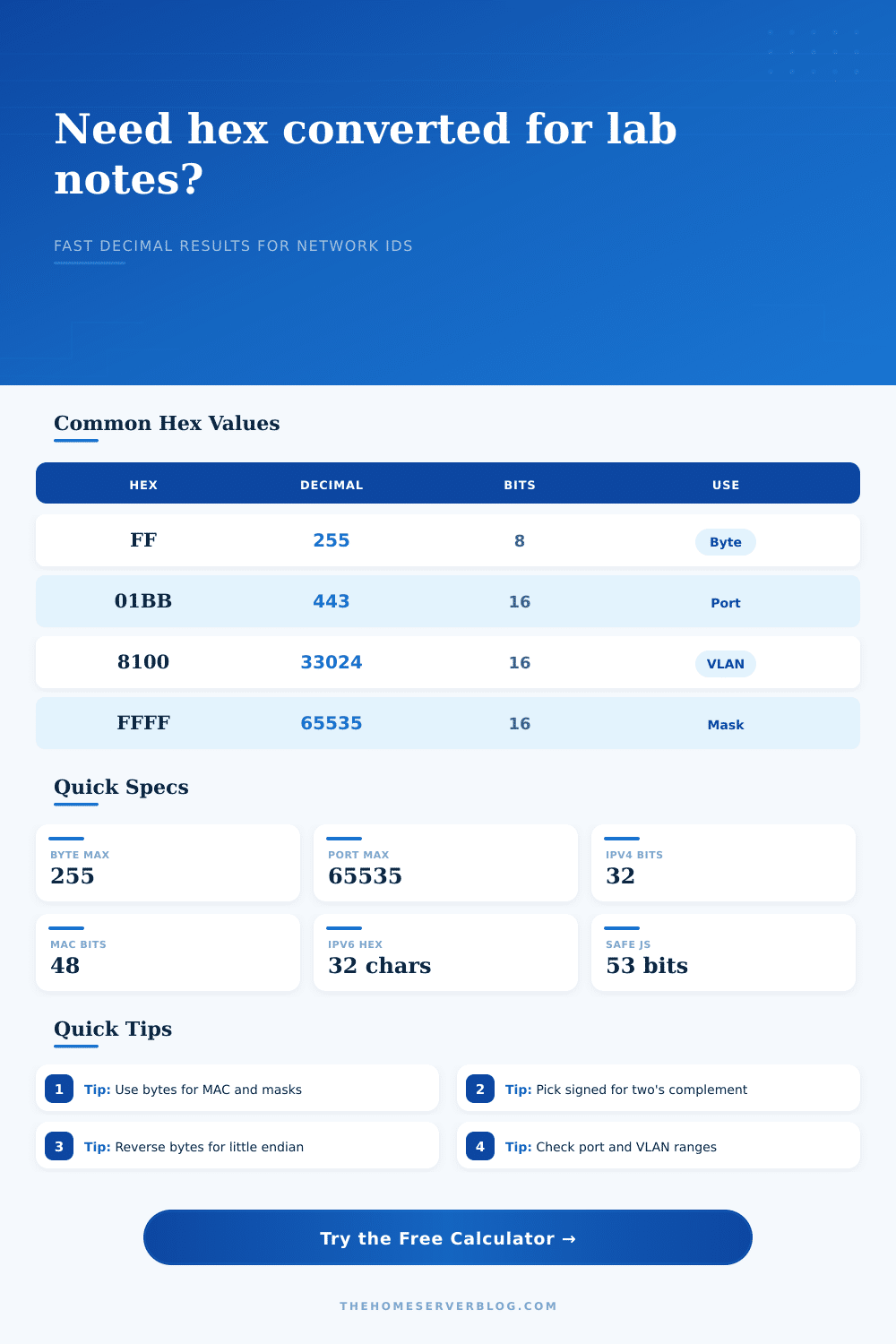
| 4 digits | 16 bits | 0 to 65,535 | Port, VLAN tag, protocol field |
| 6 digits | 24 bits | 0 to 16,777,215 | RGB value, MAC OUI, medium counter |
| 8 digits | 32 bits | 0 to 4,294,967,295 | IPv4 address, netmask, bitmask |
| 12 digits | 48 bits | 0 to 281,474,976,710,655 | Full MAC address or appliance serial fragment |
| 16 digits | 64 bits | 0 to 18,446,744,073,709,551,615 | Event ID, storage counter, hypervisor log value |
| Network Value | Hex | Decimal | Practical Limit |
|---|---|---|---|
| HTTPS TCP port | 0x01BB | 443 | Valid port range is 0 to 65,535 |
| DNS TCP or UDP port | 0x0035 | 53 | Privileged service port below 1024 |
| 802.1Q EtherType | 0x8100 | 33,024 | Tag marker, not the VLAN ID itself |
| VLAN ID maximum | 0x0FFE | 4,094 | Normal usable upper VLAN identifier |
| IPv4 all ones mask | 0xFFFFFFFF | 4,294,967,295 | Equivalent to 255.255.255.255 |
| Multicast MAC prefix | 0x01005E | 65,630 | Common first three bytes for IPv4 multicast mapping |
| Width | Max Unsigned | Signed Range | Endian Note |
|---|---|---|---|
| 8-bit | 255 | -128 to 127 | One byte; endian order does not change it |
| 16-bit | 65,535 | -32,768 to 32,767 | Two bytes may be swapped in host-order logs |
| 24-bit | 16,777,215 | -8,388,608 to 8,388,607 | Common for RGB and OUI fields |
| 32-bit | 4,294,967,295 | -2,147,483,648 to 2,147,483,647 | IPv4 values are normally network byte order |
| 48-bit | 281,474,976,710,655 | -140,737,488,355,328 to 140,737,488,355,327 | MAC addresses are displayed most significant byte first |
| 64-bit | 18,446,744,073,709,551,615 | -9,223,372,036,854,775,808 to 9,223,372,036,854,775,807 | Use exact integer conversion for large counters |
| Project Context | Typical Hex | Decimal Result | Check Focus |
|---|---|---|---|
| Firewall service rule | 0x01BB | 443 | Port range and service mapping |
| Managed switch VLAN | 0x0064 | 100 | Usable VLAN ID range |
| Proxmox node mask | 0xFFFFFF00 | 4,294,967,040 | Byte groups for dotted decimal |
| NAS SMB permission | 0x1ED | 493 | Octal 755 style permission match |
| Rack color label | #E6F0FA | 15,134,970 | RGB channels 230, 240, 250 |
| Telemetry event ID | 0x18F4D2A7B00 | 1,714,315,361,024 | Large exact integer handling |
Pulling a packet capture off your home server, you gets this stream of seemingly random hex values. It’s just gibberish to uninitiated. But for someone who manages a network, it’s the raw language of machine. The first step to understanding exactly what data means is converting the hex strings into decimal integers. This is the difference between staring at a wall of code and getting a clear picture of what protocols is doing, how devices are identified, and what traffic flows where.
But that still leaves us with some guess work and conversion/coefficients, unless we use the calculator above, which do all of this math for you. But what goes in is just as important than what comes out. You also need to know what those settings mean and why you are using them. This includes things like endian mode or word size. A hex string isn’t just a number. It’s a number that holds other information with rules for how it is read and organized.
Why Context Matters in Hex Conversion
If you don’t think about the context or what the number represents, you’ll end up interpreting data incorrecty. This is where many people trip themselves up. Endianess, also known as byte order, for example. Data transmitted over network typically follows big endian ordering; i.e., the most significant byte go first. But your internal logs on your home server may be in little endian, where things is reversed. If you convert a value without taking this into account, then you’ll end up with a totally different number.
The table on page lays it out, the exact same hex digits produce different decimal values based off which way around they’re ordered. It’s a tiny detail, but it count. The wrong byte order could turn a valid port number into an invalid one. You could then spend hours trying to debug something that is not actualy a problem.
And then there is the problem with signed vs unsigned integers. Many fields on the wire is unsigned (they only hold positive values). For instance an IP address octet will range 0-255. They is never negative. Yet other firmware counters and system logs uses signed two’s complement notation. You read a big hex number and think “this must be a huge positive number”. Read it as signed though? It are negative, which signifies underflow or some error state. Which perspective do you view it through? Knowing that can keep you from chasing ghosts in your log file.
A good example of why this type of conversion depend on context is VLAN tags. An eight-oh-two-dot-one-q tagged frame has a known EtherType value (0x08100). This is not part of the vlan id. This is a fixed marker value. Following it in packet is real VLAN identifier, which is a twelve bit field. You have to find out where data starts and stops, otherwise converting the whole thing will give you a number which are meaningless. In other words, you must know what you’re looking for, even if tool can help isolate those fields.
The next level of complication come from MAC addresses. These is forty-eight-bit identifiers that is often displayed as six groups of two hex digits. That means when you translate those, you’re not seeing one big number; instead you’re seeing a device specific piece of data coupled with a vendor code. And while you can break that out into the bytes so you can read it that way, trying to parse entire forty-eight bit integer in your brain is asking for trouble. You’ll end up making a mistake. The tool break it up for you. But the key thing is knowing that the first half of address references who the manufacturer is. This will help you track down rogue devices on network, or figure out why someone has used an address twice.
The same hex system is used in monitoring dashboards and rack labels with their own color codes. For example, #E6F0FA is a web color which are simply three bytes of red, green and blue intensity. If we convert them to decimal, they reveals the actualy brightness levels for each channel. Looks trivial, except when you’re matching digital record against a physical label. Then it’s a handy bridge between the two worlds.
The upshot? Hex to decimal conversion is a matter of translation. It is a translation from neat and tidy language of computers that we call “hex” into something you can read and act on as human. You don’t have to memorize all potential values. All you really should of understand is the system’s rules. Understand how signed values, byte order, and field lengths impacts your number. Once you recognize those as things you can control, the numbers aren’t scary anymore. They’re a signal in the noise. And once you see that, they get pretty clear.