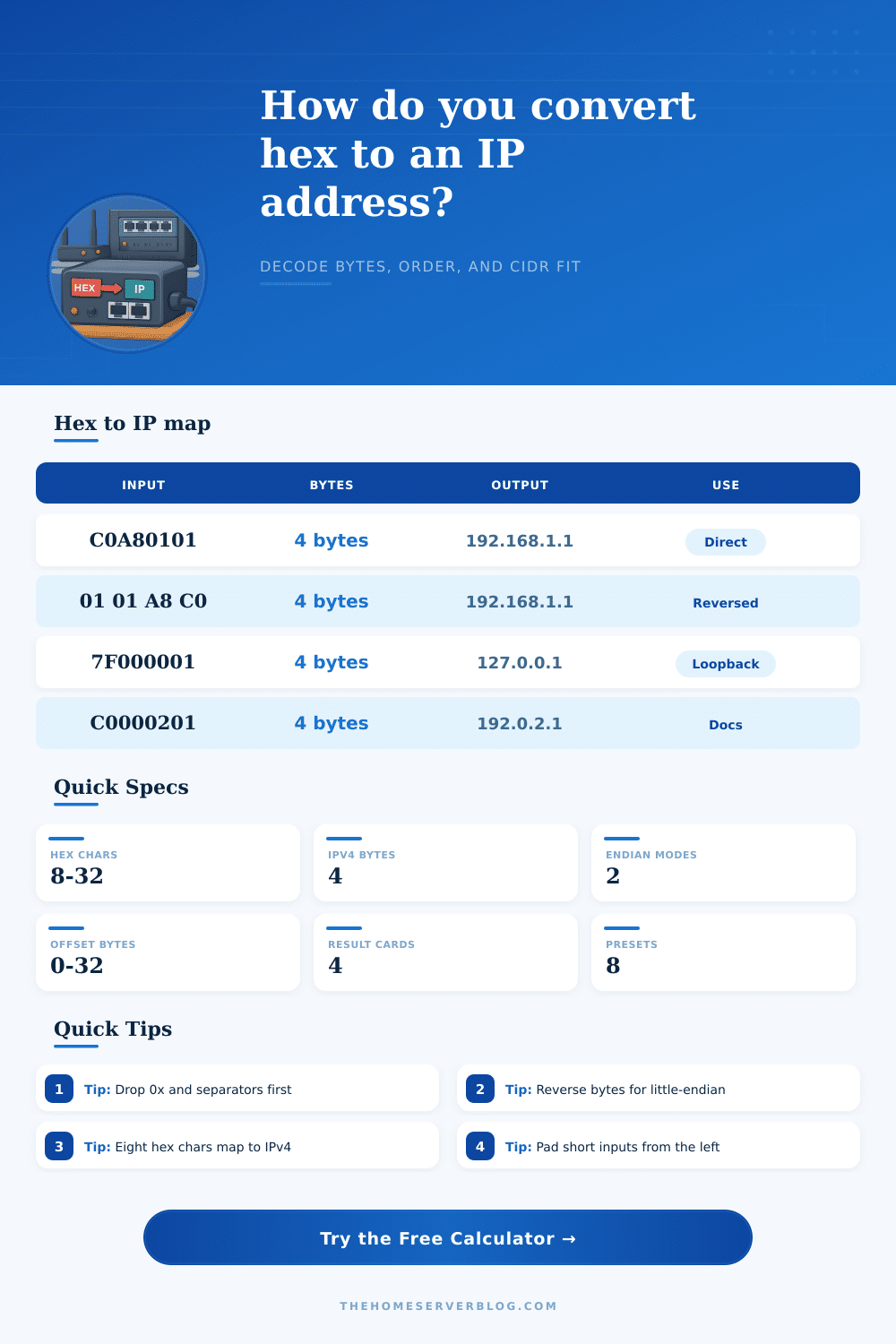
Hex to IP Converter
Decode packed hex into dotted IPv4, test byte order, and inspect scope and CIDR fit with one fast network converter.
📋Conversion Presets
⚙Hex Input Controls
📈IP Spec Grid
📘Reference Tables
| Hex | Bytes | IPv4 | Note |
|---|---|---|---|
| C0A80101 | 4 | 192.168.1.1 | Home LAN |
| 7F000001 | 4 | 127.0.0.1 | Loopback |
| 08080808 | 4 | 8.8.8.8 | DNS |
| 64400001 | 4 | 100.64.0.1 | CGNAT |
| C0000201 | 4 | 192.0.2.1 | Docs |
| AC100001 | 4 | 172.16.0.1 | Private |
| Scope | Range | Use | Rule |
|---|---|---|---|
| Private | 10/8 | LAN | RFC 1918 |
| Private | 172.16/12 | Sites | RFC 1918 |
| Private | 192.168/16 | Home | RFC 1918 |
| Loopback | 127/8 | Test | Local only |
| Link-local | 169.254/16 | Fallback | No route |
| Doc | 192.0.2/24 | Samples | TEST-NET-1 |
| Doc | 198.51.100/24 | Samples | TEST-NET-2 |
| Doc | 203.0.113/24 | Samples | TEST-NET-3 |
| Prefix | Total | Usable | Fit |
|---|---|---|---|
| /32 | 1 | 1 | Single host |
| /31 | 2 | 2 | P2P link |
| /30 | 4 | 2 | Router pair |
| /29 | 8 | 6 | Mini VLAN |
| /28 | 16 | 14 | Small lab |
| /27 | 32 | 30 | Growth room |
| /26 | 64 | 62 | Branch net |
| /24 | 256 | 254 | Classic LAN |
| Style | Example | Best For | Note |
|---|---|---|---|
| Compact | C0A80101 | Logs | Fast paste |
| Grouped | C0 A8 01 01 | Docs | Easy read |
| Colon | C0:A8:01:01 | Scripts | Byte clear |
| Dotted | C0A8.0101 | Router refs | Paired view |
| Reverse | 01 01 A8 C0 | Dump fix | Endian flip |
| Offset | AA55C0A8... | Packet slice | Skip header |
A hexadecimal string represent data in a base-16 format. A hexadecimal string often represent an IP addresses. For example, the hexadecimal string C0A80101 represent the IP address 192.168.1.1.
Using digits in a hexadecimal format is an efficient way to storing data in machine systems. However, the digits in a hexadecimal format are more difficult for humans to read. Therefore, a human operator must convert the string into an IP address so that they can properly understand it.
How to Convert a Hex String into an IP Address
The byte order use in a hexadecimal string is critical to understanding the string and converting it to an IP address. The most common byte orders used in network protocols is big-endian, where the most significant byte is at the beginning of the sequence. However, many computer systems uses little-endian byte order, where the least significant byte is at the beginning of the sequence.
If you dont account for the byte order when interpreting a hexadecimal string, the wrong IP address will be derived from the string, which will make it impossible to find the right network device. Furthermore, in a packet dump of network data, the IP addresses will be after other data in the dump. For example, there could be Ethernet headers or VLAN headers that come before the IP address in the dump data.
Therefore, it is important to identify the starting byte of the IP address. Once you locate it, the four octets of the IP address can be gathered. The CIDR prefix of the IP address can then be used to determine the size of the network block associate with the IP address.
Another important factor in analyzing a hexadecimal string is classifying the IP address. The first octet of an IPv4 address can be used to find the type of IP address that is being used. For instance, if the first octet is in the range of 192 through 223, then it is a private IP address as defined by RFC 1918.
Private IP addresses is used within internal networks and cant be used to communicate on the public internet. If the first octet is 127, then the address is a loopback address that is only used for testing on a single computer. If not properly class, a public IP address may be used in place of a private IP address.
Another important calculation of an IP address is to calculate the number of usable host addresses on the network. With a /24 CIDR prefix, there will be 254 usable host address on the network. Using this format, if one department require more than 254 network devices, then a /24 prefix will not provide enough addresses for each device.
In this case, a person must count the number of devices on a network, and a CIDR prefix select accordingly. If there are not enough addresses in the selected prefix, then there will not be enough IP addresses left for all the network device. On the other hand, if there are too many addresses in the prefix, then there will be wasted IP addresses.
By performing the conversion of the hexadecimal string into an IP address and calculating the number of usable host addresses, network administrators can accurately plan out the networks.