Internet Speed Calculator
Estimate real usable bandwidth, transfer time, Wi-Fi bottlenecks, and peak-hour capacity for a home server or home network.
⚙Network presets
📶Connection and workload
Speeds are converted from megabits per second to megabytes per second, then adjusted for measured performance, access method, protocol overhead, router loss, and your chosen headroom target.
🖧Equipment spec grid
📊Connection capacity by configuration
| Connection | Typical plan range | Real-world trait | Home server impact |
|---|---|---|---|
| Fiber ONT | 300 Mbps to 5 Gbps | Often symmetric, low latency | Best for remote backups, VPN, media access, and self-hosted services |
| Cable DOCSIS | 100 Mbps to 2 Gbps down | Fast download, weaker upload | Great for downloads, but cloud sync and remote Plex streams may wait |
| 5G fixed wireless | 50 Mbps to 500 Mbps | Speed changes with signal and tower load | Good for flexible installs, less predictable for nightly NAS replication |
| DSL or copper | 5 Mbps to 100 Mbps | Distance-sensitive, high upload constraint | Prioritize light services, scheduled sync, and low-bitrate remote access |
| Satellite | 25 Mbps to 250 Mbps | Latency and weather can matter | Works for downloads and browsing, but live calls and remote shells vary |
| Shared building uplink | 50 Mbps to 1 Gbps | Contention rises in evening hours | Use headroom for peak load planning and avoid assuming speed-test highs |
💻Wi-Fi and Ethernet practical throughput
| Access method | Planning ceiling | Best use | Common limiter |
|---|---|---|---|
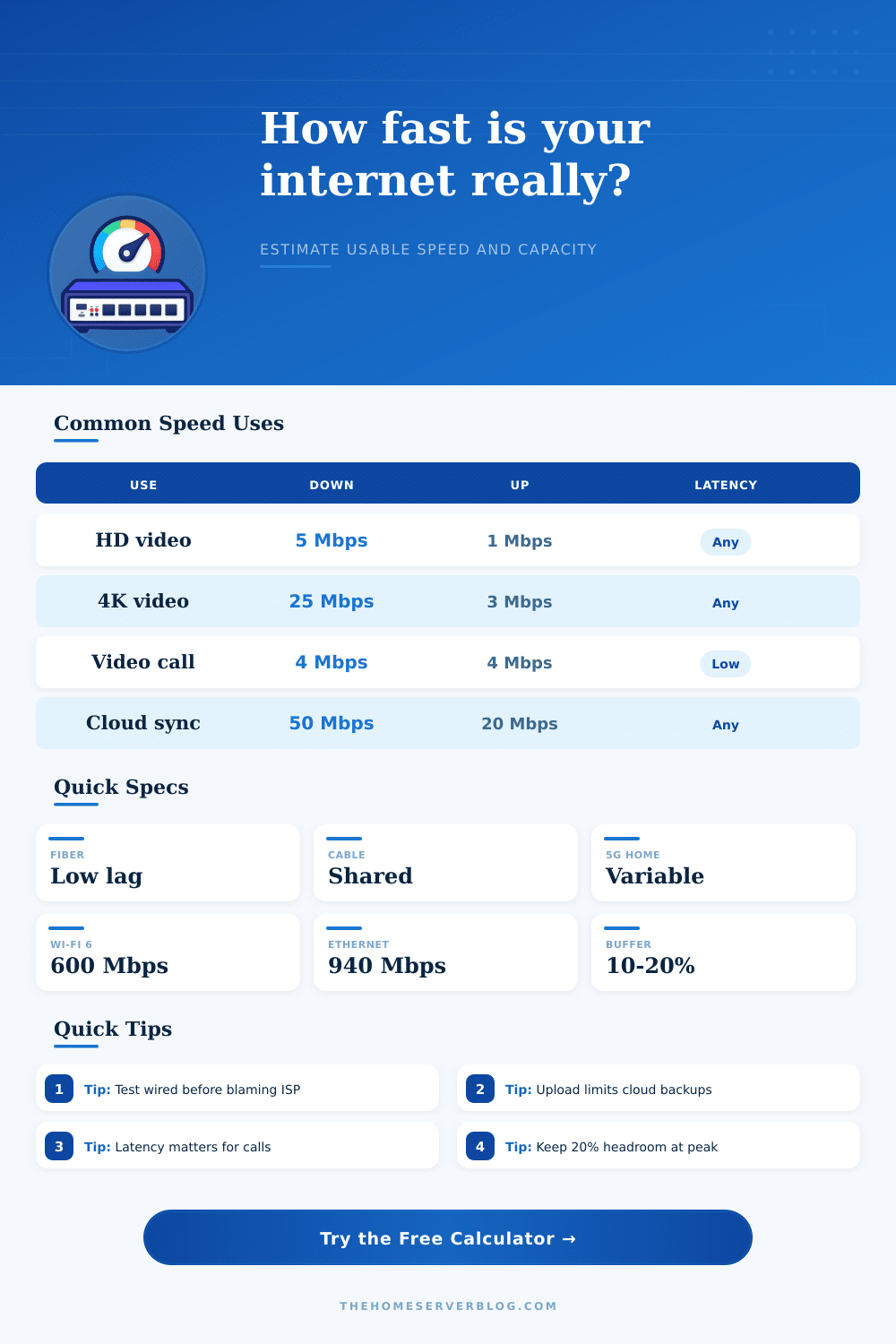
| 1 GbE wired client | 940 Mbps | NAS transfers, gaming PC, server console | Gigabit port and TCP overhead |
| 2.5 GbE wired client | 2350 Mbps | Multi-gig internet, workstation backups | Router WAN/LAN port mix |
| Wi-Fi 4 2.4 GHz | 90 Mbps | IoT, printers, low-demand tablets | Channel width and interference |
| Wi-Fi 5 AC | 450 Mbps | Laptops, phones, 4K streaming | Distance, wall loss, 80 MHz channels |
| Wi-Fi 6 AX | 600 Mbps | Dense homes, newer laptops, phones | Client antenna count and signal quality |
| Wi-Fi 6E 6 GHz | 900 Mbps | Clean short-range high speed | Wall penetration and supported clients |
| Wi-Fi 7 client | 1500 Mbps | New multi-gig devices near AP | WAN speed and multi-link support |
| Wireless mesh hop | 250 Mbps | Rooms without Ethernet backhaul | Shared backhaul airtime |
📈Home network workload reference
| Workload | Download need | Upload need | Planning note |
|---|---|---|---|
| General browsing device | 1 to 5 Mbps | 0.5 to 2 Mbps | Bursty traffic, not continuous |
| HD stream | 5 to 8 Mbps | Minimal | Multiple TVs add quickly at peak time |
| 4K HDR stream | 25 Mbps | Minimal | Use wired or strong 5 GHz or 6 GHz Wi-Fi |
| HD video call | 3 to 4 Mbps | 3 to 4 Mbps | Latency and jitter matter more than raw speed |
| Cloud backup | Minimal | Depends on GB per day | Upload speed decides whether the window finishes |
| Remote Plex stream | Local | 8 to 40 Mbps | Upload must cover bitrate plus overhead |
| Game download | 50 to 1000 Mbps | Low | Disk write speed and CDN limits can cap results |
| Self-hosted VPN | Symmetric use | Symmetric use | Router CPU and encryption overhead can be the bottleneck |
🧮Common project sizes
| Project | Typical speed target | Primary risk | Useful calculator setting |
|---|---|---|---|
| Small home lab | 300 Mbps down, 20 Mbps up | Upload congestion during backups | Set peak window and cloud sync volume |
| Gigabit NAS household | 940 Mbps wired client ceiling | Wi-Fi clients cannot use full WAN speed | Select access method before judging ISP speed |
| Remote media server | 40 Mbps upload per high-bitrate stream | Asymmetric cable upload | Watch usable upload and peak headroom |
| Creator workstation | 100 Mbps to 1000 Mbps upload | Large project delivery windows | Use upload time for the transfer size |
| Home office VPN | 50 Mbps reliable symmetric speed | Latency, jitter, and router encryption loss | Add VPN loss and overhead buffer |
| Mesh Wi-Fi apartment | 200 Mbps to 600 Mbps client speed | Backhaul airtime and neighbor interference | Use the mesh access profile and 20% overhead |
💡Planning tips
Internet speed is a concept that people note when there internet connections fails. An internet connection can fail in the instance that a video begins to buffering or a video call begins to stutter. Additionally, internet connection failures can also occur when data backups takes longer than expected to complete.
In each of these instance, the advertised speed of the internet connection is not meeting the actual speed that is delivered to the devices in the household. The actual speed of the internet is often lower than the advertised speed because the signal must travel through walls, routers, and other data traffic in the network. Understanding the difference between advertised and actual internet speed is important in determining whether the internet plan can support media servers or whether the internet can support all member of the household online at the same time.
Why Your Internet Is Slower Than Promised
The type of internet connection that is used impacts the actual speed of the internet connection. Fiber connections are often the most consistently at providing internet speeds close to the advertised speed. Cable internet connections can offer high rates of download speeds but often offer weaker upload speeds.
Upload speeds can be important for sending large file to the cloud. Fixed 5G and satellite internet providers has variable speeds based off the signal strength at each location. Additionally, because the provider’s towers provide 5G and satellite internet connections to those locations, the rate of the internet can change from one afternoon to the next at the same location.
The calculator that is offered can help determine actual internet speed by entering the internet speed plan and test result. Even with strong internet connection providers, the clients that connect to the internet can limit the actual speed with which the internet operates. For instance, wired gigabit internet connections rarely reach speeds higher than 940 megabits because overhead data reduces the speed of the wired connection.
Additionally, older version of Wi-Fi protocols offer less data transfer speeds than newer versions. The reason that the newer versions of Wi-Fi, such as Wi-Fi 6 or Wi-Fi 6E, have higher speeds is because the signal does not have to travel through as many nodes to reach each device. Mesh nodes, however, require the signal to travel through each hop of the network.
Selecting the proper access method within the calculator will give the user a better view of actual speed due to these difference. Another factor that can limit the actual speed of the internet is overhead. All data packets have data related to addressing the data to the appropriate individual, error checking to ensure the data was transferred correctly, and data related to encryption.
Furthermore, any virtual private network (VPN) access, use of an older router, or the number of wireless device in the area will increase the amount of data within each packet. The user can enter the percentage of internet speed that is used for this overhead data into the calculator so that the actual speed of the internet can be understood. A 10 percent rate of overhead is common on a relatively clean internet connection.
However, if the user employs the use of a VPN or lives in an apartment with many other wireless devices, 15 or 20 percent of the internet speed can be used for this data. The user should adjust the setting for overhead to ensure the user does not overestimate the actual speed of their internet. Additionally, another factor that impact the actual speed of the internet is the workload of the network.
For example, 1000 megabits of internet speed will allow one user to stream a 4K video. However, the same amount of speed may not allow two individuals to stream videos, each with a high number of resolution settings, while maintaining each individual on a video call. Furthermore, other devices may be performing other data intensive tasks in the background.
Such tasks could include cloud syncing or torrent downloads. Each of these task may utilize 30 megabits of internet speed. Workload can be entered into the calculator so that the user can understand if the internet connection can support the number of devices and the tasks that are performed on those networks.
The upload speed of the internet connection is another important feature of the internet connection. For example, many users dont consider upload speed when signing up for an internet provider. Yet, upload speed is necessary for tasks like backing up computers to the cloud or accessing computers that are located outside of the user’s home.
The advertised speed of many cable internet plans may be very high, but the upload speed can be 20 or 40 megabits. Such a low upload speed will require a longer time to back up data and will limit the number of remote video streams that can be supported. Both the download and upload speeds should be entered in the calculator.
Latency and jitter are two additional features that provide insight into the responsiveness of the internet connection. For instance, latencies or jitter that is below 50 milliseconds is acceptable for streaming media but may be noticeable during video calls. Additionally, jitter introduces pauses in the connection.
These unevenly timed pauses in the connection can be awkward when speaking to others on the network. Both latency and jitter can be entered into the calculator to provide the total actual speed of the internet connection. This allows the internet connection with high latency to not receive the same rating as an internet connection with low latency and high speeds.
The calculator for internet speed provides value to the customers of internet providers in that it allows them to view the tradeoffs between internet plans. For instance, a high advertised speed plan may offer low usable internet speeds. Additionally, a more modest internet plan may provide an actual internet speed that is more higher than the fast but asymmetric internet plans.
These comparisons allow the provider to make more informed decisions about which plans to offer to there customers.