How Much Internet Speed Do I Need Calculator
Estimate the download, upload, Wi-Fi, and plan headroom your household needs for streaming, work calls, gaming, cloud backups, and home server access.
⚙Named speed presets
📶Household and connection inputs
Speed Need Breakdown
🖥Speed planning spec grid
📊Download speed by household type
| Household type | Typical download tier | Upload tier to check | What usually drives it |
|---|---|---|---|
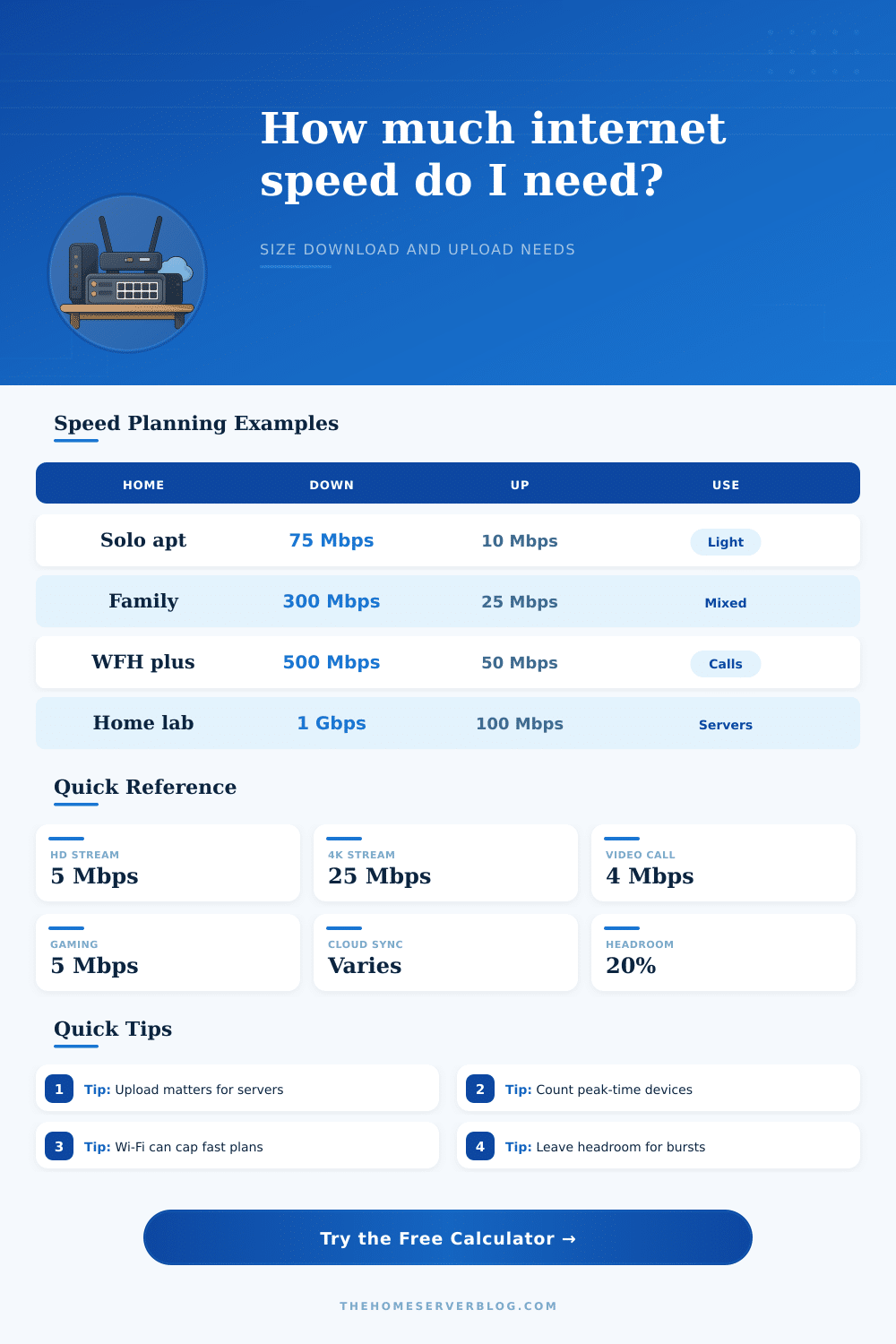
| Solo apartment | 75 to 150 Mbps | 10 to 20 Mbps | One HD or 4K stream, browsing, occasional downloads |
| Two-person work home | 150 to 300 Mbps | 20 to 50 Mbps | Two video calls, cloud documents, streaming at night |
| Family streaming home | 300 to 500 Mbps | 25 to 50 Mbps | Multiple TVs, tablets, consoles, and peak-hour app bursts |
| Gaming household | 500 Mbps to 1 Gbps | 35 to 100 Mbps | Large game downloads, voice chat, stream watching, patches |
| Creator or NAS user | 500 Mbps to 2 Gbps | 100 Mbps to 1 Gbps | Project uploads, remote editing, cloud backup, delivery windows |
| Home lab host | 500 Mbps to 1 Gbps | 100 Mbps or more | VPN, remote media, self-hosted apps, off-site backups |
📘Common activity bandwidth reference
| Activity | Download need | Upload need | Planning note |
|---|---|---|---|
| General browsing device | 1 to 5 Mbps | 0.5 to 2 Mbps | Bursty, so many devices can share capacity |
| HD video stream | 5 to 8 Mbps | Minimal | Count simultaneous screens, not total TVs |
| 4K HDR stream | 25 Mbps | Minimal | Higher bitrate services and remux playback need more |
| HD video call | 3 to 4 Mbps | 3 to 4 Mbps | Latency, jitter, and Wi-Fi quality matter |
| Online gaming | 3 to 6 Mbps | 1 to 3 Mbps | Low latency is more important than raw bandwidth |
| Cloud camera | Minimal | 0.5 to 8 Mbps | Continuous upload can dominate asymmetric plans |
| Remote Plex or Jellyfin | Local for host | 8 to 50 Mbps | Upload speed controls outside-the-home viewing |
| Cloud backup | Minimal | Depends on GB and time window | Daily changed data is more useful than total NAS size |
🔌Access method and Wi-Fi bottleneck table
| Access method | Practical client cap | Best use | Common limiter |
|---|---|---|---|
| 1 GbE wired | 940 Mbps | Desktop, NAS, game console, main TV | Gigabit ports and router WAN speed |
| 2.5 GbE wired | 2350 Mbps | Fast NAS, workstation, multi-gig fiber | Switch, router, and endpoint ports |
| Wi-Fi 5 typical | 350 Mbps | Apartments and older phones or laptops | Signal level, channel width, airtime sharing |
| Wi-Fi 6 strong | 650 Mbps | Modern devices near the access point | Client antenna count and interference |
| Wi-Fi 6 weak room | 220 Mbps | Bedrooms, distant offices, thick walls | Distance, walls, and crowded channels |
| Wi-Fi 6E nearby | 900 Mbps | Clean 6 GHz spaces near the router | Shorter range and supported clients |
| Wi-Fi 7 premium | 1500 Mbps | New multi-gig devices and routers | WAN tier, device support, and backhaul |
| Wireless mesh hop | 250 Mbps | Rooms without Ethernet backhaul | Shared mesh backhaul and placement |
🧮Plan tier comparison table
| Plan tier | Download fit | Upload warning | Good match |
|---|---|---|---|
| 100 / 10 Mbps | Light homes | One big backup can crowd calls | Solo user, small apartment, backup plan |
| 300 / 20 Mbps | Most mixed homes | Upload is tight for cameras or servers | Two to four people with streaming |
| 500 / 50 Mbps | Busy families | Still watch remote media and backups | WFH, gaming, several 4K streams |
| 1000 / 100 Mbps | Heavy download use | Good if upload is truly 100 Mbps | Large game downloads, NAS sync, home lab |
| 1000 / 1000 Mbps | Symmetric fiber | Router and Wi-Fi may become limits | Creators, remote servers, off-site backup |
| 2000 Mbps plus | Niche multi-gig use | Needs multi-gig gear to feel different | Workstations, fast NAS, many wired clients |
💡Planning tips
Selecting the appropriate internet speed require an understanding of how many person will be using the internet simultaneously. Often, it is difficult to determine the best internet speed for your household because advertised speed are not always the same as the speed that people experience. People often purchase an internet plan based off the advertised speed.
However, the advertised speed may not be sufficient for the numbers of individuals that live in the household and utilize the internet simultaneously. You must consider the number of device that are using the internet simultaneously. The internet speed calculator consider various factors that impact the speed at which people can access the internet.
How to pick the right internet speed for your home
It considers how many device will be downloading from the internet versus how many device will be uploading to the internet. Each of these categories have different demands on the internet. Additionally, the internet speed calculator considers the strength of the Wi-Fi signal in the household.
The protocol of the Wi-Fi signal also reduces the actual speed at which people experience the internet. The goal of the internet speed calculator is to recommend a speed that can be provided during the busiest time of the day in the household. The requirement for upload speed is often under-considered by individual.
Devices that require upload speed include devices that are taking pictures with cloud camera, devices that are performing video calls, or devices that are accessing server located elsewhere on the internet. Even if a provider offer an internet plan with high download speed, if the upload speeds are too low, the internet will feel slow. The internet speed calculator consider these task when determining the appropriate internet plan and calculating the appropriate speed.
The capacity of the Wi-Fi signal can limit the number of device that are connected to the internet and the speed at which those device can access the internet. The number of wall in the home, the distance of the device from the router, or the number of device that are interfering with the Wi-Fi signal can place this limit. The access method setting in the internet speed calculator account for the limitations of the Wi-Fi signal.
If the recommended internet speed from the internet speed calculator exceed the capacity of the Wi-Fi signal, a router movement or the use of a wired connection may be required instead of purchasing an internet plan that has a higher speed. The number of device that are using the internet simultaneously is a more important metric than the total number of device in the household. It is possible that the household has a great number of device, but at any given time, not all of those device are utilizing the internet.
The internet speed calculator will ask the individual how many device are online at the same time during the busiest period of the day. Additionally, the calculator will ask how many extra device are online during the same period, as these device still utilize some amount of internet speed. The number of device in the household that perform large file transfer will impact the speed at which the device can connect to the internet.
Devices that perform large file transfer include devices that download large game update, devices that transfer video project, and phone that require data to back up their data. The ability of these device to perform their task require a throughput of data from the internet that is more higher than the throughput required for browsing the internet. The internet speed calculator allow individuals to input the time that they would like to complete the large file transfer.
This will impact the calculation of the appropriate internet speed for the household. Headroom in the internet plan allow for issue with connecting to the internet to be avoided. If the internet plan is sized for the number of device in the household, there will be no headroom for any other device to connect to the internet.
Both the efficiency and headroom setting on the internet speed calculator determine a speed that include this headroom for other device in the household. The recommendation from the internet speed calculator will provide a target speed for the internet connection in the household. However, you must test the current speed of the internet connection.
The test should be performed while connect to the internet via a wired connection during the busiest times of the day. Additionally, you can compare the result of the speed test to the recommendation of the internet speed calculator. If the test result match the recommendation from the internet speed calculator, the internet plan is sufficient.
If the test results indicate that the speed of the internet is lower then the recommendation from the internet speed calculator, the issue may be with the equipment or the wiring in the household.