IPv6 Prefix Delegation Calculator
Plan how many routed IPv6 LANs, VLANs, lab segments, guest networks, and reserved blocks fit inside a delegated prefix from your ISP or upstream router.
⚡Real IPv6 Planning Presets
⚙Delegation Inputs
Full Prefix Breakdown
🖧Equipment And Networking Spec Comparison
| Platform | PD Handling | Typical VLAN Comfort | Best Fit |
|---|---|---|---|
| Basic ISP CPE | Usually automatic /64 to /60 | 1 to 8 networks | Simple home LAN, guest, IoT |
| OpenWrt | DHCPv6-PD, RA, relay, downstream PD | 16 to 64 networks | Advanced home lab router |
| pfSense or OPNsense | Track interface, static maps, RA modes | 32 to 128 networks | Firewall-led segmentation |
| MikroTik RouterOS | Prefix pool, DHCPv6 client, scripted allocation | 64 to 256 networks | Routed labs and edge networks |
| VyOS | Routed prefixes, DHCPv6 relay, BGP/OSPFv3 | 128+ networks | Lab ISP, colo, routed cores |
📊Reference Tables
| Delegated Prefix | /64 LANs Available | Hex Boundary | Common Planning Use |
|---|---|---|---|
| /48 | 65,536 | site:0000 to ffff | Organization, routed site, lab ISP |
| /52 | 4,096 | 16 nibble groups | Large home lab, small colo cabinet |
| /56 | 256 | 00 to ff | Common residential or small business PD |
| /60 | 16 | 0 to f | Compact home network with several VLANs |
| /62 | 4 | 0 to 3 | Very small routed handoff |
| /64 | 1 | single LAN | No room for routed VLAN segmentation |
| LAN Prefix | Host Identifier Bits | SLAAC Friendly | Practical Use |
|---|---|---|---|
| /64 | 64 bits | Yes | Normal Ethernet, Wi-Fi, VLAN, server LAN |
| /80 | 48 bits | No for general LANs | Containers, controlled overlay networks |
| /96 | 32 bits | No for general LANs | Special translation or dense lab mapping |
| /127 | 1 bit | No | Router point-to-point links |
| Project Size | Networks Counted | Suggested PD | Notes |
|---|---|---|---|
| Basic home | 2 to 4 | /60 or /56 | Main, guest, IoT, management |
| Home lab | 8 to 32 | /56 | Server, storage, lab, VPN, DMZ, test VLANs |
| Small office | 12 to 48 | /56 or /52 | Departments, voice, cameras, Wi-Fi, DMZ |
| Routed lab site | 64 to 512 | /52 or /48 | Downstream routers and route summarization |
| Rule Or Standard | Value | Why It Matters | Calculator Impact |
|---|---|---|---|
| RFC 4291 interface ID | 64 bits | Standard IPv6 subnet structure for most LANs | Warns when LAN prefix is longer than /64 |
| SLAAC expectation | /64 | Client autoconfiguration assumes a 64-bit interface ID | Normal mode defaults to /64 networks |
| DHCPv6-PD | Prefix pool | Router receives a block and delegates child prefixes | Total subnets equal 2 to the prefix bit gap |
| Nibble boundary | 4 bits | /48, /52, /56, and /60 align cleanly in hex | Status highlights awkward non-nibble boundaries |
💡Planning Tips
If you’re like most people, you didn’t pick your internet service provider because they offer a large amount of IPv6. Instead, you’re likely assigned whatever prefix your provider gives out, and that may range from standard /56 (standard for home users) down to a more restrictive /60 depending on how old the provider’s delegation policy is. And, being good network engineers, many of us immediately want to use all the addresses we can gets in our block. After all, why waste so much of your prefix? That behavior are ingrained from the days of IPv4 when saving addresses was a must.
In IPv6, saving address is often a bad idea, it just leads to messy routing tables down the road. Prefix delegation is simple math, but that doesn’t mean people gets it right at first glance. For most local area networks, base unit is a /64. That’s sufficient for SLAAC. It’s what almost all device expect today. So if your provider hands you a /56, you can uses 256 of those /64s. How does that translate? Use this web app to figure out exactally how many will be allocated to your existing plans, leaving room for expansion.
Why You Should Plan Your IPv6 Address Space
You describe the number of VLANs in production, guest networks, and planned labs. The calculator then tell you how much remains unused, which is the gap between theoretical capacity and actual usage. Another thing most people don’t remember: A single /64 isn’t all a downstream router uses. Home labs and other small offices with several firewall or switches will likely requires an individual block for each of those interfaces. This is why I added the number of downstream routers as one of the variables in the calculator.
When it sees how many downstream routers you have, it calculates down to the subnet level how many subnets is actually available. That way, when you plan out your 20 VLANs, you won’t realize afterwards that you’ve only got 19 slots because you assigned some block to your edge devices. We tend to count our LANs but not our routers that serve them. And besides, lower use is better anyway.
If you’re at 90 percent of some prefix, adding another service can feel like an audit: do I have enough left? Reshuffle? Re-number? Hope I have a bit somewhere? But if you’re below 10 or 15 percent use, adding a guest Wi-Fi segment or yet-another-IoT-network is trivial. Grab the next /64 that’s available and go. The calculator displays this as a utilization percentage so you get a visual clue on how much space you’ve got left. It provides more than just numbers; it provides operational sanity.
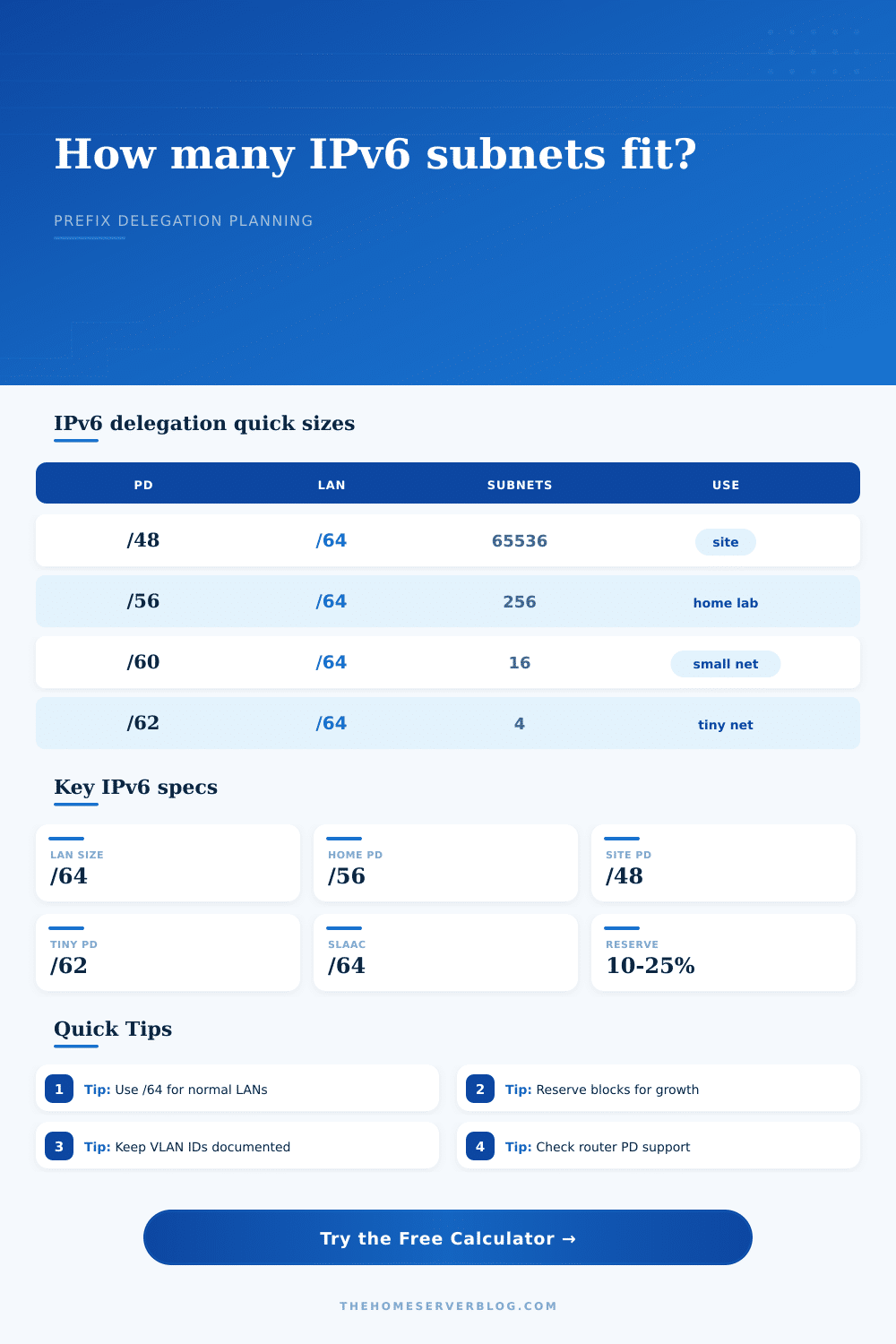
On the page itself there are reference tables to give some perspective on what size delegation is appropriate for various scenarios. A /48 is typical for large locations, which provide 65,536 subnets. A /62 is just enough for one router and a handful of connections. Knowing where your own prefix falls in this scale can help manage expectations. For example, a /60 gets you 16 subnets. This is more than enough for a house, but not much for a serious homelab.
The calculator gives you a chance to check whether your hardware have support for your provider’s delegation mode. Some consumer devices don’t work very well with prefix delegation, requiring static assignments or NAT66, which defeats the point of IPv6 entirely. In other words, planning for IPv6 isn’t about stockpiling address space; it’s about planning hierarchy. Clean routes are summarized. Your firewall rules can be understood. Adding a new VLAN doesn’t require paging through a spreadsheet.
The calculator lets you plan this out on paper before committing it to settings. It takes what might otherwise be abstract bits and turns them into actual networks with space set aside for those projects you haven’t even considered. In the end, you are aiming for a spacious network, not a tight one. You don’t want chaos in your routing table, you want to see order there. When you properly size your delegation using the calculator, you get an IPv6 implementation that’s both scalable and flexible. A little bit of up-front time invested pays off in terms of hassle-free growth over many years.
Remember: this isn’t a finite resource to be hoarded like gold, it’s a canvas to be organized. Respect it, leave some white space, let the network breathe. You should of planned ahead for more luxurios connectivity.