IPv6 Subnet Prefix Length Calculator
Plan IPv6 site delegations, desired subnet counts, SLAAC /64 LANs, nibble boundaries, host bits, hierarchy levels, and growth reserve for a clean home lab address plan.
Example: 2001:db8:1234:: or fd42:1200:10::
Used to split allocation bits across hierarchy levels.
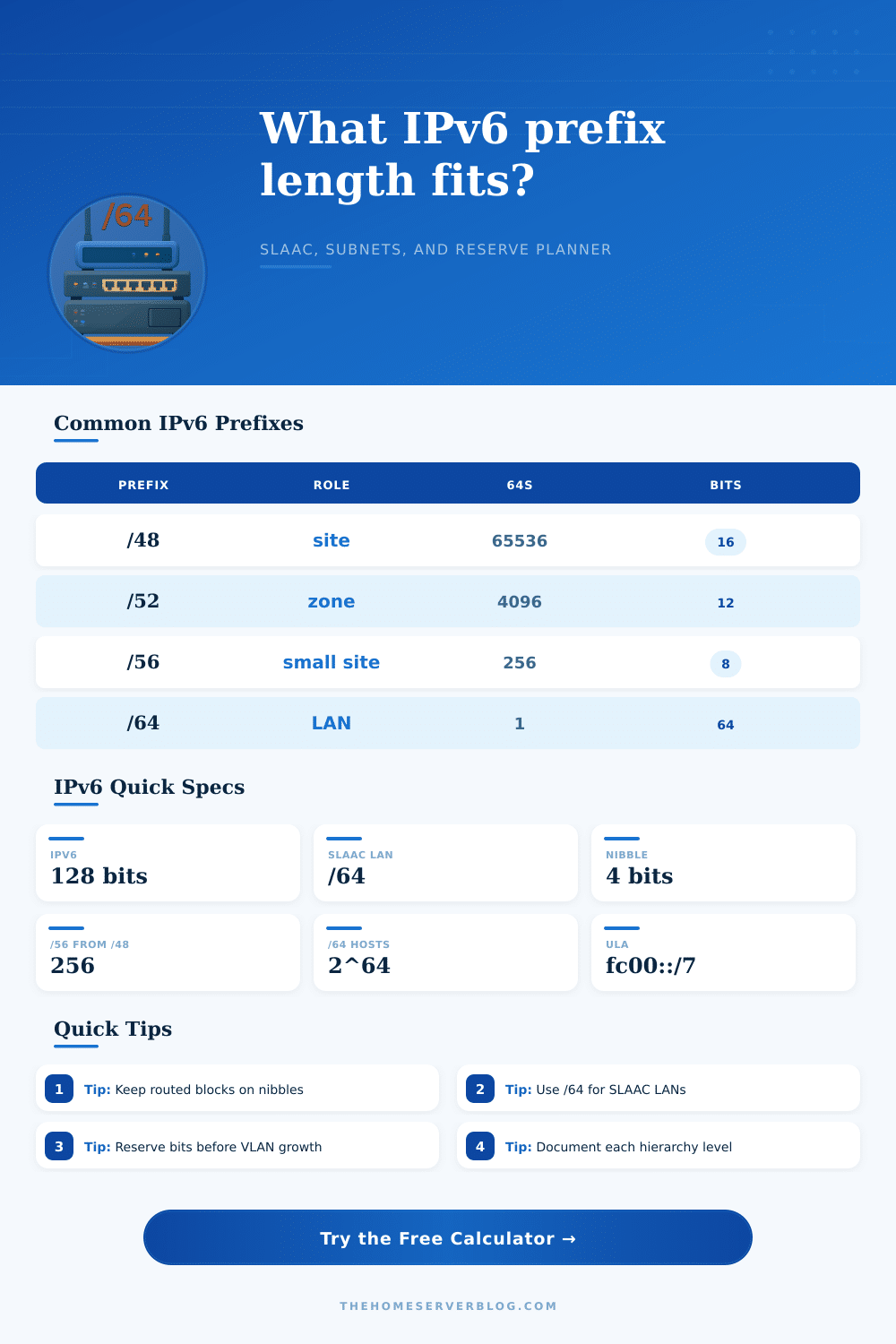
Each square represents one IPv6 hex nibble, or 4 bits. Boundaries at /32, /48, /56, /60, and /64 are easier to document because they end cleanly between hex digits.
| Prefix | Typical Role | /64 Subnets | Subnet Bits | Planning Use |
|---|---|---|---|---|
| /32 | Provider or large organization | 4,294,967,296 | 32 | Can delegate many /48 sites |
| /40 | Region or large lab group | 16,777,216 | 24 | Useful above many /48 sites |
| /48 | Normal site assignment | 65,536 | 16 | Clean site, building, VLAN hierarchy |
| /52 | Large zone inside a site | 4,096 | 12 | Good routed area below a /48 |
| /56 | Home or small business delegation | 256 | 8 | Common ISP customer prefix |
| /60 | Small residential delegation | 16 | 4 | Enough for a few home VLANs |
| /64 | Single LAN or VLAN | 1 | 0 | Standard SLAAC subnet size |
| Hierarchy | Example Prefix | Blocks Below | Good Fit | Note |
|---|---|---|---|---|
| Site | /48 | 16 bits to /64 | Whole home lab or office | Start of local plan |
| Area or building | /52 | 16 /56 blocks | Floors, racks, buildings | Nibble aligned |
| Zone | /56 | 16 /60 blocks | Security zones or labs | Easy DHCPv6-PD target |
| VLAN group | /60 | 16 /64 LANs | Small routed block | Nice for firewall rules |
| LAN or VLAN | /64 | 2^64 hosts | SLAAC, RA, NDP | Do not split for clients |
| Prefix | Host Bits | SLAAC Fit | Typical Use | Planning Caution |
|---|---|---|---|---|
| /64 | 64 | Yes | Client LAN, VLAN, WiFi | Default choice for normal subnets |
| /72 | 56 | No | Special lab segmentation | Breaks normal SLAAC expectations |
| /80 | 48 | No | Container or service pool | Use only with managed addressing |
| /96 | 32 | No | Translation or mapped range | Not a client LAN size |
| /112 | 16 | No | Infrastructure range | Document neighbor behavior |
| /127 | 1 | No | Point-to-point routers | Not for Ethernet client VLANs |
| /128 | 0 | No | Single host route | Loopback or address object only |
| Boundary | Hex Digits Fixed | Blocks to /64 | Readable Example | Operational Benefit |
|---|---|---|---|---|
| /32 | 8 | 2^32 /64s | 2001:db8::/32 | Provider-scale summary |
| /40 | 10 | 2^24 /64s | 2001:db8:1200::/40 | Regional grouping |
| /48 | 12 | 65,536 /64s | 2001:db8:1234::/48 | Clean site identity |
| /52 | 13 | 4,096 /64s | 2001:db8:1234:1000::/52 | Large routed area |
| /56 | 14 | 256 /64s | 2001:db8:1234:1200::/56 | Common PD child |
| /60 | 15 | 16 /64s | 2001:db8:1234:1230::/60 | Compact VLAN set |
| /64 | 16 | 1 /64 | 2001:db8:1234:1234::/64 | LAN boundary |
This all comes from the fact that most folks beginning a home lab begin with the prefix they get from their ISP (a /48) which then seems overwhelming in scope. A /48 feels like having a whole continent when you only need a garage, which is why people tend to hoard address space instead of planning it. People therefore try to conserve address space, rather than plan it, using just enough bits. This work against them down the road because it makes your routing table a mess with no clear boundary lines.
It’s not so much that choosing a random number is the trick, but converting that number into the structure of networks and hex digits. In this case, IPv6 use 128 bits. This sounds big, until you realize we print them as sequences of four-bit chunks (called nibbles) represented in hexadecimal. So if you don’t stop on a nibble boundary with your prefix length, say by stopping at /53 or /57 instead, then you’re forcing yourself to work with fractional hex values. Not only do these look bad, but they is easy to get wrong when transcribing.
Plan Your IPv6 Address Space Wisely
Most folks miss that point because they focus on the mathematics of capacity while ignoring how easy documentation is to use. If you glance up at the planner, you’ll see it nudges you towards perfectly aligned blocks: e.g., /52, /56, or /60. It’s no coincidence that those numbers corresponds to full hex digits within your address string. If you have a /56 block, it fits nicely into fourteen hex digits which leaves you with two leftover digit for subnetting before you reach the last LAN boundary. This nice alignment is easier to summarize and easier for humans to type correctly during a late-night troubleshooting session. Leave the bit counting to the calculator so you can worry about if this hierarchy make any sense for your physical layout.
And don’t forget that whole “/64 subnet for real user networks” hard-and-fast thing. With IPv4, we’re used to using slimmer subnet masks to conserve address space. But with IPv6, the protocol insist on assigning each Link-Layer network an entire /64 (with the idea being that you use SLAAC and send out Router Advertisements). If you attempt to pack more than one VLAN of clients under a /60 or smaller, then those protocols will break, since the interface ID generation expect sixty-four bits of host. This is not just good practice but is in many cases necessary for the protocol stack to do what it’s supposed to do.
That is, you’re going to spend the time figuring out how to fit those mandatory /64 blocks into a larger structure. Given a /48 site allocation, that give you sixteen bits of space between your site prefix and the last LAN. You can cut it up any way you want, but cutting it on nibbles makes sense, maybe four bits are building numbers, four bits are floors, and four bits is department code, etc. The net effect is that each level forms a neat little pair of hex characters, which is far easier to keep straight in your mind than keeping track of where the binary offset comes from.
Even with as many IPv6 addresses as anyone could possibly need there is still extra room for growth to be considered. The surplus lets you afford to waste some in order to make things clear. A 25% buffer is not just to prevent running out of IP addresses. It is to ensure you stay inside a single, summarizable block so you can avoid rewriting your routing policy and firewall rules when adding another rack of servers. Better to pad out blocks lightly and find out later that you need to split up into separate blocks than to overfill every one and then wish you hadn’t. You should of planned better.
To put things into perspective, the tool comes with a table of common delegations (ranging from /32 provider blocks all the way down to /127 point-to-point links) so you have some idea what small/large looks like here. For example, a /60 is very small in IPv6, containing only sixteen /64 subnets. But that’s plenty flexible to support a nice home network if done thoughtfully. The important part is: don’t make an address plan based solely on arithmetic efficiency! Make one based off your real-world setup and your management style. Begin by assuming you need a /64 per client. Go up to round numbers at convenient nibble boundaries. Leave whatever else is left over to support your own organization way of doing things, instead of making your brain bend to the will of the bits.