HomeServerBlog LoRa planning tool
LoRa Duty Cycle Calculator
Check whether a LoRa sensor, gateway-facing node, or private telemetry link stays inside its duty-cycle budget after airtime, packet rate, retries, sub-band rules, gateway diversity, and daily message targets are counted.
📡Network presets
⚙Duty-cycle inputs
Calculation breakdown
Duty budget meter
▣Live planning metrics
Auto LoRa formula unless override is set.
Includes retries and similar nodes.
Average silence needed per packet.
Application bytes per on-air second.
🗺Region comparison grid
📊LoRa duty reference tables
| Duty limit | Airtime per hour | 1 second packets | Planning note |
|---|---|---|---|
| 0.1% | 3.6 seconds | 3 packets/hour | Very tight alarm, join, or rare telemetry budget. |
| 0.4% | 14.4 seconds | 14 packets/hour | Useful conservative cap for some dwell-aware plans. |
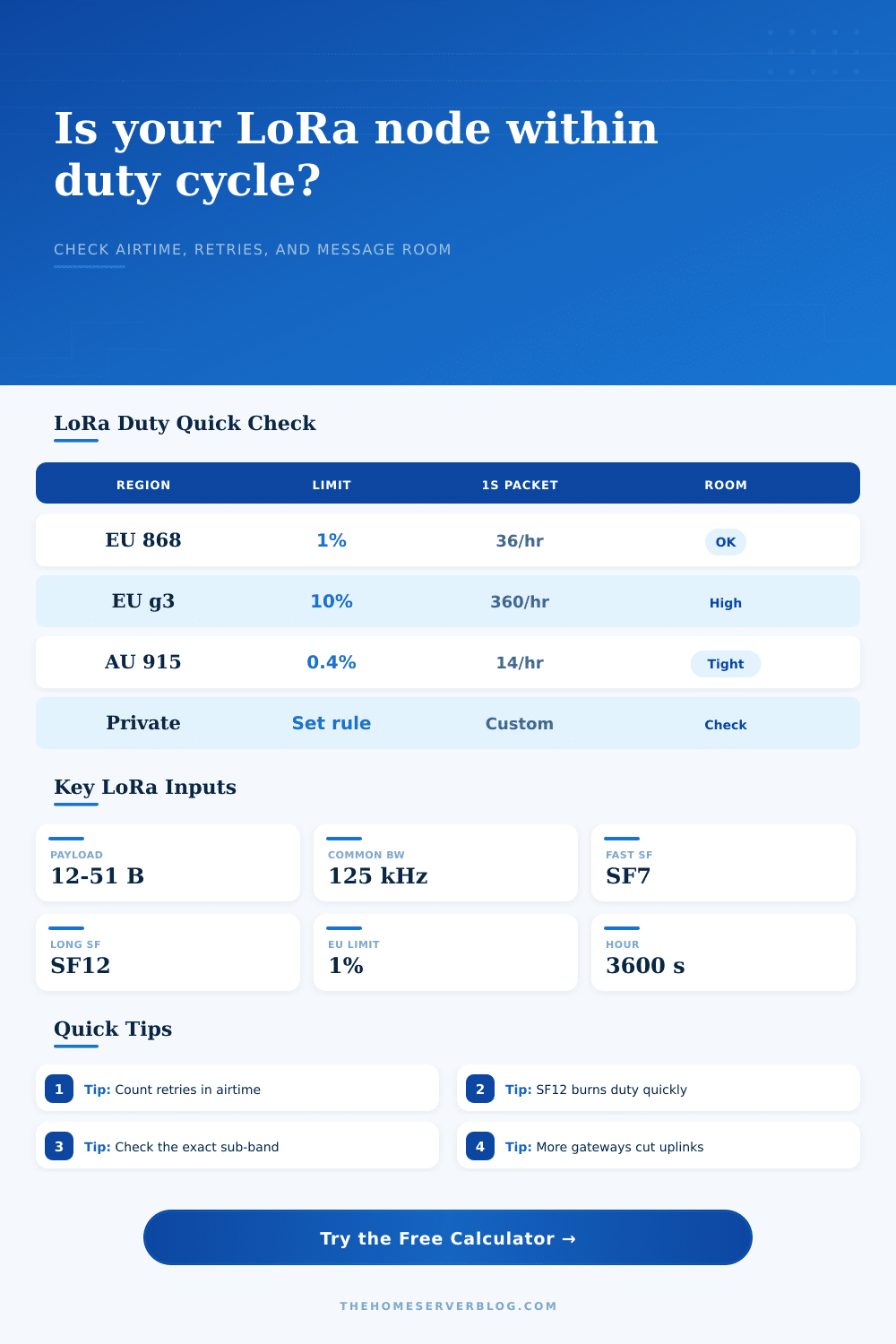
| 1% | 36 seconds | 36 packets/hour | Common EU sub-band planning limit for low-rate sensors. |
| 10% | 360 seconds | 360 packets/hour | Higher allowance, but still avoid noisy application designs. |
| Spreading factor | 125 kHz symbol | Relative airtime | Duty-cycle effect |
|---|---|---|---|
| SF7 | 1.024 ms | 1x baseline | Best for short range and dense message plans. |
| SF9 | 4.096 ms | About 4x SF7 symbols | Moderate range with visible duty-cycle impact. |
| SF11 | 16.384 ms | About 16x SF7 symbols | Low data-rate optimization commonly applies. |
| SF12 | 32.768 ms | About 32x SF7 symbols | Excellent reach, but messages per hour collapse quickly. |
| Payload pattern | Typical bytes | Good SF range | Duty advice |
|---|---|---|---|
| Binary contact | 2-6 bytes | SF7-SF10 | Batch repeated state changes when possible. |
| Weather packet | 12-24 bytes | SF8-SF11 | Use slower reporting during stable conditions. |
| Meter reading | 10-20 bytes | SF9-SF12 | Prefer scheduled reads over confirmed uplinks. |
| GPS tracker | 28-51 bytes | SF7-SF10 | Keep burst modes off constrained sub-bands. |
| Retry rate | Multiplier | Common cause | Mitigation |
|---|---|---|---|
| 0% | 1.00x | Clear path, unconfirmed uplinks | Keep monitoring RSSI and SNR trend. |
| 10% | 1.10x | Occasional fading or collisions | Add gateway diversity or reduce SF pressure. |
| 25% | 1.25x | Marginal indoor node | Move antenna or cut confirmed traffic. |
| 50% | 1.50x | Bad link margin | Fix RF path before adding more messages. |
⚡Duty-cycle tips
When beginning a LoRaWAN network, you begin with battery life and range in mind, but frequently it’s the duty cycle limit that becomes problem. What’s that? It’s the regulation governing how long your device can transmits data. Depending on where you’re at (in Europe, it may be down to one percent of the clock). One percent of an hour are thirty-six seconds. So if your sensor sends one packet per ten minutes, well, that’s half your budget right there.
And then throw in retries and network joins and interference from your next-door-neighbor’s smart meter, you can actualy account for these things in the calculator. Once you enter in your spreading factor and packet size, the calculator takes care of math for you. It will save you from doing all this conversion between millisecond airtimes to hourly percentages yourself.
Planning Your LoRaWAN Duty Cycle
There’s an underlying contradiction in LoRa designs: duty versus reach. The more you spread your signal, the farther away it will go. All the way past brick walls and into trees for five kilometers. But the higher your spreading factor, the heavier and slowerer each packet get on the air. What takes a fraction of a second at SF7 can now take several seconds at SF12. People forget this trade-off. More range mean less message capacity.
Jumping from SF9 to SF12 can halve the number of times you can update something in a day if you’re operating under a tight one percent limit. It’s not just about reaching the gateway; it’s about reaching it without burning through your allotted airtime before sunrise.
Retries are one big part of the duty budget. You can have a great link where there’s a good line of sight and get 90 percent packet delivery through the air, in a dense urban apartment block it’ll be less. Each time a packet fails to transmit it has to be retried using up the same amount of airtime. To account for that, you can feed the tool with an estimate of how many times a packet get sent before it arrives. So if you’re getting only five percent link margin, pretty bad, and estimating a twenty percent chance of retries then the calculator will tell you that in reality you’re sending out packets at fifteen percent more than what your schedule says.
It’s all about the margin on your link. Send a single strong signal and you’ve got a shot at delivering it the first time. Keep your duty cycle low and make your battery happy.
The other side of the equation is gateway diversity. With just a single gateway to hear your node, any degradation in signal quality require the packet to be retransmitted. Two or three gateways covering you? Your probability of at least one getting the packet increases a lot. Enter how many gateways are hearing your node into the calculator. This impacts the effective retry load. It’s a small tool but it has a big impact on your available airtime. More gateways = fewer retries. More room for actual data.
But it’s not a rule everywhere. For example, in Europe they’re pretty strict about how they use sub-bands. Sometimes it is as low as one tenth of a percent (or maybe one percent) for anything but emergency traffic. In other bands, even Australia are stricter than the US. And in the US it’s not so much about percentages as how many milliseconds you spend on any given frequency, what’s called a dwell time model. Those differences is neatly listed in the reference tables on this page. What works for an EU node won’t necessarily work based off the US.
Why do the networks care? Because they have a reason and going over the limit can result in either being fined or having your node blocked on the network server.
Run the numbers before deploying a fleet of sensor. How many messages can you really send in a day under worst-case retry conditions? What happens if you have to add a ten percent planning margin for firmware updates and unexpected joins? The answer might be that you’re now at ninety percent of your limit.
Lower the spreading factor. Cut the payload size. Duty cycle is a finite resource. Spend it once and you could of not get it back till the next hour resets. Plan for the silence between packets just as much as you do for the packets themselves. That’s how you keep the network alive.