HomeServerBlog LoRa planning tool
LoRa Time on Air Calculator
Estimate LoRa packet airtime, daily duty-cycle usage, application throughput, payload sensitivity, and coin-cell or LiPo battery life from spreading factor, bandwidth, coding rate, preamble, header, CRC, and telemetry frequency.
📡Telemetry presets
⚙LoRa packet inputs
Formula breakdown
Duty-cycle status
📊Live LoRa metrics
Computed as 2^SF divided by bandwidth.
Header, CRC, coding rate, and LDRO affect this count.
Largest packet count inside the selected duty-cycle limit.
Minimum spacing from airtime divided by duty-cycle fraction.
🧮Payload comparison grid
📚LoRaWAN reference tables
| Region or plan | Typical channel rule | Example limit | Planning note |
|---|---|---|---|
| EU863-870 | Duty-cycle sub-bands | 1% common | Many networks use sub-band duty limits, so slow SF12 traffic must be rare. |
| US902-928 | Dwell and hopping behavior | Plan by dwell | LoRaWAN channel use differs from simple EU-style duty-cycle math. |
| AU915 and AS923 | Regional channel plans | Varies | Check local channel mask, dwell time, and network-server settings. |
| Private lab | Local policy or test license | Set manually | Use the duty input as an engineering ceiling for shared gateways. |
| Spreading factor | 125 kHz symbol | Range behavior | Airtime behavior |
|---|---|---|---|
| SF7 | 1.024 ms | Shortest range, strongest capacity | Best for nearby nodes and gateway tests. |
| SF8 | 2.048 ms | Moderate range | Good for common meters and short outdoor paths. |
| SF9 | 4.096 ms | Useful range bump | Often a practical compromise for moving sensors. |
| SF10 | 8.192 ms | Longer reach | Airtime becomes noticeable for chatty telemetry. |
| SF11 | 16.384 ms | Long range | LDRO is normally needed at 125 kHz. |
| SF12 | 32.768 ms | Longest common range | Use sparingly; packets can occupy the channel for seconds. |
| Payload profile | Typical bytes | Example fields | Compression idea |
|---|---|---|---|
| Binary door event | 4 to 8 bytes | Node, event, battery | Bit-pack flags and send only changes. |
| Soil or leak sensor | 8 to 14 bytes | Moisture, temp, battery | Use scaled integers instead of JSON strings. |
| Weather station | 16 to 28 bytes | Temp, humidity, wind, rain | Delta-code values when the firmware supports it. |
| GPS tracker | 20 to 42 bytes | Lat, lon, speed, flags | Send fixed-point coordinates and fewer decimals. |
| Diagnostic frame | 32 to 51 bytes | Counters and radio stats | Reserve for install or fault windows, not every uplink. |
| PHY setting | Typical value | Effect on ToA | Home lab guidance |
|---|---|---|---|
| Preamble | 8 symbols | Adds fixed sync airtime | Keep default unless gateway detection needs a change. |
| Explicit header | On | Adds header bits | Use explicit mode for normal variable-length LoRaWAN-style packets. |
| CRC | On | Adds payload-symbol work | Leave on when the receiver or protocol expects it. |
| Coding rate | 4/5 | Higher CR means more symbols | Raise redundancy only when link quality justifies the capacity cost. |
| LDRO | Auto | Changes denominator in payload formula | Enable for long symbols, commonly SF11 or SF12 at 125 kHz. |
🛠LoRa planning tips
Flash the firmware, set up the antenna, stick your LoRa sensor out in the far corner of the warehouse. You place your LoRa sensor in the far corner of the warehouse. It sends a packet but the gateway never recieve it. An hour later you debug your code and find out the packet sat on the air for three seconds, exceeding the tight regional duty cycle limit. Network server just threw it away. That’s the silent killer of long range networks.
You can have perfect signal strength, but if your packet take too long to send, it is useless. The tool above lets you see that tradeoff before you even solder anything together.
How to Plan Your LoRa Network
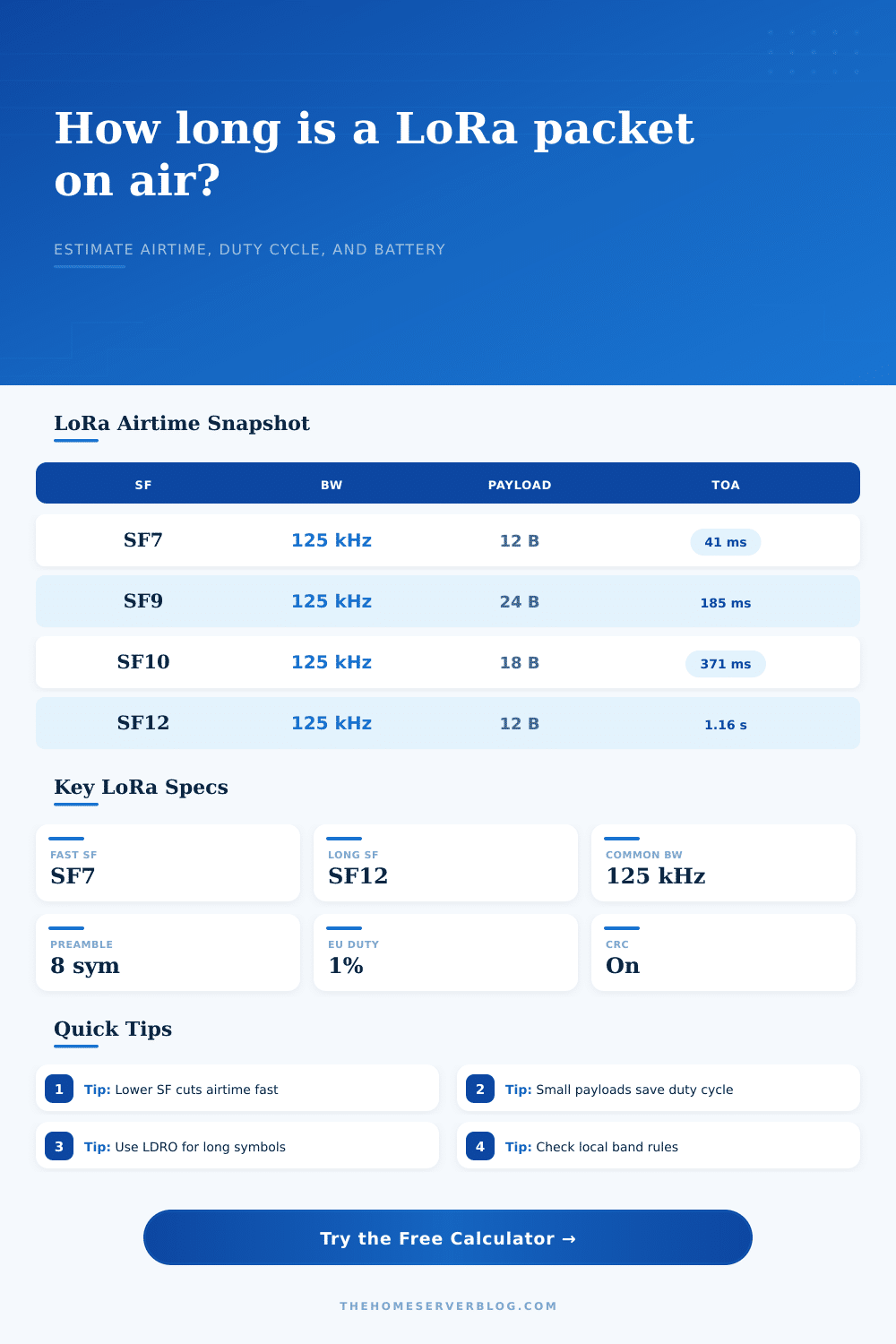
Time on Air is the most misunderstood variable in LoRa design. Engineers will wring every last dB out of their antenna and power amplifier; they’ll forget all about how long the burst last. This number is controlled by the dial called “spreading factor.” When you crank the dial up, you get more sensitive, signal penetrates further and deeper into wall. However, the price for raising the dial is that symbol time doubles. For example, when you go from SF7 to SF12 @ 125kHz, one millisecond becomes one second.
A second doesn’t look like much on a piece of paper, but do that twenty four times a day, and now you’ve burned through your regulatory allowance. Plug in your settings and our calculator does the math so you don’t have to guess how much channel space your telemetry realy takes up.
And payload size counts. If you have something that can send fifty bytes of JSON and only need four bytes of binary, that’s a luxurios LoRa can rarely afford. Each additional byte is a symbol in the packet, increasing its time on air. Those milliseconds are precious in a congested network, adding up to dropped frames and collisions.
The table on the page reference several different sensors and their corresponding payload sizes. There are eight for a door sensor: one flag plus a battery readout. There may be thirty if it is a weather station with rain, wind, temperature and humidity. Trim down your data to make it fit into the medium. If you’ve got big telemetry streams you can pack bits together (bit packing) or use delta encoding to compress them while preserving the most critical information. It doesn’t save much but it keeps you within your duty cycle budget.
Same goes for battery life. Depending on sleep draw and transmit current, the calculator works out how many days a given LiPo or coin cell lasts you. As you can imagine, the higher the spreading factor, the longer the radio stay on, burning through more juice per packet. And while cranking down the spreading factor saves time (which could be helpful in noisy environments), it also increases the likelihood of a retry if the receiving node can’t get your packet. Retries kill batteries faster then a single long transmission. So you want the lowest spreading factor that still gets your packets received reliably at whatever distance you’re shooting for.
How do you know? Test. Set the spreading factor as high as possible to test range. Then back off till you see packets start to drop. That’s your sweet spot. The calculator help you model this trade-off between speed and power by letting you adjust parameters and see results within days of operation.
The last boss is regulatory constraints. Yes, there’s a 1 percent duty cycle limit in Europe. That means you can’t transmit all the time. Frequency hopping and dwell time rules make things interesting in North America. Ignore them and you’ll get into hot water, or at least have a network that doesn’t work. To accommodate this, the calculator has fields for daily packet count and duty cycle limits. So long as it’s 0.8 percent of your daily allowance, you’re good. If it says 2 percent, its time to tweak something. Perhaps it is the update rate. Perhaps you switch to a narrower bandwidth if the hardware supports it. Perhaps you settle on a shorter range. Radio physics doesn’t offer any free lunches. Always expect to pay in capacity for range.
The reference tables list some common regional constraints so that you can compare your design to your local constraints. The whole point of designing a LoRa network is to manage expectations: do you care about high data rates? Do you need long range? Low power? You get to pick two. And the calculator make you choose explicitly.
Put in your link budget estimate, payload size, and desired update rate. What does the time on air look like? If it’s too long, reduce the spreading factor or shrink the packet. If it’s too short, maybe you are burning battery by being excessively reliable. It’s an iterative process. But it is much better than guesswork.
Well tuned LoRa nodes go completely unnoticed. They work silently for years. Poorly tuned ones fails after weeks. Usually it’s just a matter of a couple milliseconds of airtime.