MTU Overhead Per Protocol Calculator
Compare real Ethernet, VLAN, PPPoE, VPN, and overlay header stacks to estimate inner MTU, MSS, payload efficiency, and wire overhead.
Calculated protocol overhead
| Protocol stack | MTU reducing overhead | Typical payload result | Where it matters |
|---|---|---|---|
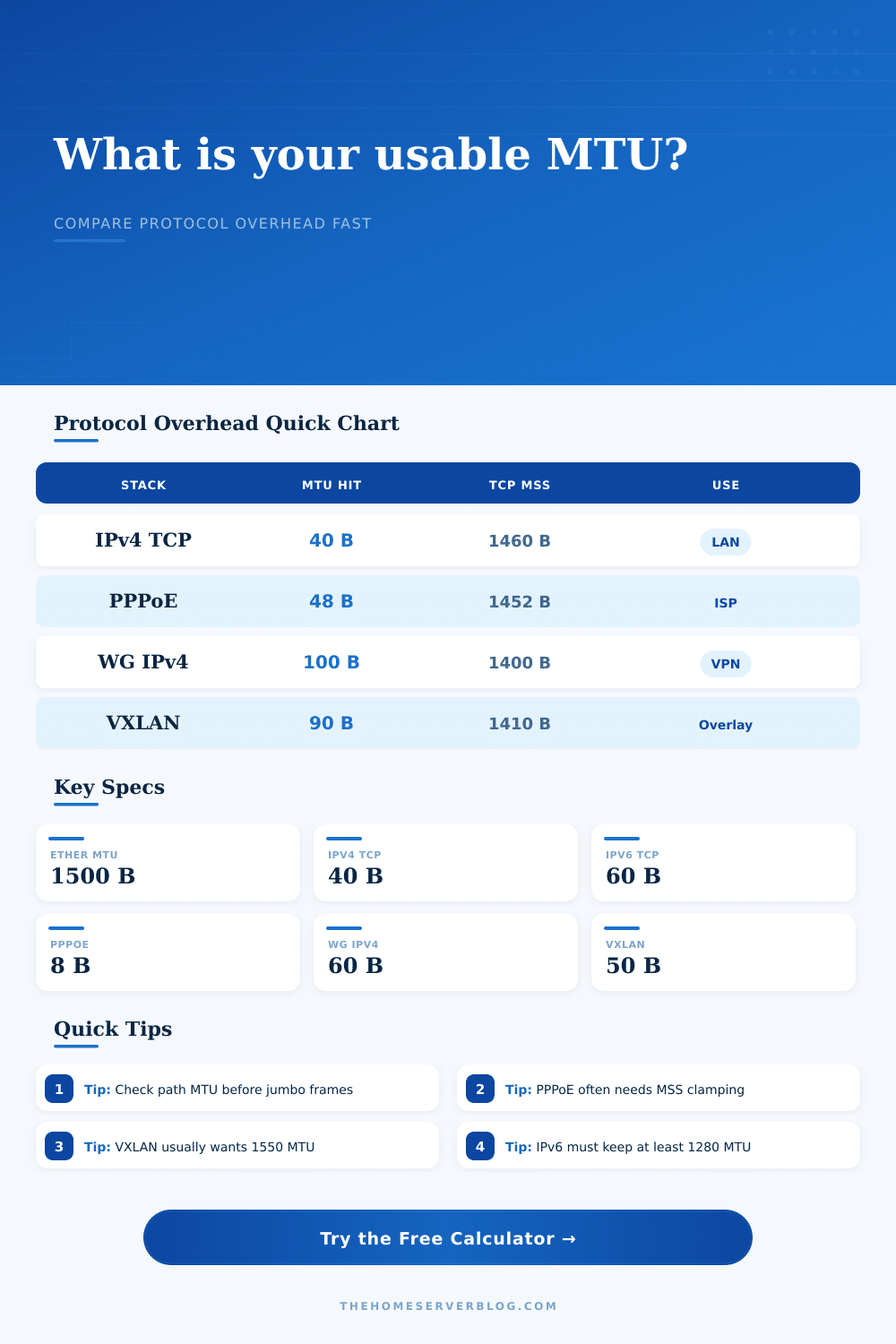
| Ethernet II + IPv4 + TCP | 40 bytes above application payload | 1460 byte TCP MSS on 1500 MTU | Default LAN, NAS, server management, web traffic |
| Ethernet II + IPv6 + TCP | 60 bytes above application payload | 1440 byte TCP MSS on 1500 MTU | IPv6 enabled home labs and dual stack services |
| PPPoE + IPv4 + TCP | 48 bytes above application payload | 1452 byte TCP MSS on 1500 MTU | Fiber and DSL WAN links using PPPoE authentication |
| WireGuard IPv4 carrying TCP | 100 bytes before Ethernet wire framing | 1400 byte TCP MSS on 1500 MTU | Site-to-site tunnels, remote admin, mesh VPN |
| IPsec ESP tunnel with NAT-T | 114 bytes before Ethernet wire framing | 1386 byte TCP MSS on 1500 MTU | Firewall-to-firewall VPN through NAT |
| VXLAN over IPv4 UDP | 90 bytes for inner IPv4 TCP with VXLAN | 1410 byte tenant TCP MSS on 1500 MTU | Virtualization overlays and routed lab fabrics |
| Item | Bytes | Counts against IP MTU? | Calculator treatment |
|---|---|---|---|
| Ethernet II header | 14 | No | Included in wire efficiency, not subtracted from link MTU |
| Frame check sequence | 4 | No | Included in wire efficiency to show actual media occupancy |
| Preamble and start frame delimiter | 8 | No | Included as layer 1 overhead for Ethernet links |
| Inter-frame gap | 12 | No | Included as idle wire time between Ethernet frames |
| IPv4 base header | 20 | Yes | Subtracted from inner MTU before payload calculation |
| IPv6 base header | 40 | Yes | Subtracted from inner MTU before payload calculation |
| TCP base header | 20 | Yes | Subtracted from inner MTU; option bytes are added when selected |
| UDP header | 8 | Yes | Subtracted from inner MTU for maximum UDP payload size |
| Scenario | Starting MTU | Stack to test | Practical target |
|---|---|---|---|
| NAS backup VLAN | 9000 | IPv4 TCP with one VLAN tag | Keep all switch ports, NICs, and storage hosts at the same jumbo size |
| Fiber WAN with PPPoE | 1500 | PPPoE IPv4 TCP | Use 1492 interface MTU or clamp TCP MSS near 1452 |
| Remote admin VPN | 1500 | WireGuard over IPv4 | Start near 1420 tunnel MTU, then test both directions |
| Proxmox overlay lab | 1550 | VXLAN over IPv4 UDP | Carry 1500 byte tenant traffic without fragmentation |
| Firewall IPsec tunnel | 1500 | ESP tunnel mode with NAT-T | Expect a lower MSS than simple WireGuard or GRE tunnels |
| Encapsulation | Added bytes | Underlay MTU for 1500 inner | Notes for home labs |
|---|---|---|---|
| None, routed Ethernet | 0 | 1500 | Baseline for most unmanaged and managed switch networks |
| PPPoE | 8 | 1508 for full 1500 IP MTU | Many ISP handoffs do not support baby jumbo frames |
| GRE over IPv4 | 24 | 1524 | Simple lab routing tunnel, usually no encryption |
| WireGuard over IPv4 UDP | 60 | 1560 | Common VPN option for small home server sites |
| VXLAN over IPv4 UDP | 50 | 1550 | Usually configured on the switch or virtualization host underlay |
| IPsec ESP NAT-T | 74 | 1574 | Exact value can change with cipher, padding, and authentication tag |
If your network can stream video just fine, yet has problems with large backups or SSH connections, you might have noticed a pattern: It’s not really about bandwidth. It’s typically about packets. That is, your data comes in separate chunks and each layer of the protocol stack eats up some of those chunk with its own headers. Eventually, if those chunks are too large for the narrowest part of the path they break apart. This doubles (or worse) the number of header required on each chunk, killing throughput due to fragmentation.
By default, the maximum transmission unit (MTU) on an Ethernet network is 1500 bytes. And it works perfectly for simple Layer 2 switching. But this isn’t a law written in stone. No sir. This was simply a historic standard designed for basic Layer 2 switching operations.
Why MTU Matters for Your Network Speed
In today’s home labs, we get all fancy. We likely use VLANs, maybe even tunnel our traffic over OpenVPN or WireGuard. Maybe you virtualize some stuff and use VXLAN as well. All of these “stacked” technologies put a layer around your initial packet. And each of them has a header that take up space that could be used to transport your data.
The table calculator above does the math for you. It will tell you exactly how much space you have left for your application payloads. This calculation includes all of your tunneling, encapsulating, and tagging methods.
The first thing most folks hit in the interface is the MTU. See 1500? Oh, I’ve got 1500 bytes to play with.” They ignore the fact that an Ethernet frame surrounds their IP packet. This frame contains a preamble, inter-frame gap, and footer. The tool shows you what the real efficiency is on the wire vs. This is the MTU as seen by the OS.
Why does it matter if you’re pushing gigabits per second across a link that’s nearly saturated? The smaller the packet, the worse the header ratio. The fewer packets sent, the bigger each one can be without wasting time doing bookkeeping.
Let’s take an ordinary WireGuard tunnel as an example. There is about 60 bytes of overhead for UDP encapsulation and encryption. Your effective TCP MSS plummets. Maybe you’re thinking you’ll just go with a 1500 MTU within the tunnel anyway? Nope. It swells up, goes past the path MTU, gets fragmented. Or maybe it’s dropped silently by some firewall that doesn’t bother sending back the right sort of ICMP error message.
The page has a nice reference table laying all that out. It shows what the maximum segment size are given various combinations of stacks.
The other gotcha is that some people using a home fiber connection use PPPoE, which adds an eight-byte overhead to the session. Sounds trivial until you understand that it reduces the effective MTU to 1492. Want to send a typical 1500 byte packet on that? Fail. And guess what? Few ISPs let you use jumbo frames as compensation. You must clamp the MSS. The calculator will help you determine just how much, no guesses necessary.
There’s more complexity with virtualization. Your underlay network needs to support an MTU of at least 1550 so you can transport a complete 1500 byte tenant packet without fragmentation. This is complicated by the additional 50 bytes of overhead introduced by VXLAN. Your virtual machines will suffer if your physical switches is locked at 1500. Throughput on storage traffic will be reduced and latency will be high.
The fix is often painful in hardware and trivial in software. At every hop you need compatible switches.
So what exactly do you get? The trick is mostly understanding what is actualy being measured. You receive a number called wire efficiency percentage from the tool. That indicates how much of the electrical signal on the copper is actual data and how much is chatter in the form of protocols. If it’s low, that means you’re paying for bandwidth you aren’t using. And it means increased CPU load on your endpoints as they has to process more headers for each megabyte of data.
Also don’t forget the MTU path. It’s limited by the smallest number anywhere between here and there. Your own optimizations won’t matter if one of the routers halfway around the internet are weirdly configured. Before you deploy it, test it.
Model your own situation with the built-in presets. Add a VLAN tag. Switch to IPv6. How does that affect the math? IPv6 headers is bigger, so they take up more space. This leaves less room for your actual data on the exact same physical link.
Network design is a process of taking away. Network design means removing layers of protocols from a limited physical space. There’s no one-size-fits-all magic solution. It depends on your setup.
Tweak your tunnel settings. Examine the ISP handoff. Inspect the switch ports. If the numbers match up, then there is no more fragmentation. Data moves through cleanly. It moves just like it is supposed to.