HomeServerBlog calculator
VLAN ID Range Planner
Plan a clean 802.1Q VLAN numbering block, reserve room for growth, avoid special-use IDs, and pair each suggested VLAN with a repeatable home lab subnet pattern.
⚙ Real VLAN Planning Presets
🖧 VLAN Range Inputs
Full Planning Breakdown
📊 Equipment and Networking Spec Comparison Grid
8-Port Smart Switch
Typical web-managed switch for a desk lab, AP uplink, printer segment, or small IoT split.
16-64 VLANs Best for 4-8 active segments24-Port Managed L2
Good main access switch with tagged trunks, LACP uplinks, voice VLAN support, and port profiles.
256-1024 VLANs Best for 8-30 active segmentsL3 Switch With SVIs
Routes trusted VLANs at line rate while a firewall handles WAN, guest, and policy-heavy zones.
64-512 SVIs Check route table capacityFirewall Router Trunk
Router-on-a-stick design where every VLAN crosses one or more tagged firewall interfaces.
20-200 VLANs Watch CPU and rule count🧮 Calculated Planning Metrics
Use this as the first contiguous block before moving into secondary ranges.
Allowed tag count for inter-switch links after excluding native and unused VLANs.
Example routed interface network for the first recommended VLAN ID.
Remaining VLAN database capacity on the selected equipment profile.
📘 Reference Tables
| VLAN ID Range | Common Role | Planning Note | Home Lab Fit |
|---|---|---|---|
| 0 | 802.1p priority tag | Not a normal configured VLAN ID on access switches. | Do not assign |
| 1 | Default VLAN | Many devices ship with VLAN 1 as default, native, or management. | Avoid for new plans |
| 2-99 | Small access ranges | Easy to remember for LAN, Wi-Fi, printer, voice, and admin networks. | Excellent for homes |
| 100-999 | Role or site blocks | Enough space to encode site, floor, trust tier, or service group. | Best default range |
| 1002-1005 | Legacy token ring/FDDI | Older Cisco-style reserved range; avoid for maximum compatibility. | Reserve only |
| 1006-4094 | Extended VLAN range | Useful for labs, multi-tenant segmentation, and disposable test networks. | Good with managed gear |
| 4095 | Reserved implementation ID | Reserved by 802.1Q and should not be used as a normal VLAN. | Do not assign |
| Planning Mode | Example Block | Best Use | Tradeoff |
|---|---|---|---|
| Compact home | 10-39, 40-69 | Simple networks with fewer than 20 active segments. | Little room for site encoding. |
| Role bands | 100 users, 200 servers, 300 IoT | Readable operations, firewall groups, and documentation. | May leave intentional gaps. |
| Site-coded | 210, 220, 230 for site 2 | Homelabs with garage, office, rack, and remote site zones. | Site number must stay bounded. |
| Security zones | 1100 trust, 1200 IoT, 1300 guest | Firewall-first networks where policy is the organizing idea. | Longer VLAN IDs to read aloud. |
| Lab/test | 3000-3099 | Temporary hypervisor bridges, malware labs, and sandbox networks. | Needs gear that supports extended VLANs. |
| Equipment Type | VLAN Database | Routing Pattern | Practical Trunk Size |
|---|---|---|---|
| Unmanaged switch | 0 configurable VLANs | No VLAN tagging or access profiles. | Use only untagged LAN. |
| Small smart switch | 16-64 VLANs | Usually L2 only with router trunking. | Keep under 20 tags. |
| Managed access switch | 256-1024 VLANs | L2 access, tagged uplinks, optional voice VLANs. | Keep allowed lists explicit. |
| L3 core switch | 1024-4094 VLANs | SVI routing for trusted internal segments. | Watch SVI and ACL limits. |
| Firewall appliance | 20-200 VLAN interfaces | Inter-VLAN routing and policy enforcement. | Limit chatty east-west flows. |
| Wi-Fi controller | 4-16 SSID mapped VLANs | SSID to VLAN tagging at AP uplinks. | Keep SSIDs below 4-6. |
| Common Project Size | Suggested VLAN Count | Range Style | Example Assignments |
|---|---|---|---|
| Home office 5-port | 3-5 VLANs | Compact low IDs | 10 LAN, 20 guest, 30 IoT, 40 work |
| Small Home Lab 12U | 6-12 VLANs | Role bands | 10 mgmt, 20 LAN, 30 servers, 40 storage |
| Proxmox cluster | 8-16 VLANs | Services and lab bands | 110 mgmt, 120 VM, 130 backup, 140 Ceph |
| 10-device PoE setup | 5-10 VLANs | Security zones | 210 AP, 220 cameras, 230 voice, 240 sensors |
| Full Rack 42U | 16-35 VLANs | Site-coded role bands | 310 rack mgmt, 320 compute, 330 storage |
| Multi-site homelab | 20-60 VLANs | Site x 100 blocks | Site 1 uses 110-199, site 2 uses 210-299 |
💡 Planning Notes
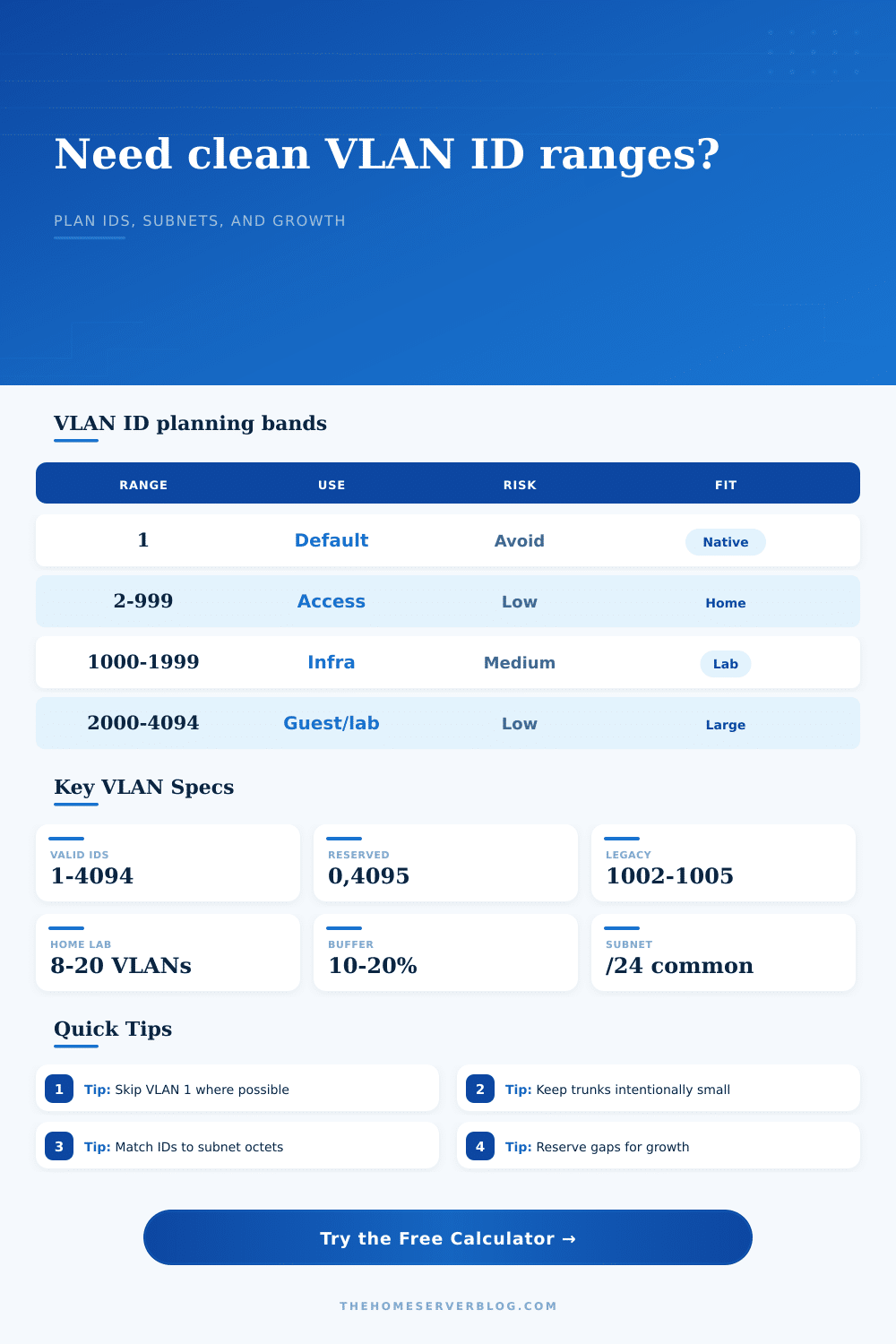
This planner uses the normal 802.1Q usable range of 1-4094, excludes common special-use IDs, then picks the first contiguous range that satisfies demand plus your buffer.
At some point, you probably began with a flat network and one switch. Why not? It got the job done. But as time passed, you had more IoT devices talking to your work laptop, and maybe guest Wi-Fi was killing your Plex stream. Now, enter segmentation.
The solution is great, but who wants to play the vlan id guessing game? Using VLAN 1 for all of it is just bad security hygiene. Just picking random numbers will make a mess. Before you even touch that switch, the planner lets you reserve unused, clean ranges and mark off special IDs so you don’t have to play the guessing game later on. It documents future growth and creates example subnet, making it easy to map out what’s coming next.
How to Plan Your VLAN IDs
In a homelab environment, boring networking is good. You want an ID scheme that makes sense without looking at lookup table. When you see VLAN 200, you should know what it’s for without having to check a spreadsheet. Most builders don’t even bother with Default VLAN 1. Lots of devices ship with VLAN 1 as their native VLAN which means if they leave it open, then it’s a security risk. Moving your management up to something like 10 or 99 isolate your access from the default broadcast domain. It’s a small shift but one that changes the security setup of your rack.
Next, it’s time to divide up what you’ve got in terms of space. The standard (802.1Q) lets you specify IDs between 1 and 4094, but you aren’t going to need that many. The calculator helps you select a band appropriate for your growth plans. For a small home lab, compact ranges are good. Use something like 10 to 19 for management, 20 to 29 for users, and 30 to 39 for IoT. That keeps things short and easy to remember. It is easy to type.
If you’re building out across multiple sites, or expect to expand significantly, role-based bands makes more sense. How about 100 to 199 for users, 200 to 299 for servers, and the 300 block for storage? Leave some room to add other roles without having to jump around the ID space. Everyone forgets about buffer space. I mean, hey, I only need six VLANs now, right? So create six. Then I want to start a test VM, or add a guest network, or buy a new service. Oops! You’re out of contiguous ID numbers. By including a 10 to 20 percent buffer, you’ve got some slots available when the next project comes around. No more fragmented mess with VLANs spread all over the place on non-adjacent numbers. The tool will calculate this buffer space for you.
How many clean slots do you have left once it account for your current usage as well as any reserved ranges? And then there are equipment limitations. A 8-port smart switch may support just a couple-dozen VLANs; a managed L3 switch may support hundreds. It’s good to know your ceiling so you can be realistic about it. You don’t want to burn half your switch capacity on a test network that never runs production traffic if your switch maxes out at 64 VLANs, for instance. And the page lays it all out in the reference tables. What fits on consumer gear vs. Enterprise stacks.
And lastly, connect the IDs to subnets. Something like this: 10.2.210.0/24 for VLAN 210 makes things easy to document. When you configure routers and firewalls, you can figure out the IP scheme from the vlan id; saving time. It converts a meaningless number into a sensible address. A little up-front planning now saves hours of troubleshooting down the road. Someday you’ll grow your network, and you’ll be glad you left some of those spaces unfilled.
Use simple IDs, leave space available, and watch the chaos dissapears. You should of planned better to avoid more moddern issues. It is naturaly easy to make mistakes when setting up a new rack.