Home lab ECMP, LACP, bonding, and SD-WAN planner
Multipath Bandwidth Calculator
Estimate usable aggregate bandwidth, single-flow limits, post-failure capacity, and headroom when traffic is spread across ECMP next hops, LACP members, bonded WAN circuits, SD-WAN paths, or tunnel overlays.
Calculation breakdown
Capacity signal
Best when many source and destination pairs create enough hashed flows to fill next hops evenly.
Great for many clients to one NAS or switch, but one backup stream often stays on one link.
Can steer apps by loss, latency, class, and SLA, with aggregate depending on tunnel behavior.
When endpoints support it, one logical transfer can use multiple subflows across paths.
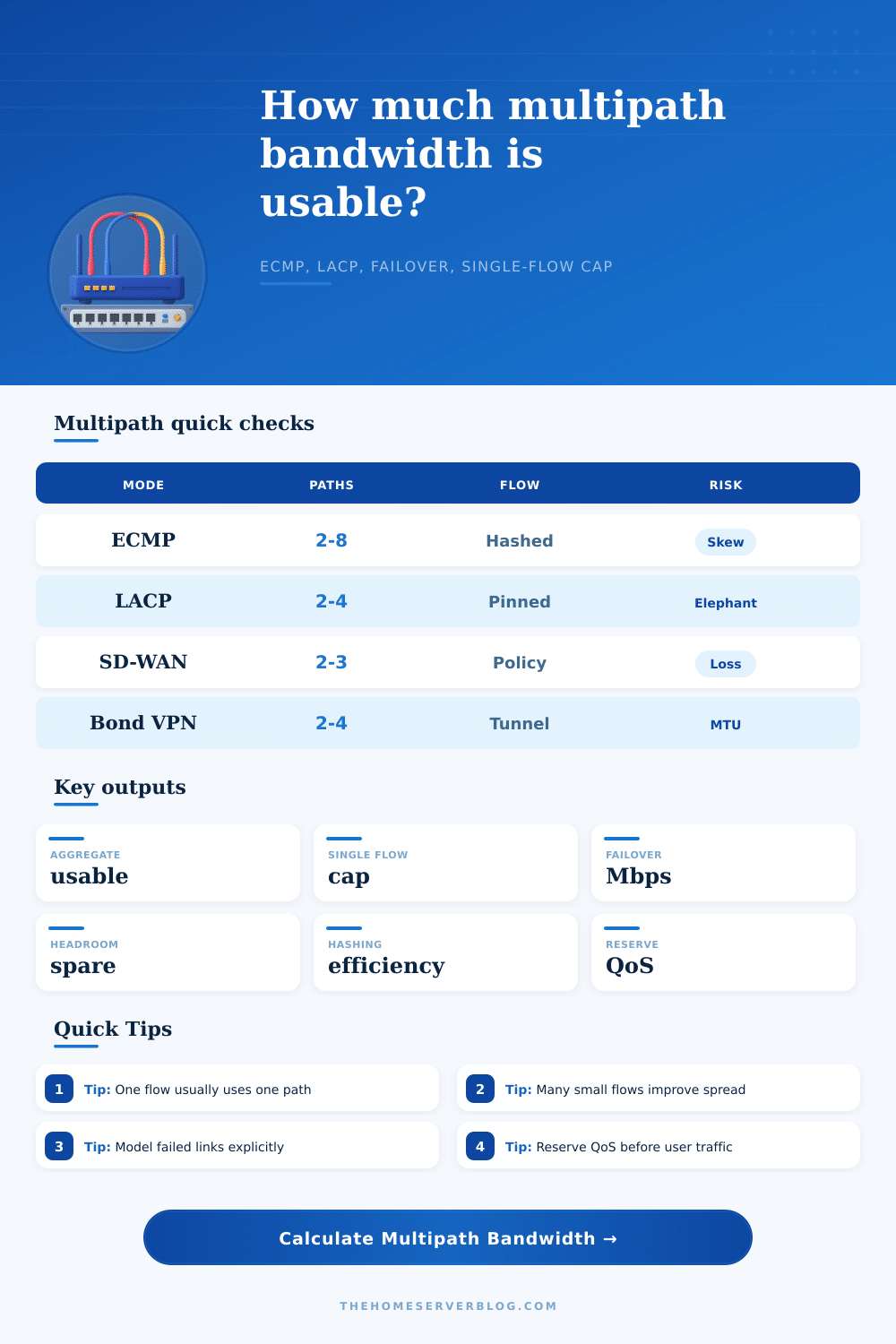
| Mode | What spreads traffic | Single-flow behavior | Best home lab use |
|---|---|---|---|
| Layer 3 ECMP | Route hash over equal-cost next hops. | Usually pinned to one next hop. | Spine-leaf labs, routed VLANs, FRR, BGP, OSPF. |
| 802.3ad LACP | Switch and host hash over bundle members. | Usually capped by one physical member. | NAS, virtualization hosts, storage VLANs, switch uplinks. |
| SD-WAN policy | Application, path quality, class, or tunnel rules. | Depends on vendor and per-flow steering mode. | Branch labs, dual ISP routers, LTE backup, QoS testing. |
| VPN bonding | Overlay tunnels, sequence buffers, or subflows. | Can improve if the bonder splits one stream. | WireGuard labs, cloud relays, remote backup experiments. |
| Preset | Paths | Per-path speed | Planning cue |
|---|---|---|---|
| Dual WAN ECMP | 2 | 1000 Mbps | Router or firewall with two similar uplinks. |
| 4-Link LACP NAS | 4 | 1000 Mbps | Many clients can exceed one link; one SMB stream may not. |
| 8-Way Spine ECMP | 8 | 25000 Mbps | Needs many flows or hosts to avoid hot next hops. |
| Branch SD-WAN | 3 | 300 Mbps | Plan for one carrier failure and QoS-protected apps. |
| Small flow count | Expected spread | Calculator effect | What to test |
|---|---|---|---|
| 0 to 4 flows | Poor bucket coverage. | Large aggregate discount even if links are healthy. | Run multiple iperf3 streams or real client tests. |
| 5 to 20 flows | Moderate spread with visible skew. | Efficiency improves, but imbalance still matters. | Check per-member counters and route hash policy. |
| 20 to 100 flows | Usually enough for small LACP or ECMP groups. | Most aggregate loss comes from overhead and reserve. | Watch for one noisy backup or storage stream. |
| 100+ flows | Good statistical spread for many paths. | Hashing efficiency becomes the dominant input. | Confirm return path symmetry and elephant flow pinning. |
| Failure case | Capacity loss | Risk signal | Mitigation |
|---|---|---|---|
| No failed paths | Only overhead, QoS, hash loss, and imbalance. | Healthy if elephant fits one path. | Keep counters balanced and reserve stable. |
| One member down | One path worth of gross speed plus reshuffle loss. | Watch queues during reconvergence or LACP rebalance. | Shape below surviving aggregate. |
| Half the paths down | Aggregate can drop below peak small-flow demand. | High risk for storage, backup, and video flows. | Prioritize QoS classes and pause bulk jobs. |
| One path left | Multipath becomes single-link service. | No aggregate gain; only one path cap remains. | Use fail-closed policy for noncritical bulk traffic. |
Because of this, you purchased two gigabit internet connections for your home network. Large files weren’t downloading quick enough and video calls kept buffering. The marketing materials told you that it was as easy as math: two paths means twice the speed. You started a single backup job and watched it crawl along at one gigabit…was the math off? Was the hardware broken? Nope. Your intuitions about how to combine bandwidth is deceiving. Multipath networking doesn’t work like additional lanes in a highway. Bandwidths don’t just add up. Traffic gets distributed according to physical limitations, policy, and hashes that can frequentlly be unexpected compared to simply adding things up.
After you’ve specified your own topology, the calculator (above) do all of the tricky math for you, which means no more guessing at whether you’ll see better results or simply pay extra for redundant capacity. The takeaway is that aggregate bandwidth are a statistical probability rather than a constant. In other words, if traffic traverses multiple links through LACP or ECMP, then the network hashes the source and destination addresses in order to decide where it sends each packet.
Why Two Internet Connections Do Not Mean Double Speed
Traffic distribution tend to balance out quite nicely when there is lots of small connection; think app updates and web browsing. The more simultaneous flows you have, the closer your actual throughput get to that theoretical total. Think of it like a numbers game. Volume helps. But for big single transfers, the picture change. And this is the case in which the elephant flows into play the most. Typicaly a large video render session or backup stream will pin itself to one hash bucket. So even if there are a bunch of other links with extra space, it can’t use them. You end up with one line screaming away at max capacity and three others sitting idle because the application is stubbornly locked down on one path. That’s why folks think their multipath set-up doesn’t work as well, based off a bottleneck. The tool shows you what the aggregate potential is vs. The single-flow limit and makes it clearer: more paths don’t always mean quicker transfers from the big transfer point of view.
Plan for failure. Most failure scenarios aren’t mentioned on the marketing brochure, but they’re absolutely necessary for building resilience. What if one of those links goes down? Will your other link take up the slack immediately and not fail because of congestion? Simulate failures with the calculator to get a picture of how much usable bandwidth you’ll actualy have during a failure. Is it enough to maintain QoS reserves so you can squeeze bulk traffic into smaller buckets while keeping voice/video clear? If you don’t reserve capacity for apps with strict latency requirements, one broken cable can make your shiny new network a bottlenecked mess. Everything crawls along at once in this situation.
A second factor eating away at your bandwidth silently but constantly is hash efficiency. While all the hashing algorithms has their imperfections, a real network will be imbalanced for reasons such as uneven routes, sticky sessions, etc. Some buckets become full before others even though both sides have the same links. This results in uneven usage of the links. The page shows a reference table comparing various modes, such as traditional LACP bundles versus SD-WAN policy steering. Each mode has its own tradeoffs between spreading traffic evenly and reacting to changes quick. Knowing the details allows you to determine whether your existing HW can really provide what you think it should of or not. Or whether you’re banging your head against the wall because you hit the inherent limit of protocols.
So in the end, multi-path bandwidth isn’t necessarily about how much it can move but how well it can deal with both failure and distribution. How many little flows do I have that are going to fill my buckets evenly? Do I have enough extra space to account for dropped links? Do I have enough reserve capacity to ensure that the apps I care most about continue to be responsive even as stuff goes wrong? As long as you remember that the whole is not always greater than the sum of its parts, it will work out just fine. But mainly it’s just knowing what you’re measuring vs. It is about what you think you are getting.