VPN and WAN capacity planning
Site-to-Site Bandwidth Calculator
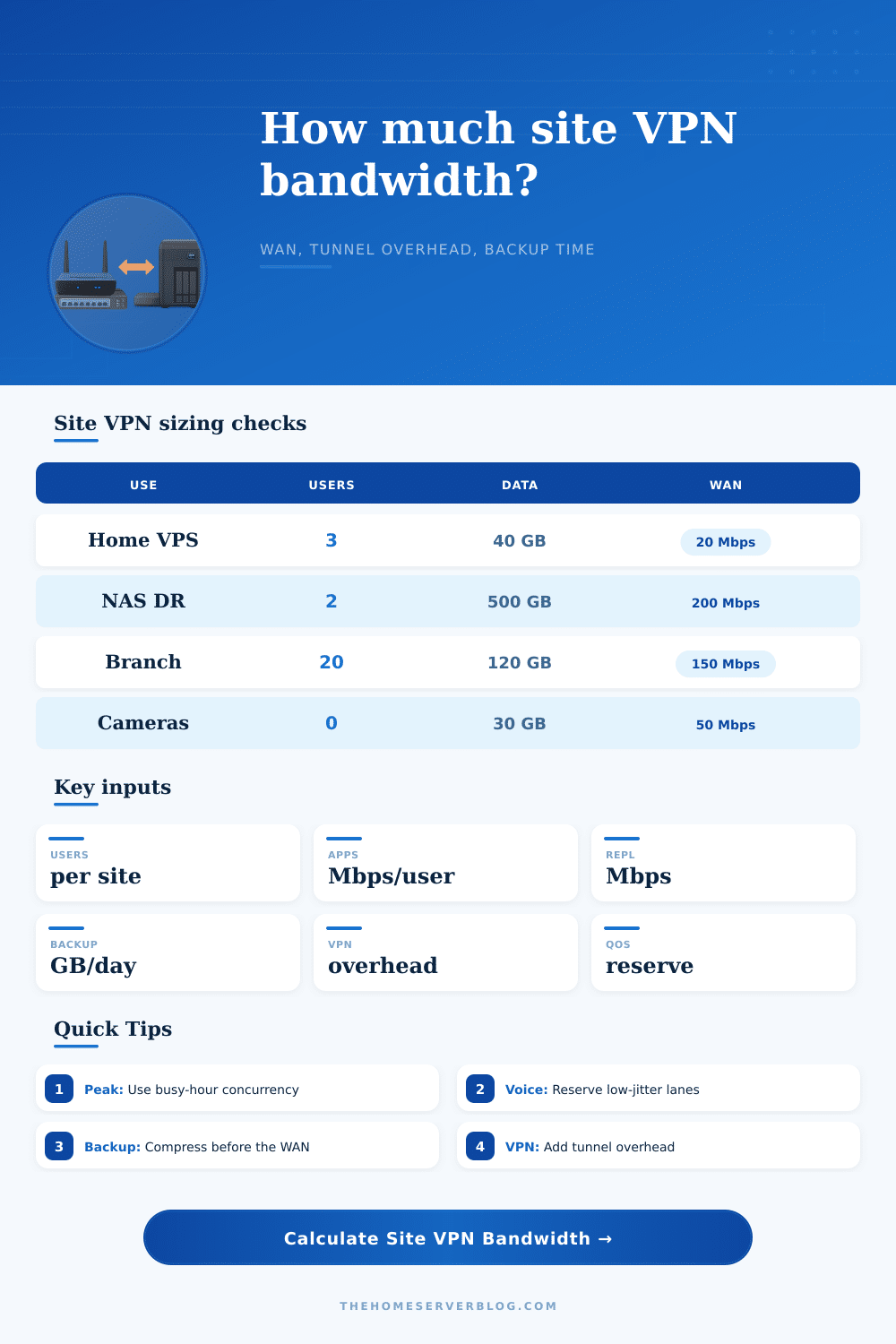
Estimate required WAN speed for a site-to-site tunnel from user traffic, replication, backup data, voice and video streams, VPN overhead, compression, peak concurrency, and QoS reserve.
Site-to-site WAN sizing result
Traffic breakdown
Capacity mix
The calculator assumes an 8 hour backup window and 2.4 Mbps per voice/video stream as a blended planning value. Use a higher per-user Mbps value when SaaS, RDP, SMB, or camera preview traffic is heavier.
| Tunnel type | Typical overhead | Planning note | When to raise it |
|---|---|---|---|
| WireGuard site tunnel | 10% to 15% | Efficient UDP encapsulation with simple crypto path. | Small MTU, roaming links, or packet loss. |
| IPsec ESP tunnel | 15% to 25% | Good default for branch VPN and firewall appliances. | NAT-T, GRE, small packets, or double encryption. |
| OpenVPN over UDP | 20% to 30% | Useful when compatibility matters more than raw speed. | User-space CPU limits or high packet rate flows. |
| IPsec plus GRE | 25% to 35% | Common when dynamic routing or multicast needs a wrapper. | Low MTU WAN, many voice packets, or nested tunnels. |
| Data crossing WAN | Mbps for 8 hr | With 25% compression | Planning note |
|---|---|---|---|
| 50 GB | 14.2 Mbps | 10.7 Mbps | Small NAS, photos, or config backups. |
| 250 GB | 71.1 Mbps | 53.3 Mbps | Typical nightly VM incrementals or file deltas. |
| 1 TB | 291 Mbps | 218 Mbps | Needs a fast uplink or longer window. |
| 4 TB | 1165 Mbps | 874 Mbps | Seed locally or use staggered replication jobs. |
| Scenario | Traffic shape | Suggested reserve | Important bottleneck |
|---|---|---|---|
| Home to VPS | Low users, light apps, small backup deltas. | 15% to 20% | Residential upload and variable latency. |
| NAS offsite backup | Backup dominates, users are secondary. | 20% to 25% | Disk read rate, compression CPU, ISP upstream. |
| Branch office | Apps, VoIP, SaaS hairpin, print, identity traffic. | 20% to 30% | Busy-hour concurrency and QoS discipline. |
| Cloud DR sync | Continuous replication plus burst catch-up. | 25% to 35% | Snapshot churn and retransmits during spikes. |
| Check | Why it matters | Rule of thumb | Action |
|---|---|---|---|
| Measure upload, not download | Many site VPNs are limited by the smaller upstream. | Use 95th percentile busy-hour tests. | Test both directions with iperf3 or appliance telemetry. |
| Separate real-time queues | Voice and video need low jitter more than raw Mbps. | Keep at least 15% free after priority traffic. | Shape below ISP rate and classify DSCP carefully. |
| Stagger backups | Backup bursts can starve SMB, RDP, database, and POS traffic. | Prefer smaller deltas over one large transfer. | Schedule jobs outside peak user and replication periods. |
| Watch MTU | Nested tunnels and small packets inflate overhead. | Confirm path MTU before blaming the ISP. | Set MSS clamping and monitor retransmits. |
Maybe you upgraded to a higher-speed internet circuit only to find out your VoIP calls still get garbled. It doesn’t make sense, but there is more to bandwidth than just bits per second, there are many kinds of traffic competing for bytes on the wire. When a company connects two sites, rarely does this mean there is simply a download pipe from one location to another. More likely, there are all sorts of voice packets that is sensitive to delay. There are also heavy backup job running during off hours and tunneling protocols adding weight to each packet that goes down the wire.
Before you size or buy a link, the capacity estimator above consider several factors. These include QoS reserve, tunnel overhead, replication, and compression. It also accounts for real-time streams, backups, and VPN user. The first thing most folks do is count heads: how many users are in each branch office? Multiply that times some generic per-user bandwidth number. That’s fine as a beginning but it doesn’t reflect busy-hour reality. Not all your users are going to hit the network at exactly the same instant… but you’ll still have enough to clog things up if you don’t account for concurrency.
How to Choose the Right Internet Speed
The tool lets you play with peak concurrency percent… Which models this reality: half your team might hop on a conference call, while somebody else starts a big file transfer. To avoid dropping any packets, you want some headroom to allow for these kinds of coincidences. But then there’s the cost of encryption, the secret cost. Encrypting your traffic adds extra work and headers to each packet. It’s not free space.
The table on the page lays it all out by showing how much additional bandwidth each kind of tunnel consume. Depending on your configuration, you could be adding ten percent overhead with a simple WireGuard setup and pushing closer to thirty-five percent with something like a nested IPsec plus GRE configuration. That can make the difference between a smooth connection and one where everything constanty hits the ceiling. When you size a circuit, don’t ignore the weight of the protocol. The ISP doesn’t see your plaintext data. They see the encrypted blob and they charge you for every bit of it.
The other wrinkle is backup traffic. If you’re not compressing and shaping your large nightly backups correctly, you can very easily swamp a link. By assuming this job runs over an eight-hour window, the calculator has forced you to consider if your existing bandwidth are enough to shift your daily deltas within this period. Compression helps at this stage, however, provided you have compressable data. Highly optimised media files or archives that are already encrypted won’t help you here. Which brings me back to my point about understanding your workload being more important than pursuing theoretical speeds. A twenty-megabit pipe may well feel speedy when surfing the web but attempt to push fifty gigabytes of raw database logs across it without compression and it’s going to feel like molasses.
In contrast, voice and video are something else altogether. These applications don’t require huge amounts of throughput, they absolutely can’t deals with latency spikes or jitter, though. That’s where the idea of reserving capacity for Quality of Service comes in. In other words, if your network gets busy, you want to know that critical traffic like this will still get through. With the calculator, you can set aside a reserve percentage to keep these streams protected from being buried by bulk data transfers. It may be a small thing but it will prevent the sort of laggy video meetings that make remote work feel like torture.
And lastly, think about how unbalanced most home or small business connections are. In site-to-site situations, upload speed is frequently the choke point, particularly if you’re replicating local data to a destination such as the cloud, or backing things up. Having lots of download capacity won’t help if your upload sucks. Don’t trust ISP marketing figures; test what you actualy get at peak usage times. Measure the real world, not the brochure.
A WAN link isn’t so much choosing a large number as it is finding a balance among conflicting needs. How long can you tolerate backup? How much should you pay for the circuit? How far away does your site has to be from the other end of the tunnel to get good performance? Does it need to support high throughput or low latency? Is the connection sensitive to jitter?
Strike the correct balance and the line will stand up to load. Miss the mark and you’ll be running out to upgrade your cable, only to continue chasing latency problems because the root cause was congestion. You would of wanted a network that seems fast while working hard.