NAT Pool Size Calculator
Estimate public IPv4 pool size, PAT port headroom, firewall translation table pressure, HA reserve, and NAT logging volume.
NAT Pool Sizing Result
| Port Range Assumption | Raw Ports Per IP | Planning Use | Common Firewall Note |
|---|---|---|---|
| 1024-65535 | 64,512 | Default PAT pool math | Leaves privileged ports out of dynamic NAT |
| 49152-65535 plus tuned low range | 49,152 | Conservative enterprise edge | Useful when service pinholes reserve low ports |
| 32768-65535 | 32,768 | Security-restricted egress | Watch QUIC, games, and browser fan-out |
| 16,000 allowed ports | 16,000 | Strict provider or policy range | Address demand rises quickly |
| NAT Design | Best Fit | Sizing Driver | Practical Limit to Check |
|---|---|---|---|
| PAT overload | Home labs, offices, guest Wi-Fi | Concurrent translations and source ports | Per-IP port exhaustion before address exhaustion |
| Dynamic NAT pool | Servers needing outbound identity rotation | Concurrent hosts using addresses | Pool exhaustion when hosts pin public addresses |
| CGNAT shared pool | Subscriber labs, WISP, multi-tenant edge | Subscriber flows and logging scale | Traceability, abuse handling, and deterministic logs |
| Port-block allocation | Deterministic CGNAT | Clients x assigned port block size | Unused reserved ports reduce statistical multiplexing |
| Project Size | Typical Active Clients | Common Flow Estimate | Starting NAT Pool |
|---|---|---|---|
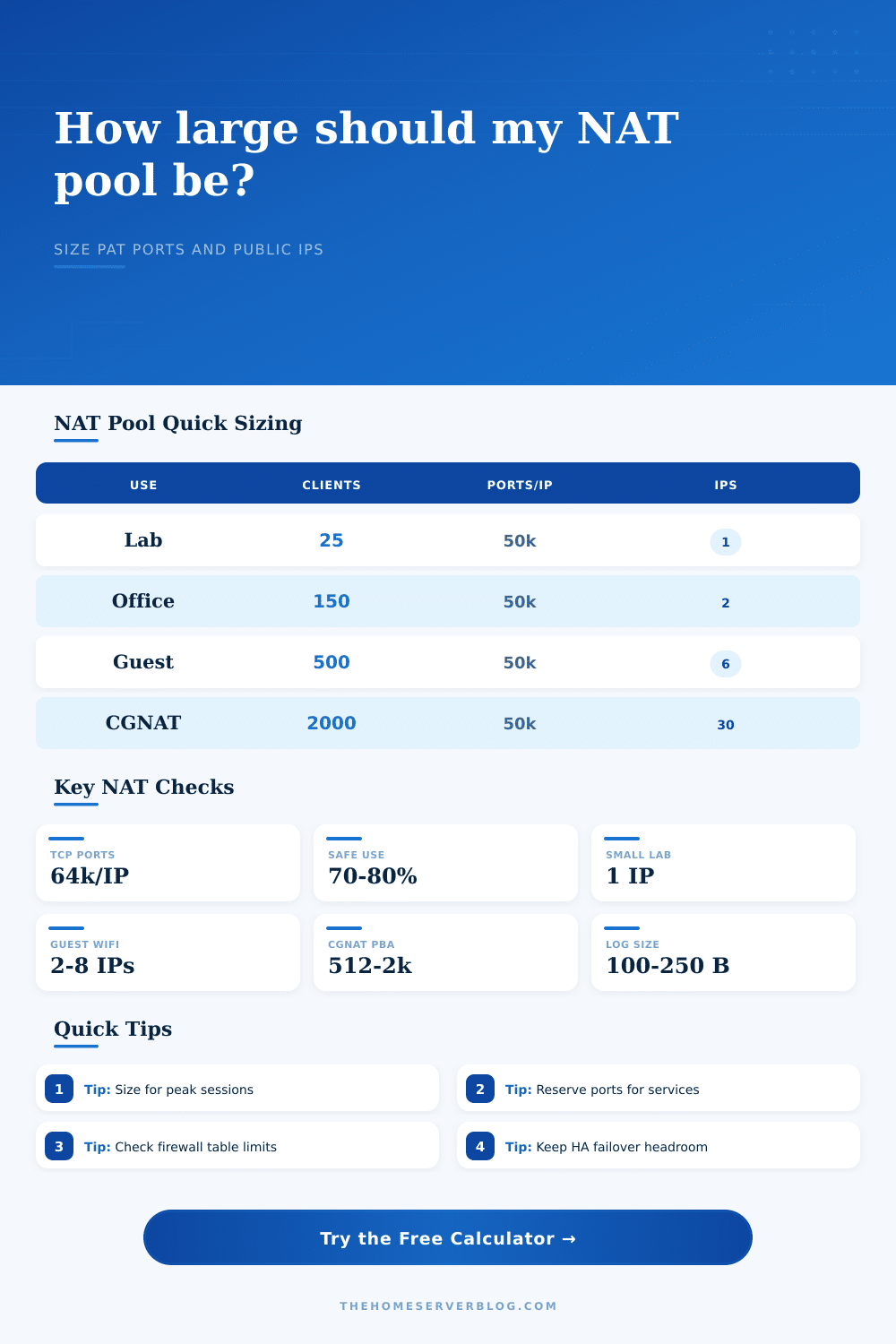
| Small home lab with NAS and hypervisor | 15-35 | 80-180 translations per client | 1 public IP with normal PAT |
| Guest Wi-Fi or short-term rental network | 60-150 | 180-350 translations per client | 1-3 public IPs depending on utilization target |
| Branch office plus VPN users | 150-350 | 120-260 translations per client | 2-6 public IPs with HA reserve |
| Small CGNAT subscriber pod | 800-2,500 | 200-600 translations per client | 20-80 public IPs depending on port blocks |
| NAT / Firewall Platform | NAT Model | Strength for Pool Sizing | Planning Watchpoint |
|---|---|---|---|
| pfSense / OPNsense | pf state table with outbound NAT rules | Clear state count visibility and flexible port ranges | RAM, state timeout tuning, and gateway failover behavior |
| MikroTik RouterOS | Connection tracking and src-nat/masquerade | Good lab CGNAT experiments and scriptable rules | Conntrack table memory and fasttrack interactions |
| Ubiquiti EdgeOS / UniFi Gateway | Stateful source NAT at site edge | Simple branch and home-office deployments | Visibility may differ between controller and CLI counters |
| FortiGate branch firewall | Firewall policy NAT and central SNAT | Strong session monitoring and HA modes | VDOM, session helper, and ASIC offload differences |
| Palo Alto PA-series branch | NAT policy with session table enforcement | Predictable policy matching and App-ID visibility | Zone design, session limits, and dataplane capacity |
| Cisco ASA / FTD | Manual and auto NAT rule ordering | Mature address pools and translation commands | Rule order, xlate timeout, and per-platform connection limit |
| Linux nftables / iptables | Netfilter conntrack with SNAT/MASQUERADE | Highly tunable for home lab routers | nf_conntrack_max, hash size, and kernel memory |
If your office’s internet didn’t go down one day, but every third Chrome window just sat spinning for hours… you know what I’m talking about. It wasn’t a bandwidth issue; it was a NAT table issue. A NAT table issue isn’t something anyone shouts about, but it sucks up productivity.
This calculator helps you predict this specific failure mode before it happens (it’s the firewall running out of ports, not addresses). If you think Network Address Translation is simply a way to hide your private IP behind a public one, you’re right…but it’s also a way to manage state. For every connection, the firewall reserve several slots in a table that has a set limit. That means as soon as that table get filled up, connections starts dropping.
How to Plan Your NAT Pool Size
Knowing how many public IPv4s to demand is never intuitive math, but having an estimator like this that calculates public IP demand based off session rates and concurrent client will save you money on hardware upgrades. NAT planning ultimately comes down to one question: How many devices do I have and how many ports does each use? A typical user surfing the web may have dozens of TCP connection open at once, and a large file download or video call keep those ports open longer.
To account for that, the calculator allows you to specify an average session hold time (how long are your ports held open?) as well as the maximum peak translations per client. Why is that important? Because it defines your active state table size, which is important. If you’re assuming all users has ten, you’ll be wrong; moddern browsers alone can easily hit the hundreds.
To get to your actual translation demand, tool takes your client count and multiplies them by their estimated flows. Then it divides that number (demand) by the number of usable ports per public IP, which is where the reality check kicks in. Not all sixty-five thousand can be used. Some are reserved for services, some are blocked by policy, and some is simply unlucky. So the actual port count is always less then the potential maximum.
The address math gets even more complex when you factor in high availability designs. You can get away with one IP block for an active-standby pair since they shares the same pool. But if you’re splitting the load between two firewall (active-active), then each node require its own slice of the pool. And if one goes down, the other must pick up its traffic without depleting its port supply. To account for this, the calculator adds a buffer depending on the HA mode you select. In effect, it makes you face the price of redundancy. You can either pony up additional IPs or settle for a narrower safety margin. There is no free lunch in network design.
NAT scale also mean log volume. Each new session result in a log entry. If you plan for a carrier grade NAT environment, you could have thousands of subscribers and lots of log entries. This will eat up your disk space and your syslog server‘s CPU. The tool estimates the daily log volume (multiplied by new sessions per second * log size) so you can size not only your firewall but also your storage infrastructure. Because once the audit request comes in, it’s too late to realize you needed terabytes of retention.
That’s where the reference tables that come with the calculator come in handy. For example, they shows you what is normal for typical scenarios. A home lab might squeak by with one IP address, but a guest Wi-Fi network will need many more very soon. They also surface some of the quirks particular to certain platforms (e.g., differences between proprietary appliance state tables vs. These include Linux conntrack tables. That helps you understand where your number fits in, so you know whether it matches comparable deployments and puts those figures into perspective.
Bottom line: Sizing a NAT pool is all about risk management. How much room do you need to accommodate traffic bursts? But how much more then that do you want? You don’t want to over-provision because doing so eats up money and complicates security policy. And you don’t want to run out either (which costs even more).
The calculator does the math, but you must apply judgment to the inputs. Keep port use targets on the conservative side; account for growth by leaving some buffer. Recognize that port exhaustion is a silent killer: it degrades the user experience long before causing a total outage. Account for the messy reality of moddern internet use, not the tidy ideal of textbook examples. Get the balance right and then nobody will notice. The network just works, and the invisible machinery keeping it alive goes unnoticed.