RIP Hop Count Calculator
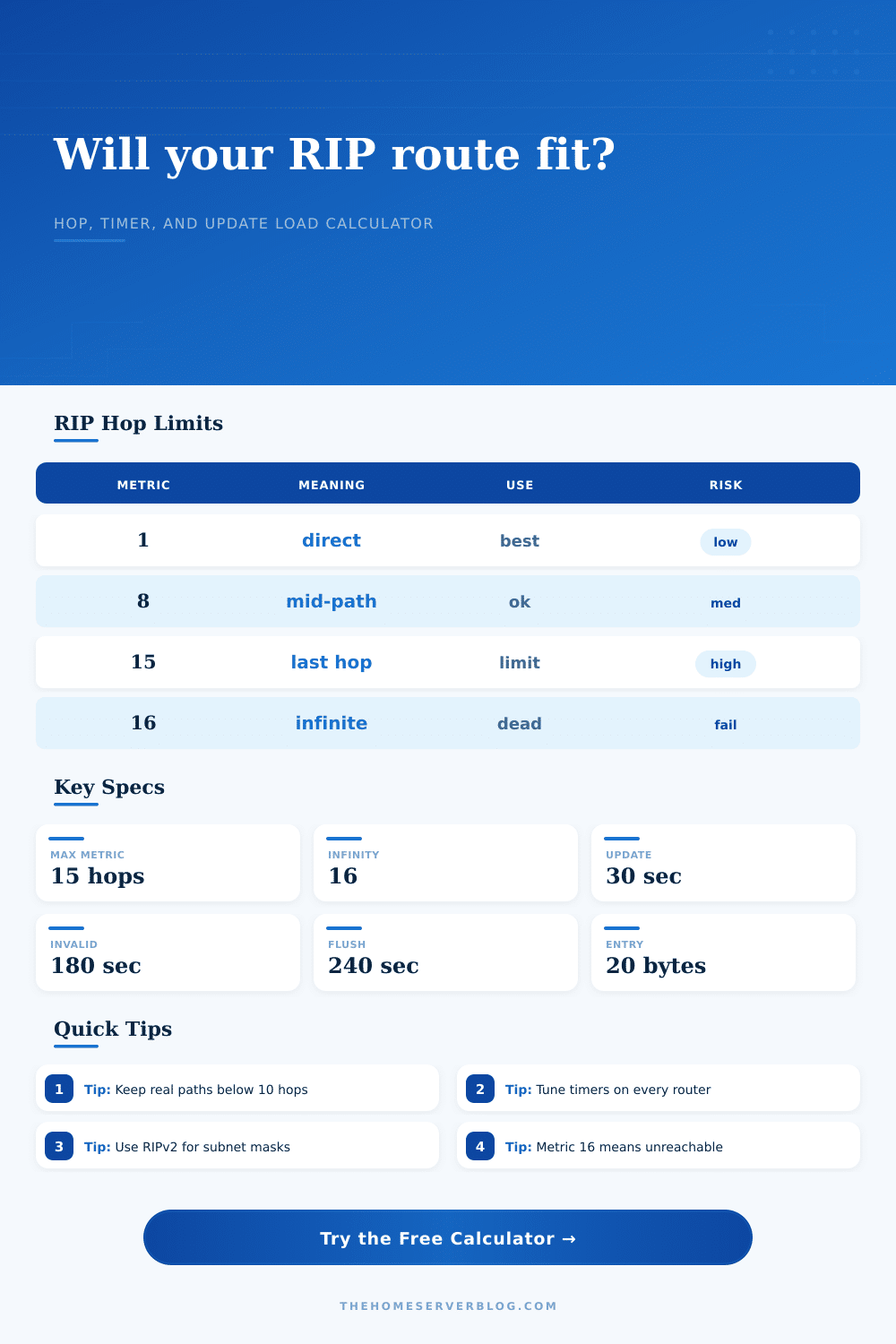
Check whether a RIPv1, RIPv2, or RIPng design fits inside the 15-hop limit and whether its timers and update traffic are practical for a home lab route domain.
| Calculated Metric | Meaning | Design Reading | Typical Action |
|---|---|---|---|
| 1 to 4 | Short RIP path | Comfortable for home labs, VLAN routers, and small tunnel edges. | Keep summaries clean and use passive interfaces where possible. |
| 5 to 9 | Moderate path | Usually feasible, but loop risk and failover delay become more visible. | Document backup metrics and avoid unnecessary daisy chaining. |
| 10 to 14 | Near the ceiling | Technically reachable, but a small topology change can break reachability. | Summarize, redistribute carefully, or move the larger domain to OSPF. |
| 15 | Last usable metric | Reachable only at the RIP limit with no spare hop capacity. | Treat as a temporary lab state, not a resilient design target. |
| 16 or more | Infinity | RIP marks the route unreachable and should not install it as valid. | Reduce hops, lower seed metric, or replace RIP in that path. |
| Mode | Metric Limit | Default Timer Set | Update Scope | Home Lab Note |
|---|---|---|---|---|
| RIPv1 | 15 usable, 16 infinite | 30s update, 180s invalid, 240s flush on many stacks | Broadcast, classful routes | Avoid with discontiguous subnets because masks are not carried. |
| RIPv2 | 15 usable, 16 infinite | 30s update, 180s invalid, 180s holddown, 240s flush on common routers | 224.0.0.9 multicast, classless routes | Best RIP choice for IPv4 labs needing VLSM or authentication. |
| RIPng | 15 usable, 16 infinite | 30s update and 180s timeout style behavior | IPv6 multicast FF02::9 | Useful for IPv6 learning labs, still limited by hop count. |
| Aggressive lab timers | Still 15 usable | 10s update, 30s invalid, 40s flush | Same protocol scope | Faster cleanup, but more update churn and greater jitter sensitivity. |
| Slow WAN timers | Still 15 usable | 60s update, 300s invalid, 360s flush | Same protocol scope | Lower chatter, but stale routes persist much longer after failure. |
| Packet Case | Entries per Packet | Approx Bytes Used | Why It Matters |
|---|---|---|---|
| RIPv1 or RIPv2 no auth | 25 IPv4 routes | IP/UDP/RIP overhead plus 20 bytes per entry | Small route tables fit in one packet per interface per update. |
| RIPv2 simple auth | 24 IPv4 routes | One entry position is consumed by authentication | Large labs cross packet boundaries sooner. |
| RIPv2 MD5 auth | 24 IPv4 routes | Authentication trailer increases practical frame size | Use when supported, but account for the extra bytes. |
| RIPng IPv6 | Up to 74 routes near MTU 1500 | IPv6 and UDP headers with 20-byte route entries | Packet packing is better, but the 15-hop limit remains. |
| Scenario | Router Hops | Routes | Typical Result | Secondary Watch Item |
|---|---|---|---|---|
| Two-router home edge | 1 to 2 | 4 to 12 | Excellent hop margin | Make LAN ports passive. |
| VLAN router chain | 3 to 5 | 15 to 40 | Comfortable if summarized | Confirm RIPv2 for masks. |
| Overlay tunnel lab | 4 to 7 | 20 to 80 | Feasible with clean metrics | Watch packet loss and timer jitter. |
| Long daisy-chain practice | 12 to 15 | 30 to 120 | Near or at limit | Break into areas or use OSPF. |
You put three routers into your spare bedroom and would like them all to talk to each other for free. It seems easy enough until you discover that the protocol you’ve selected can only handle fifteen hops. Sounds like plenty until you begin to include backup paths, redistribution policies, and tunnels. Now you’re running out of routers at the top of your ceiling, and you’ve built a house of cards on a rickety foundation.
The problem is, the hop count isn’t simply a measure of distance. It is the only measure you have. Latency, bandwidth, and even packet loss don’t matter to RIP. How often a route has been passed around is all that matters. After sixteen hops, the route die.
How to Use RIP Correctly in Your Lab
Enter the timer settings and your topology, and the calculator do the rest for you. It eliminates the need to guess if your design will survive a topology change.
I know most home labbers think of seed and the offset list as unimportant metrics, and that’s because most of the time their connected routes begins with a 1. But that doesn’t hold true when redistributing from another protocol. You might pull in an OSPF route via RIP and seed it with a value of 5. A third of your hop budget is gone before the packet even exits first interface. That’s what folks don’t understand. They calculate physical interfaces and neglect penalty added to the logic at the edge.
The gotcha’s here come into play with the timers. By default, they’re set to update every 30 seconds, which sounds like a lot. Sounds fast. It’s slow enough not to choke your slow Wi-Fi links with broadcast traffic. But it’s also not fast enough for real-time failover.
Adjusting the flush or invalid timers is a tradeoff between stability and speed of convergence. Make ’em too short, and you’ll have flapping. Make ’em too long, and you’ll have some routes sticking around in the table long after their corresponding router are gone. The tool combines your holddown period with your flush timer to calculate its silent failure window. If this value is greater then how long you can tolerate being down, then you should of reconsidered your design, or switch protocols.
A simple entry uses one route slot per packet. This is used in RIP v2 (RIPv2 simple auth). Routers has limited amount of route entries they can store, so every byte you waste on something else is wasted space. MD5 adds a trailer, which increases the size of the frame.
In a small two-router lab you probably won’t see it. But in a mesh with forty routes, those extra bytes causes the router to break up the update into multiple packets. More packets = more CPU cycles = more opportunity for retransmission on a lossy link. This is factored into the periodic update load estimate, which means you get a real-world bandwidth cost instead of a theoretical minimum.
Version selection also matters. For example, RIPv1 can’t support variable length subnet masking because it doesn’t carry subnet masks. RIPv2 fixes that and adds the mask to the update. RIPng does the same thing for IPv6. Use RIPv2 or RIPng if your goal is to build a moddern lab. Mix ’em up and you end up with some sort of migration zone where you have routes being misinterpreted or truncated. There is no benefit, and it is a debugging nightmare.
The tool’s presets help you see those scenarios play out by simulating common lab topologies like long daisy chains or dual WAN failover.
Make sure your paths stay short. If anything is higher than a ten according to your calculation, you’re skating on thin ice. Add one more router, get one offset list configured wrong and you’ll be pushing 16 and the route dies.
Where possible, summarize your routes. Turn off those pesky updates by making LAN interfaces passive. Know your backup routes. When that primary link goes down you want to know where traffic will go.
Rip is easy but like all easy things, it costs you control. It has no special route selection like BGP or OSPF, only fifteen hops. And that is all you get. Treat them with care.
Is it enough? Will it work for you? Does “safe” mean “good enough” for your network? That line between resilient and simple is the difference between a great lab network and a ho-hum home lab.