OSPF Hello Interval Calculator
Estimate hello timers, dead intervals, control-plane load, and adjacency risk for broadcast, point-to-point, NBMA, wireless mesh, lab backbone, and WAN edge OSPF designs.
Calculated OSPF Timer Plan
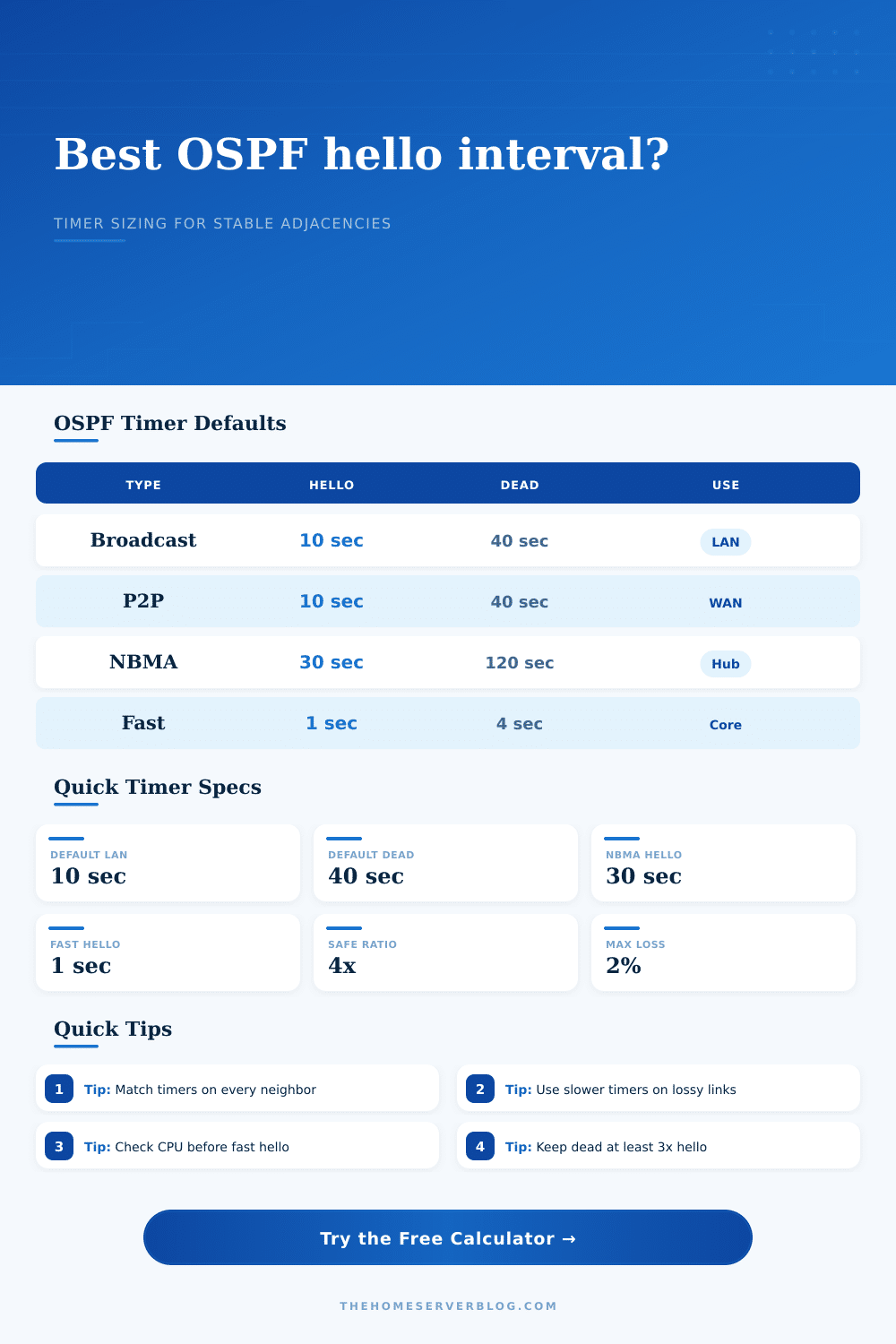
| Network Type | Hello Interval | Dead Interval | Typical Home Lab Use |
|---|---|---|---|
| Broadcast multi-access | 10 seconds | 40 seconds | VLAN SVI, Ethernet router port, routed switch segment |
| Point-to-point | 10 seconds | 40 seconds | Router-to-router fiber, direct copper, routed lab link |
| Non-broadcast multi-access | 30 seconds | 120 seconds | Frame relay style hub, emulated NBMA, static neighbor topology |
| Point-to-multipoint | 30 seconds | 120 seconds | Hub-to-spoke tunnel group or segmented transit topology |
| Fast hello profile | 1 to 2 seconds | 3 to 8 seconds | Controlled backbone where CPU, loss, and jitter are known |
| Goal | Hello Range | Dead Multiplier | Tradeoff |
|---|---|---|---|
| Fast convergence | 1 to 3 seconds | 3x to 4x | More packets, higher sensitivity to jitter and CPU stalls |
| Standard stability | 10 seconds | 4x | Good balance for most Ethernet and point-to-point links |
| Lossy wireless or VPN | 15 to 30 seconds | 4x to 5x | Slower failure detection but fewer false neighbor resets |
| NBMA or high latency | 30 to 60 seconds | 4x | Matches conservative defaults for slower neighbor discovery |
| Design Signal | Low Pressure | Medium Pressure | High Pressure |
|---|---|---|---|
| Hello packets per minute | Under 300 | 300 to 1500 | Over 1500 |
| Hello bandwidth share | Under 0.1% | 0.1% to 1% | Over 1% |
| CPU margin | Over 50% | 25% to 50% | Under 25% |
| LSA churn | Under 10 per hr | 10 to 60 per hr | Over 60 per hr |
| Profile | Topology | Starting Timer | Reasonable Adjustment |
|---|---|---|---|
| Home lab backbone | 2 to 6 routers in area 0 | 10 sec hello, 40 sec dead | Try 5 sec only after checking CPU and packet loss |
| WAN edge failover | Dual ISP or routed firewall handoff | 10 sec hello, 40 sec dead | Use 3 to 5 sec if the provider path is clean |
| Wireless bridge | Backyard, garage, or detached office | 20 sec hello, 80 sec dead | Avoid fast hello during weak signal or DFS events |
| VPN overlay | IPsec, WireGuard, GRE, or DMVPN-like lab | 15 sec hello, 60 sec dead | Account for encryption CPU and internet jitter |
Ever seen your OSPF adjacency drop for no obvious reason? What happened was most likely invisible, it’s not like the physical link has dropped, right? You’re looking at the router CPU with nothing happening; fiber is up. But here’s the catch: You’ve slapped some aggressive OSPF timers on a congested MPLS circuit or a wireless backhaul (whereas they was fine coming from a stable Ethernet backbone).
OSPF timers aren’t random numbers. It’s a trade-off between control plane noise and failure detection speed. When you plug those values into the calculator, it do the math for you, but you need to understand the inputs by seeing what those numbers translate in to in the physical world.
How to Set OSPF Timers Correctly
Your routing protocol has a heartbeat called the hello interval. By setting this to one second, the router will sends a packet once per second. This provides for speedy convergence, but decreases link stability if there’s jitter. Each time a packet is missed, it move the neighbor’s dead timer closer to zero. So you have to balance how quickly you want to detect a problem against the chance of having a false positive. A false positive is worse then a true negative. It causes unnecessary route recalculations that impact the whole topology.
Many designers stumble at this point: the dead interval multiplier. Industry practice has been a four-times-the-hello value. So if you hello every ten seconds, you mark the neighboring router as dead forty seconds later. That gives plenty of cushion for any possible packet loss or spike in CPU usage without taking down the adjacency. As the reference table indicates, slower defaults is used on NBMA networks such as Frame Relay. There’s a reason it uses a thirty-second hello and a one hundred twenty-second dead… Those values take into account delays and asymmetries that broadcast LAN don’t see.
And there’s more, how much control plane traffic are we talking about? Processing those hello packets consume resources: bandwidth and processing cycles. In fact, setting your hello timer at two seconds with a router that has forty OSPF interfaces will mean lots of little packet per minute. On a high-speed core switch, it doesn’t matter. But on a lower tier edge router with limited CPU capacity, the chatter might mask performance problems or drive average use up. The tool estimates the load so you can tell whether the convergence speed you desire fall within your hardware constraints.
Another common error is to mismatch timer settings between neighbors. OSPF is strict on that. For example if you have Router A set for hello every ten seconds and Router B do it every thirty, no adjacency forms. This is where the adjacency risk index in the results can come into play. That is a combination of your expected churn rate (i.e., how often things change) and your configured loss tolerance. Your loss tolerance is going to be low if you are running OSPF across a site-to-site VPN across the public internet. You don’t want to use fast timers. The internet is noisy. Packet loss happens. Don’t treat a VPN link like a direct fiber connection, or your connection will be unstable.
Fastest convergence is fine but only when accurate. Convergence is just one metric. We want predictable behavior. Flapping in the middle of a large download is worse than slow convergence provided the network stays up. Try the different profiles and watch what happens as the topology changes. Wireless mesh has slower timers while the data center core profile can have faster timers. It’s all controlled so you can use faster timers there.
Match the timer with the actual link. The default settings are usually fine for whatever network type you’re running. Tune from there according to what you see working, rather than what might be possible in theory. Speed up if things seem stable. Slow down if they’re noisy. The most trouble-free OSPF design will never need troubleshooting on a Sunday night. Timers should of be conservative and ratios should make sense. Step back and let the protocol work.